STACK Construction Management

STACK Construction Management


Herunterladen auf App StoreHerunterladen auf Google Play
Logo von STACK Construction Management

STACK Bau-Management: Beherrschen Sie Ihre Baustelle mit Echtzeit-Plan-Zugriff

Ermöglichen Sie Ihren Baustellenteams, digitale Pläne von überall aus abzurufen, zu markieren und zu teilen. Eliminieren Sie Nacharbeiten, arbeiten Sie offline und reduzieren Sie die Planprüfzeit um 50% mit dem ultimativen Werkzeugkasten für Baustelle und Büro.

Herunterladen auf App Store

Herausgeber

STACK Construction Canada Inc.

Kategorie

Business

Downloads

20K+

Bewertung

4.3/5

Bewertungen gesamt

0

Sprachen

-

Für die Baustelle entwickelt

Entdecken Sie die Oberfläche, die von 20K+ Nutzern verwendet wird.
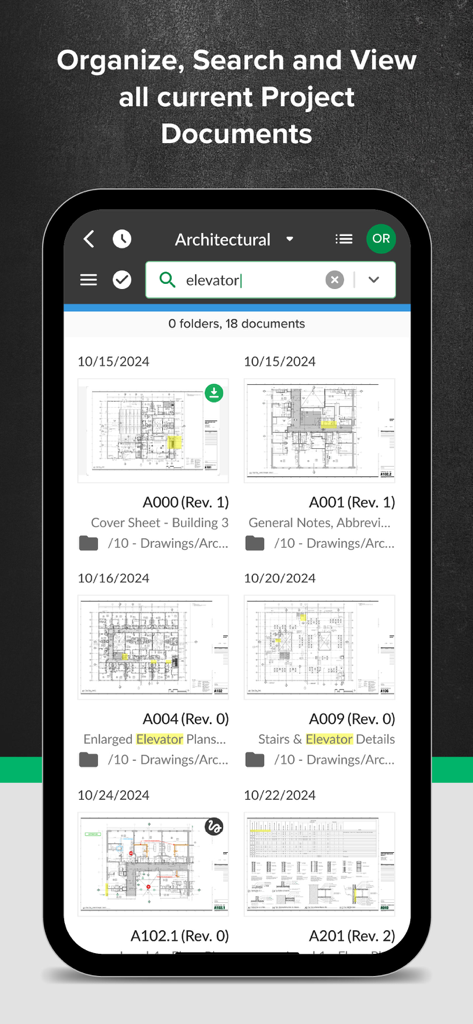
Smartphone-Bildschirm, der die STACK App-Dokumentenbibliothek und Suchfunktion für Baupläne zeigt.

Smartphone-Bildschirm, der die STACK App-Dokumentenbibliothek und Suchfunktion für Baupläne zeigt.

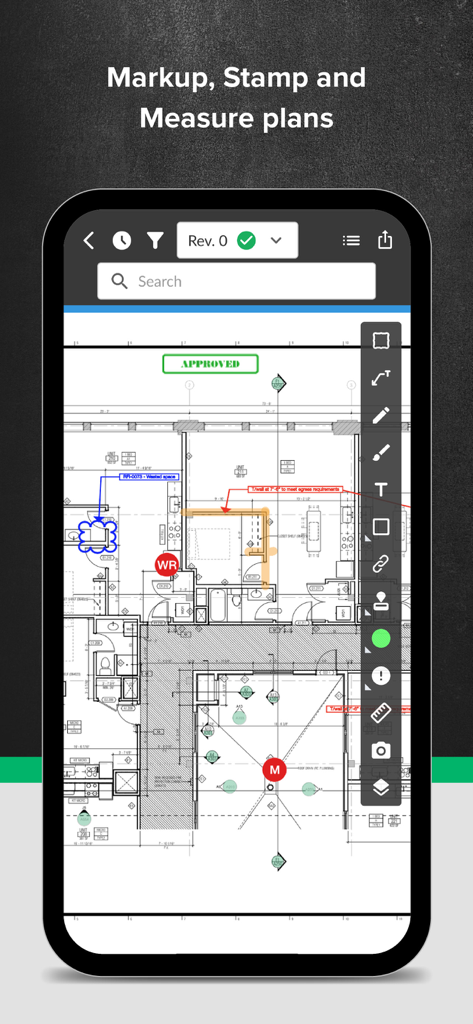
Digitaler Bauplan mit Rotstift-Markierungen und Messwerkzeugen in der STACK Mobile App.

Digitaler Bauplan mit Rotstift-Markierungen und Messwerkzeugen in der STACK Mobile App.

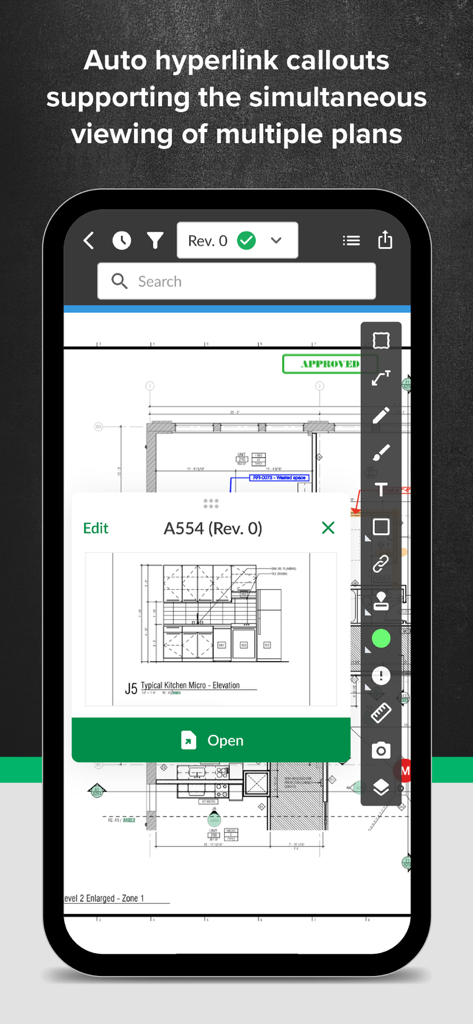
STACK App-Oberfläche, die automatische Hyperlink-Callouts zur gleichzeitigen Anzeige von Bauplänen zeigt

STACK App-Oberfläche, die automatische Hyperlink-Callouts zur gleichzeitigen Anzeige von Bauplänen zeigt

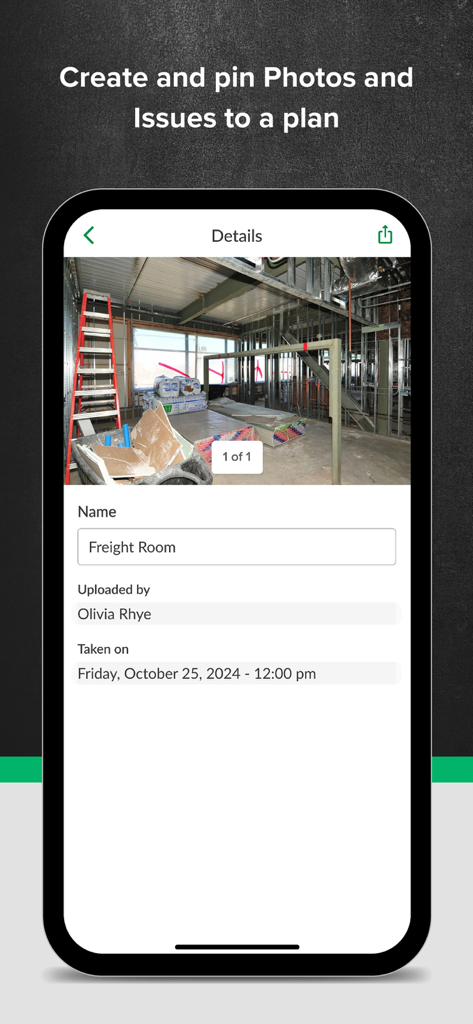
STACK Bau-App-Oberfläche, die Details zu Baustellenfotos und Pinnfunktionen zeigt

STACK Bau-App-Oberfläche, die Details zu Baustellenfotos und Pinnfunktionen zeigt

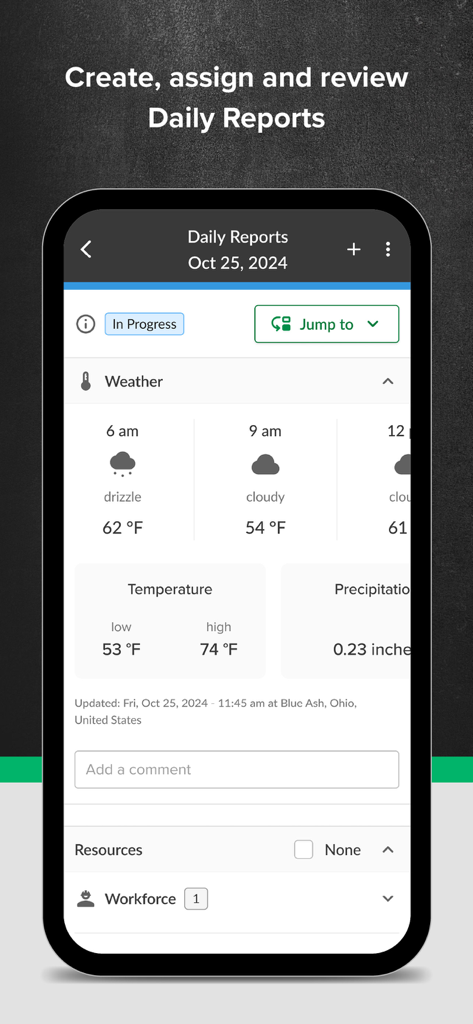
Tagesberichte-Bildschirm in der STACK App mit Wetter- und Personalverfolgung auf der Baustelle

Tagesberichte-Bildschirm in der STACK App mit Wetter- und Personalverfolgung auf der Baustelle

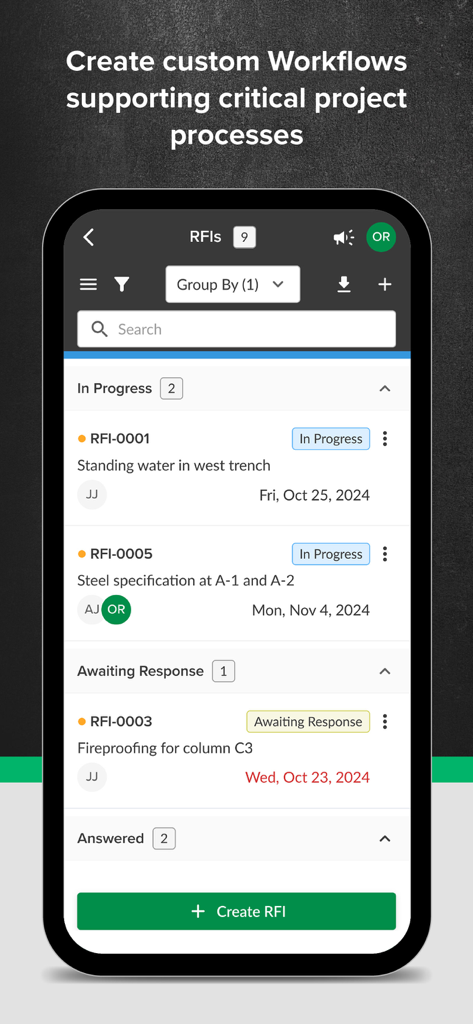
STACK Bau-Management App, die RFI-Nachverfolgung und Projektworkflow-Status anzeigt

STACK Bau-Management App, die RFI-Nachverfolgung und Projektworkflow-Status anzeigt

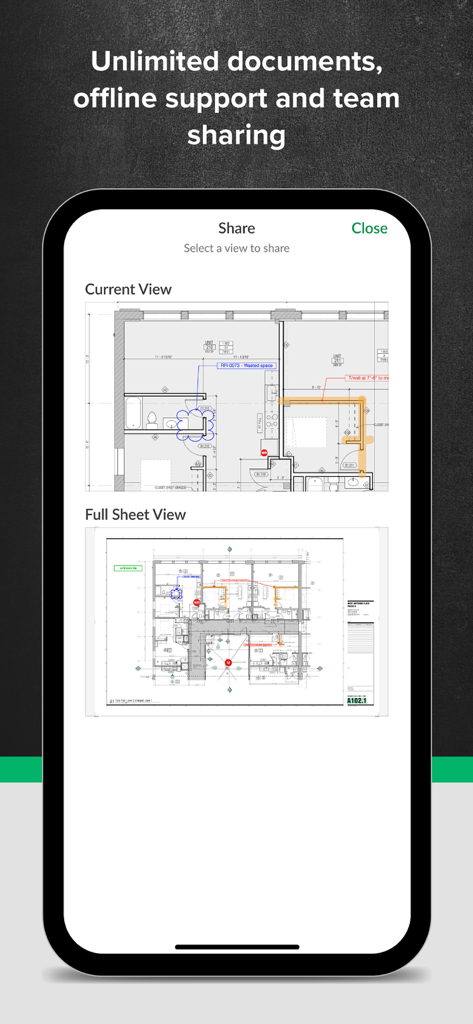
STACK Bau-Management App-Oberfläche, die den Bildschirm zum Teilen von digitalen Bauplänen und Markierungen zeigt

STACK Bau-Management App-Oberfläche, die den Bildschirm zum Teilen von digitalen Bauplänen und Markierungen zeigt

Für die Baustelle gebaut, für Ergebnisse entwickelt

Die Tools, die diese App auszeichnen, gewählt von 20K+ Nutzern.

Sofortige automatische Hyperlinks

Hören Sie auf, Hunderte von Papierbögen durchzublättern. Verknüpfen Sie automatisch Detailangaben, um in Sekundenschnelle zwischen Zeichnungen zu navigieren.

📵

Robuste Offline-Zuverlässigkeit

Greifen Sie auf Pläne zu und markieren Sie diese in Kellern oder abgelegenen Gebieten ohne WLAN. Ihre Arbeit wird automatisch synchronisiert, sobald Sie wieder in Reichweite sind.

📸

Präzise Baustellenberichterstattung

Fügen Sie Fotos und Probleme direkt an bestimmten Planstellen an. Erstellen Sie sofort RFIs und Abnahmelisten, um das Büro synchron zu halten.

Über die App

Alles, was Sie über wissen müssen STACK Construction Management.

Beschreibung

Access, markup, and share digital plans on the jobsite with our fast, responsive mobile app. Construction crews can work offline, manage issues with photo uploads on plans, and reduce overall plan review time in the field by 50%. Construction collaborators use STACK to distribute, view, compare, redline, and automatically hyperlinks sheets. It ensures everyone is working from the latest drawings and markups, whether on a tablet or mobile phone in the field, a workstation in the office, or a large touch screen at the construction site. Plan Viewing App That Simplifies Jobsite Management STACK’s plan viewer makes digital plans accessible onsite with zoom, search, and markup capabilities on any device. Compare versions with side-by-side viewing and include photos with issue details. Real-time Plan Access Eliminate time spent searching and working from outdated information. Store, find, and retrieve all current project documents with just a flew clicks. You can also collaborate across teams and make informed decisions by instantly viewing & marking up plans on any device with no delays, even without access to WiFi. And zoom, pan & markup plans with our responsive mobile app. Increase Field Productivity Capture real-time data in the field for streamlined productivity on the jobsite and in the back office. Construction Workflows Standardize your approach to workflow processing, from the office to the jobsite, with seamless project communication in a single platform for RFIs, change orders, punch lists, inspections, tasks, and more. Daily Reports Capture automated weather reports, record workforce and equipment on-site, and add photos and documents to streamline daily reports for your crew and save time. Open, Pan and Zoom Quickly Manipulate multiples documents more efficiently than possible with paper plans. View as thumbnails or expand to full size. Automatic Detail Callouts Hyperlinking STACK creates hyperlinks to your detail callouts so you can navigate between sheets faster. Work Intuitively Be productive from the outset. Unlike complicated software, STACK is touch-simple, as you’d expect from an app. Organize your day by creating your own set of plans using the Favorites feature. Collaborate Live Collaborate in real-time with your team from anywhere. Instantly share new revisions, RFIs, markups, and photos. Compare Sheets Compare revisions side-by-side and see differences. Detect clashes by overlaying plans from multiple trades. Deliver More Successful Projects Improve collaboration, reduce errors, shorten meeting times, and enrich the team’s understanding of the project’s requirements. Download STACK today for the best construction app to help you build and operate your business. https://www.stackct.com/terms/

Neueste Version

6.0.5057

Größe

190.0 MB

Erstveröffentlichung

12. Apr. 2017

Bereit, kostspielige Nacharbeiten zu eliminieren?

Schließen Sie sich über 20.000 Bauprofis an, die STACK nutzen, um Baustelle und Büro perfekt synchron zu halten. Laden Sie die App noch heute herunter, um Ihre Planprüfzeit um 50% zu verkürzen und Ihre Baustelle präzise zu verwalten, auch offline.

Herunterladen auf App StoreHerunterladen auf Google Play

App information, icons, screenshots, and descriptions displayed on this page are sourced from the Apple App Store and are the property of their respective developers. Download estimates and rankings are based on MWM's proprietary models and may not reflect actual figures. This page is provided for informational and analytical purposes only.

Believe this page infringes your intellectual property? File a dispute