
Diese Seite ist keine offizielle Seite der App oder ihres Entwicklers, sondern eine unabhängige redaktionelle Veröffentlichung, die zu Informations- und Kommentarzwecken erstellt wurde. Sofern nicht ausdrücklich anders angegeben, sind weder die App noch ihr Entwickler mit MWM, Apple, Google Play, dem App-Herausgeber oder dem Entwickler der App verbunden, von ihnen unterstützt, gesponsert, autorisiert oder anderweitig offiziell verbunden, und nichts auf dieser Seite impliziert, dass die App unter Verwendung der Dienste von MWM entwickelt wurde. Alle Marken, Logos, Screenshots und andere Inhalte bleiben Eigentum ihrer jeweiligen Inhaber.


Storyist 4
Von digitalen Karteikarten bis zu einreichungsfertigen Manuskripten – verwandeln Sie Ihr iPad und iPhone in eine leistungsstarke kreative Umgebung. Planen, schreiben und überarbeiten Sie Ihr Meisterwerk überall – ohne Abonnement.
Downloads
25K+Bewertung
Bewertungen gesamt
700Herausgeber
Kategorie
ProductivitySprachen
3Neueste Version
4.7Größe
21.0 MBErstveröffentlichung
6. März 2019Professionelle Werkzeuge für jedes Kapitel
Von ersten Plot-Skizzen bis zu einreichungsfertigen Manuskripten bietet Storyist 4 die strukturierte Umgebung, die Sie benötigen, um Ihr Meisterwerk unterwegs fertigzustellen.
Branchenübliche Formatierung
Konzentrieren Sie sich auf Ihre Geschichte, nicht auf die Ränder. Formatieren Sie Manuskripte und Drehbücher automatisch, um den Richtlinien professioneller Agenten und Produzenten zu entsprechen.
Visuelle Story-Architektur
Planen Sie Ihren Plot mit farbcodierten Karteikarten. Organisieren Sie Charaktere und Schauplätze, um Ihre Erzählwelt konsistent und strukturiert zu halten.
Die folgenden Screenshots und die Beschreibung stammen direkt aus dem offiziellen Store-Eintrag der App und sind Eigentum des Entwicklers.
App Store
Screenshots
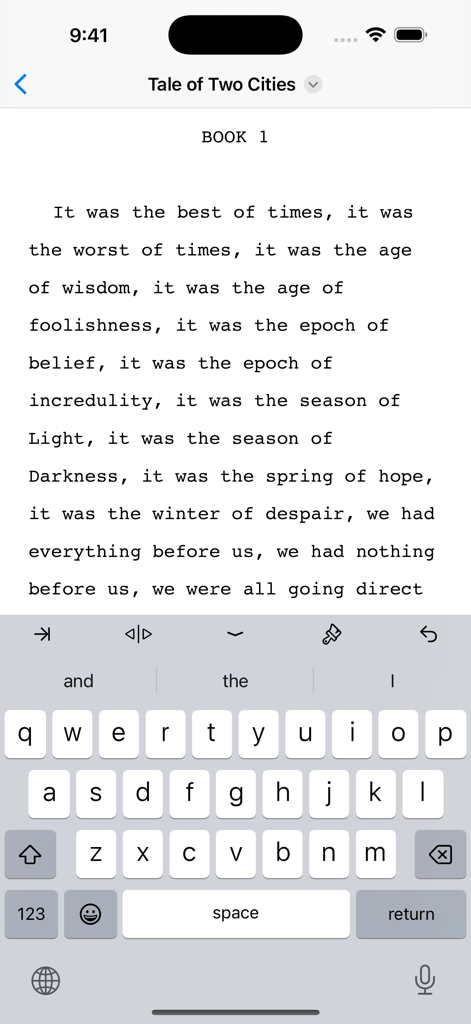
Storyist 4 App-Oberfläche, die ein Romanmanuskript zeigt, das auf einem iPhone geschrieben wird
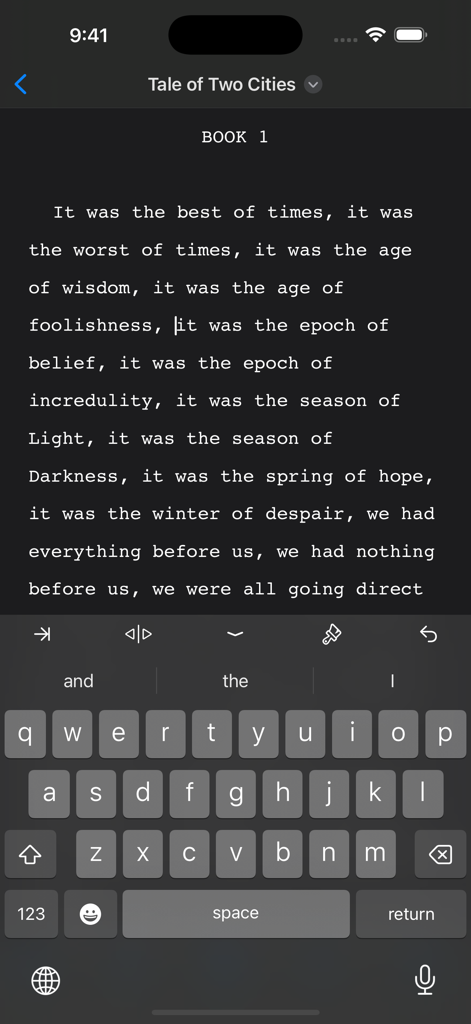
Storyist 4 Mobile App-Oberfläche, die einen Romanmanuskript-Editor im Dunkelmodus auf einem iPhone zeigt
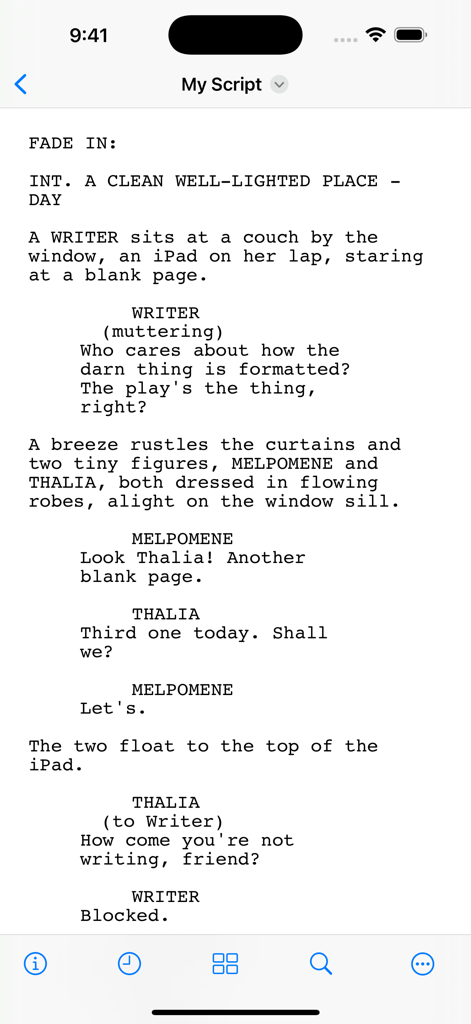
Mobiler Bildschirm der Storyist 4 App, der ein professionell formatiertes Drehbuch zeigt.
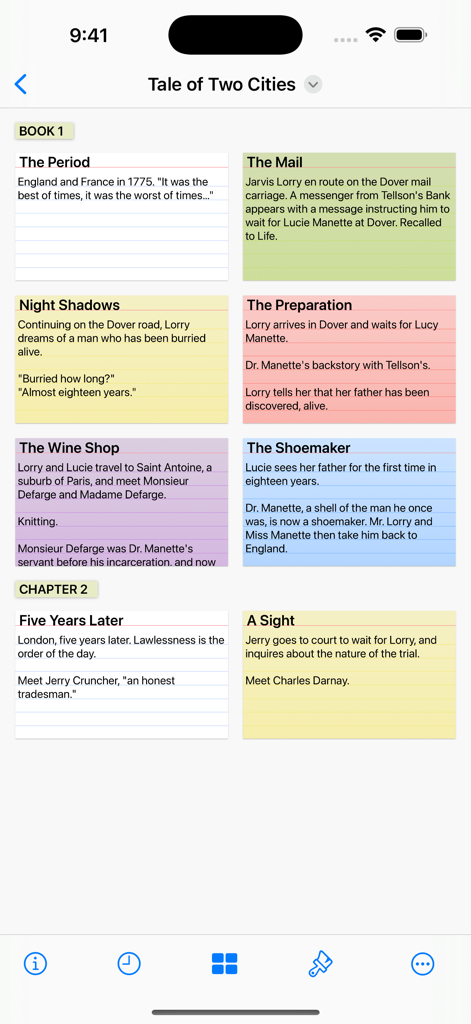
Storyist 4 Mobile App-Oberfläche, die eine digitale Pinnwand mit farbcodierten Karteikarten für eine Story-Gliederung zeigt
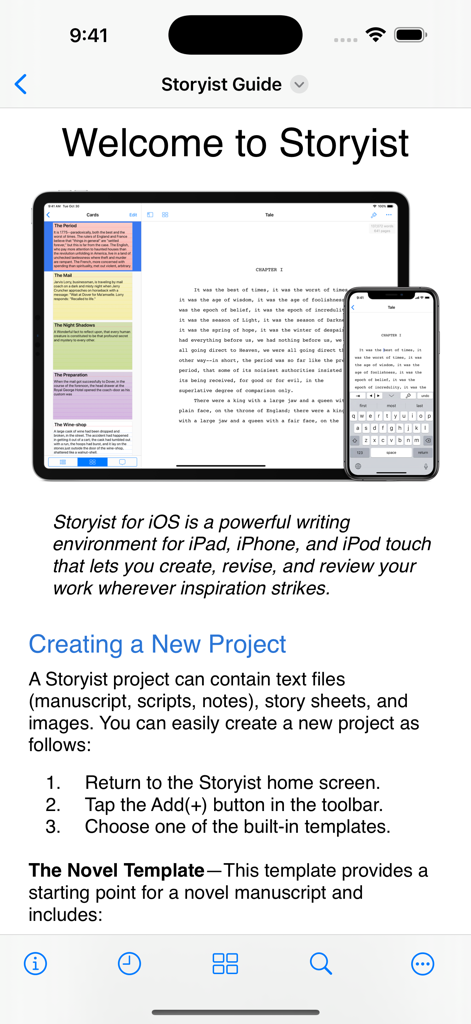
Storyist 4 Willkommensbildschirm, der ein Manuskript auf iPad- und iPhone-Geräten zeigt
Beschreibung
Download
Ähnliche Apps
Top-gerankte Apps in derselben Kategorie

ChatGPT
OpenAI OpCo, LLC

Google Gemini
Google LLC

Grok
X.AI Corporation

Gmail - Email by Google
Google LLC

千问 - 阿里最强大模型官方AI助手
Shanghai Zhixin Puhui Technology Co., Ltd.

Google Drive
Google LLC

Microsoft Authenticator
Microsoft Corporation

Google Sheets
Google LLC

Google Docs
Google LLC
Diese Seite ist keine offizielle Seite der App oder ihres Entwicklers, sondern eine unabhängige redaktionelle Veröffentlichung, die zu Informations- und Kommentarzwecken erstellt wurde. Sofern nicht ausdrücklich anders angegeben, sind weder die App noch ihr Entwickler mit MWM, Apple, Google Play, dem App-Herausgeber oder dem Entwickler der App verbunden, von ihnen unterstützt, gesponsert, autorisiert oder anderweitig offiziell verbunden, und nichts auf dieser Seite impliziert, dass die App unter Verwendung der Dienste von MWM entwickelt wurde. Alle Marken, Logos, Screenshots und andere Inhalte bleiben Eigentum ihrer jeweiligen Inhaber.