
Diese Seite ist keine offizielle Seite der App oder ihres Entwicklers, sondern eine unabhängige redaktionelle Veröffentlichung, die zu Informations- und Kommentarzwecken erstellt wurde. Sofern nicht ausdrücklich anders angegeben, sind weder die App noch ihr Entwickler mit MWM, Apple, Google Play, dem App-Herausgeber oder dem Entwickler der App verbunden, von ihnen unterstützt, gesponsert, autorisiert oder anderweitig offiziell verbunden, und nichts auf dieser Seite impliziert, dass die App unter Verwendung der Dienste von MWM entwickelt wurde. Alle Marken, Logos, Screenshots und andere Inhalte bleiben Eigentum ihrer jeweiligen Inhaber.


Stream - Network Debug Tool
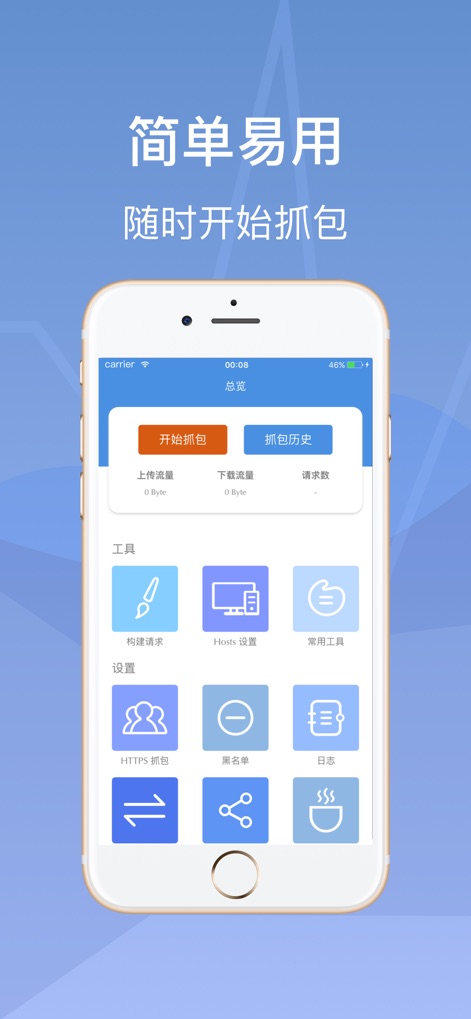
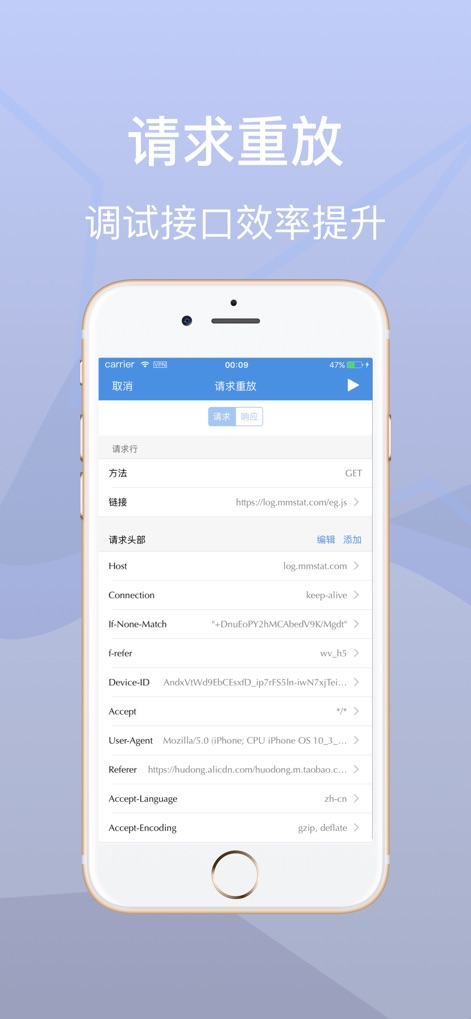
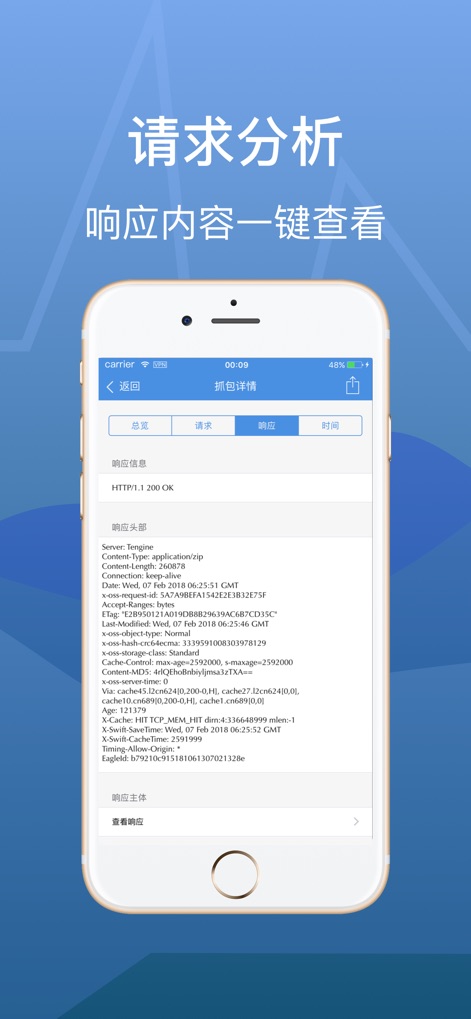
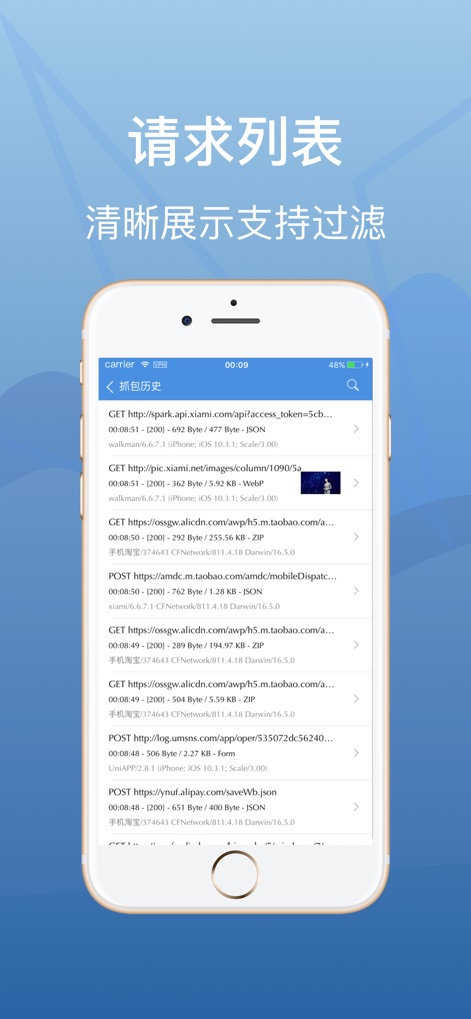
Der leistungsstarke On-Device-Traffic-Analysator für Entwickler und QA-Ingenieure. Erfassen, inspizieren und wiederholen Sie Anfragen lokal mit vollständiger Privatsphäre – kein PC-Anschluss erforderlich.
Downloads
1M+Bewertung
Bewertungen gesamt
3K+Herausgeber
Kategorie
Developer ToolsSprachen
3Neueste Version
1.0.6Größe
32.8 MBErstveröffentlichung
4. Jan. 2018Professionelles Netzwerk-Debugging, überall
Stream bietet mobilen Entwicklern und QA-Ingenieuren ein voll funktionsfähiges Netzwerk-Toolkit, das vollständig auf dem Gerät läuft und die Notwendigkeit komplexer Desktop-Proxy-Setups überflüssig macht.
Lokales Traffic-Sniffing
Inspizieren Sie HTTP- und HTTPS-Anfragen in Echtzeit direkt auf Ihrem iOS-Gerät, ohne eine Workstation anzuschließen.
Nahtloser Umgebungswechsel
Verwalten Sie benutzerdefinierte Hosts, um mit Desktop-Kontrolle zwischen Entwicklungs-, Staging- und Produktionsumgebungen zu wechseln.
Die folgenden Screenshots und die Beschreibung stammen direkt aus dem offiziellen Store-Eintrag der App und sind Eigentum des Entwicklers.
App Store
Screenshots
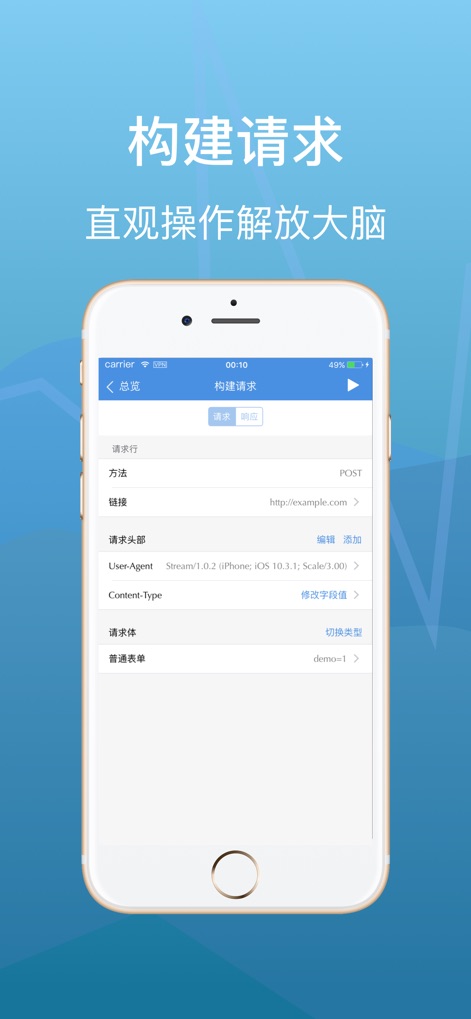
Beschreibung
Download
Ähnliche Apps
Apps mit ähnlichen Funktionen und Nutzererfahrung

Proxyman - Capture HTTPS
Proxyman LLC

LightBlue®
Punch Through Design LLC

ProxyPin - Open Source Capture
Minimalist Network Co., Ltd.

BluetoothAssistant
Hangzhou OrangeJuice Technology Co., Ltd.

StikDebug
Stephen Bove

Onmi: Networking & API Request
Vuong Anh

Shizuku
Ahammam Lahcen

Web Inspector
And a Dinosaur

Surge 5
Surge Networks Inc.
Diese Seite ist keine offizielle Seite der App oder ihres Entwicklers, sondern eine unabhängige redaktionelle Veröffentlichung, die zu Informations- und Kommentarzwecken erstellt wurde. Sofern nicht ausdrücklich anders angegeben, sind weder die App noch ihr Entwickler mit MWM, Apple, Google Play, dem App-Herausgeber oder dem Entwickler der App verbunden, von ihnen unterstützt, gesponsert, autorisiert oder anderweitig offiziell verbunden, und nichts auf dieser Seite impliziert, dass die App unter Verwendung der Dienste von MWM entwickelt wurde. Alle Marken, Logos, Screenshots und andere Inhalte bleiben Eigentum ihrer jeweiligen Inhaber.