Strongbox - Password Manager
Herunterladen auf App Store

Diese Seite ist keine offizielle Seite der App oder ihres Entwicklers, sondern eine unabhängige redaktionelle Veröffentlichung, die zu Informations- und Kommentarzwecken erstellt wurde. Sofern nicht ausdrücklich anders angegeben, sind weder die App noch ihr Entwickler mit MWM, Apple, Google Play, dem App-Herausgeber oder dem Entwickler der App verbunden, von ihnen unterstützt, gesponsert, autorisiert oder anderweitig offiziell verbunden, und nichts auf dieser Seite impliziert, dass die App unter Verwendung der Dienste von MWM entwickelt wurde. Alle Marken, Logos, Screenshots und andere Inhalte bleiben Eigentum ihrer jeweiligen Inhaber.


Logo von Strongbox - Password Manager
Herunterladen auf App Store

Strongbox - Password Manager

Übernehmen Sie die volle Kontrolle über Ihre digitale Sicherheit mit militärtauglicher Verschlüsselung, Open-Source-KeePass-Kompatibilität und YubiKey-Unterstützung. Kein Lock-in, keine obligatorischen Clouds – nur erstklassiger Schutz für technikaffine Profis.

Kennzahlen

Downloads

110K+

Bewertung

4.7/5

Bewertungen gesamt

11K+

Herausgeber

Phoebe Code Limited

Kategorie

Productivity

Sprachen

18

Neueste Version

1.64.1

Größe

133.0 MB

Erstveröffentlichung

20. Juli 2014
Funktionen

Professionelle Sicherheit für Power-User

Übernehmen Sie die volle Kontrolle über Ihre digitale Identität mit einem Open-Source-Hochsicherheitsmanager, der für diejenigen entwickelt wurde, die keine Kompromisse bei der Privatsphäre eingehen wollen.

Hardwaregestützte Sicherheit

Schützen Sie Ihre sensibelsten Daten mit YubiKey-Hardware-Token-Unterstützung und nahtloser biometrischer Authentifizierung über Face ID oder Touch ID.

Zero-Knowledge Cloud-Freiheit

Vermeiden Sie Anbieter-Lock-ins, indem Sie Ihren eigenen Speicher wählen. Synchronisieren Sie sicher über iCloud, Dropbox oder Ihre privaten SFTP- und WebDAV-Server.

Die folgenden Screenshots und die Beschreibung stammen direkt aus dem offiziellen Store-Eintrag der App und sind Eigentum des Entwicklers.

App Store

Screenshots
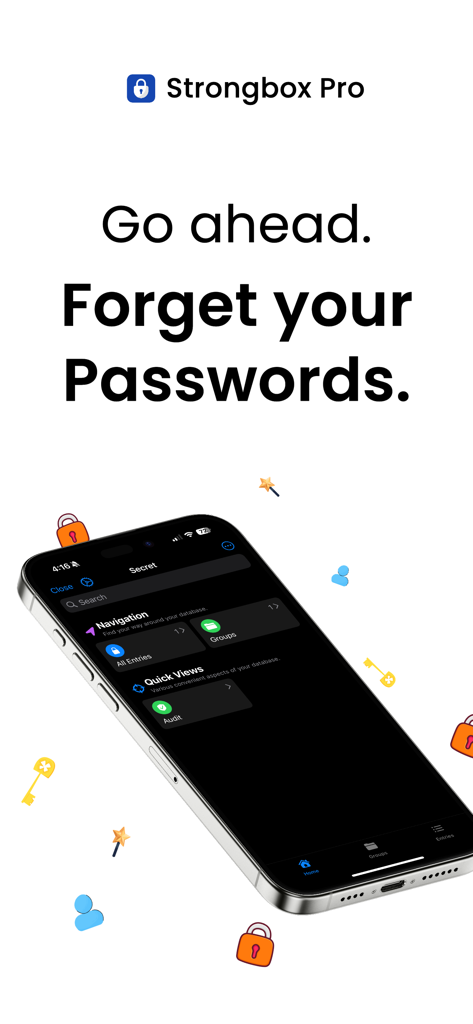
Strongbox - Password Manager - Strongbox Pro Passwortmanager App-Oberfläche auf einem iPhone mit dem Text Vergessen Sie Ihre Passwörter
Strongbox Pro Passwortmanager App-Oberfläche auf einem iPhone mit dem Text Vergessen Sie Ihre Passwörter

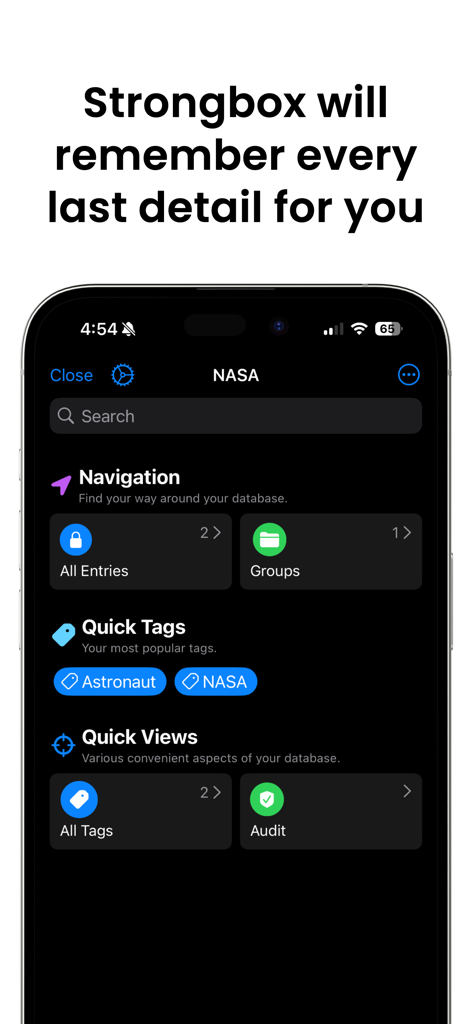
Strongbox - Password Manager - Strongbox App Dashboard zeigt Passwortnavigation und Tags auf einem iPhone
Strongbox App Dashboard zeigt Passwortnavigation und Tags auf einem iPhone

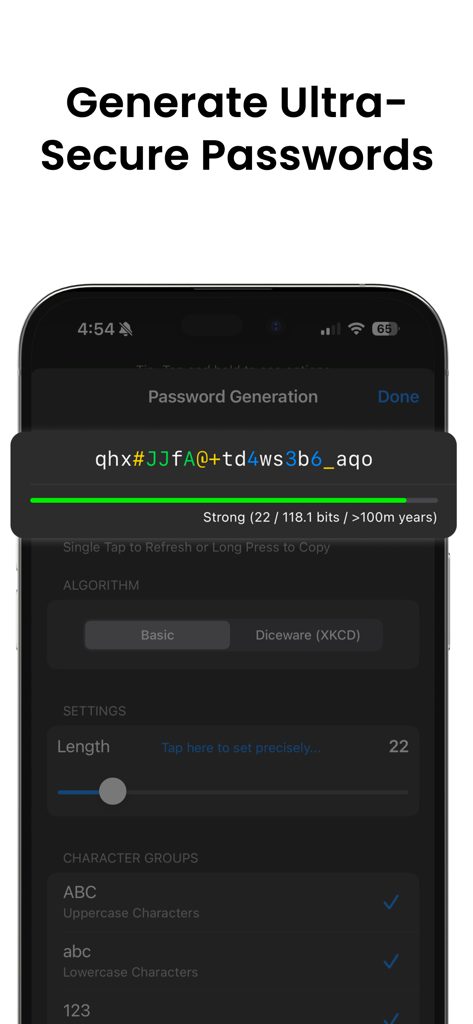
Strongbox - Password Manager - Strongbox App-Oberfläche zeigt die Generierung eines komplexen, extrem sicheren Passworts
Strongbox App-Oberfläche zeigt die Generierung eines komplexen, extrem sicheren Passworts

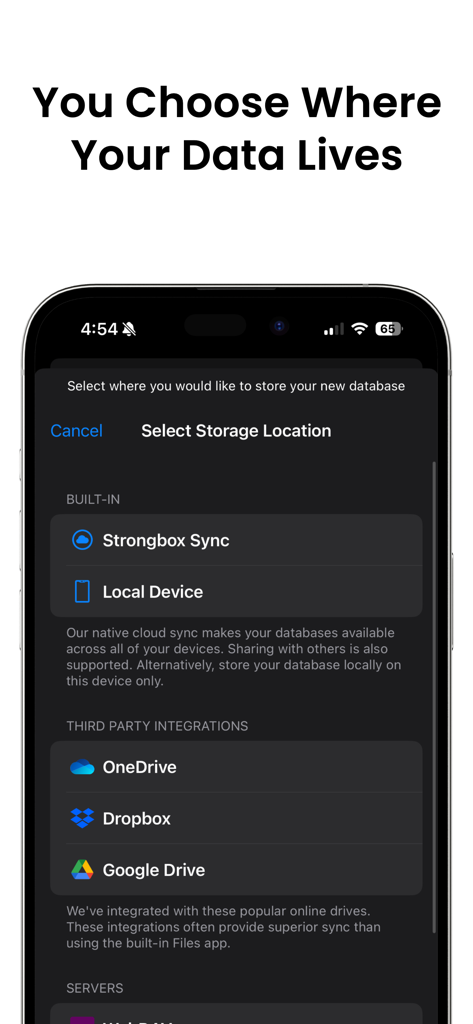
Strongbox - Password Manager - Strongbox App-Bildschirm zeigt Speicherortoptionen für Passwortdatenbanken, einschließlich lokaler Geräte- und Cloud-Dienste wie Dropbox und Google Drive
Strongbox App-Bildschirm zeigt Speicherortoptionen für Passwortdatenbanken, einschließlich lokaler Geräte- und Cloud-Dienste wie Dropbox und Google Drive

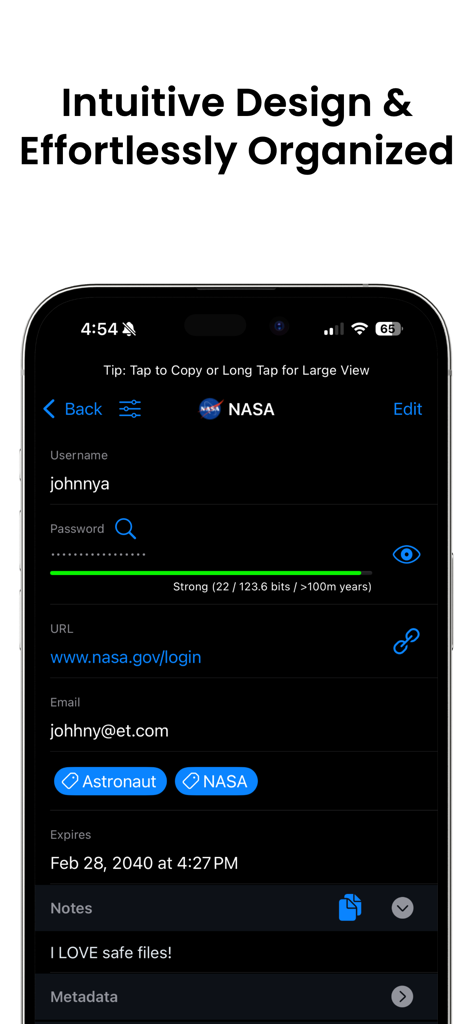
Strongbox - Password Manager - Strongbox Passwortmanager zeigt einen organisierten Eintrag mit Benutzername, Passwortstärkeanzeige und benutzerdefinierten Tags.
Strongbox Passwortmanager zeigt einen organisierten Eintrag mit Benutzername, Passwortstärkeanzeige und benutzerdefinierten Tags.

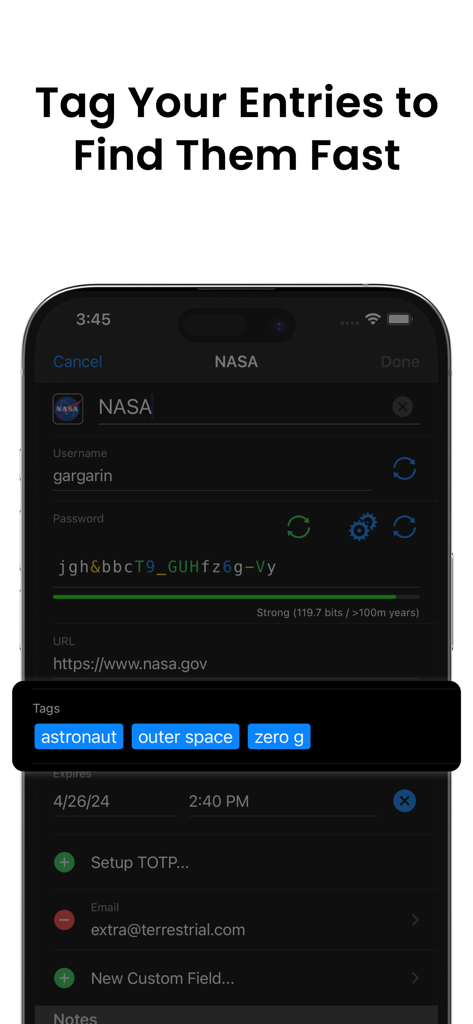
Strongbox - Password Manager - Strongbox App-Oberfläche zeigt benutzerdefinierte Tags wie Astronaut und Weltraum, die zu einem Passworteintrag für schnelle Suche hinzugefügt wurden.
Strongbox App-Oberfläche zeigt benutzerdefinierte Tags wie Astronaut und Weltraum, die zu einem Passworteintrag für schnelle Suche hinzugefügt wurden.

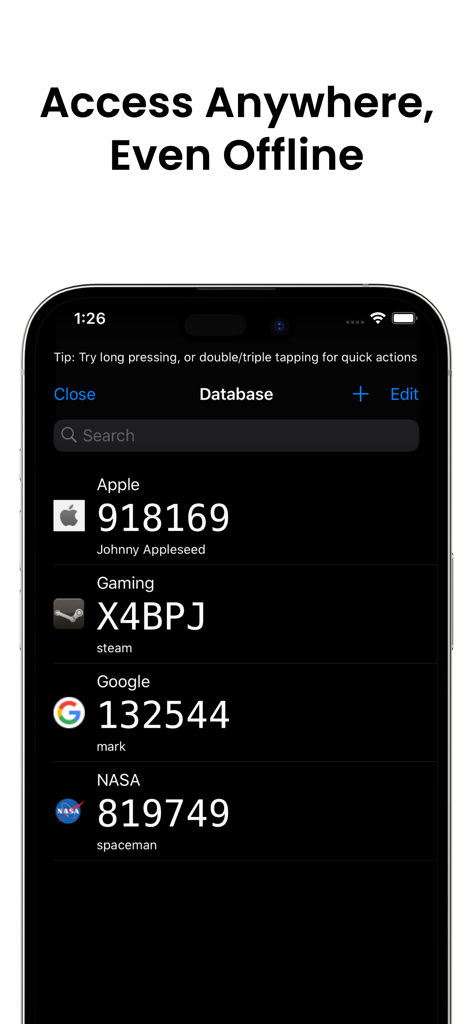
Strongbox - Password Manager - Strongbox Passwortmanager App zeigt eine Liste von 2FA TOTP-Codes im Dark Mode auf einem iPhone
Strongbox Passwortmanager App zeigt eine Liste von 2FA TOTP-Codes im Dark Mode auf einem iPhone

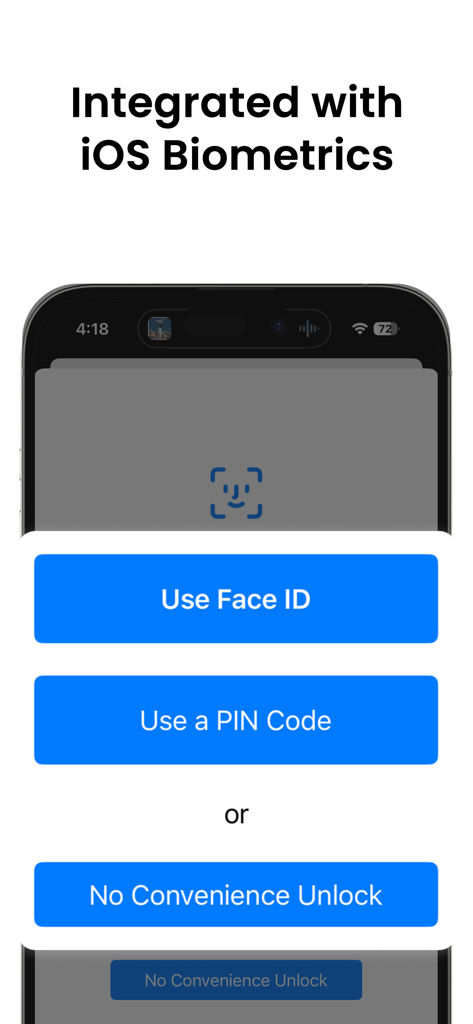
Strongbox - Password Manager - Strongbox App-Bildschirm zeigt Face ID- und PIN-Code-Entsperroptionen, integriert mit iOS-Biometrie
Strongbox App-Bildschirm zeigt Face ID- und PIN-Code-Entsperroptionen, integriert mit iOS-Biometrie

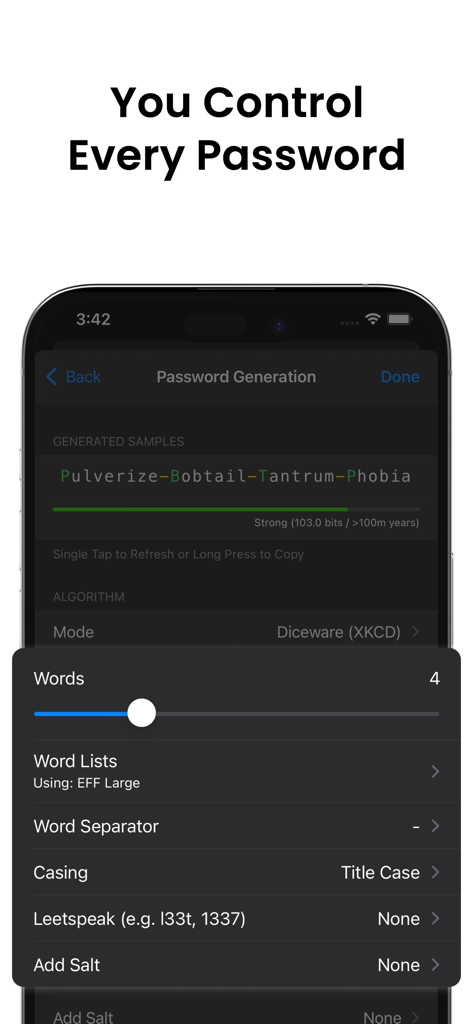
Strongbox - Password Manager - Strongbox App-Oberfläche zum Generieren sicherer Passwörter mit der Diceware-Methode.
Strongbox App-Oberfläche zum Generieren sicherer Passwörter mit der Diceware-Methode.

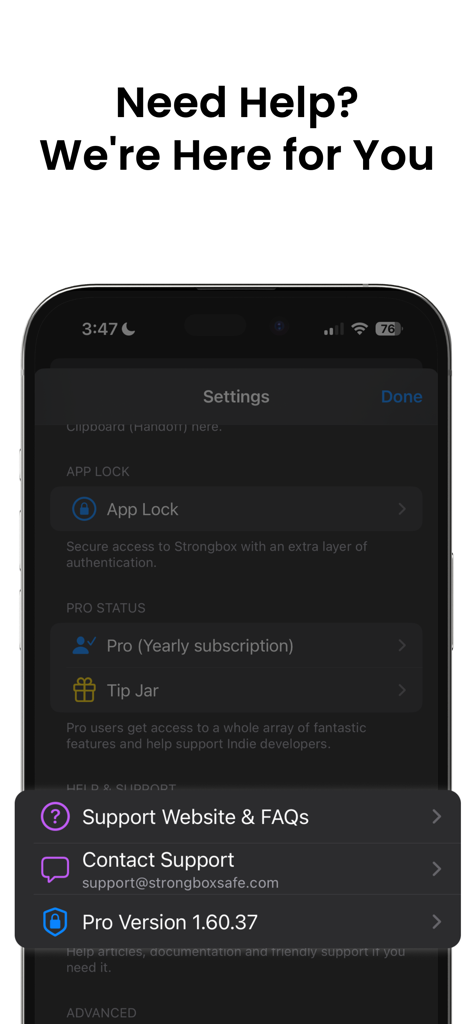
Strongbox - Password Manager - Strongbox App Hilfe- und Supportmenü mit Kontakt- und FAQ-Links

Strongbox App Hilfe- und Supportmenü mit Kontakt- und FAQ-Links

Beschreibung

Strongbox is an application for keeping all your passwords safely stored and protected by one master password. Supporting the open source Password Safe and KeePass formats. *** Features *** - Face ID/Touch ID Unlock for the ultimate in convenience, security and speed. - Passkey support - The latest, most convenient and most secure authentication method (passkeys). - PIN Code Unlock with a Duress PIN option for those tricky situations. - YubiKey protection - secure your databases with a hardware token. - Secure - protected by time tested military grade cryptography. - Private - Isolated In-App attachments viewer for your sensitive documents, photos & videos. - Audit your passwords - Automatically check your database for weak password including a 'Have I Been Pwned?' check. - Cloud Support, so you can access your cloud safes using iCloud, Dropbox, OneDrive, Google Drive, WebDAV or SFTP even when offline. Use the built in Files app for many other storage options or store them securely only on your local device. You choose your storage. - Search your entire set of passwords and secrets instantly and powerfully, with deep search. Autocomplete new entries, and auto generate secure passwords. - Compatible - Import/Export by Files app, Email, CSV, iTunes File Sharing or use cloud storage. - Standards compliant - using the time tested Password Safe and KeePass formats so you can import any existing password safe you have. - Features galore - Incredibly configurable password generation including Diceware (XKCD) & regular passwords. - Timed Auto Clear Clipboard. - Entry History. - KeePass Field References, Tags, Custom Icon & FavIcons (including automatic search & download). - Two Factor Authentication codes (TOTP) - QR Code, Steam & Manual. *** Strongbox is Freemium *** This means that Strongbox is free with a basic feature set, but if you like there are enhanced Pro features too. You can opt-in to a 90 day Free Trial of all the Pro features if you like, no obligations, but most find the Free version perfectly adequate. --------------------------------------------------------------------- • Strongbox provides In-App Purchases (both auto renewable subscriptions and one-off non-consumable) for Pro versions of the App • An outright/upfront (i.e. non In-App Purchase) option exists also, please see the Strongbox website for details. • Subscriptions are auto renewable with recurring billing. Cancel anytime. • The time period of the subscriptions are monthly, 3-monthly or yearly at users discretion • The user can also choose to purchase a 'Lifetime' one-off Pro version of the App • Payment will be charged to iTunes Account at confirmation of purchase • Subscription automatically renews unless auto-renew is turned off at least 24-hours before the end of the current period • Account will be charged for renewal within 24-hours prior to the end of the current period, and identify the cost of the renewal • Subscriptions may be managed by the user and auto-renewal may be turned off by going to the user's Account Settings after purchase • Any unused portion of a free trial period, if offered, will be forfeited when the user purchases a subscription to that publication, where applicable • Strongbox Privacy Policy may be found here: https://strongboxsafe.com/privacy-policy/ • Strongbox Terms of Use may be found here: https://strongboxsafe.com/terms/

Download

Herunterladen auf App Store

Diese Seite ist keine offizielle Seite der App oder ihres Entwicklers, sondern eine unabhängige redaktionelle Veröffentlichung, die zu Informations- und Kommentarzwecken erstellt wurde. Sofern nicht ausdrücklich anders angegeben, sind weder die App noch ihr Entwickler mit MWM, Apple, Google Play, dem App-Herausgeber oder dem Entwickler der App verbunden, von ihnen unterstützt, gesponsert, autorisiert oder anderweitig offiziell verbunden, und nichts auf dieser Seite impliziert, dass die App unter Verwendung der Dienste von MWM entwickelt wurde. Alle Marken, Logos, Screenshots und andere Inhalte bleiben Eigentum ihrer jeweiligen Inhaber.







