
Diese Seite ist keine offizielle Seite der App oder ihres Entwicklers, sondern eine unabhängige redaktionelle Veröffentlichung, die zu Informations- und Kommentarzwecken erstellt wurde. Sofern nicht ausdrücklich anders angegeben, sind weder die App noch ihr Entwickler mit MWM, Apple, Google Play, dem App-Herausgeber oder dem Entwickler der App verbunden, von ihnen unterstützt, gesponsert, autorisiert oder anderweitig offiziell verbunden, und nichts auf dieser Seite impliziert, dass die App unter Verwendung der Dienste von MWM entwickelt wurde. Alle Marken, Logos, Screenshots und andere Inhalte bleiben Eigentum ihrer jeweiligen Inhaber.


Surfshark VPN: Fast VPN App
Ihre Online-Spuren sind eine offene Einladung. Diese App liefert die digitale Tarnkappe, die Sie vor neugierigen Blicken schützt.
Downloads
12.5M+Bewertung
Bewertungen gesamt
310.0KHerausgeber
Kategorie
ProductivitySprachen
13Neueste Version
3.34.0Größe
390.4 MBErstveröffentlichung
2. Aug. 2018Analyse der Surfshark VPN App
Eine kritische Bewertung der Kernfunktionen und ihres Nutzens für den modernen Digitalnutzer.
Robuste VPN-Verschlüsselung
Die App schützt die Online-Aktivitäten und die IP-Adresse der Nutzer durch starke Verschlüsselung und gewährleistet somit umfassende digitale Privatsphäre und Sicherheit.
Strikte No-Logs-Richtlinie
Die App versichert den Nutzern, dass ihre Online-Aktivitäten nicht verfolgt, gesammelt oder gespeichert werden, gestützt durch unabhängige Audits, was das Vertrauen in die Privatsphäre stärkt.
Hochgeschwindigkeits-Servernetzwerk
Es ermöglicht schnelle und stabile Verbindungen für Streaming, Gaming und alltägliches Browsen durch ein globales Netzwerk von 10-Gbit/s-Servern in über 100 Ländern.
Unbegrenzte Geräteverbindungen
Es ermöglicht Nutzern, alle ihre Geräte und den gesamten Haushalt unter einem einzigen Konto zu schützen, ideal für Familien und Vielnutzer ohne Gerätebeschränkungen.
Sicheres Reisen & Globaler Zugang
Die App ermöglicht sichere Verbindungen in öffentlichen WLANs und den Zugriff auf globale Inhalte und Dienste durch das Ändern des virtuellen Standorts, was besonders für Reisende vorteilhaft ist.
Integrierter Werbe- und Tracker-Blocker
Dieses Tool blockiert unerwünschte Werbung, Pop-ups und Tracker, verbessert das Surferlebnis und schützt zusätzlich vor dem Zugriff auf bekannte schädliche Domains.
Alternative ID (E-Mail-Generator)
Die Funktion "Alternative ID" erstellt alternative E-Mail-Adressen, um die primäre E-Mail-Adresse der Nutzer bei der Registrierung für Dienste privat zu halten und das Risiko von Datenlecks zu minimieren.
Eigene DNS-Server
Das Tool betreibt eigene DNS-Server, um DNS-Anfragen sicher zu verwalten, DNS-basierte Angriffe zu reduzieren und die Privatsphäre der DNS-Anfragen zu gewährleisten.
Unterstützung moderner VPN-Protokolle
Die App nutzt fortschrittliche VPN-Protokolle wie WireGuard, OpenVPN und IKEv2, um eine sichere und effiziente Datenübertragung zu gewährleisten und die Sicherheit zu maximieren.
Proxy-Funktionalität über Browser-Erweiterung
Die App bietet eine schnelle und einfache Möglichkeit, die IP-Adresse direkt über eine Browser-Erweiterung zu maskieren, ohne eine vollständige VPN-Verbindung herzustellen, für leichte Standortwechsel.
Häufig gestellte Fragen
Alles, was Sie über wissen müssen Surfshark VPN: Fast VPN App
How does Surfshark keep you safe online?
Surfshark VPN combines VPN security, identity protection, and browsing safety in one app. It supports unlimited device connections, provides a secure connection when traveling, and helps protect personal information online.
How does Surfshark keep your data private?
Surfshark VPN secures your IP address and online activity by encrypting your internet connection. It uses WireGuard, OpenVPN, and IKEv2 protocols to protect traffic from third parties.
Does Surfshark track user activity?
No, Surfshark operates under a strict no-logs policy, independently audited by Deloitte in 2025. It does not track, collect, or store user activity, providing protection wherever the VPN is connected.
Why use Surfshark's Alternative ID email generator?
Surfshark’s Alternative ID creates an alternative email address for online use. It keeps your primary email private when signing up for services, reducing unwanted exposure and data leak risks.
How does Surfshark VPN's ad blocker work?
Surfshark’s ad blocker blocks ads, pop-ups, and trackers. It also blocks access to known malicious domains, helping reduce exposure to harmful websites.
How fast are Surfshark VPN's servers?
Surfshark operates a global network of over 4,500+ servers across 100 countries. Its high-capacity, fast 10Gbps servers support stable connections for browsing and gaming.
Can I secure unlimited devices with Surfshark VPN?
Yes, Surfshark supports unlimited device connections under one account. Users can protect their entire household by using the VPN on phones, laptops, tablets, and smart TVs without limits.
What proxy features does Surfshark VPN include?
Surfshark includes proxy server features for quick, lightweight location changes directly through the browser extension. This masks your IP address without requiring a full VPN connection.
Does Surfshark VPN have its own DNS servers?
Yes, Surfshark operates its own DNS servers to securely handle requests and route users to legitimate websites. This reduces DNS-based attacks and bypasses DNS-level blocking while keeping queries private.
Why is Surfshark VPN good for travelers?
Surfshark encrypts connections on public Wi-Fi networks in hotels, airports, and cafés. It also changes your virtual location, allowing access to home country services like online banking or streaming platforms safely.
Is Surfshark VPN a paid service?
Yes, Surfshark is a paid VPN service requiring a subscription for use. You will be billed through your Apple ID Account upon purchase confirmation.
How is the Surfshark VPN subscription billed?
The Surfshark VPN subscription is billed through your Apple ID Account when you confirm the purchase. It renews automatically unless auto-renew is turned off at least 24 hours before the current billing period ends.
How to manage Surfshark VPN auto-renewal?
You can manage your Surfshark VPN subscriptions and turn off auto-renewal by going to your App Store Account Settings. Auto-renew must be off at least 24 hours before the current billing period ends.
Does Surfshark VPN offer a free trial?
Yes, Surfshark VPN offers a free trial. However, any remaining portion of the free trial will expire when you purchase a subscription for the service.
What VPN protocols does Surfshark VPN use?
Surfshark VPN uses modern VPN protocols, including WireGuard, OpenVPN, and IKEv2. These protocols encrypt your internet connection to protect traffic from third parties and ensure data privacy.
Die folgenden Screenshots und die Beschreibung stammen direkt aus dem offiziellen Store-Eintrag der App und sind Eigentum des Entwicklers.
App Store
Screenshots
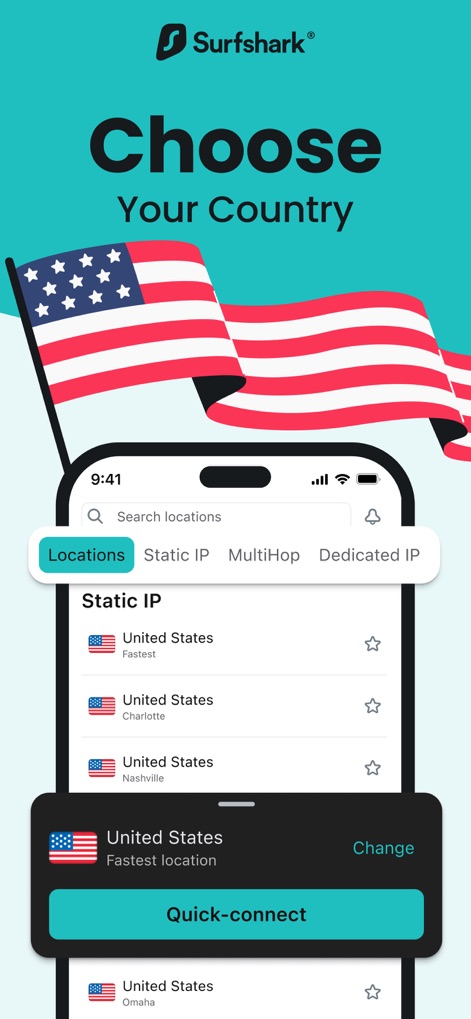
Serverwahl leicht gemacht
Nutzer können die gewünschte VPN-Server-Location aus einer umfassenden Liste auswählen und sich mit nur einem Tippen über die Schnellverbindung an den optimalen Server anbinden.
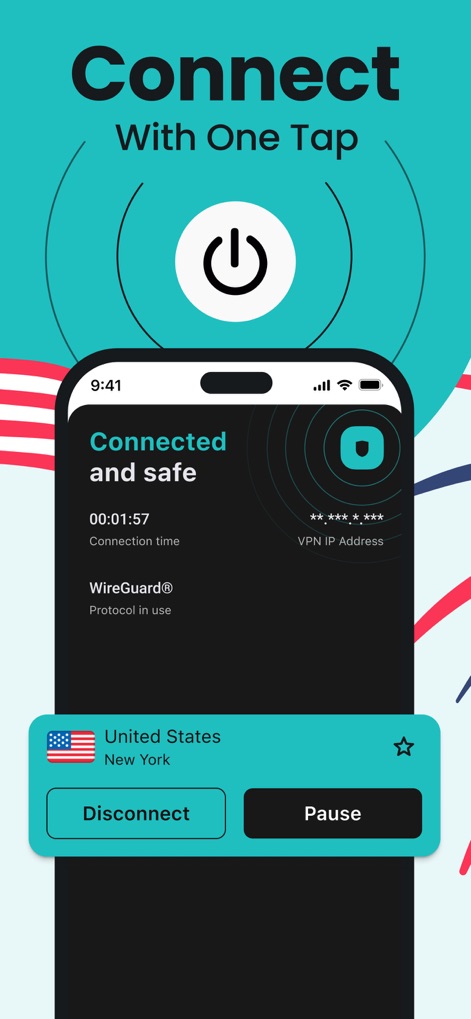
Sicher und Verbunden
Die App visualisiert den aktuellen Status als "Connected and safe" und zeigt die aktive Verbindungszeit, während die Bedienelemente "Disconnect" und "Pause" schnelle Kontrolle ermöglichen.
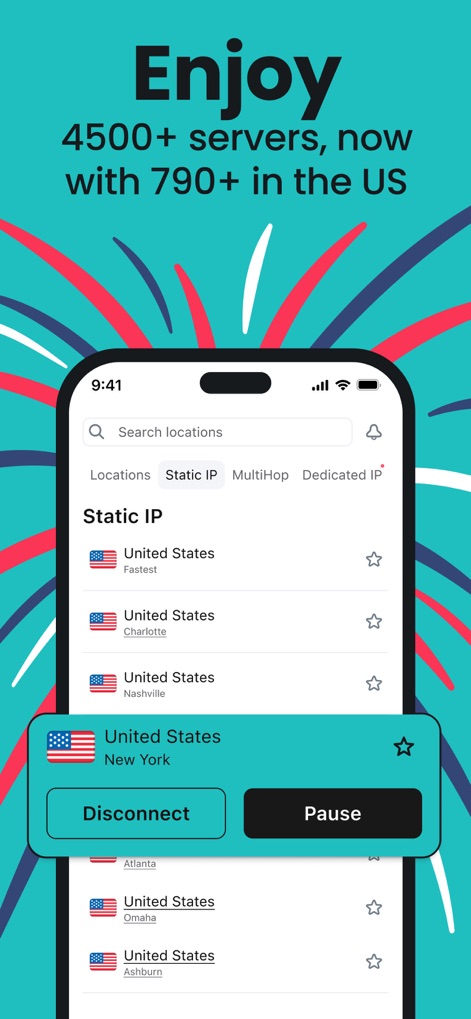
Globale Server-Auswahl
Die App bietet Zugriff auf über 4500 Server weltweit, darunter eine große Auswahl von über 790 Standorten in den USA, die in einer übersichtlichen Liste präsentiert werden.

Entfessle deine Geschwindigkeit
Dieses Tool visualisiert das Versprechen von "NO SPEED LIMIT" durch eine ansprechende Grafik und betont die Möglichkeit für Nutzer, unbegrenzt und mit hoher Geschwindigkeit im Netz zu surfen.
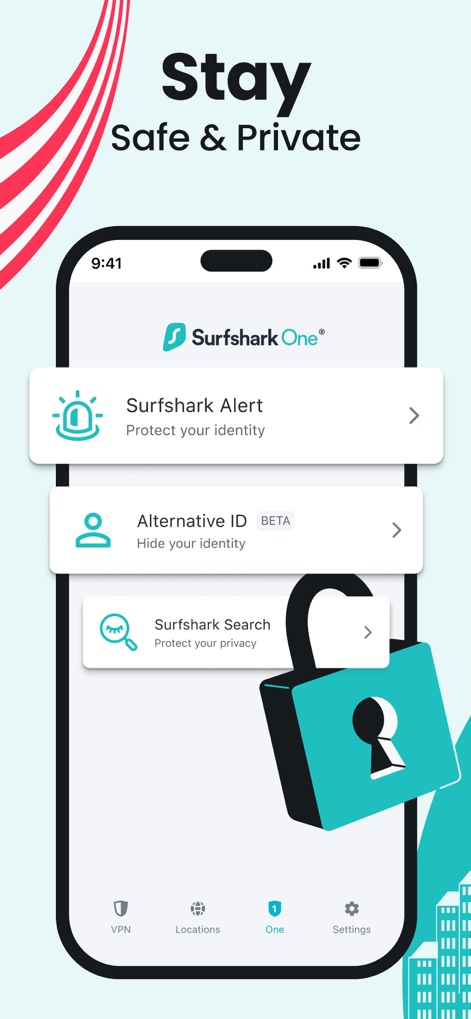
Umfassender Datenschutz
Die App präsentiert Sicherheitsfunktionen wie "Surfshark One® Alert" und die "Alternative ID", die durch ein großes Vorhängeschloss visuell untermauert werden, um den Datenschutz zu gewährleisten.
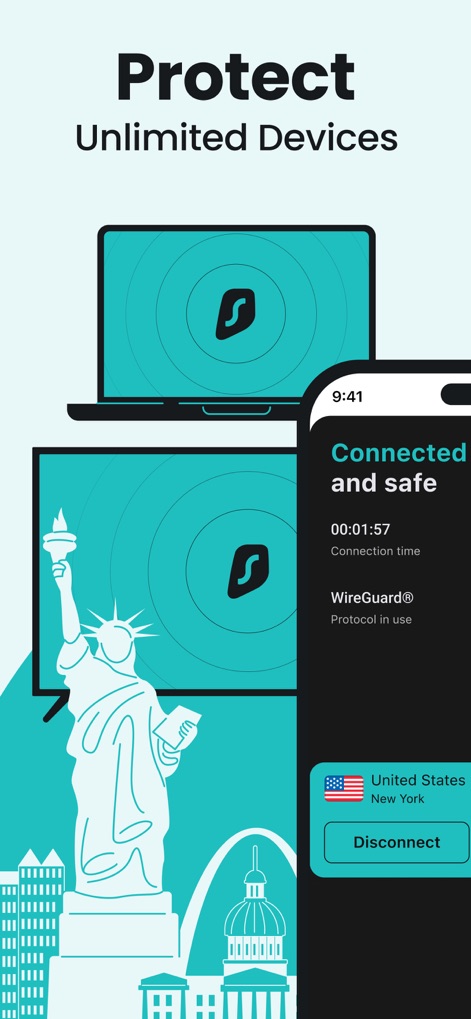
Geräte-Schutz grenzenlos
Diese Ansicht hebt den Schutz unbegrenzter Geräte hervor, was durch die Abbildung von Laptop und Monitor mit dem Surfshark-Logo eindrucksvoll visualisiert wird.
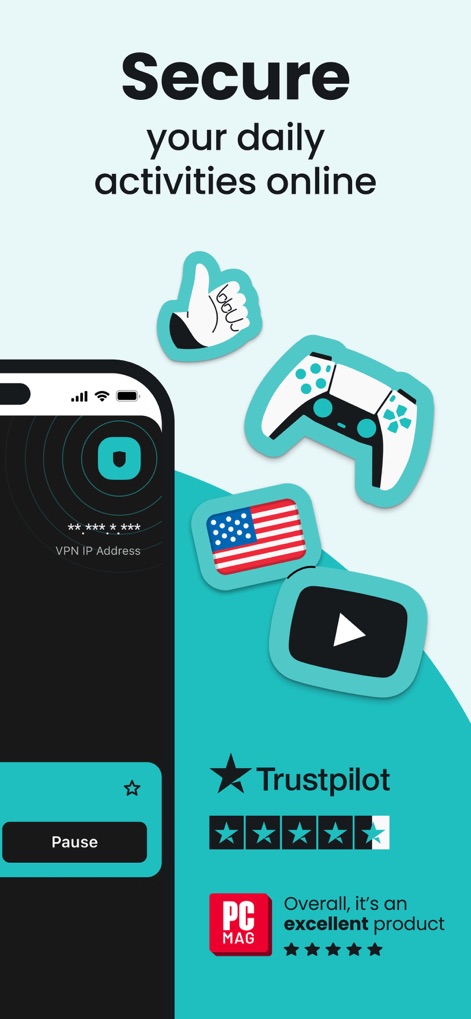
Vertraue der Sicherheit
Die App demonstriert ihre Vielseitigkeit für alltägliche Aktivitäten wie Gaming und Streaming, gestützt durch hervorragende Bewertungen von Plattformen wie Trustpilot und PC MAG.
Beschreibung
Download
Ähnliche Apps
Apps mit ähnlichen Funktionen und Nutzererfahrung

VPN Hotspot Browser & More
Baris Gungor

VPN Pro - Unlimited Best VPN
Fireworks Technology Inc.

快连VPN
LetsGo Network Incorporated
Cool VPN Pro-Secure Proxy VPN
CTECH GLOBAL PTE LTD
VPN - Top Fast VPN
Free Fast Connect LLC

PlatoVPN Fast:Super VPN Proxy
MogoTech Inc.

VPN - FREE VPN Fast Ⓡ
AITIMING TECH PTE. LTD.

VPN - Nviper小火箭加速器vpn
Sichuan Yunfumeng Technology Co., Ltd

Hola VPN
Hola VPN Ltd
Diese Seite ist keine offizielle Seite der App oder ihres Entwicklers, sondern eine unabhängige redaktionelle Veröffentlichung, die zu Informations- und Kommentarzwecken erstellt wurde. Sofern nicht ausdrücklich anders angegeben, sind weder die App noch ihr Entwickler mit MWM, Apple, Google Play, dem App-Herausgeber oder dem Entwickler der App verbunden, von ihnen unterstützt, gesponsert, autorisiert oder anderweitig offiziell verbunden, und nichts auf dieser Seite impliziert, dass die App unter Verwendung der Dienste von MWM entwickelt wurde. Alle Marken, Logos, Screenshots und andere Inhalte bleiben Eigentum ihrer jeweiligen Inhaber.