
Diese Seite ist keine offizielle Seite der App oder ihres Entwicklers, sondern eine unabhängige redaktionelle Veröffentlichung, die zu Informations- und Kommentarzwecken erstellt wurde. Sofern nicht ausdrücklich anders angegeben, sind weder die App noch ihr Entwickler mit MWM, Apple, Google Play, dem App-Herausgeber oder dem Entwickler der App verbunden, von ihnen unterstützt, gesponsert, autorisiert oder anderweitig offiziell verbunden, und nichts auf dieser Seite impliziert, dass die App unter Verwendung der Dienste von MWM entwickelt wurde. Alle Marken, Logos, Screenshots und andere Inhalte bleiben Eigentum ihrer jeweiligen Inhaber.


SW Maps
Optimieren Sie Ihre Feldarbeit mit einem umfassenden Kartierungstool für Profis. Verbinden Sie externe GNSS-Empfänger, verwalten Sie komplexe Shapefiles und sammeln Sie mühelos hochgenaue geografische Daten – alles kostenlos und ohne Werbung.
Downloads
32K+Bewertung
Bewertungen gesamt
0Herausgeber
Kategorie
ProductivitySprachen
1Neueste Version
1.2.4Größe
17.2 MBErstveröffentlichung
17. Nov. 2022Professionelle Felddatenerfassung
Ein vollständiger, hochpräziser GIS-Werkzeugkasten für Vermesser, Ingenieure und Forscher, die zuverlässige Daten ohne hohe Kosten benötigen.
Zentimetergenaue Präzision
Verbinden Sie externe GNSS/RTK-Empfänger über Bluetooth, um professionelle Präzision direkt auf Ihrem Mobilgerät zu erreichen.
Zuverlässige Offline-Kartierung
Arbeiten Sie überall, indem Sie Basiskarten zwischenspeichern und benutzerdefinierte mbtiles oder KML-Overlays importieren, um die Funktionalität an abgelegenen Standorten zu gewährleisten.
Die folgenden Screenshots und die Beschreibung stammen direkt aus dem offiziellen Store-Eintrag der App und sind Eigentum des Entwicklers.
App Store
Screenshots
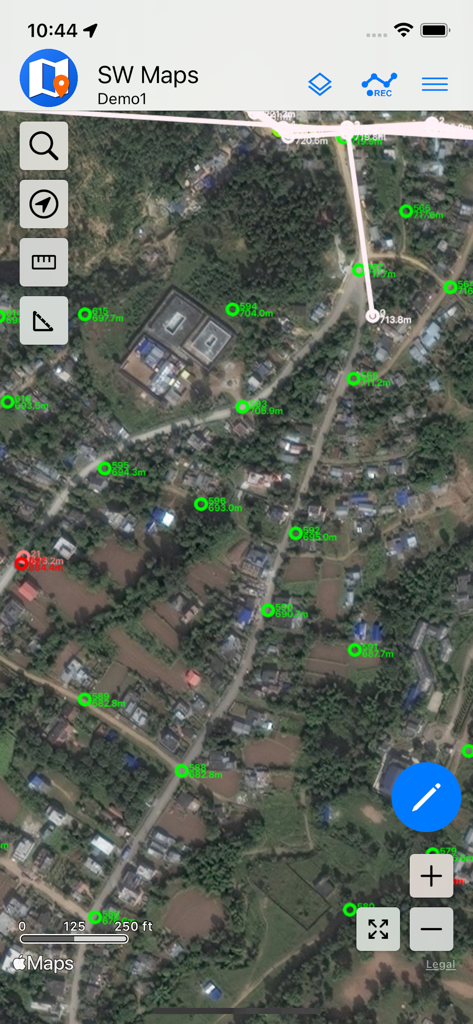
SW Maps-Oberfläche, die GIS-Vermessungspunkte vor einem Satellitenhintergrund anzeigt
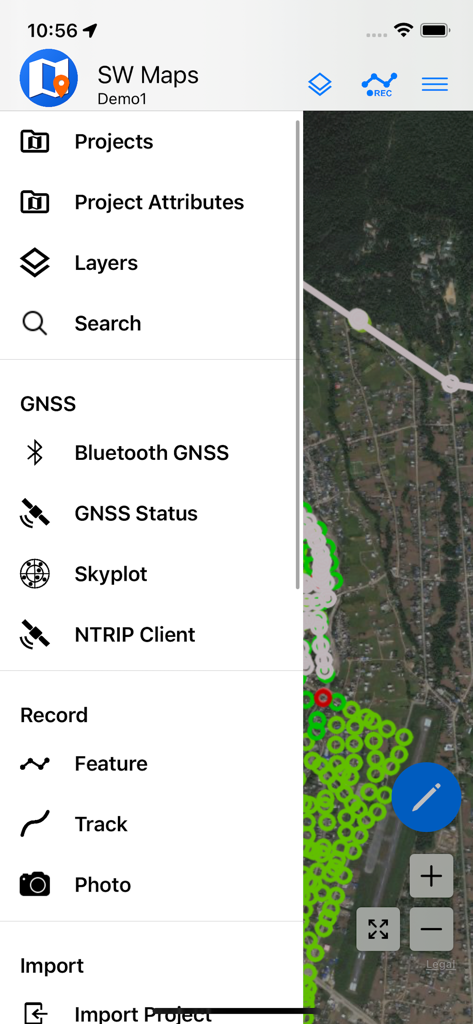
SW Maps-Menü der mobilen App mit Optionen für GIS-Datenerfassung und GNSS-Vermessung
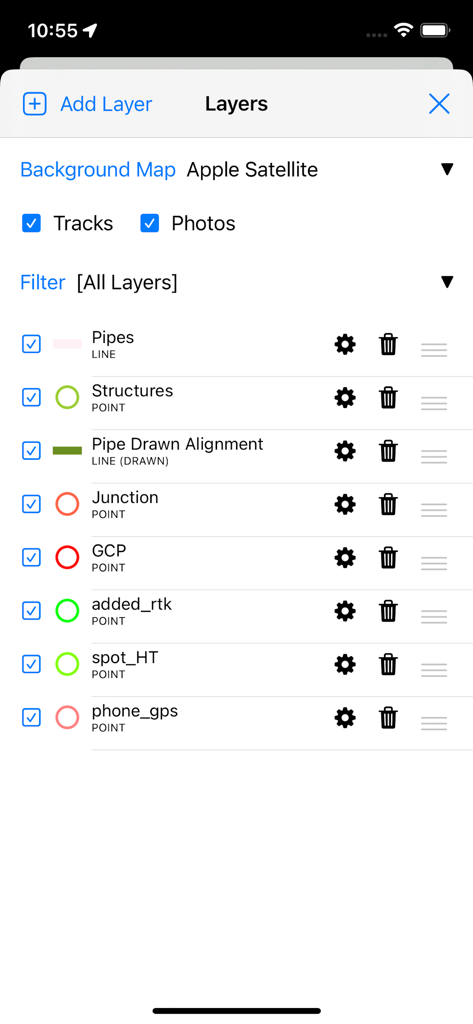
SW Maps App-Oberfläche, die professionelle GIS-Datenlayer-Verwaltung für Vermessung und Kartierung zeigt
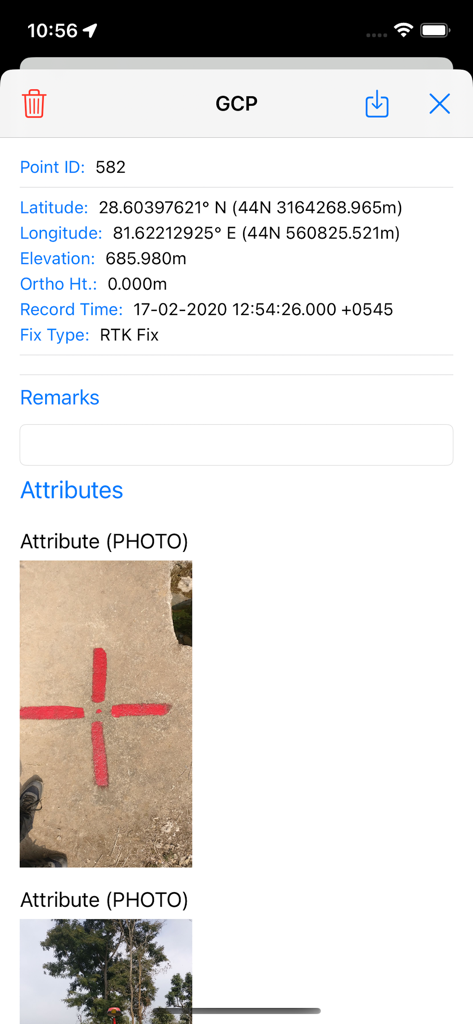
Detailansicht eines Bodenkontrollpunkts in SW Maps mit Koordinaten und einem Foto des physischen Vermessungsmarkers
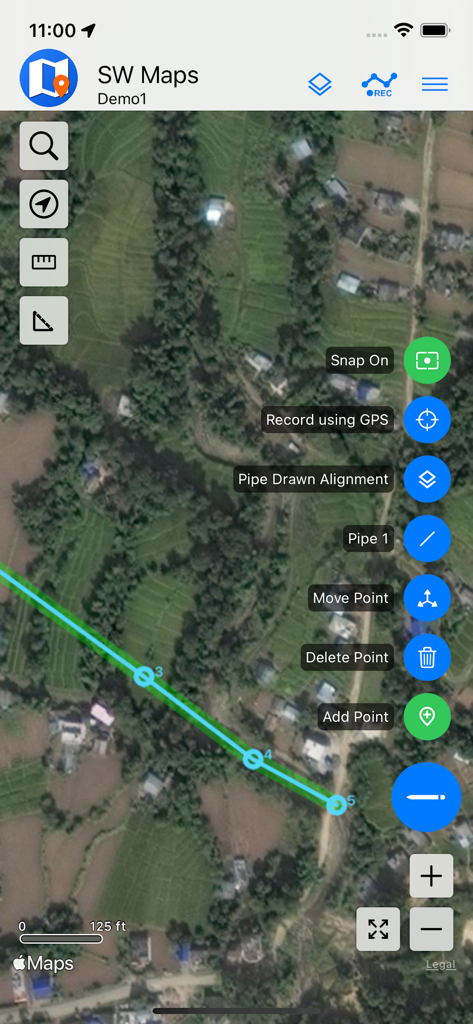
Mobile GIS-Kartierung in SW Maps, die eine Rohrlinie auf Satellitenbildern zeigt
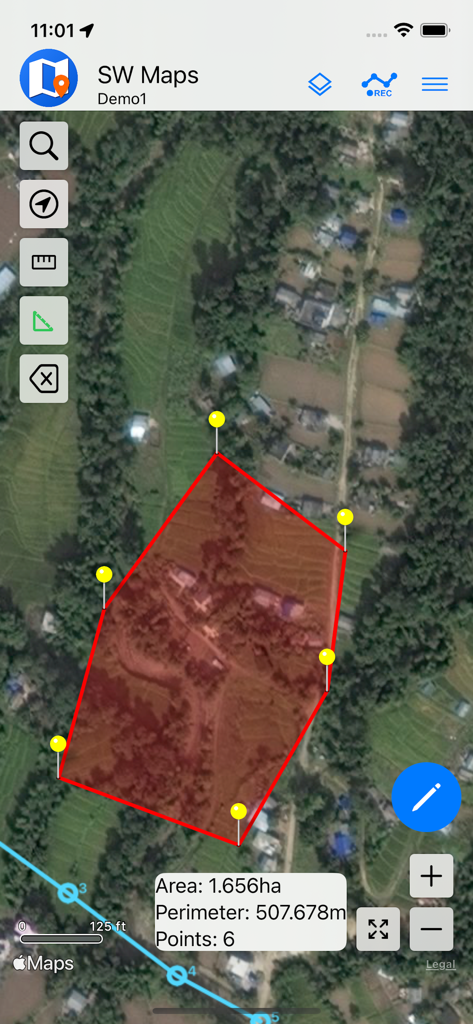
Eine Satellitenkartenansicht in der SW Maps App, die ein rotes Polygon mit berechneter Fläche und Umfang für die Landvermessung zeigt.
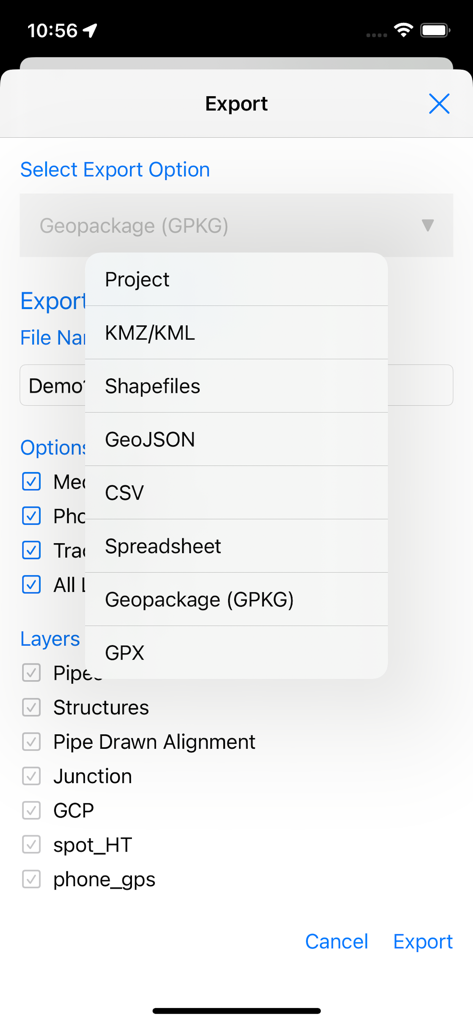
SW Maps Export-Bildschirm mit einer Liste professioneller GIS-Dateiformate und Optionen zur Layer-Auswahl
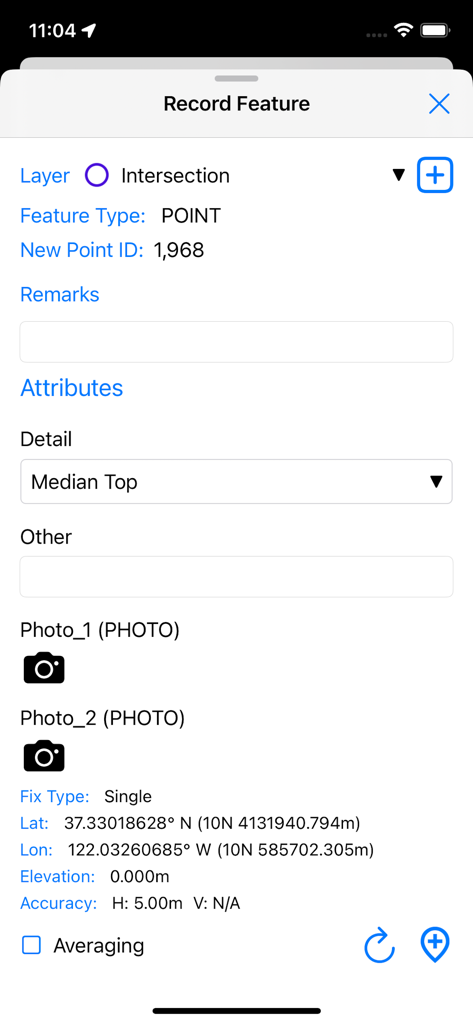
Oberfläche zur Erfassung eines neuen GIS-Punktmerkmals mit GPS-Koordinaten und benutzerdefinierten Attributen in SW Maps
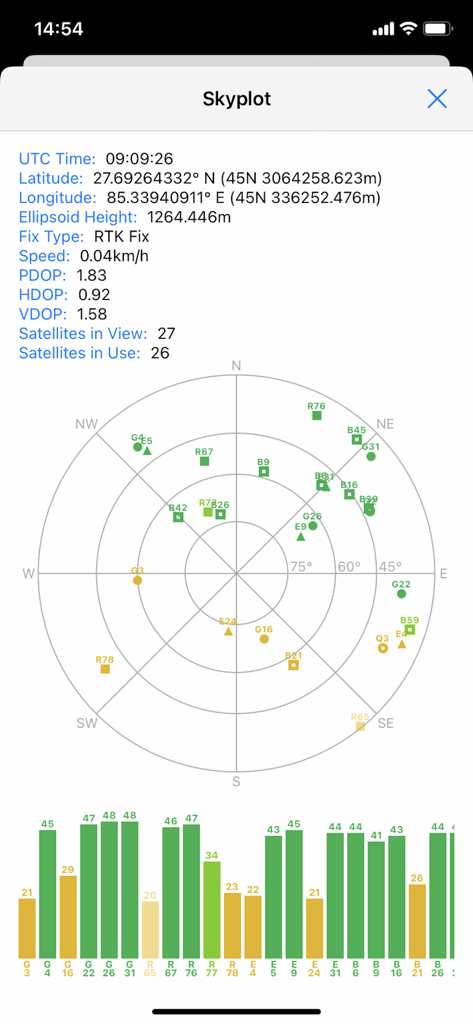
SW Maps Skyplot-Bildschirm, der Satellitenpositionen und GNSS-Signalqualität für professionelle Kartenprojekte anzeigt
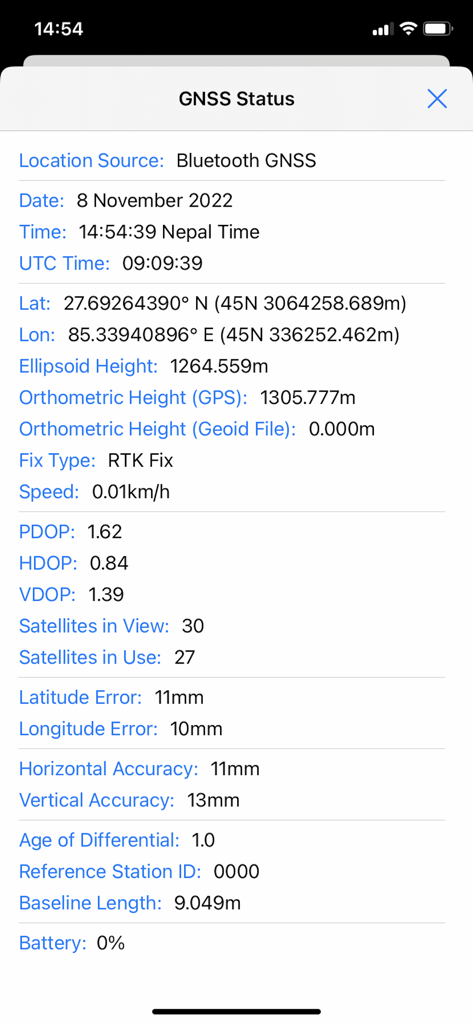
GNSS-Statusbildschirm in SW Maps mit hochpräzisem RTK-Fix und Genauigkeitsmetriken
Beschreibung
Download
Ähnliche Apps
Top-gerankte Apps in derselben Kategorie

ChatGPT
OpenAI OpCo, LLC

Google Gemini
Google LLC

Grok
X.AI Corporation

Gmail - Email by Google
Google LLC

千问 - 阿里最强大模型官方AI助手
Shanghai Zhixin Puhui Technology Co., Ltd.

Google Drive
Google LLC

Microsoft Authenticator
Microsoft Corporation

Google Sheets
Google LLC

Google Docs
Google LLC
Diese Seite ist keine offizielle Seite der App oder ihres Entwicklers, sondern eine unabhängige redaktionelle Veröffentlichung, die zu Informations- und Kommentarzwecken erstellt wurde. Sofern nicht ausdrücklich anders angegeben, sind weder die App noch ihr Entwickler mit MWM, Apple, Google Play, dem App-Herausgeber oder dem Entwickler der App verbunden, von ihnen unterstützt, gesponsert, autorisiert oder anderweitig offiziell verbunden, und nichts auf dieser Seite impliziert, dass die App unter Verwendung der Dienste von MWM entwickelt wurde. Alle Marken, Logos, Screenshots und andere Inhalte bleiben Eigentum ihrer jeweiligen Inhaber.