
Diese Seite ist keine offizielle Seite der App oder ihres Entwicklers, sondern eine unabhängige redaktionelle Veröffentlichung, die zu Informations- und Kommentarzwecken erstellt wurde. Sofern nicht ausdrücklich anders angegeben, sind weder die App noch ihr Entwickler mit MWM, Apple, Google Play, dem App-Herausgeber oder dem Entwickler der App verbunden, von ihnen unterstützt, gesponsert, autorisiert oder anderweitig offiziell verbunden, und nichts auf dieser Seite impliziert, dass die App unter Verwendung der Dienste von MWM entwickelt wurde. Alle Marken, Logos, Screenshots und andere Inhalte bleiben Eigentum ihrer jeweiligen Inhaber.

SWAM Cello
Erleben Sie das fortschrittlichste Physical-Modeling-Instrument der Welt für iOS. Spielen Sie authentische Streicher-Performances in Echtzeit, die auf jede Nuance Ihrer Berührung reagieren – keine Samples, nur reine Expression.
Downloads
7K+Bewertung
Bewertungen gesamt
0Herausgeber
Kategorie
MusicSprachen
-Neueste Version
3.11.0Größe
68.7 MBErstveröffentlichung
30. Apr. 2021Meistern Sie jede Nuance
Entwickelt für Profis, die mehr als nur Samples verlangen. SWAM Cello nutzt Physical Modeling, um ein lebendiges, atmendes Instrument zu liefern, das in Echtzeit auf Ihre Kunst reagiert.
Kontinuierlicher Expressiver Fluss
Verabschieden Sie sich von statischen Loops. Nutzen Sie MPE oder Atemkontroller, um jede Note mit der organischen Dynamik und dem Realismus eines Live-Cellisten zu gestalten.
Nahtlose AUv3-Integration
Verwandeln Sie Ihr iPad in ein Kraftpaket. Vollständig kompatibel mit Logic Pro, Cubasis und AUM für einen professionellen mobilen Produktions-Workflow.
Häufig gestellte Fragen
Alles, was Sie über wissen müssen SWAM Cello
Was ist SWAM Cello für iOS?
SWAM Cello für iOS ist ein virtuelles Instrument, das Physical Modeling-Technologie nutzt. Es erzeugt authentische Saitenklänge in Echtzeit, im Gegensatz zu gesampelten Bibliotheken, und verfügt über den "Ambiente" Room Simulator.
Wie unterscheidet sich das Physical Modeling von SWAM Cello von gesampelten Instrumenten?
Das Physical Modeling von SWAM Cello schafft Bedingungen zur Klangerzeugung in Echtzeit aus der Eingabe, anstatt vorab aufgenommene Samples abzuspielen. Dies gewährleistet, dass jede Note einzigartig und dynamisch reagiert.
Enthält SWAM Cello für iOS einen Raumsimulator?
Ja, SWAM Cello für iOS enthält den "Ambiente" Room Simulator. Er bietet erweiterte räumliche Kontrolle und ermöglicht die Platzierung des Instruments in einem realistischen akustischen Raum für immersive Darbietungen.
Ist SWAM Cello als AUv3-Plugin erhältlich?
Ja, SWAM Cello funktioniert sowohl als eigenständige App als auch als AUv3-Plugin. Benutzer können es nahtlos in mobile Produktions-Workflows mit DAWs wie Logic, Cubasis und AUM integrieren.
Bietet SWAM Cello für iOS Barrierefreiheitsfunktionen?
Ja, SWAM Cello für iOS bietet eine intuitive und inklusive Benutzeroberfläche. Es wurde speziell für alle entwickelt, einschließlich blinder und sehbehinderter Benutzer.
Welche Arten von Controllern unterstützt SWAM Cello?
SWAM Cello unterstützt ausdrucksstarke Steuerung über seine virtuelle Bogenseite, MPE-Controller, Keyboards, Bläsercontroller und andere MIDI-Geräte. Für maximale Realität ist eine kontinuierliche Ausdruckseingabe erforderlich.
Können Benutzer Klangparameter innerhalb von SWAM Cello anpassen?
Ja, SWAM Cello ermöglicht es Benutzern, Timbre, Vibrato und Dynamik anzupassen. Die App verfügt auch über Mikro-Tuning-Funktionen mit dem Pitch Manager für erweiterte Stimmensysteme.
Kann ich den Cello-Körper in SWAM Cello ändern?
Ja, SWAM Cello ermöglicht es Benutzern, mit verschiedenen Cello-Körpern zu spielen. Diese Funktion ermöglicht die Erforschung einzigartiger tonaler Variationen und Klangeigenschaften innerhalb der App.
Welche integrierten Effekte sind in SWAM Cello für iOS verfügbar?
SWAM Cello für iOS enthält integrierte EQ- und Kompressor-Effekte. Der "Ambiente" Room Simulator bietet auch Hall-Funktionen zur Feinabstimmung des Klangs und der räumlichen Positionierung.
Wer ist die Zielgruppe für SWAM Cello für iOS?
SWAM Cello für iOS richtet sich an Spieler von Bläsercontrollern, Keyboarder und Musikproduzenten. Es wurde auch für Musiker entwickelt, die ausdrucksstarke virtuelle Instrumente für mobile Darbietungen und Produktionen suchen.
Die folgenden Screenshots und die Beschreibung stammen direkt aus dem offiziellen Store-Eintrag der App und sind Eigentum des Entwicklers.
App Store
Screenshots
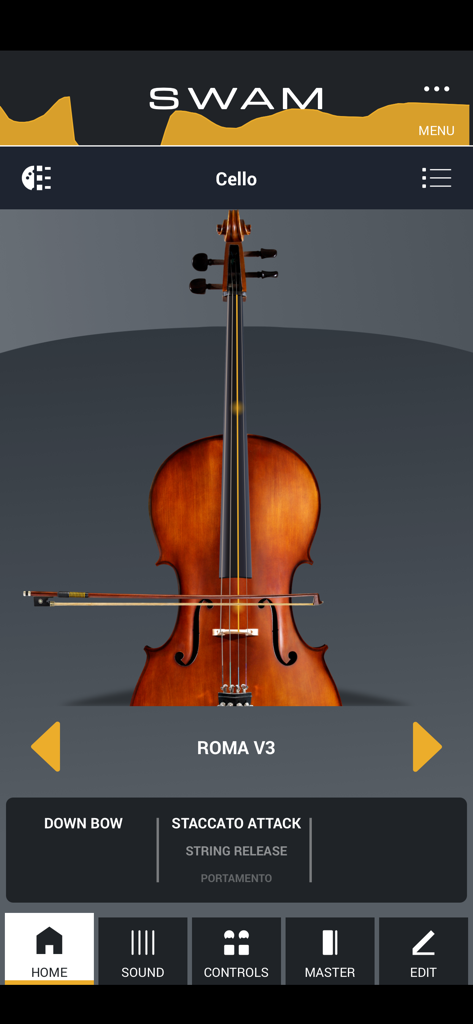
Startbildschirm der SWAM Cello App, der ein virtuelles Cello mit Performance-Einstellungen zeigt.
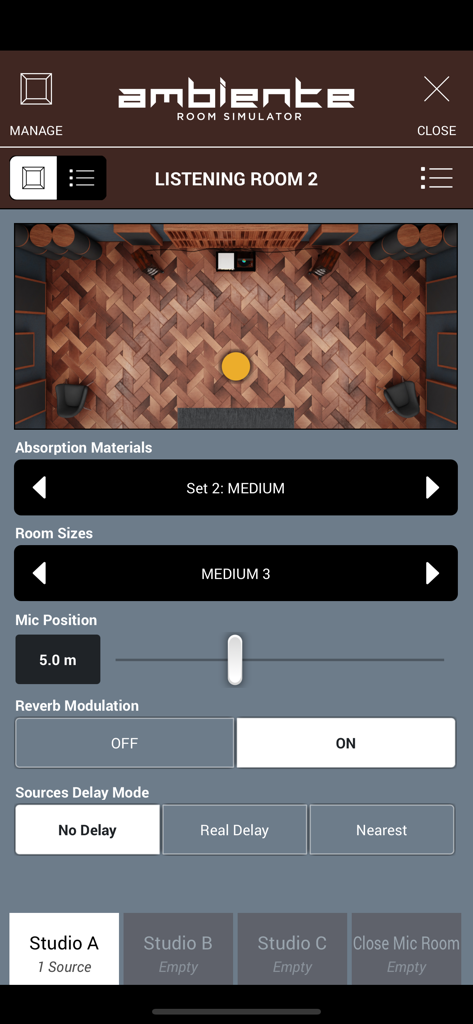
Oberfläche des Ambiente Room Simulators in der SWAM Cello App, die virtuelle Raumakustik und Mikrofonpositionierungseinstellungen zeigt.
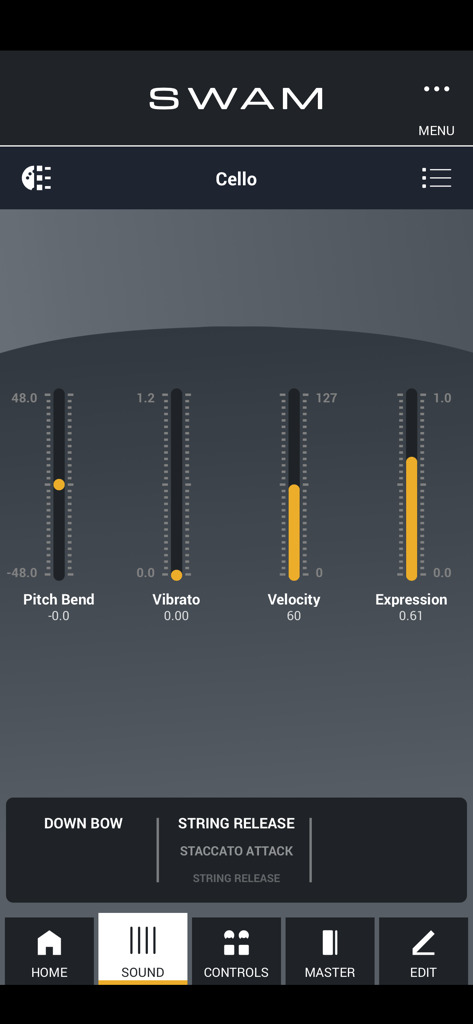
SWAM Cello App-Oberfläche, die Sound-Steuerelemente für Pitch Bend, Vibrato und Velocity zeigt.
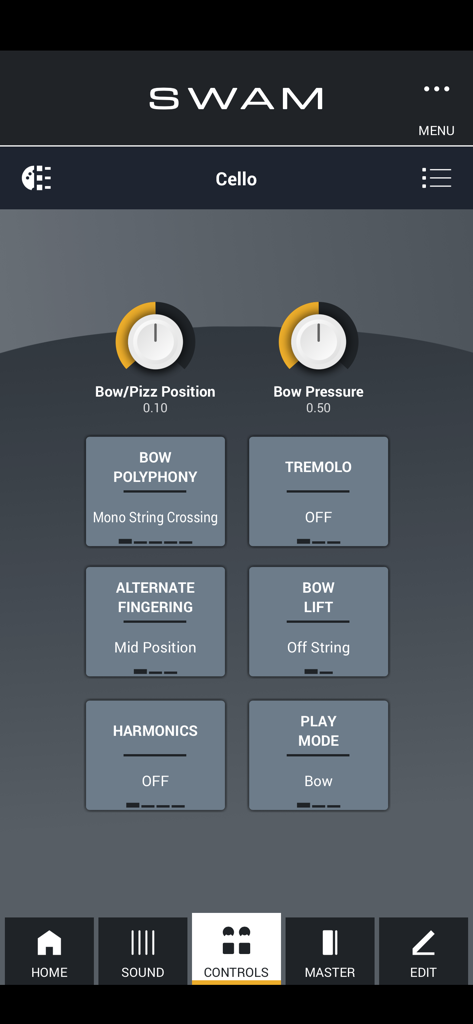
SWAM Cello App-Oberfläche, die Performance-Steuerelemente für Bogendruck, Tremolo und Flageoletttöne anzeigt.
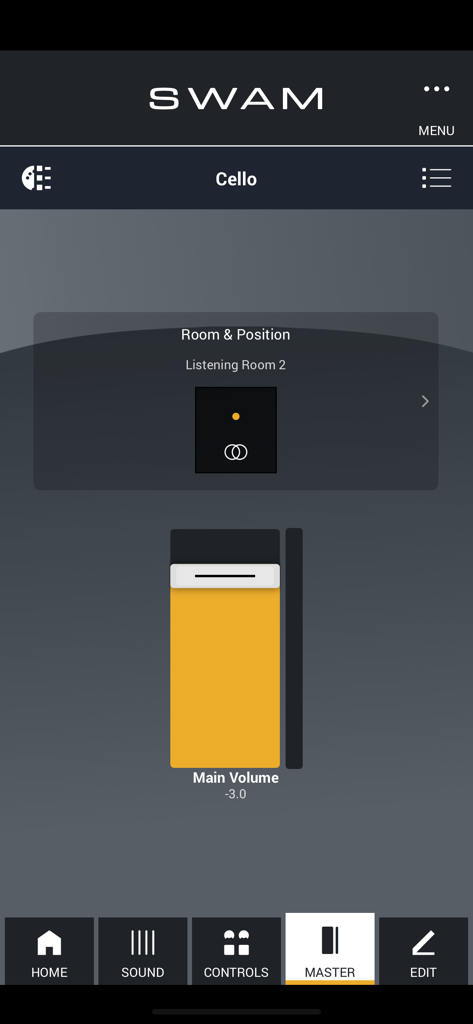
SWAM Cello App-Oberfläche, die den Room Simulator und die Hauptlautstärkeregler zeigt.
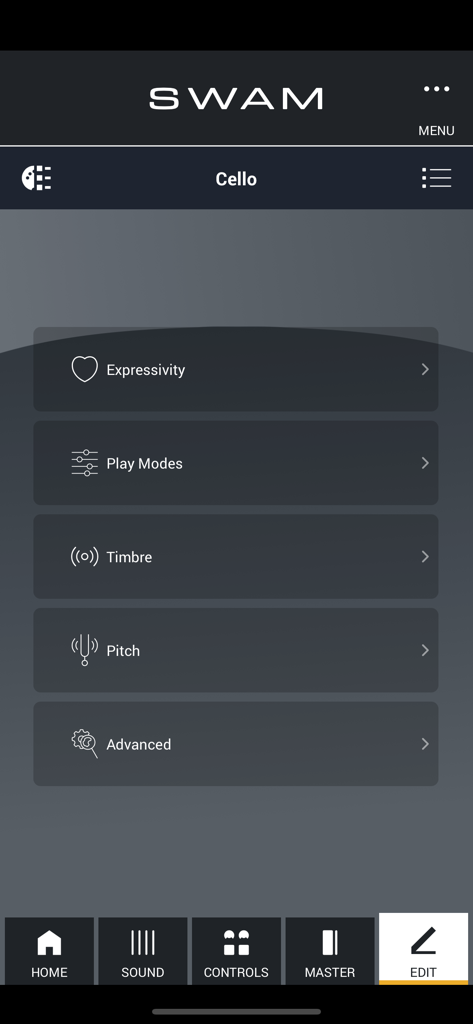
SWAM Cello App-Bearbeitungsmenü mit Sound-Anpassungseinstellungen für Ausdruck, Klangfarbe und Tonhöhe.
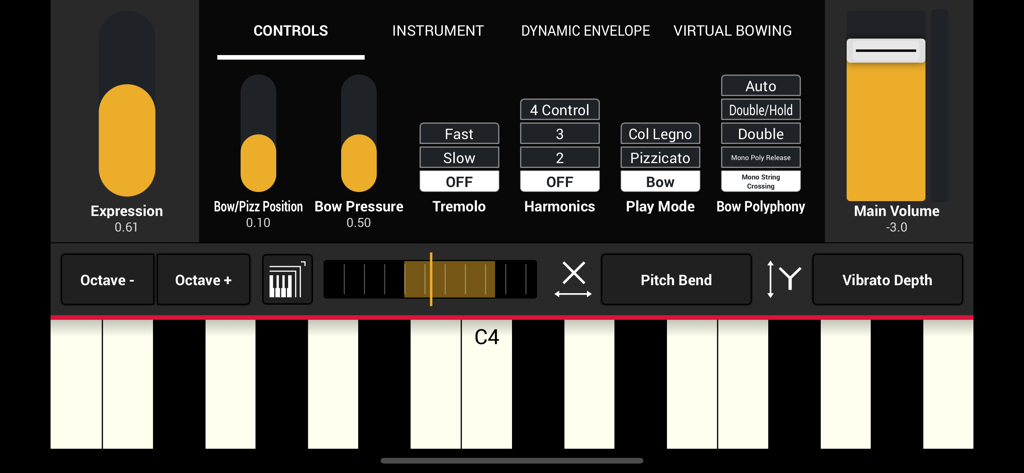
Detailliertes Bedienfeld der SWAM Cello App für iOS mit Expression-Schiebereglern und einer musikalischen Tastatur.
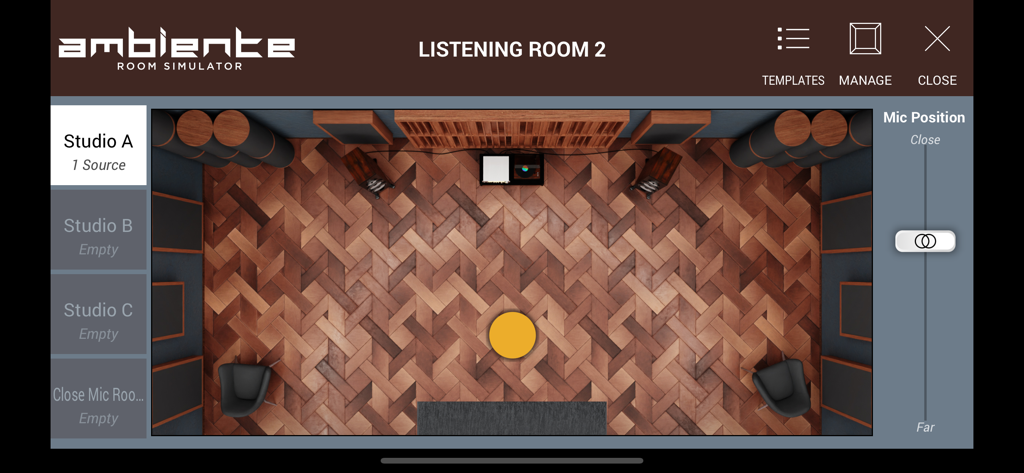
Oberfläche des Ambiente Room Simulators in SWAM Cello, die ein virtuelles Studio-Layout zeigt.
Beschreibung
Download
Ähnliche Apps
Top-gerankte Apps in derselben Kategorie

Spotify: Music and Podcasts
Spotify

YouTube Music
Google LLC

Shazam: Find Music & Concerts
Apple Inc.

SoundCloud: The Music You Love
SoundCloud Global Limited & Co KG

Suno - AI Songs & Music
Suno Inc.

QQ音乐 - 听我想听
Tencent Technology (Shenzhen) Company Limited

Audiomack - Play Music Offline
Audiomack, Inc.

GuitarTuna: Tune & Play Guitar
Yousician Ltd

BandLab – Music Maker & Beats
BandLab Singapore Pte Ltd
Diese Seite ist keine offizielle Seite der App oder ihres Entwicklers, sondern eine unabhängige redaktionelle Veröffentlichung, die zu Informations- und Kommentarzwecken erstellt wurde. Sofern nicht ausdrücklich anders angegeben, sind weder die App noch ihr Entwickler mit MWM, Apple, Google Play, dem App-Herausgeber oder dem Entwickler der App verbunden, von ihnen unterstützt, gesponsert, autorisiert oder anderweitig offiziell verbunden, und nichts auf dieser Seite impliziert, dass die App unter Verwendung der Dienste von MWM entwickelt wurde. Alle Marken, Logos, Screenshots und andere Inhalte bleiben Eigentum ihrer jeweiligen Inhaber.