TapShot: Sports Action Camera

TapShot: Sports Action Camera

Herunterladen auf App Store
Logo von TapShot: Sports Action Camera

TapShot: Sport Action Kamera – Erfassen Sie jeden spielentscheidenden Moment mühelos

Die ultimative Kamera für Eltern am Spielfeldrand und Sportfans. Steuern Sie den Zoom mit einem Finger, tippen Sie zum Aufnehmen irgendwo und fügen Sie sofort Teamlogos hinzu – entwickelt, damit Sie die Action im Auge behalten und nicht den Auslöser.

Herunterladen auf App Store

Herausgeber

Emotive Engines, LLC

Kategorie

Photo & Video

Downloads

200

Bewertung

1.0/5

Bewertungen gesamt

0

Sprachen

1

Action in jedem Frame

Entdecken Sie die Oberfläche, die von 200 Nutzern verwendet wird.
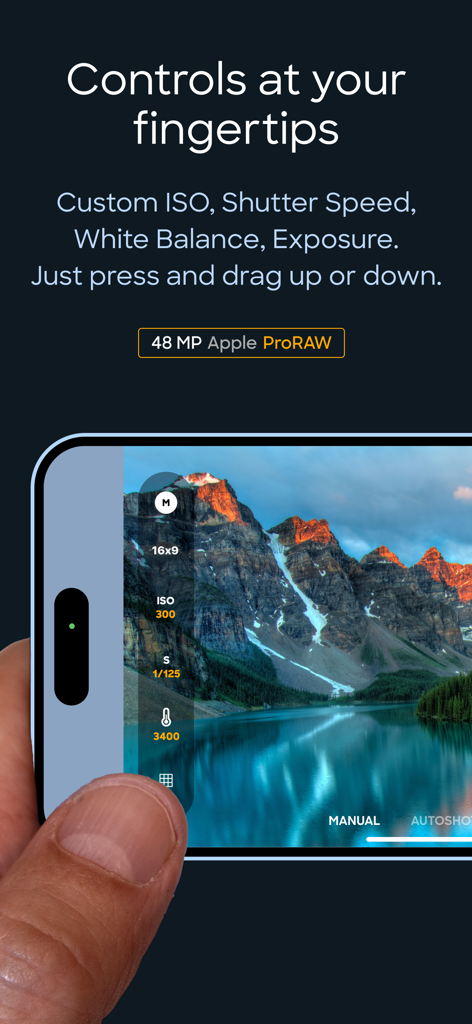
Oberfläche, die manuelle ISO- und Verschlusszeitsteuerungen in der TapShot-App zeigt

Oberfläche, die manuelle ISO- und Verschlusszeitsteuerungen in der TapShot-App zeigt

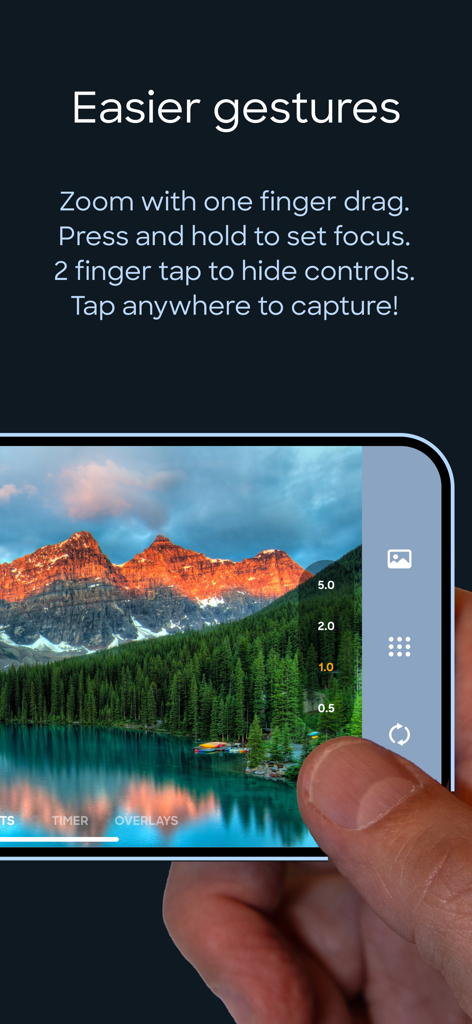
Eine Person, die mit einem Finger den Zoom steuert und ein Foto auf der TapShot Sportkamera-App-Oberfläche aufnimmt

Eine Person, die mit einem Finger den Zoom steuert und ein Foto auf der TapShot Sportkamera-App-Oberfläche aufnimmt

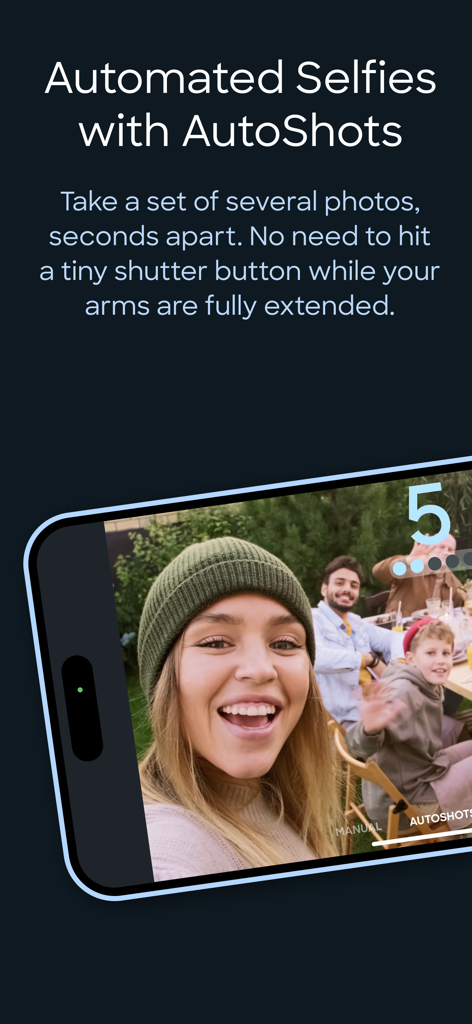
Smartphone-Bildschirm, der die AutoShots-Funktion der TapShot-App für automatisierte Gruppen-Selfies zeigt

Smartphone-Bildschirm, der die AutoShots-Funktion der TapShot-App für automatisierte Gruppen-Selfies zeigt

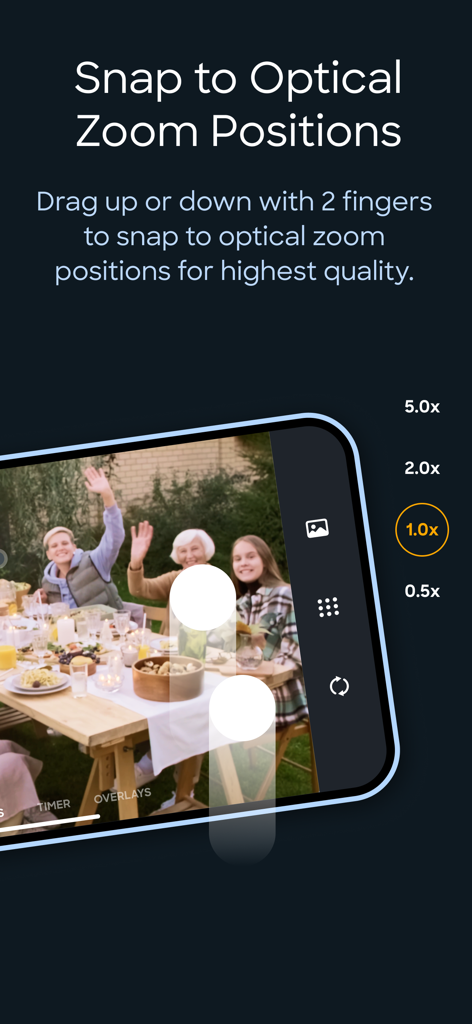
Oberfläche der TapShot-App, die optische Zoomstufen für hochwertige Sportfotografie zeigt

Oberfläche der TapShot-App, die optische Zoomstufen für hochwertige Sportfotografie zeigt

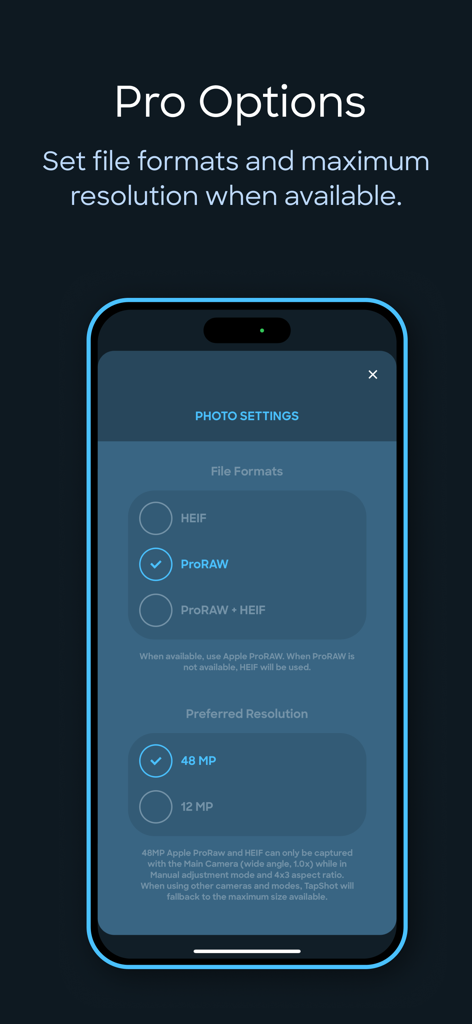
Einstellungsbildschirm der TapShot-App, der Optionen für das ProRAW-Dateiformat und eine Auflösung von 48 Megapixeln zeigt

Einstellungsbildschirm der TapShot-App, der Optionen für das ProRAW-Dateiformat und eine Auflösung von 48 Megapixeln zeigt

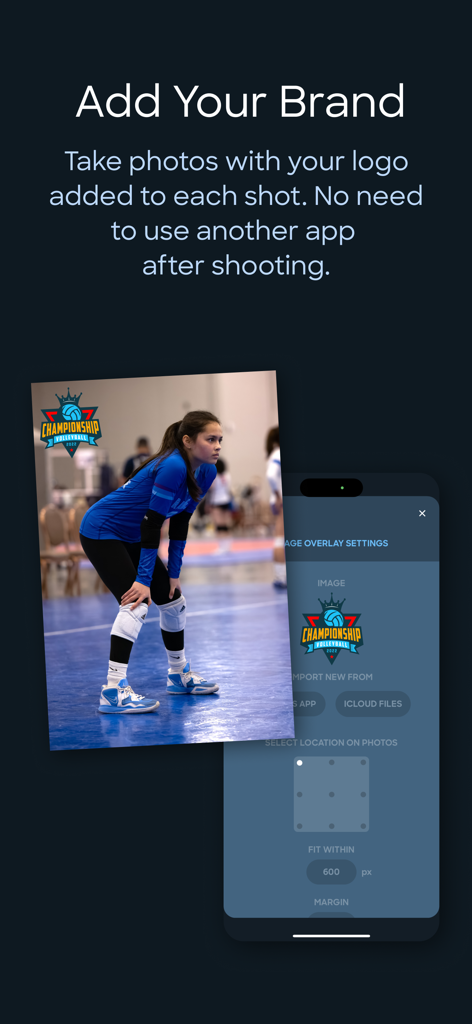
Oberfläche der TapShot-App, die ein Volleyballfoto mit einem benutzerdefinierten Teamlogo-Wasserzeichen und Branding-Einstellungen zeigt.

Oberfläche der TapShot-App, die ein Volleyballfoto mit einem benutzerdefinierten Teamlogo-Wasserzeichen und Branding-Einstellungen zeigt.

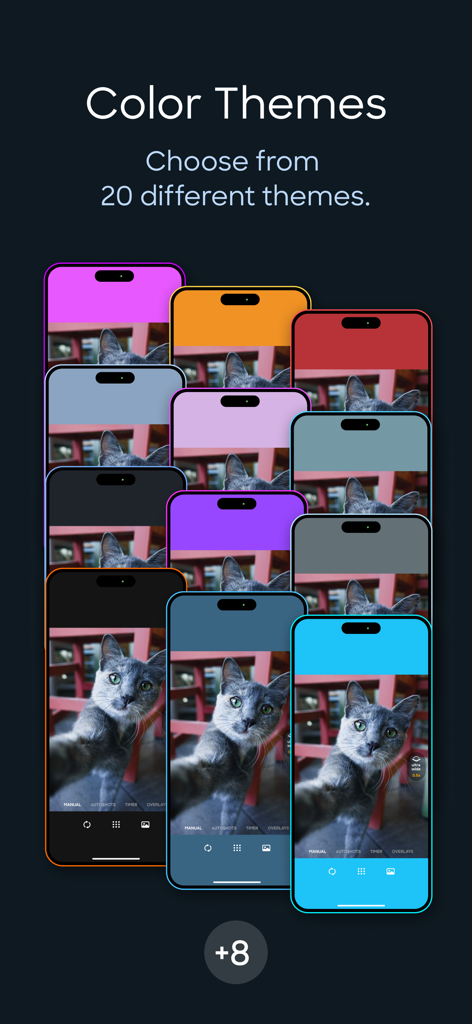
Präsentation verschiedener Farbthemen für die TapShot-App-Oberfläche, die auf mehreren iPhones angezeigt werden

Präsentation verschiedener Farbthemen für die TapShot-App-Oberfläche, die auf mehreren iPhones angezeigt werden

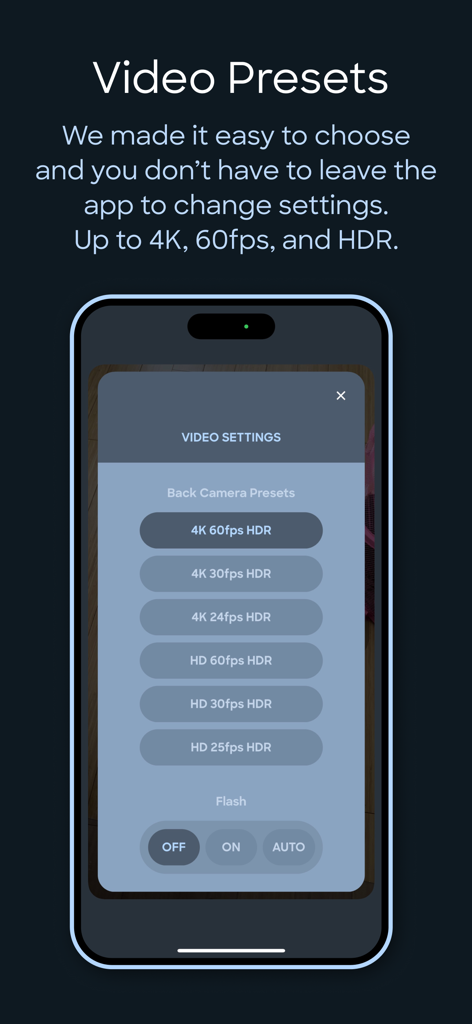
Oberfläche der TapShot-App, die Videoaufnahme-Presets zeigt, einschließlich 4K 60fps HDR und Blitz-Einstellungen

Oberfläche der TapShot-App, die Videoaufnahme-Presets zeigt, einschließlich 4K 60fps HDR und Blitz-Einstellungen

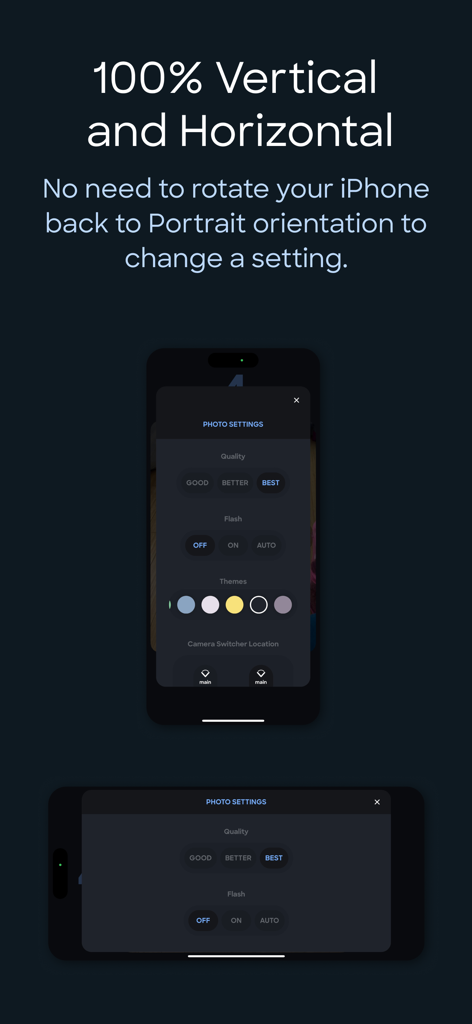
Einstellungsinterface der TapShot-App, das sowohl in vertikaler als auch in horizontaler iPhone-Ausrichtung gezeigt wird.

Einstellungsinterface der TapShot-App, das sowohl in vertikaler als auch in horizontaler iPhone-Ausrichtung gezeigt wird.

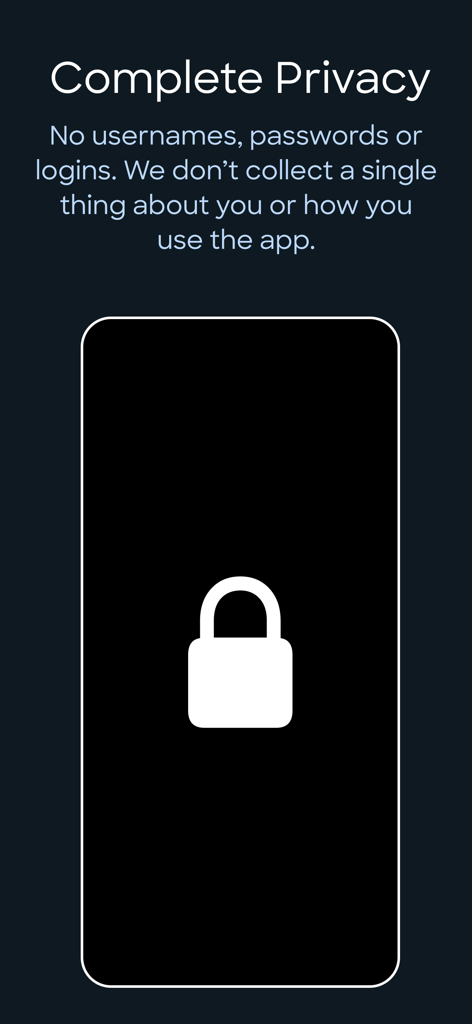
Bildschirm der TapShot-App, der die vollständige Privatsphäre detailliert beschreibt, ohne Anmeldungen oder Datensammlung

Bildschirm der TapShot-App, der die vollständige Privatsphäre detailliert beschreibt, ohne Anmeldungen oder Datensammlung

Halten Sie jeden Siegtreffer wie ein Profi fest

Die Tools, die diese App auszeichnen, gewählt von 200 Nutzern.

☝️

Ein-Finger-Aktionssteuerung

Zoomen und aufnehmen mit einer einzigen Bewegung und einem Tippen. Kein umständliches Hantieren mit kleinen Knöpfen mehr, während die Action auf dem Feld stattfindet.

🏷️

Sofortige Team-Wasserzeichen

Fügen Sie automatisch Ihr Schul- oder Vereinslogo zu jedem Foto hinzu, während Sie es aufnehmen. Erstellen Sie sofort professionelle Sportmedien für die gemeinsame Nutzung in sozialen Netzwerken.

🔥

Professionelle Geschwindigkeit und Qualität

Aufnahme in 48MP ProRAW und 4K 60FPS. Hochleistungs-Presets stellen sicher, dass Sie nie einen spielentscheidenden Schuss aufgrund von Auslöserverzögerung verpassen.

Über die App

Alles, was Sie über wissen müssen TapShot: Sports Action Camera.

Beschreibung

ONE FINGER ZOOM FOR SPORTS Drag one finger up or down to zoom in and out. Immediately tap your finger wherever it is to capture a photo. Perfect for volleyball, basketball, and all your kid's sporting events. Faster and easier to use than the standard pinch gesture. JUST TAP TO SHOOT Tap anywhere on the image preview to take a photo or start/stop video recording while in video mode. No tiny shutter button. This is so much easier for taking selfies while your arms and hands are fully extended — just focus on framing the shot and tap away. 48 MP APPLE ProRAW AND HEIF For iPhones that support it. CUSTOM FOCUS POINTS Long press for half a second where you would like to set the focus point while maintaining exposure settings. CUSTOM ISO, SHUTTER SPEED, WHITE BALANCE & EXPOSURE BIAS ADJUSTMENTS ToolPod has Auto and Manual modes for toggling between fully automatic photo capture and making manual adjustments to ISO, Shutter Speed and White Balance. ADD YOUR LOGO WHILE TAKING PHOTOS Import your brand or school sports team logo and have it placed on your photos while taking them! No need to use another app afterwards. Choose from 9 locations and set the size and space from the edges. Supports alpha transparency when importing a PNG from iCloud Files. DEPTH CAPTURE MODE On capable iPhones and iPads, use Depth mode to capture and embed depth data to your selfies and rear camera photos. Open and edit with the native Photos app to apply lighting effects and adjust depth of field settings. 4x3 OR 16x9 PHOTO ASPECT RATIOS Traditional 4x3 size or wider 16x9, ideal for social media and video projects. SINGLE FINGER ZOOMING Zoom in and out with one finger! It’s easier and your zooms are smoother while recording video. If your iPhone is in the horizontal orientation you can even drag up and down at the side of the screen so your finger doesn’t block the subjects you are taking photos of. And just tap where your finger is to capture! No need to go the extra distance to a shutter button. SNAP TO OPTICAL ZOOM POSITIONS Drag with two fingers up or down to snap to the available optical zoom positions of your iPhone. This ensures you are only shooting at the optical zoom positions of your iPhone for best quality. CLEAN VIEW MODE Tap with 2 fingers to hide UI controls for an unobstructed image preview. Tap again with 2 fingers to restore them. PERSONAL PHOTO BOOTH WITH AUTOSHOTS Automated selfie sets. Because no one takes just one selfie — TapShot can automatically take a set of several photos, seconds apart. It means less physical coordination and you can keep your eyes on the screen to frame the perfect poses. If you just need one photo, there is a traditional simple countdown timer as well. BEAUTIFUL COLOR THEMES Choose from 20 different color themes to make your photo and video capturing experience match the color of your iPhone or case. EASY CAMERA SWITCHER The camera switcher always tells you which camera you are using, the current zoom factor, and if you’re at the optical zoom factor for that camera to use the best quality possible. VIDEO RECORDING PRESETS We made it easy to get the right level of quality versus file size. You don’t kneed to know complex video and photo terminology. And you don't need to leave the app to change any settings. 4K, 60FPS, HDR – if your device supports it you can use it in TapShot. COMPLETE PRIVACY No usernames, passwords or logins. We don’t collect a single thing about you or how you use the app. Nothing whatsoever is transmitted from your device to us. Your photos are saved directly to your iPhone’s camera roll so you can use the Photos app to manage and share. Terms of Use: https://www.apple.com/legal/internet-services/itunes/dev/stdeula/ Privacy Policy: https://tapshot.app/privacy

Neueste Version

2.6.0

Größe

21.3 MB

Erstveröffentlichung

13. Juni 2023

Verpassen Sie nie wieder den spielentscheidenden Moment Ihres Kindes

Schließen Sie sich Tausenden von Sporteltern und Amateur-Kreativen an, die mit Ein-Finger-Zoom und sofortigem Branding Action auf Profi-Niveau einfangen. Sicher, privat und für das Spielfeld entwickelt.

Herunterladen auf App Store

App information, icons, screenshots, and descriptions displayed on this page are sourced from the Apple App Store and are the property of their respective developers. Download estimates and rankings are based on MWM's proprietary models and may not reflect actual figures. This page is provided for informational and analytical purposes only.

Believe this page infringes your intellectual property? File a dispute