
Diese Seite ist keine offizielle Seite der App oder ihres Entwicklers, sondern eine unabhängige redaktionelle Veröffentlichung, die zu Informations- und Kommentarzwecken erstellt wurde. Sofern nicht ausdrücklich anders angegeben, sind weder die App noch ihr Entwickler mit MWM, Apple, Google Play, dem App-Herausgeber oder dem Entwickler der App verbunden, von ihnen unterstützt, gesponsert, autorisiert oder anderweitig offiziell verbunden, und nichts auf dieser Seite impliziert, dass die App unter Verwendung der Dienste von MWM entwickelt wurde. Alle Marken, Logos, Screenshots und andere Inhalte bleiben Eigentum ihrer jeweiligen Inhaber.


TB Morphit
Erreichen Sie professionelle Präzision mit Echtzeit-Korrektur, Harman-Zielkurven und branchenüblichen Simulationen. Mischen Sie überall mit Zuversicht mit dem weltweit vertrauenswürdigsten AUv3-Kopfhörer-Plugin.
Downloads
12K+Bewertung
Bewertungen gesamt
0Herausgeber
Kategorie
MusicSprachen
-Neueste Version
2.1.2Größe
10.8 MBErstveröffentlichung
16. Nov. 2019Studio-Präzision in Ihrer Tasche
Verwandeln Sie Ihre Lieblingskopfhörer in High-End-Studiomonitore. Korrigieren Sie den Frequenzgang, simulieren Sie erstklassige Geräte und stellen Sie sicher, dass Ihre Mixe auf jedem Soundsystem perfekt übersetzt werden.
Profi-Kalibrierung
Entfernen Sie unerwünschte Färbungen und erzielen Sie einen 'flachen' Frequenzgang mit Unterstützung für Hunderte von Kopfhörermodellen und branchenführenden Harman-Zielkurven.
Sofortige Mix-Übersetzung
Simulieren Sie virtuell andere Kopfhörer, um zu überprüfen, wie Ihr Track auf allem von Consumer-Ohrhörern bis zu High-End-Hi-Fi-Systemen klingt, ohne Ihren Platz zu verlassen.
Die folgenden Screenshots und die Beschreibung stammen direkt aus dem offiziellen Store-Eintrag der App und sind Eigentum des Entwicklers.
App Store
Screenshots
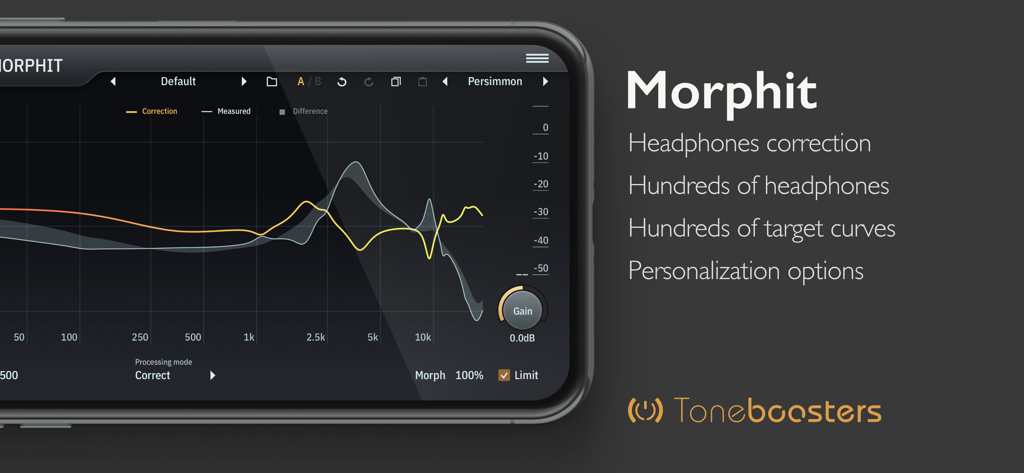
Oberfläche der TB Morphit Mobile App, die ein Frequenzgangdiagramm zur professionellen Kopfhörerkorrektur anzeigt.
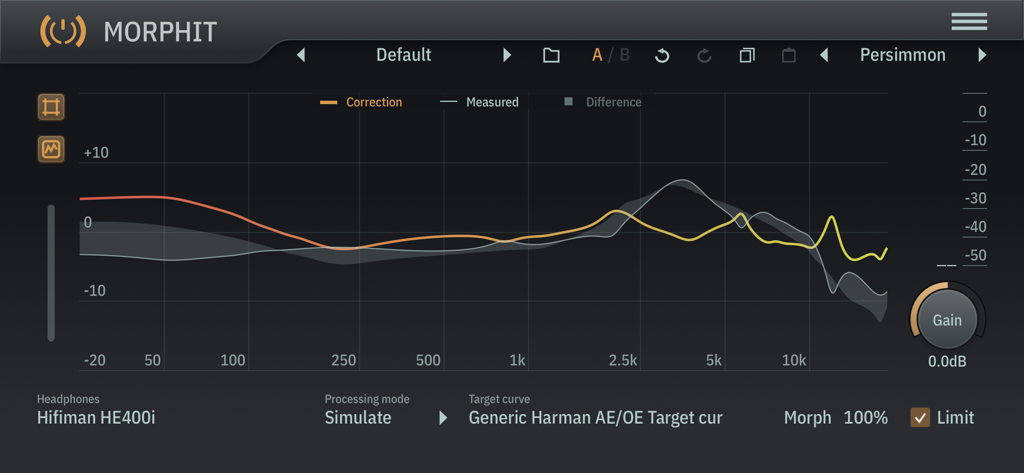
TB Morphit App-Oberfläche mit einem Frequenzgangdiagramm zur Kopfhörerkorrektur und -simulation
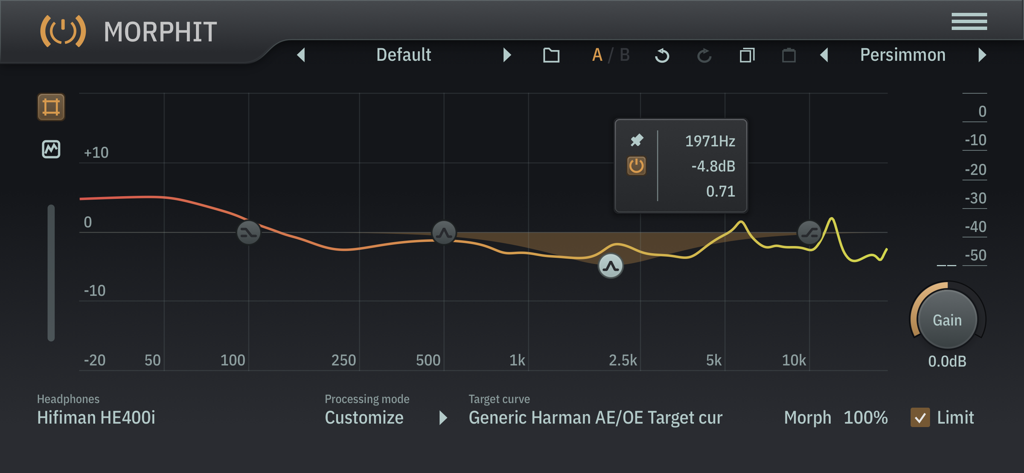
Oberfläche des TB Morphit Audio-Plugins, das die Frequenzgangkalibrierung für Hifiman HE400i-Kopfhörer mit einer Harman-Zielkurve zeigt
Beschreibung
Download
Ähnliche Apps
Top-gerankte Apps in derselben Kategorie

Spotify: Music and Podcasts
Spotify

YouTube Music
Google LLC

Shazam: Find Music & Concerts
Apple Inc.

SoundCloud: The Music You Love
SoundCloud Global Limited & Co KG

Suno - AI Songs & Music
Suno Inc.

QQ音乐 - 听我想听
Tencent Technology (Shenzhen) Company Limited

Audiomack - Play Music Offline
Audiomack, Inc.

GuitarTuna: Tune & Play Guitar
Yousician Ltd

BandLab – Music Maker & Beats
BandLab Singapore Pte Ltd
Diese Seite ist keine offizielle Seite der App oder ihres Entwicklers, sondern eine unabhängige redaktionelle Veröffentlichung, die zu Informations- und Kommentarzwecken erstellt wurde. Sofern nicht ausdrücklich anders angegeben, sind weder die App noch ihr Entwickler mit MWM, Apple, Google Play, dem App-Herausgeber oder dem Entwickler der App verbunden, von ihnen unterstützt, gesponsert, autorisiert oder anderweitig offiziell verbunden, und nichts auf dieser Seite impliziert, dass die App unter Verwendung der Dienste von MWM entwickelt wurde. Alle Marken, Logos, Screenshots und andere Inhalte bleiben Eigentum ihrer jeweiligen Inhaber.