tcCalc - timecode & frame calc

tcCalc - timecode & frame calc

Herunterladen auf App Store
Logo von tcCalc - timecode & frame calc

tcCalc - Frame-genaue Timecode- & Frame-Berechnungen

Das unverzichtbare Hilfsmittel für Video-Editoren und DITs. Führen Sie präzise Berechnungen über alle branchenüblichen Bildraten hinweg durch, einschließlich Drop Frame und NDF, mit einer Benutzeroberfläche, die auf die Geschwindigkeit der Postproduktion ausgelegt ist.

Herunterladen auf App Store

Herausgeber

RYUICHIROU SHIMONO

Kategorie

Photo & Video

Downloads

4K+

Bewertung

4.8/5

Bewertungen gesamt

200

Sprachen

1

Präzision in jedem Frame

Entdecken Sie die Oberfläche, die von 4K+ Nutzern verwendet wird.
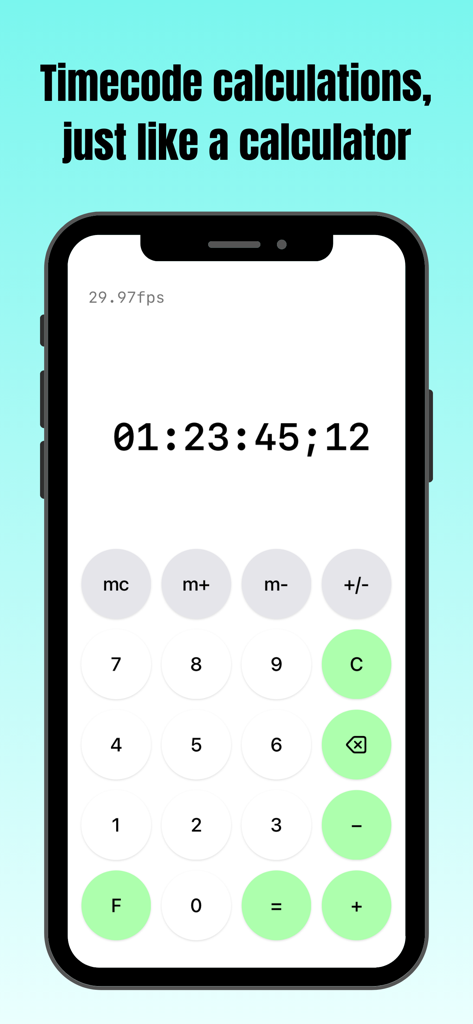
Screenshot der tcCalc App mit der Timecode-Berechnungsoberfläche auf einem iPhone

Screenshot der tcCalc App mit der Timecode-Berechnungsoberfläche auf einem iPhone

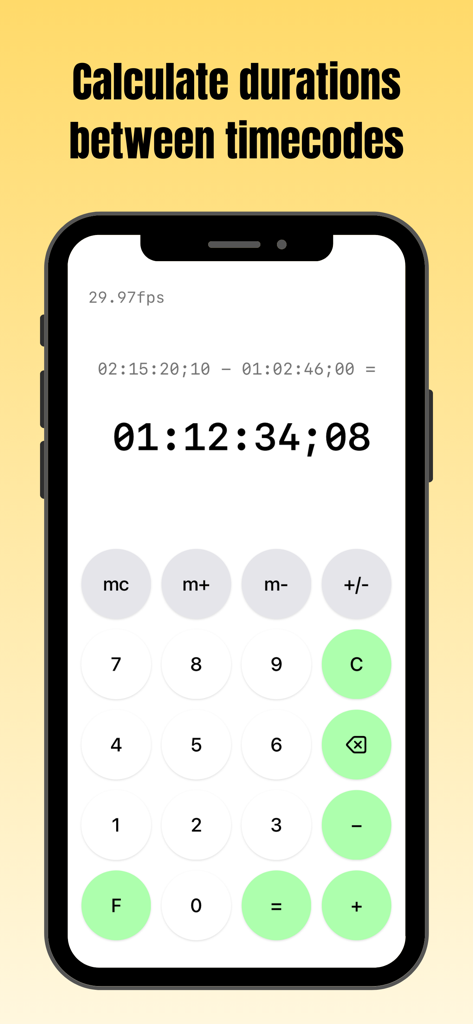
Bildschirm der tcCalc App auf einem iPhone, das eine Dauerberechnung zwischen zwei Timecodes bei 29.97fps zeigt

Bildschirm der tcCalc App auf einem iPhone, das eine Dauerberechnung zwischen zwei Timecodes bei 29.97fps zeigt

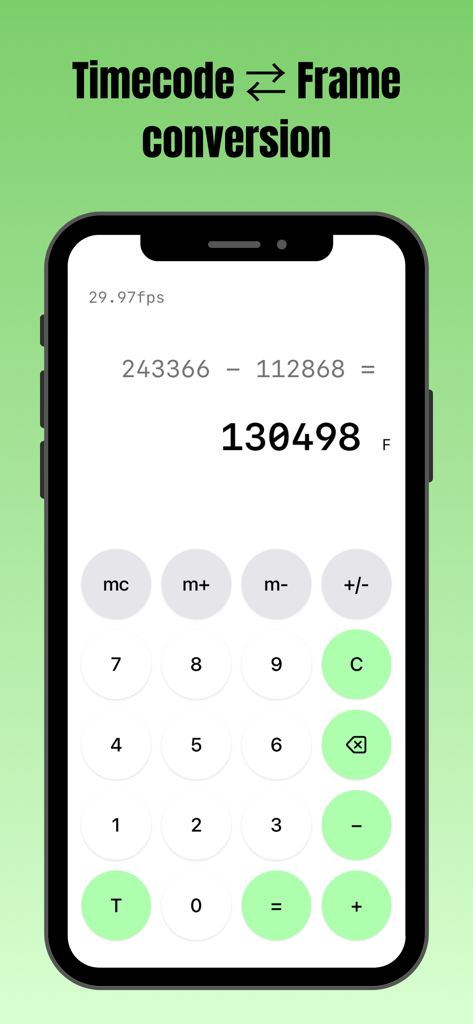
Benutzeroberfläche der tcCalc App, die eine Frame-Anzahl-Subtraktion auf einem iPhone durchführt

Benutzeroberfläche der tcCalc App, die eine Frame-Anzahl-Subtraktion auf einem iPhone durchführt

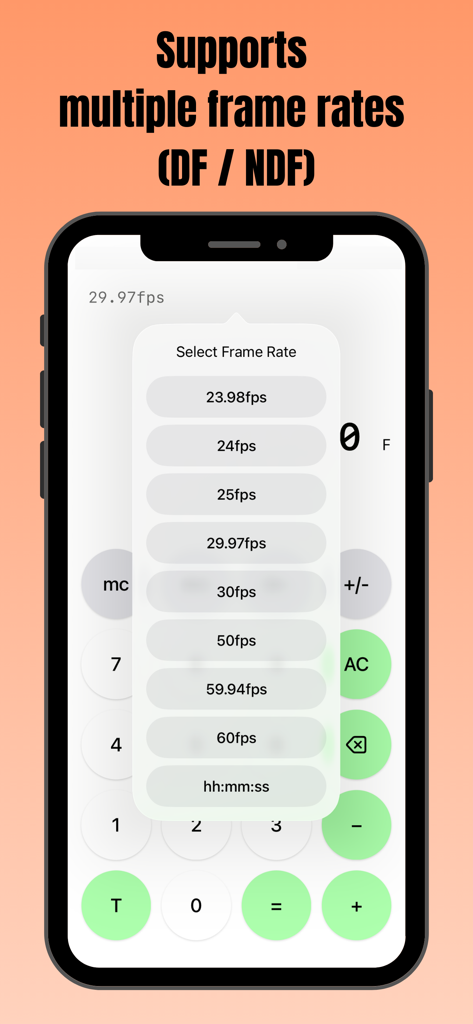
Smartphone-Bildschirm mit der tcCalc App und einem Pop-up-Menü zur Auswahl mehrerer Bildraten, einschließlich DF- und NDF-Optionen.

Smartphone-Bildschirm mit der tcCalc App und einem Pop-up-Menü zur Auswahl mehrerer Bildraten, einschließlich DF- und NDF-Optionen.

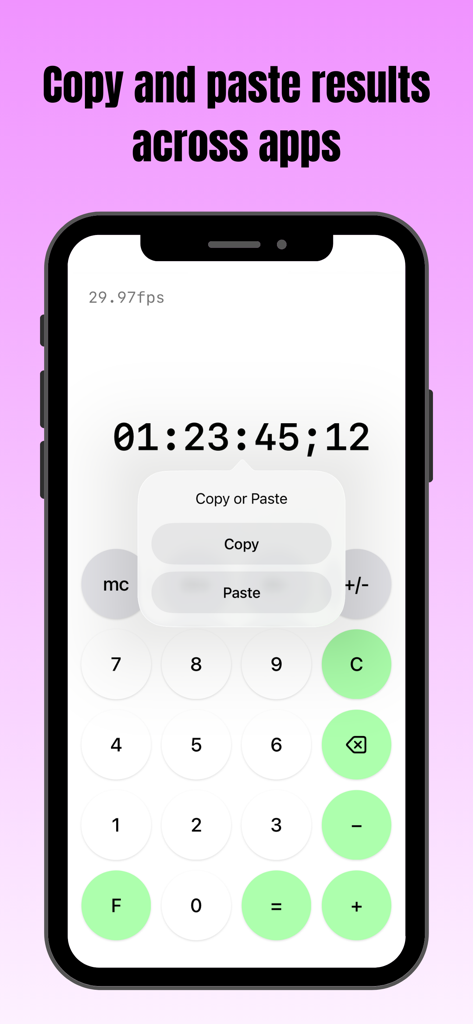
Smartphone-Bildschirm, der die tcCalc App mit einem Kopieren-Einfügen-Menü über einem Timecode-Ergebnis anzeigt

Smartphone-Bildschirm, der die tcCalc App mit einem Kopieren-Einfügen-Menü über einem Timecode-Ergebnis anzeigt

Präzisionswerkzeuge für Postproduktionsprofis

Die Tools, die diese App auszeichnen, gewählt von 4K+ Nutzern.

🎬

Multi-Standard-Bildratenunterstützung

Wechseln Sie sofort zwischen 23.98, 29.97 DF/NDF, 59.94 und 60fps. Stellen Sie sicher, dass Ihre Dauern perfekt synchronisiert sind, unabhängig von den technischen Spezifikationen Ihres Projekts.

📋

Nahtlose Workflow-Integration

Kopieren und fügen Sie Berechnungsergebnisse direkt in Ihre Lieferlisten, EDLs oder Notizen ein. Verschieben Sie Daten zwischen tcCalc und anderen iOS-Apps, um Ihre technische Protokollierung zu beschleunigen.

⏱️

Native Timecode- & Frame-Konvertierung

Wechseln Sie mit einem einzigen Tippen zwischen SMPTE-Timecode und Gesamtbildanzahl. Führen Sie komplexe Dauerberechnungen mit einer vertrauten Benutzeroberfläche durch, die für stressige Schnittsuiten entwickelt wurde.

Über die App

Alles, was Sie über wissen müssen tcCalc - timecode & frame calc.

Beschreibung

Overview This app is a calculator designed for timecode and frame-based calculations. Features • Perform timecode calculations with the familiar operation of a standard calculator. • Convert between timecodes and frame counts in both directions. • Supports multiple frame rates. • Input values and calculation results are automatically adjusted to values between 0 and less than 24 hours. How to Use Input Timecodes and frame numbers are entered using the numeric buttons (0–9). The AC button clears the displayed value and all calculation history. The C button clears only the current input value and calculation result. To delete the displayed value one character at a time, use the delete button. Up to 8 digits can be entered. Calculation Calculations are performed in the same way as a standard calculator, using the symbol buttons (+, −, =). For example, the − button can be used to calculate the duration between two timecodes. Display Mode Press the F button to convert the displayed value to frames. Press the T button to convert the displayed value to a timecode. The display format can be changed at any time, even during a calculation. Frame Rate Selection Tap the fps indicator in the upper-left corner of the screen to open the frame rate selection screen. You can choose from the following frame rates: 23.98fps / 24fps / 25fps / 29.97fps / 30fps / 50fps / 59.94fps / 60fps 29.97fps and 59.94fps use the Drop Frame (DF) counting method. All other frame rates use the Non-Drop Frame (NDF) counting method. When hh:mm:ss is selected, calculations can be performed using time values (hours, minutes, seconds) without frames. Copy & Paste Long-press a calculation result to display a menu where you can choose to copy or paste the value. By selecting an option from the menu, you can copy the value or paste a previously copied value. This allows numeric values to be copied and pasted between this app and standard iOS apps such as the Calculator and Notes. If a pasted string contains non-numeric characters, only the numeric portions are entered in order. In frame display mode, any decimal portion is truncated when pasting. Other The m+, m−, and mc buttons provide a memory function. Stored values are displayed in the upper-right corner of the screen and can be tapped to use them as input values. This behavior is equivalent to the mr button on a standard calculator. Pressing the +/− button toggles the sign of the input value and calculation result. Negative values are displayed as the result of subtracting the value from 24 hours. Timecode calculations are primarily based on the SMPTE 12M-1 standard. For 59.94fps, the counting method is based on commonly used behavior in applications such as Adobe Premiere Pro.

Neueste Version

3.0

Größe

0.4 MB

Erstveröffentlichung

9. Sept. 2016

Meistern Sie Ihre Timeline mit frame-genauer Präzision

Hören Sie auf mit Kopfrechnen und eliminieren Sie Synchronisierungsfehler. Schließen Sie sich Tausenden von Postproduktionsprofis an, die tcCalc für nahtlose Timecode-Konvertierungen und Workflow-Effizienz nutzen.

Herunterladen auf App Store

App information, icons, screenshots, and descriptions displayed on this page are sourced from the Apple App Store and are the property of their respective developers. Download estimates and rankings are based on MWM's proprietary models and may not reflect actual figures. This page is provided for informational and analytical purposes only.

Believe this page infringes your intellectual property? File a dispute