TempTale App
TempTale App
Herunterladen auf App Store

Diese Seite ist keine offizielle Seite der App oder ihres Entwicklers, sondern eine unabhängige redaktionelle Veröffentlichung, die zu Informations- und Kommentarzwecken erstellt wurde. Sofern nicht ausdrücklich anders angegeben, sind weder die App noch ihr Entwickler mit MWM, Apple, Google Play, dem App-Herausgeber oder dem Entwickler der App verbunden, von ihnen unterstützt, gesponsert, autorisiert oder anderweitig offiziell verbunden, und nichts auf dieser Seite impliziert, dass die App unter Verwendung der Dienste von MWM entwickelt wurde. Alle Marken, Logos, Screenshots und andere Inhalte bleiben Eigentum ihrer jeweiligen Inhaber.


Logo von TempTale App
Herunterladen auf App Store

TempTale App

Befähigt Logistikprofis mit berührungslosen Temperaturablesungen und sofortigen Annahme-/Ablehnungsentscheidungen. Optimieren Sie die Compliance durch automatisierte Cloud-Synchronisation und PDF-Berichte mit einem Fingertipp.

Kennzahlen

Downloads

6K+

Bewertung

5.0/5

Bewertungen gesamt

0

Herausgeber

Sensitech Inc.

Kategorie

Reference

Sprachen

9

Neueste Version

3.5.2

Größe

185.5 MB

Erstveröffentlichung

21. Mai 2019
Funktionen

Optimieren Sie Ihre Compliance für Kühlketten

Die TempTale® App verwandelt Ihr Smartphone in ein leistungsstarkes Inspektionswerkzeug, das den sofortigen Datenabruf und umsetzbare Erkenntnisse für temperaturempfindliche Sendungen ermöglicht.

Sofortige Annahme-/Ablehnungsentscheidungen

Eliminieren Sie Rätselraten mit sofortigen visuellen Indikatoren. Ein einfaches Häkchen oder X sagt Ihnen sofort, ob Ihre Sendung innerhalb der Temperaturgrenzen geblieben ist.

Berührungslose Datenabfrage

Erfassen Sie Daten durch die Verpackung aus bis zu 30 Fuß Entfernung über Bluetooth® oder einen schnellen NFC-Tipp und wahren Sie so die thermische Integrität Ihrer Ladung.

Die folgenden Screenshots und die Beschreibung stammen direkt aus dem offiziellen Store-Eintrag der App und sind Eigentum des Entwicklers.

App Store

Screenshots
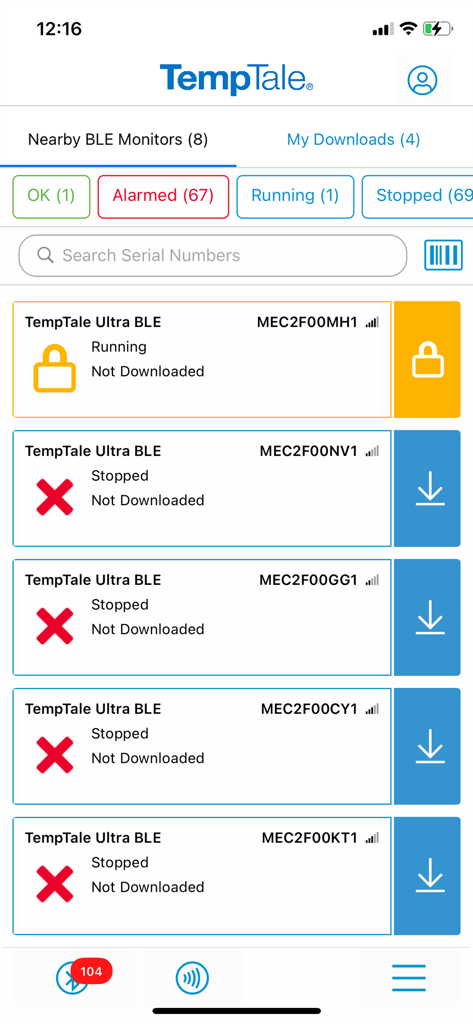
TempTale App - Oberfläche der TempTale App, die eine Liste von nahegelegenen BLE-Temperaturüberwachungsgeräten mit Statusalarmen anzeigt
Oberfläche der TempTale App, die eine Liste von nahegelegenen BLE-Temperaturüberwachungsgeräten mit Statusalarmen anzeigt

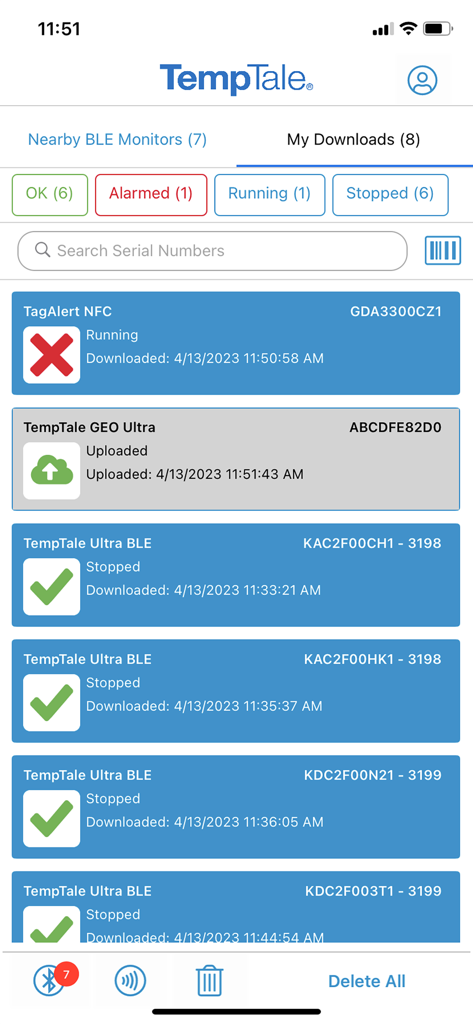
TempTale App - TempTale App Dashboard, das den Status des Temperaturüberwachungsgeräts mit grünen Häkchen und roten Alarmsymbolen zeigt
TempTale App Dashboard, das den Status des Temperaturüberwachungsgeräts mit grünen Häkchen und roten Alarmsymbolen zeigt

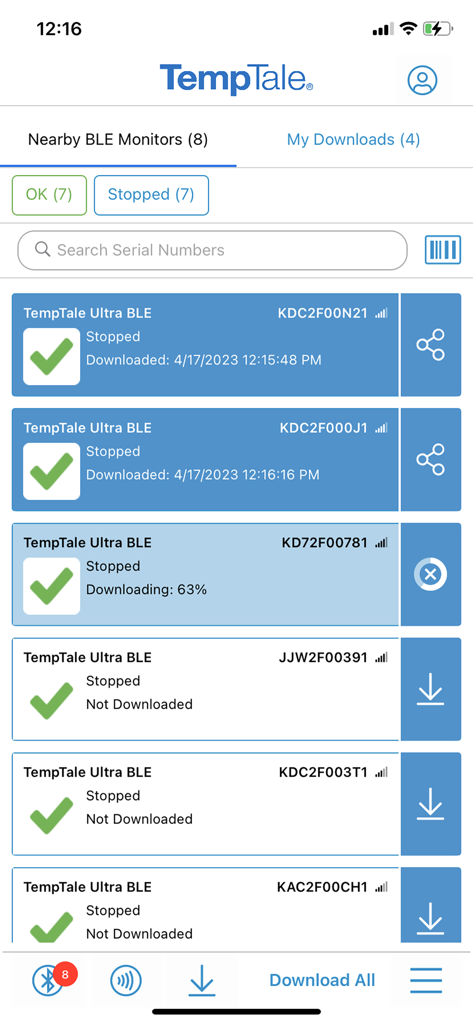
TempTale App - Screenshot der TempTale App, die eine Liste von nahegelegenen Bluetooth-Temperaturüberwachungsgeräten mit Statusindikatoren und Downloadoptionen anzeigt
Screenshot der TempTale App, die eine Liste von nahegelegenen Bluetooth-Temperaturüberwachungsgeräten mit Statusindikatoren und Downloadoptionen anzeigt

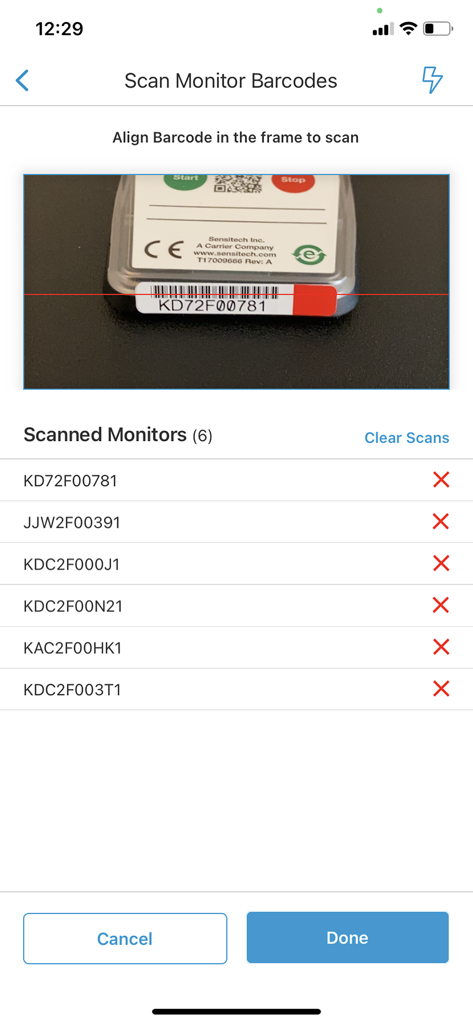
TempTale App - TempTale App Barcode-Scanner-Oberfläche, die einen Kamera-Sucher und eine Liste gescannter Monitor-IDs mit Alarmstatusanzeigen zeigt
TempTale App Barcode-Scanner-Oberfläche, die einen Kamera-Sucher und eine Liste gescannter Monitor-IDs mit Alarmstatusanzeigen zeigt

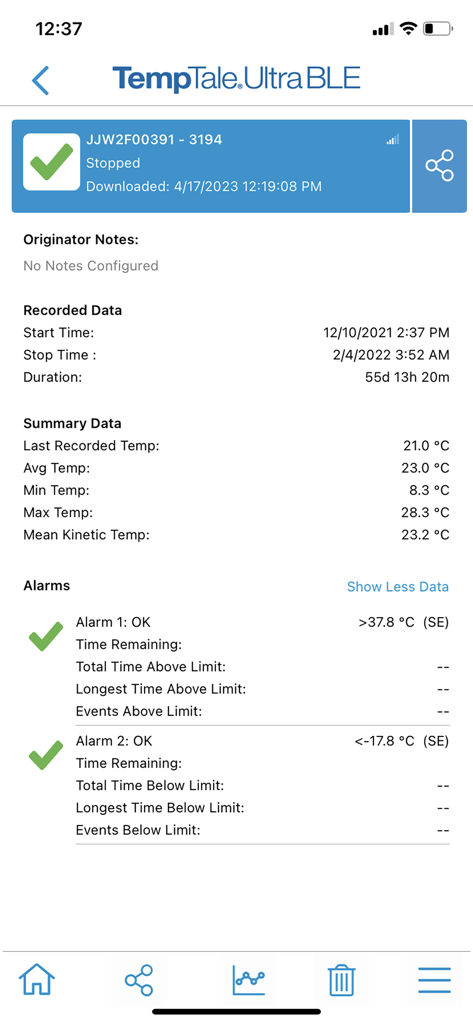
TempTale App - Temperaturzusammenfassungsbericht in der TempTale App, der den Alarmstatus und die aufgezeichneten Daten anzeigt
Temperaturzusammenfassungsbericht in der TempTale App, der den Alarmstatus und die aufgezeichneten Daten anzeigt

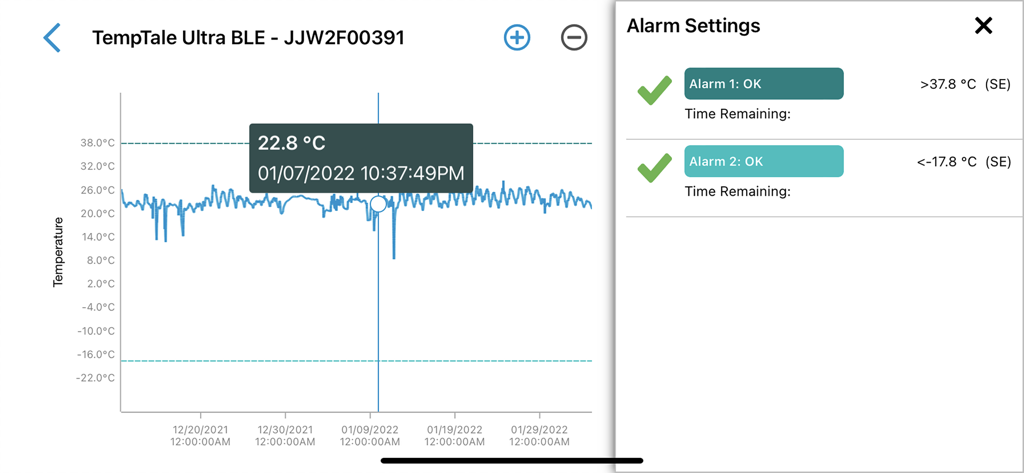
TempTale App - TempTale App-Oberfläche mit einem Temperaturprotokollgraphen und Einstellungen für die Alarmkonfiguration
TempTale App-Oberfläche mit einem Temperaturprotokollgraphen und Einstellungen für die Alarmkonfiguration

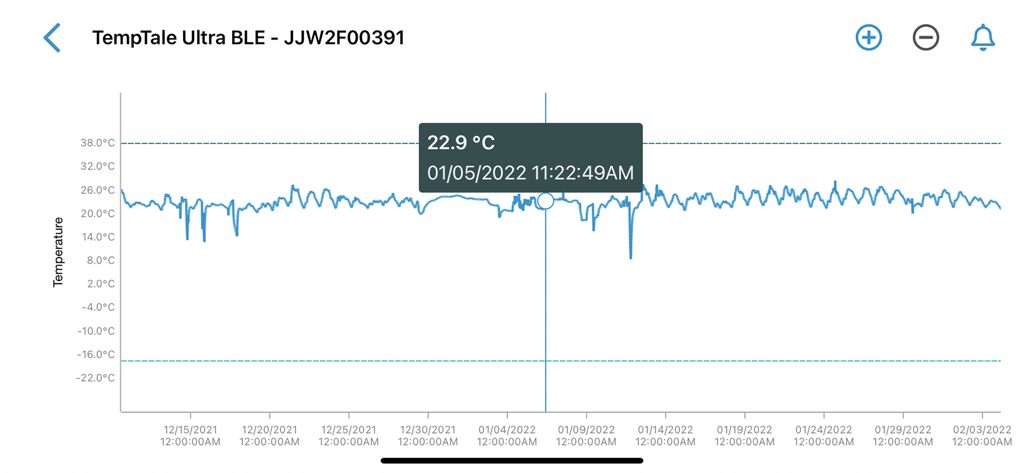
TempTale App - Ein detaillierter Temperaturgraph in der TempTale App, der Schwankungen im Laufe der Zeit zeigt, mit einem bestimmten Datenpunkt bei 22,9 Grad Celsius.
Ein detaillierter Temperaturgraph in der TempTale App, der Schwankungen im Laufe der Zeit zeigt, mit einem bestimmten Datenpunkt bei 22,9 Grad Celsius.

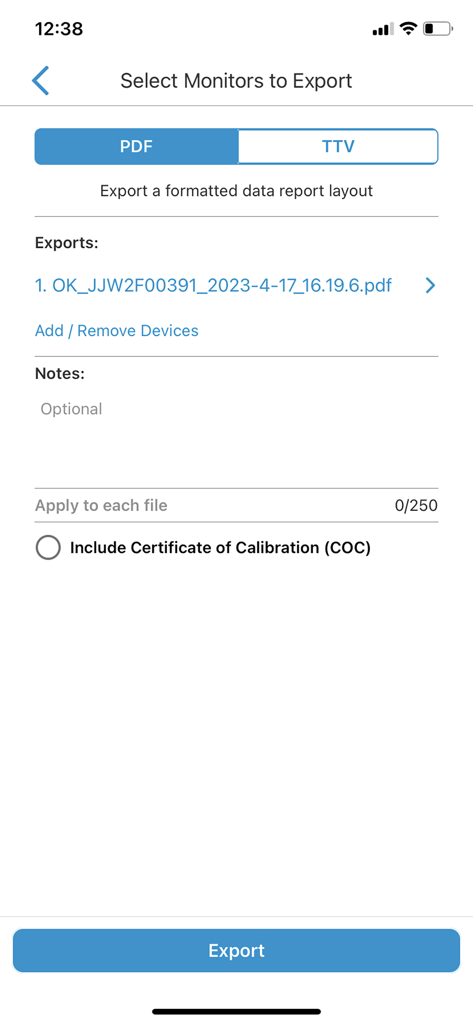
TempTale App - Bildschirm zur Auswahl von Monitoren für den Export als PDF- oder TTV-Berichte in der TempTale App

Bildschirm zur Auswahl von Monitoren für den Export als PDF- oder TTV-Berichte in der TempTale App
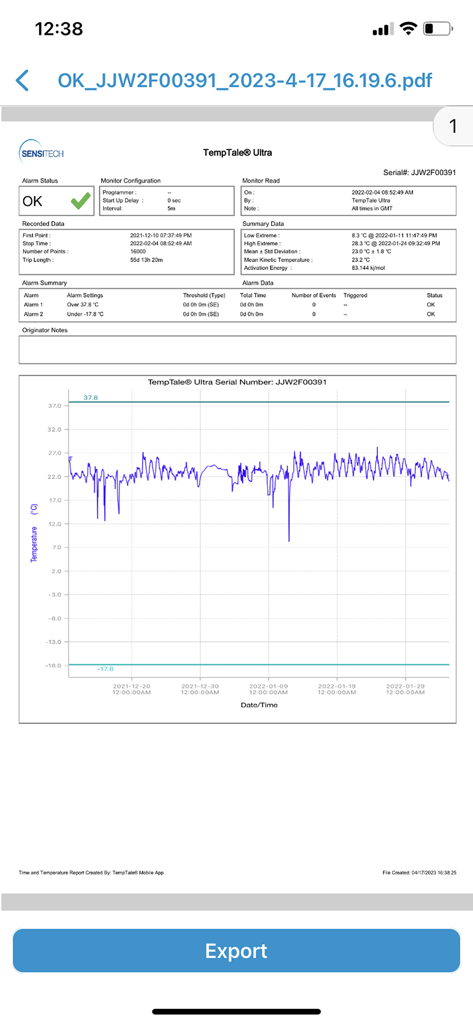
TempTale App - Ein detaillierter Temperaturüberwachungsbericht in der TempTale App, der einen Daten-Graphen und einen grünen OK-Alarmstatus anzeigt
Ein detaillierter Temperaturüberwachungsbericht in der TempTale App, der einen Daten-Graphen und einen grünen OK-Alarmstatus anzeigt

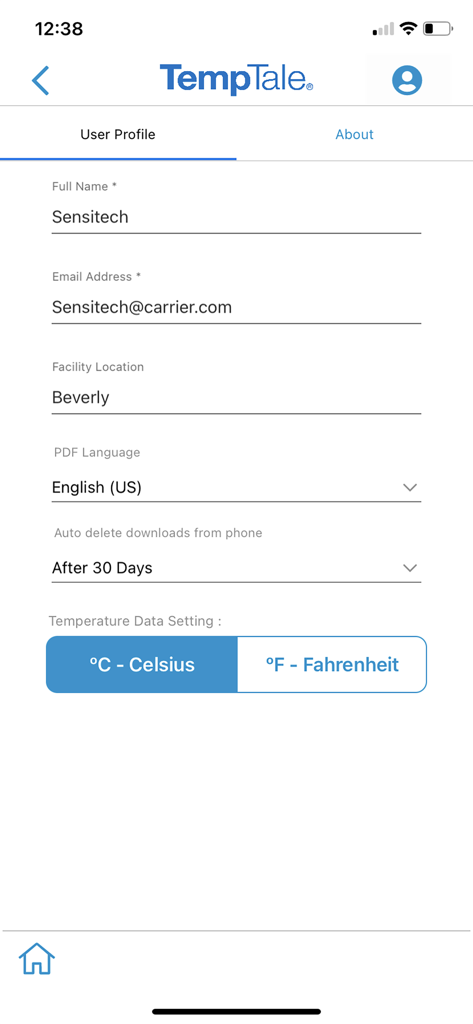
TempTale App - Bildschirm für Benutzereinstellungen in der TempTale App, der Name, E-Mail, Standort der Einrichtung und Einstellungen für die Temperatureinstellung anzeigt

Bildschirm für Benutzereinstellungen in der TempTale App, der Name, E-Mail, Standort der Einrichtung und Einstellungen für die Temperatureinstellung anzeigt

Beschreibung

TempTale® Mobile App supports reading temperature from these Sensitech wireless devices used in temperature-sensitive supply chain shipments: TempTale® BLE (Bluetooth) monitor: Provides a touchless Bluetooth read of the temperature of a package and determines if a package is alarmed for accept/reject decisions. Once the app is installed on your smartphone, simply open the app and the Bluetooth monitor will broadcast data within 9m or 30 ft (no pairing required). Tap to download the temperature data to your phone. Data automatically uploads to the cloud into ColdStream® Select once downloaded to the phone. Quickly export a PDF or TTV file—send using your smartphone file sharing options. TempTale® GEO X Real-time/cellular monitor: Provides an easy way to upload data to the cloud as a secondary method if no cellular connection is available at the final destination. “APP” will display on the LCD of the monitor. Press the start and stop buttons for 3 sec. to activate the Bluetooth connection. Once the app is installed on your smartphone, simply open the app and the Bluetooth monitor will broadcast data within 9m or 30 ft (no pairing required). Tap to download the temperature data to your phone. Data automatically uploads to the cloud once downloaded to the phone. Quickly export a PDF or TTV file—send using your smartphone file sharing options. TempTale® GEO Ultra Real-time/cellular monitor: Provides an easy way to upload data to the cloud as a secondary method if no cellular connection is available at the final destination. Once the app is installed on your smartphone, simply open it and tap the device to scan the TempTale® GEO Ultra using the NFC wireless connection to upload monitor data to the cloud and stop the monitor. Login to ColdStream® Select / SensiWatch® Platform to check for shipment alarm status information. TagAlert® NFC monitor: Provides an easy-to-understand temperature status of your package. The read out indicates if the product has stayed within acceptable limits or if any temperature alarms have triggered. Once the app is installed on your smartphone, simply open it and tap the device to scan and read the TagAlert® NFC to check alarm statuses. Once data is downloaded using the app, feel confident in your accept/reject decision. Quickly export data reports in PDF format and send them using your smartphone file sharing options. Selective Access: Upon launching the TempTale App, users may need to login to obtain Selective Access with their SensiWatch® Platform credentials or continue as a Guest. Guest mode allows use of the app without login, for certain TempTale BLE programs. Monitors configured with Selective Access are set up in SensiWatch Platform. Please contact your administrator to receive a login set up email. Easy to use: Once the app is installed on your smartphone, • Simply launch the app and the TempTale® BLE (Bluetooth) monitor will broadcast to the app (no pairing required). Click download arrow to download to your phone. Use the app for near field communication (NFC) to scan the TagAlert® NFC or TempTale® GEO Ultra by holding your smartphone and tapping the monitor—it will be read automatically. TempTale® GEO X, TempTale® BLE and TagAlert® NFC monitors can be programmed with up to six (6) temperature alarms and displayed in the app. TempTale® GEO Ultra alarms display in the software, login to ColdStream® Select / SensiWatch® Platform to check for shipment alarm status information. If the time/temperature of your package has exceeded its limits, you will see the X icon, indicating an alarm (up to 6) has triggered. Follow the standard operating procedures (SOPs) set by your organization. If your package has stayed within the time/temperature limits, you will see the √ icon (check mark), which means you can accept the shipment.

Download

Herunterladen auf App Store

Diese Seite ist keine offizielle Seite der App oder ihres Entwicklers, sondern eine unabhängige redaktionelle Veröffentlichung, die zu Informations- und Kommentarzwecken erstellt wurde. Sofern nicht ausdrücklich anders angegeben, sind weder die App noch ihr Entwickler mit MWM, Apple, Google Play, dem App-Herausgeber oder dem Entwickler der App verbunden, von ihnen unterstützt, gesponsert, autorisiert oder anderweitig offiziell verbunden, und nichts auf dieser Seite impliziert, dass die App unter Verwendung der Dienste von MWM entwickelt wurde. Alle Marken, Logos, Screenshots und andere Inhalte bleiben Eigentum ihrer jeweiligen Inhaber.







