
Diese Seite ist keine offizielle Seite der App oder ihres Entwicklers, sondern eine unabhängige redaktionelle Veröffentlichung, die zu Informations- und Kommentarzwecken erstellt wurde. Sofern nicht ausdrücklich anders angegeben, sind weder die App noch ihr Entwickler mit MWM, Apple, Google Play, dem App-Herausgeber oder dem Entwickler der App verbunden, von ihnen unterstützt, gesponsert, autorisiert oder anderweitig offiziell verbunden, und nichts auf dieser Seite impliziert, dass die App unter Verwendung der Dienste von MWM entwickelt wurde. Alle Marken, Logos, Screenshots und andere Inhalte bleiben Eigentum ihrer jeweiligen Inhaber.

Text to Handwriting Converter
Überspringen Sie die Krämpfe und verwandeln Sie Ihren getippten Text sofort in eine schöne, authentische Handschrift. Perfekt für Studenten und Berufstätige, die die persönliche Note von Stift und Papier mit der Geschwindigkeit des digitalen Tippens wünschen.
Downloads
1K+Bewertung
Bewertungen gesamt
0Herausgeber
Kategorie
EducationSprachen
65Neueste Version
1.0.1Größe
56.2 MBErstveröffentlichung
17. Okt. 2025Sagen Sie Krämpfen Lebewohl
Der ultimative Life-Hack für Studenten. Verwandeln Sie Ihre getippten Aufsätze und Aufgaben in Sekundenschnelle in realistische handschriftliche Dokumente, bereit für jede Einreichung.
Sofortige digitale Umwandlung in Stift
Sparen Sie Stunden mühsamer manueller Arbeit. Fügen Sie einfach Ihren getippten Text oder KI-generierte Entwürfe ein und beobachten Sie, wie sie sich sofort in natürliche Handschrift verwandeln.
Ultra-realistische Anpassung
Wählen Sie aus mehreren Handschriftstilen, Tintenfarben und authentischen Papierhintergründen wie liniertem oder kariertem Papier für einen Look, der zu 100 % menschlich ist.
Die folgenden Screenshots und die Beschreibung stammen direkt aus dem offiziellen Store-Eintrag der App und sind Eigentum des Entwicklers.
App Store
Screenshots
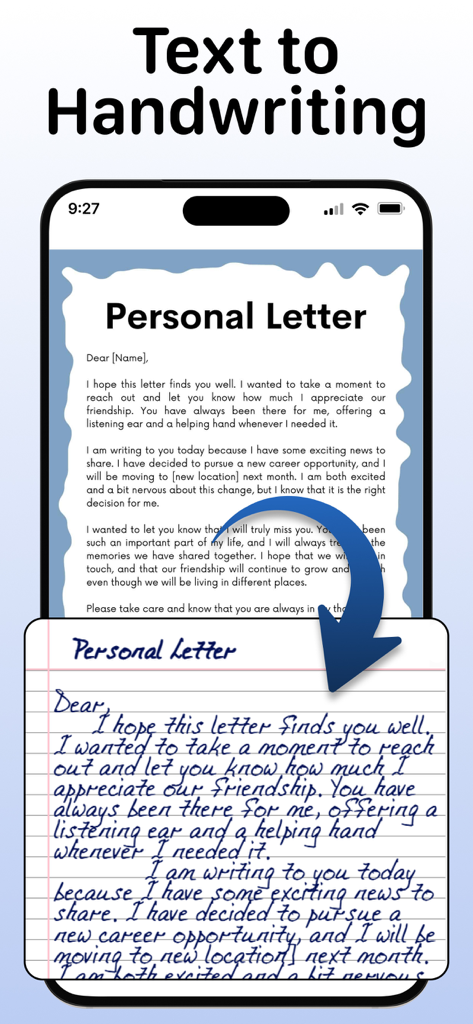
Ein mobiler Bildschirm zeigt einen getippten persönlichen Brief, der in eine realistische handschriftliche Notiz auf linierten Papier umgewandelt wird.
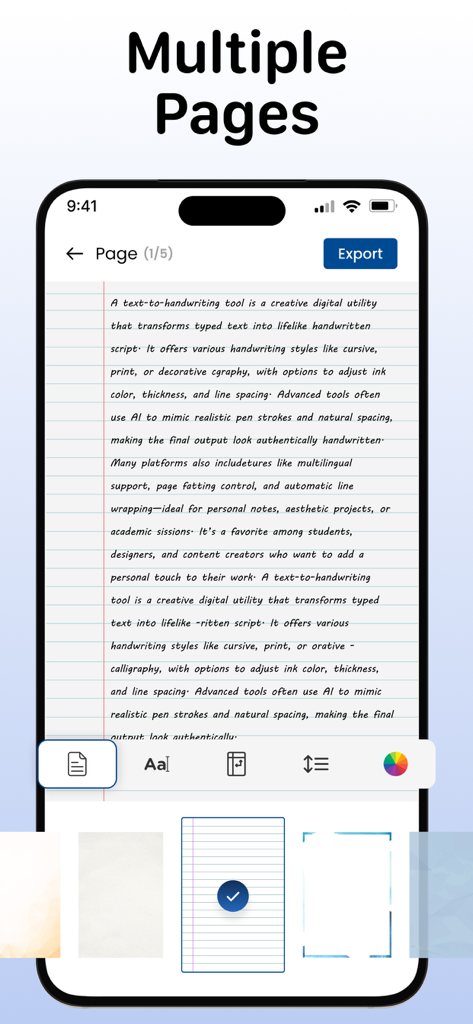
Oberfläche einer Text-zu-Handschrift-Konverter-App, die ein handschriftliches Dokument auf linierten Papier mit Anpassungswerkzeugen zeigt
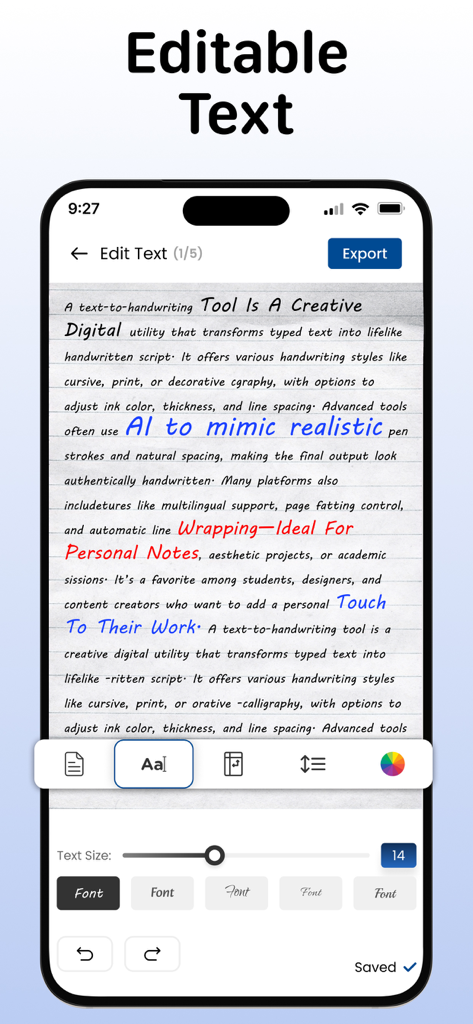
Mobile Bildschirmansicht von Text, der in Handschrift umgewandelt wurde, mit Anpassungsoptionen für Schriftarten und Tintenfarben
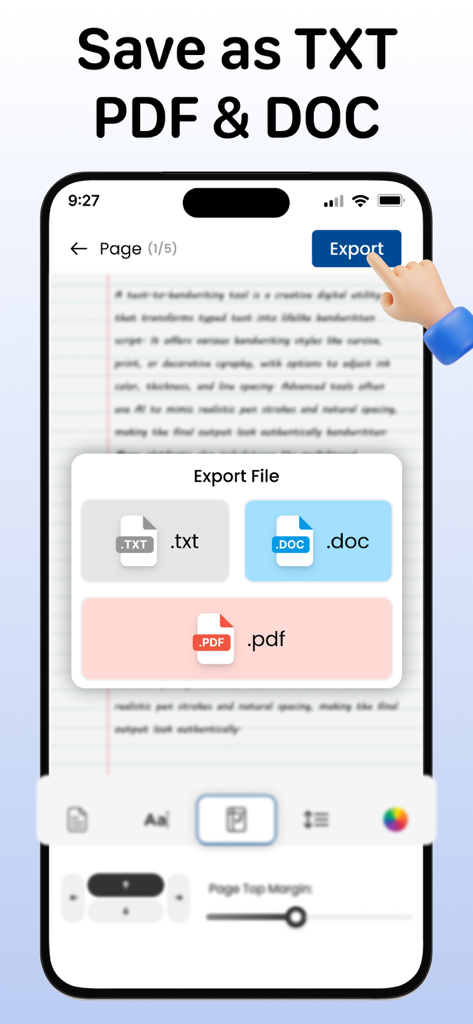
Eine mobile Benutzeroberfläche, die Dateiexportoptionen für TXT, DOC und PDF-Formate in einer Handschrift-Konverter-App anzeigt.
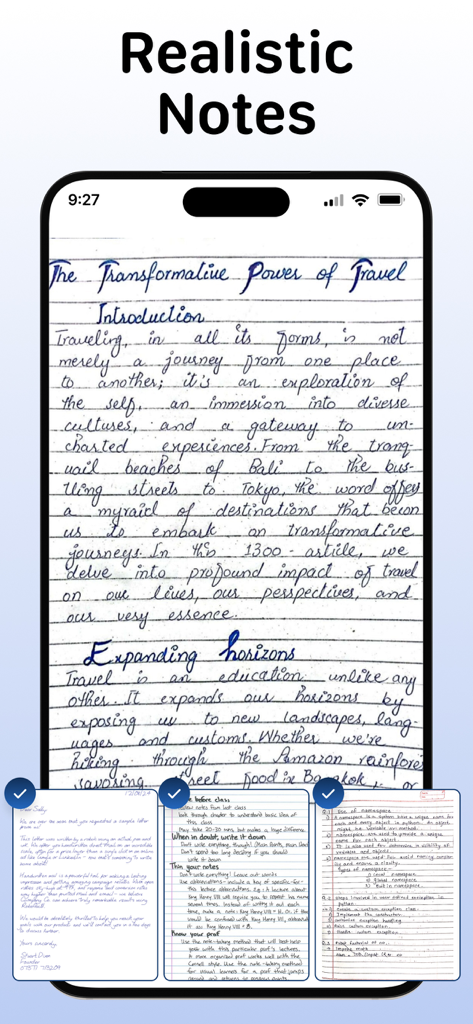
Ein Smartphone zeigt realistische handschriftliche Notizen auf einem linierten Papierhintergrund
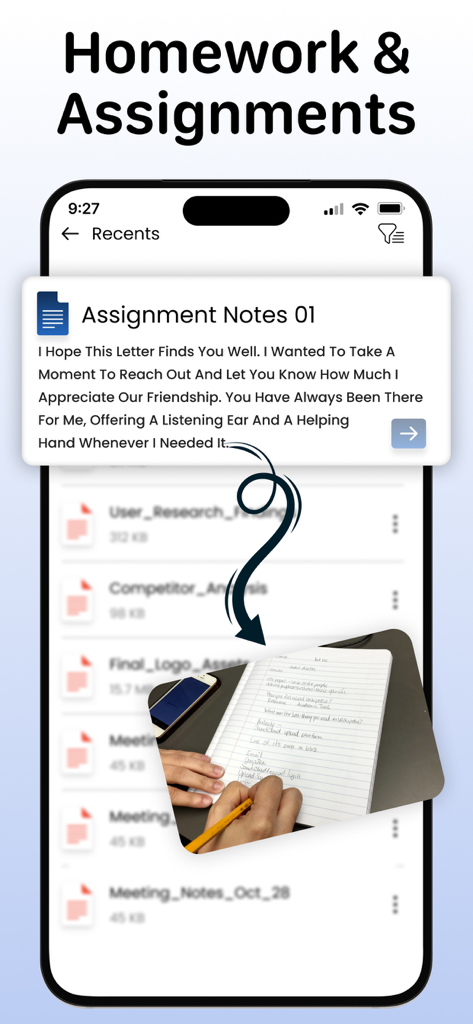
App-Oberfläche, die die Umwandlung von digitalem Text in realistische handschriftliche Aufgaben für Hausaufgaben zeigt
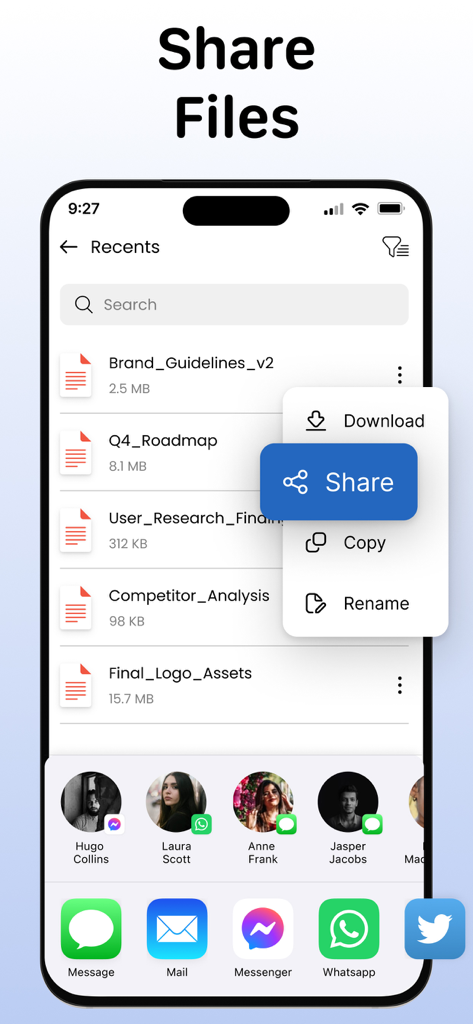
Ein mobiler App-Bildschirm mit dem Titel "Dateien teilen", der eine Liste von Dokumenten und ein Freigabemenü anzeigt.
Beschreibung
Download
Ähnliche Apps
Top-gerankte Apps in derselben Kategorie

Duolingo - Language Lessons
Duolingo, Inc

Speak & Learn English: Learna
DEEP FLOW SOFTWARE SERVICES - FZCO

驾考宝典-科一科四驾驶证考试驾考通
Wuhan Jiakaobaodian Information Service Co., Ltd.

Toca Boca World
Toca Boca AB

Google Classroom
Google LLC

作业帮-中小学家长作业检查和辅导工具
Guangzhou Polar Future Culture Technology Co., Ltd

学信网
Student Information Consultation Service Co., Ltd.

Gauth: AI Study Companion
GAUTHTECH PTE. LTD.

ArtWorkout: Learn How to Draw
Aleksandr Ulitin
Diese Seite ist keine offizielle Seite der App oder ihres Entwicklers, sondern eine unabhängige redaktionelle Veröffentlichung, die zu Informations- und Kommentarzwecken erstellt wurde. Sofern nicht ausdrücklich anders angegeben, sind weder die App noch ihr Entwickler mit MWM, Apple, Google Play, dem App-Herausgeber oder dem Entwickler der App verbunden, von ihnen unterstützt, gesponsert, autorisiert oder anderweitig offiziell verbunden, und nichts auf dieser Seite impliziert, dass die App unter Verwendung der Dienste von MWM entwickelt wurde. Alle Marken, Logos, Screenshots und andere Inhalte bleiben Eigentum ihrer jeweiligen Inhaber.