
Diese Seite ist keine offizielle Seite der App oder ihres Entwicklers, sondern eine unabhängige redaktionelle Veröffentlichung, die zu Informations- und Kommentarzwecken erstellt wurde. Sofern nicht ausdrücklich anders angegeben, sind weder die App noch ihr Entwickler mit MWM, Apple, Google Play, dem App-Herausgeber oder dem Entwickler der App verbunden, von ihnen unterstützt, gesponsert, autorisiert oder anderweitig offiziell verbunden, und nichts auf dieser Seite impliziert, dass die App unter Verwendung der Dienste von MWM entwickelt wurde. Alle Marken, Logos, Screenshots und andere Inhalte bleiben Eigentum ihrer jeweiligen Inhaber.

The Lyrics App
Höre auf, zwischen Notizen und Sprachmemos zu wechseln. Schreibe deine Worte, nimm deine Melodien auf und finde den perfekten Reim, ohne deine kreative Zone zu verlassen.
Downloads
74K+Bewertung
Bewertungen gesamt
500Herausgeber
Kategorie
MusicSprachen
1Neueste Version
2.11.3Größe
23.2 MBErstveröffentlichung
25. Okt. 2020Verbessere deinen Songwriting-Flow
Das ultimative digitale Notizbuch, entwickelt für Kreative, die Blitze in der Flasche einfangen müssen. Schreibe, nimm auf und verfeinere deinen nächsten Hit in einem nahtlosen Erlebnis.
Liedtexte & Melodien festhalten
Höre auf, zwischen Notizen und Sprachmemos zu wechseln. Nimm deine Melodieideen direkt in deinem Liedtextblatt auf, um dein kreatives Momentum am Leben zu erhalten.
Sofortiger kreativer Schub
Durchbrich Schreibblockaden mit einem integrierten Reimgenerator und Thesaurus. Doppeltippe auf ein beliebiges Wort, um den perfekten Reim zu finden, ohne die App zu verlassen.
Die folgenden Screenshots und die Beschreibung stammen direkt aus dem offiziellen Store-Eintrag der App und sind Eigentum des Entwicklers.
App Store
Screenshots
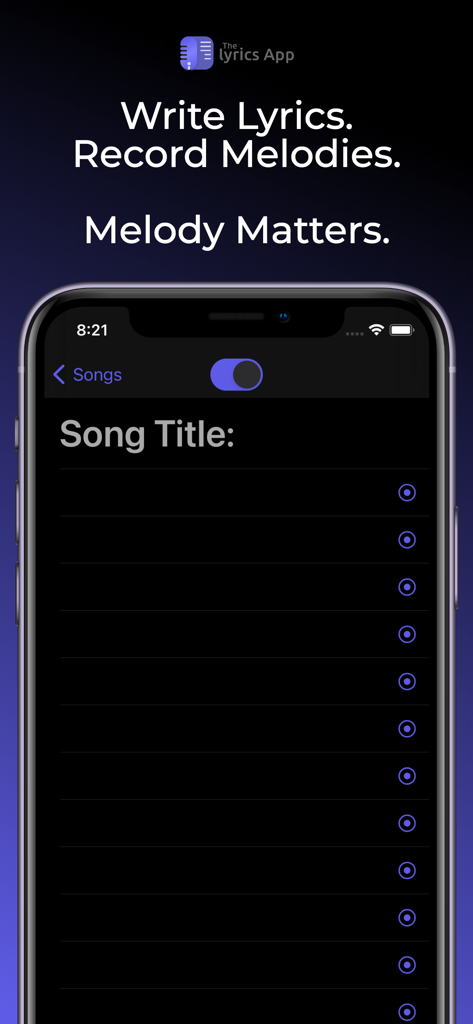
Die Benutzeroberfläche von The Lyrics App zum Schreiben von Liedtexten und Aufnehmen von Melodien auf dem iPhone
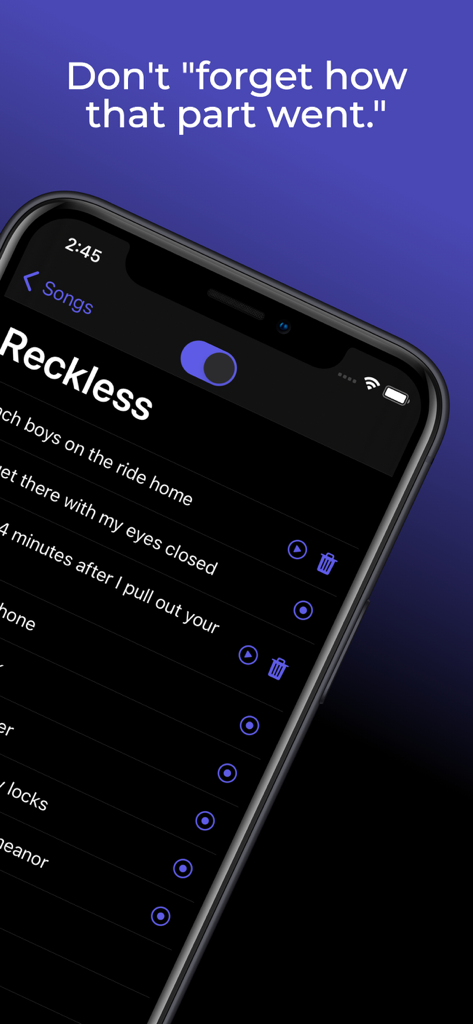
Smartphone-Bildschirm zeigt die Benutzeroberfläche von The Lyrics App mit aufgenommenen Audioclips für bestimmte Liedtexte
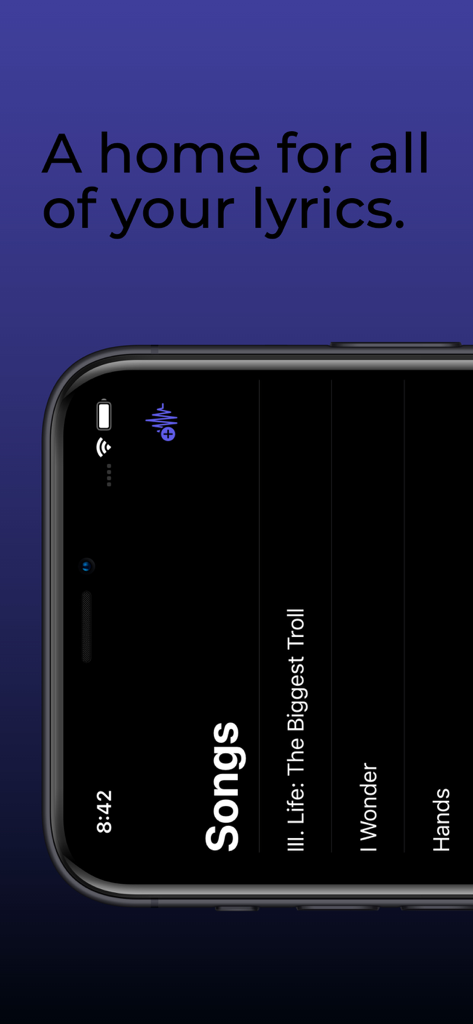
Ein Smartphone-Bildschirm zeigt eine Liste gespeicherter Songs in der Benutzeroberfläche von The Lyrics App
Beschreibung
Download
Ähnliche Apps
Top-gerankte Apps in derselben Kategorie

Spotify: Music and Podcasts
Spotify

YouTube Music
Google LLC

Shazam: Find Music & Concerts
Apple Inc.

SoundCloud: The Music You Love
SoundCloud Global Limited & Co KG

Suno - AI Songs & Music
Suno Inc.

QQ音乐 - 听我想听
Tencent Technology (Shenzhen) Company Limited

Audiomack - Play Music Offline
Audiomack, Inc.

GuitarTuna: Tune & Play Guitar
Yousician Ltd

BandLab – Music Maker & Beats
BandLab Singapore Pte Ltd
Diese Seite ist keine offizielle Seite der App oder ihres Entwicklers, sondern eine unabhängige redaktionelle Veröffentlichung, die zu Informations- und Kommentarzwecken erstellt wurde. Sofern nicht ausdrücklich anders angegeben, sind weder die App noch ihr Entwickler mit MWM, Apple, Google Play, dem App-Herausgeber oder dem Entwickler der App verbunden, von ihnen unterstützt, gesponsert, autorisiert oder anderweitig offiziell verbunden, und nichts auf dieser Seite impliziert, dass die App unter Verwendung der Dienste von MWM entwickelt wurde. Alle Marken, Logos, Screenshots und andere Inhalte bleiben Eigentum ihrer jeweiligen Inhaber.