
Diese Seite ist keine offizielle Seite der App oder ihres Entwicklers, sondern eine unabhängige redaktionelle Veröffentlichung, die zu Informations- und Kommentarzwecken erstellt wurde. Sofern nicht ausdrücklich anders angegeben, sind weder die App noch ihr Entwickler mit MWM, Apple, Google Play, dem App-Herausgeber oder dem Entwickler der App verbunden, von ihnen unterstützt, gesponsert, autorisiert oder anderweitig offiziell verbunden, und nichts auf dieser Seite impliziert, dass die App unter Verwendung der Dienste von MWM entwickelt wurde. Alle Marken, Logos, Screenshots und andere Inhalte bleiben Eigentum ihrer jeweiligen Inhaber.


TNMaker - Multiple Choice Test
Verwandeln Sie Ihr Smartphone in einen tragbaren Scantron. Scannen Sie Antwortbögen in Sekundenschnelle, eliminieren Sie manuelle Benotungsfehler und holen Sie sich Ihre Wochenenden mit dem ultimativen Werkzeug für moderne Pädagogen zurück.
Downloads
74K+Bewertung
Bewertungen gesamt
1K+Herausgeber
Kategorie
EducationSprachen
16Neueste Version
4.43.89Größe
19.6 MBErstveröffentlichung
13. Okt. 2017Gewinnen Sie Ihre Zeit mit sofortiger Benotung zurück
Verwandeln Sie Ihr Smartphone in einen Hochgeschwindigkeits-Testscanner der Profiklasse. TNMaker hilft Ihnen, manuelle Benotungsfehler zu eliminieren und sich wieder auf das Wesentliche zu konzentrieren: das Lehren.
Blitzschnelles Kamera-Scannen
Benoten Sie eine ganze Klasse in wenigen Minuten. Richten Sie Ihre Kamera einfach auf die Antwortbögen, um sofortige Ergebnisse zu erhalten, ohne teure und sperrige Scantron-Hardware.
Vollständige Examensanpassung
Entwerfen Sie Tests, die zu Ihrem Unterricht passen. Passen Sie Antwortschlüssel für 20, 40 oder 50 Fragen an und weisen Sie spezifische Punktwerte zu, um Ihre Notenskala perfekt abzustimmen.
Die folgenden Screenshots und die Beschreibung stammen direkt aus dem offiziellen Store-Eintrag der App und sind Eigentum des Entwicklers.
App Store
Screenshots
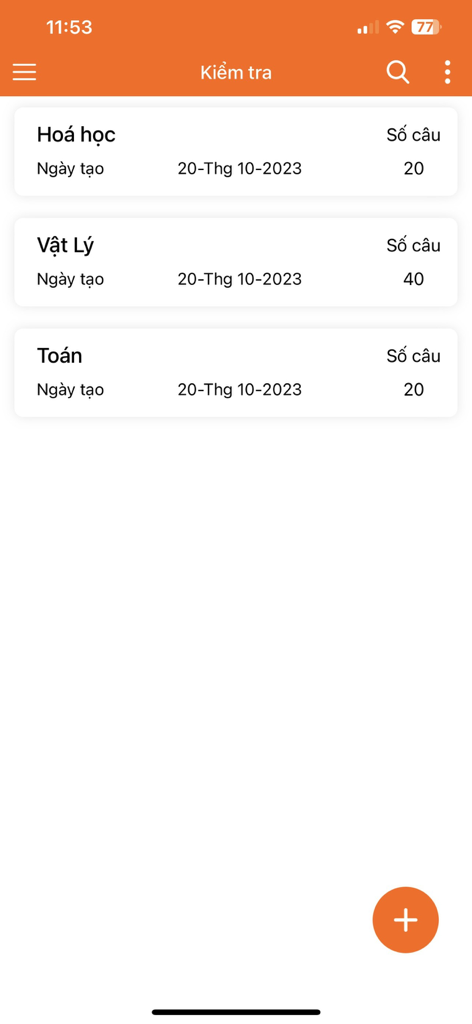
Ein mobiler App-Bildschirm, der eine Liste von Multiple-Choice-Tests für Chemie, Physik und Mathematik mit ihren jeweiligen Fragenanzahlen anzeigt
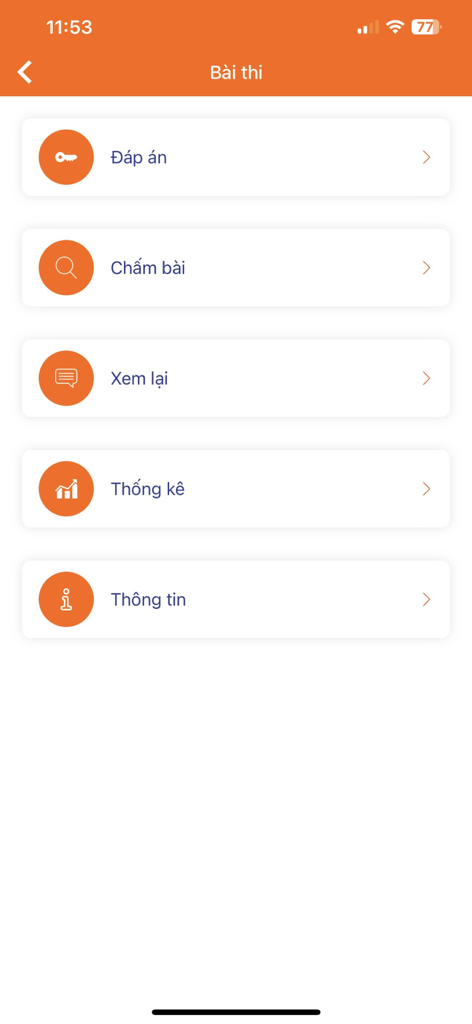
Hauptmenü der TNMaker-App mit Optionen für Antwortschlüssel-Benotung, Überprüfung und Statistiken
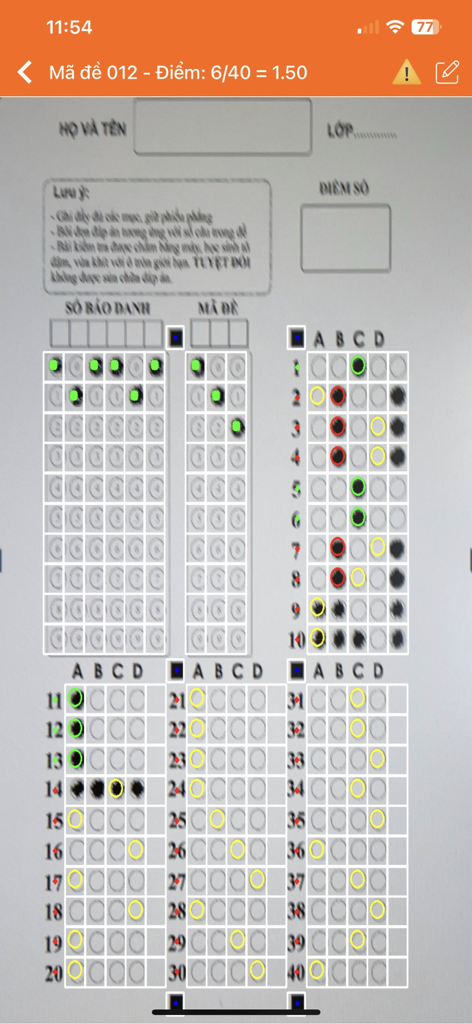
Eine Smartphone-Oberfläche, die die TNMaker-App verwendet, um einen Multiple-Choice-Antwortbogen zu scannen und automatisch zu benoten.
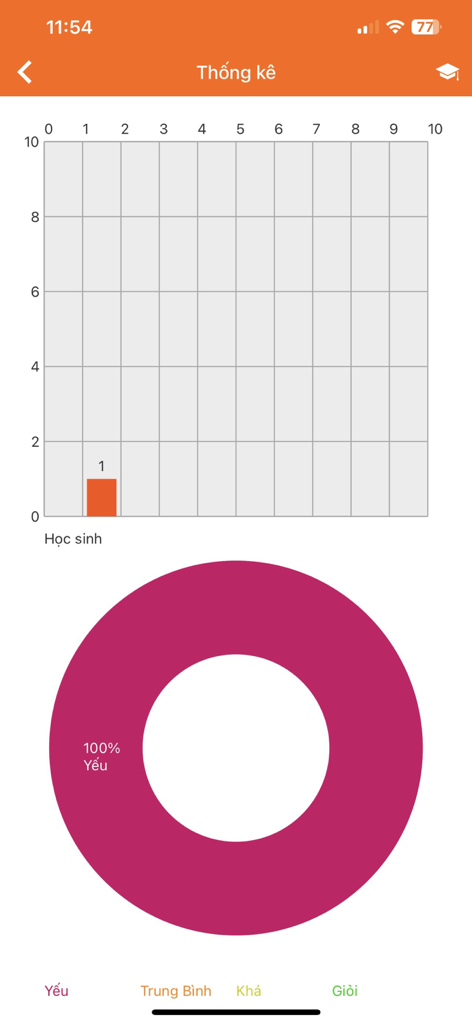
TNMaker App-Statistikbildschirm, der ein Balkendiagramm der Schülerergebnisse und ein Tortendiagramm der Leistung anzeigt.
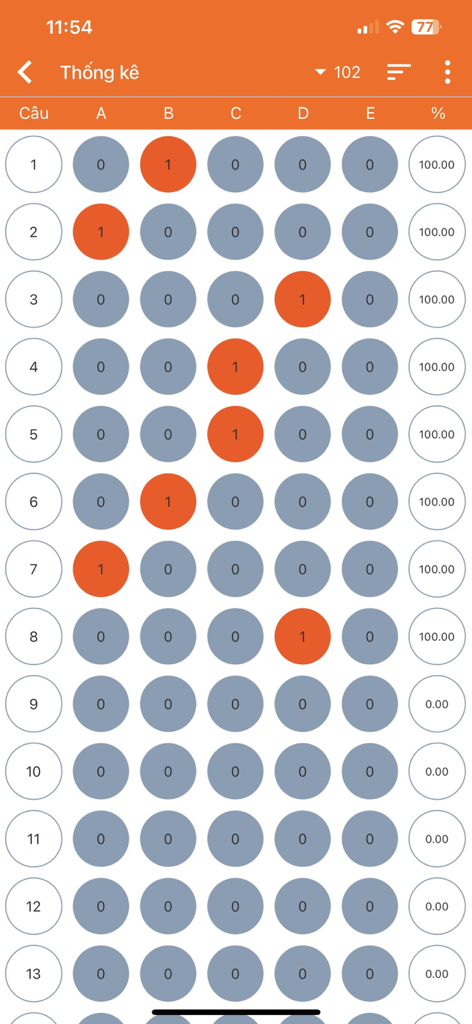
Eine Ansicht mit digitalen Berichten, die Multiple-Choice-Antwortfelder und prozentuale Ergebnisse für einen Test zeigt
Beschreibung
Download
Ähnliche Apps
Apps mit ähnlichen Funktionen und Nutzererfahrung

组卷-中小学智能题库
XKW(Beijing)CO.,LTD.

Twinkl USA
Twinkl Limited

ZipGrade
ZipGrade LLC

Учи.ру для учителей
Uchi.ru, OOO

JustTeacher
Igor Furmanenko

TeacherKit Classroom Manager
ITWorx Egypt SAE

智学网教师端
Anhui Zhixue Technology Co.,Ltd.

七天网络
Anhui Septnet Co.,Ltd.

Showbie
Showbie Inc.
Diese Seite ist keine offizielle Seite der App oder ihres Entwicklers, sondern eine unabhängige redaktionelle Veröffentlichung, die zu Informations- und Kommentarzwecken erstellt wurde. Sofern nicht ausdrücklich anders angegeben, sind weder die App noch ihr Entwickler mit MWM, Apple, Google Play, dem App-Herausgeber oder dem Entwickler der App verbunden, von ihnen unterstützt, gesponsert, autorisiert oder anderweitig offiziell verbunden, und nichts auf dieser Seite impliziert, dass die App unter Verwendung der Dienste von MWM entwickelt wurde. Alle Marken, Logos, Screenshots und andere Inhalte bleiben Eigentum ihrer jeweiligen Inhaber.