
Diese Seite ist keine offizielle Seite der App oder ihres Entwicklers, sondern eine unabhängige redaktionelle Veröffentlichung, die zu Informations- und Kommentarzwecken erstellt wurde. Sofern nicht ausdrücklich anders angegeben, sind weder die App noch ihr Entwickler mit MWM, Apple, Google Play, dem App-Herausgeber oder dem Entwickler der App verbunden, von ihnen unterstützt, gesponsert, autorisiert oder anderweitig offiziell verbunden, und nichts auf dieser Seite impliziert, dass die App unter Verwendung der Dienste von MWM entwickelt wurde. Alle Marken, Logos, Screenshots und andere Inhalte bleiben Eigentum ihrer jeweiligen Inhaber.

Trello: Organize anything!
Der Kopf ist kein Speicher, sondern ein Prozessor. Diese App erweist sich als externes Gedächtnis, das jede Aufgabe visualisiert und zur Bewegung freigibt.
Downloads
12.5M+Bewertung
Bewertungen gesamt
37.0KHerausgeber
Kategorie
ProductivitySprachen
21Neueste Version
2026.7Größe
203.9 MBErstveröffentlichung
13. Sept. 2011Analytische Bewertung der Kernfunktionen von Trello: Organize anything!
Eine Analyse der wichtigsten Merkmale für effizientes visuelles Aufgaben- und Projektmanagement.
Anpassbare Kanban-Boards für visuelles Projektmanagement
Die App bietet Nutzern die Möglichkeit, Aufgaben und Projekte visuell auf flexiblen Boards mit Listen und Karten zu organisieren, die an spezifische Arbeitsabläufe angepasst werden können. Dies stellt den Kern des visuellen Managements dar.
Umfassende Aufgaben- und Ideenerfassung unterwegs
Die App ermöglicht die sofortige Erfassung von Aufgaben, Ideen und Notizen als Trello-Karten, inklusive detaillierter Informationen wie Fälligkeitsdaten, Kommentaren, Checklisten, Beschreibungen und Datei-Anhängen – ideal für die Nutzung unterwegs.
Zentrale Inbox & Workflow-Management
Alle erfassten Elemente landen in einer zentralen Inbox, was die Überprüfung, Priorisierung und Organisation der Arbeit über verschiedene Boards hinweg vereinfacht und einen strukturierten Workflow fördert.
Kalenderintegration & Zeitplanung
Dieses Tool ermöglicht es Nutzern, ihren Tagesplan im Trello Planner zu sehen, der mit Google- oder Outlook-Kalendern synchronisiert ist, und optional Fokuszeiten für die Bearbeitung von Aufgaben festzulegen.
Nahtlose mobile und iOS-Integration
Die App bietet eine optimierte Benutzererfahrung auf mobilen Geräten und integriert sich nahtlos in iOS-Funktionen wie Siri, Share Sheets und Home-Screen-Widgets für eine schnelle und effiziente Aufgabenverwaltung.
Flexible Benachrichtigungen & Erinnerungen
Es ermöglicht Nutzern, Push-Benachrichtigungen für Fälligkeitsdaten, Änderungen oder abgeschlossene Aufgaben einzurichten, um stets über wichtige Updates informiert zu bleiben und keine Fristen zu verpassen.
Offline-Modus für unterbrechungsfreies Arbeiten
Die App unterstützt das Arbeiten im Offline-Modus, sodass Ideen erfasst und Boards aktualisiert werden können, auch ohne aktive Internetverbindung. Änderungen werden automatisch synchronisiert, sobald eine Verbindung besteht.
Integration mit externen Apps & KI-Unterstützung
Die App ermöglicht es Nutzern, Nachrichten aus Arbeits-Apps wie Slack oder Microsoft Teams zu speichern, Fotos hinzuzufügen und E-Mails an Trello weiterzuleiten, mit optionaler KI-Zusammenfassung der Inhalte zur Vereinfachung der Erfassung.
Häufig gestellte Fragen
Alles, was Sie über wissen müssen Trello: Organize anything!
What is the Trello: Organize anything! app used for?
Trello: Organize anything! is a mobile app for capturing to-dos as cards and organizing them into lists and customizable kanban boards. It helps users manage tasks and deadlines effectively, ensuring productivity while on-the-go.
Is the Trello: Organize anything! mobile app free?
Yes, the Trello: Organize anything! app is free to download and use. Certain advanced Planner features, such as scheduling focus time, are available for users with Standard and Premium subscriptions.
Can I use Trello: Organize anything! when offline?
Yes, Trello: Organize anything! supports offline functionality. Users can capture ideas and update boards without an internet connection. All changes automatically sync to the cloud once the device is back online.
Does Trello: Organize anything! sync with Google or Outlook calendars?
Yes, Trello: Organize anything! integrates with external calendars. The Trello Planner feature syncs with Google and Outlook calendars, allowing users to view their daily schedule and allocate focus time.
What is the Trello Inbox in Trello: Organize anything!?
The Trello Inbox is a central feature where all captured tasks, ideas, and notes are initially stored as cards. From the Inbox, users can review, prioritize, and easily organize their work across different Trello boards.
Can I add tasks to Trello: Organize anything! using a home screen widget?
Yes, users can add new to-dos and mark tasks as complete directly from the Trello: Organize anything! home screen widget. This allows for quick task management without needing to open the full application.
How do I capture tasks in the Trello: Organize anything! app?
Users capture to-dos by creating Trello cards. These cards support adding due dates, comments, checklists, descriptions, and files. Tasks can also be captured from Slack or Microsoft Teams messages, photos, or forwarded emails.
Does Trello: Organize anything! use AI features?
Yes, Trello: Organize anything! incorporates AI to enhance task management. The AI assists by summarizing saved to-dos into Trello cards, ensuring that no important information or tasks are overlooked.
Die folgenden Screenshots und die Beschreibung stammen direkt aus dem offiziellen Store-Eintrag der App und sind Eigentum des Entwicklers.
App Store
Screenshots
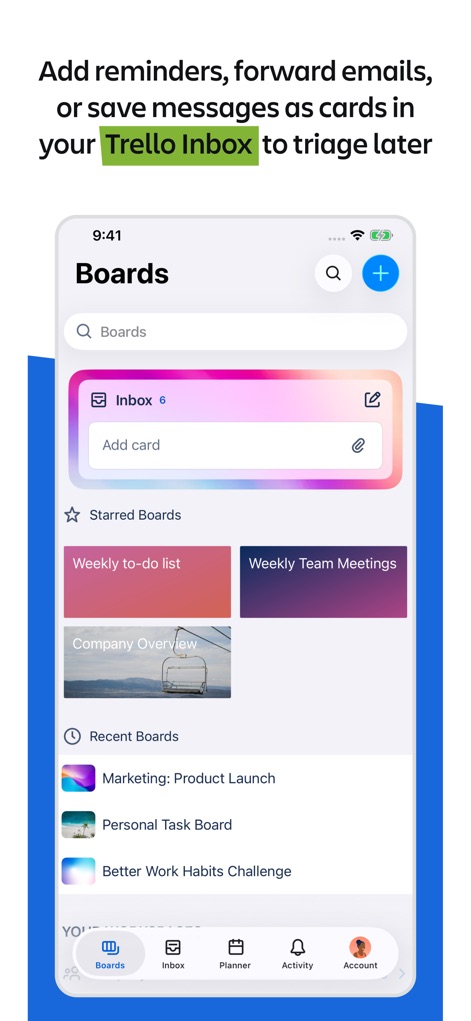
Boards Übersicht
Dieses Bild zeigt die Startansicht der App mit der Trello Inbox, wo neue Aufgaben gesammelt werden, und den Bereich "Starred Boards" für schnellen Zugriff auf wichtige Projekte.
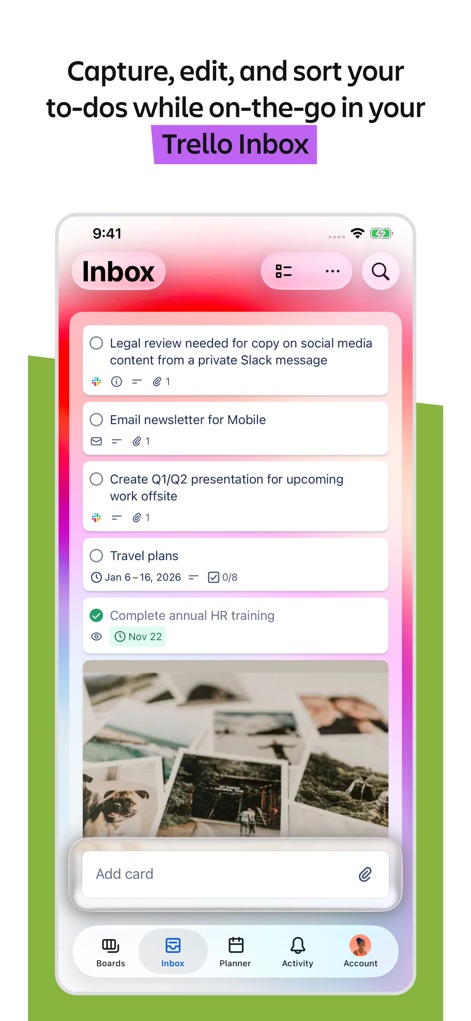
Inbox im Detail
Hier sehen Nutzer die Trello Inbox mit detaillierten Aufgabenkarten, die Fälligkeitsdaten und checkbare Elemente enthalten, um To-dos effizient zu verwalten.
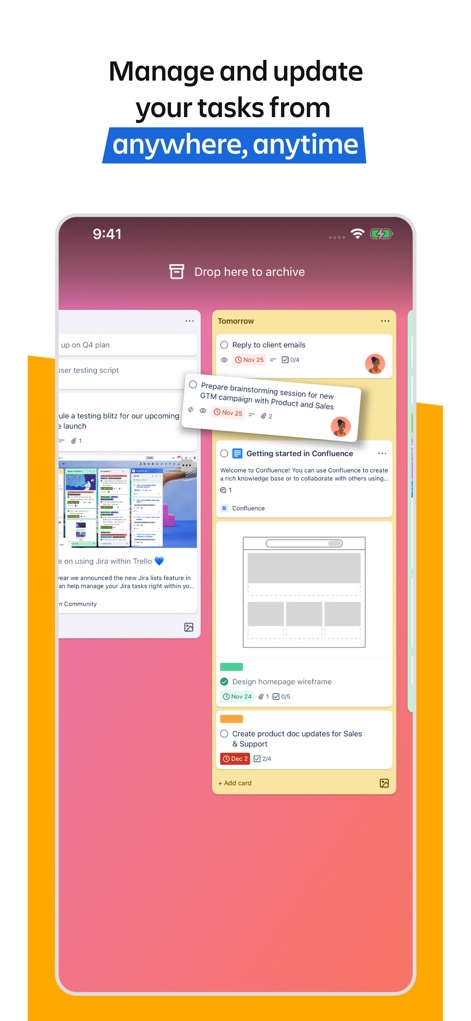
Aufgaben verschieben
Die Abbildung demonstriert das einfache Verschieben von Aufgabenkarten mittels Drag-and-drop, während detaillierte Karten Integrationen wie Jira-Anhänge visuell darstellen.
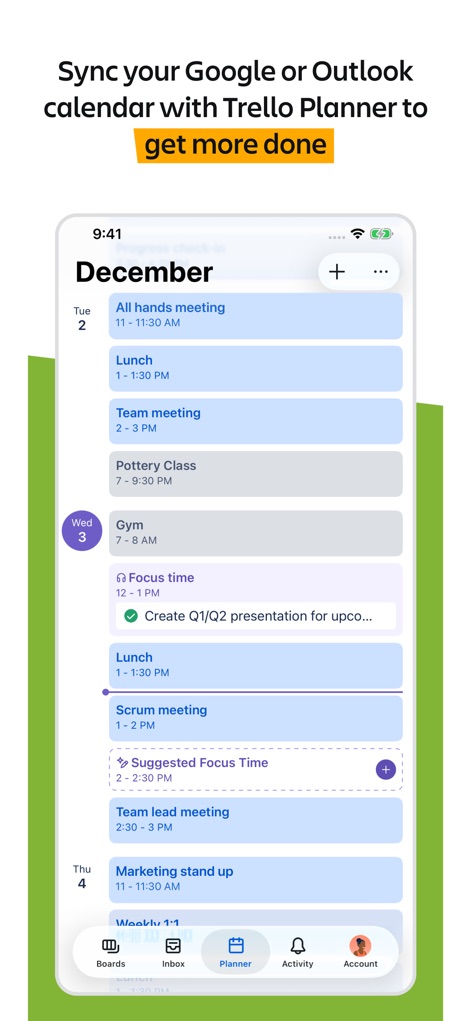
Kalender synchronisieren
Dieses Bild präsentiert den Trello Planner, der mit externen Kalendern synchronisiert werden kann, um eine klare Übersicht über Termine und geplante "Focus Time" zu bieten.
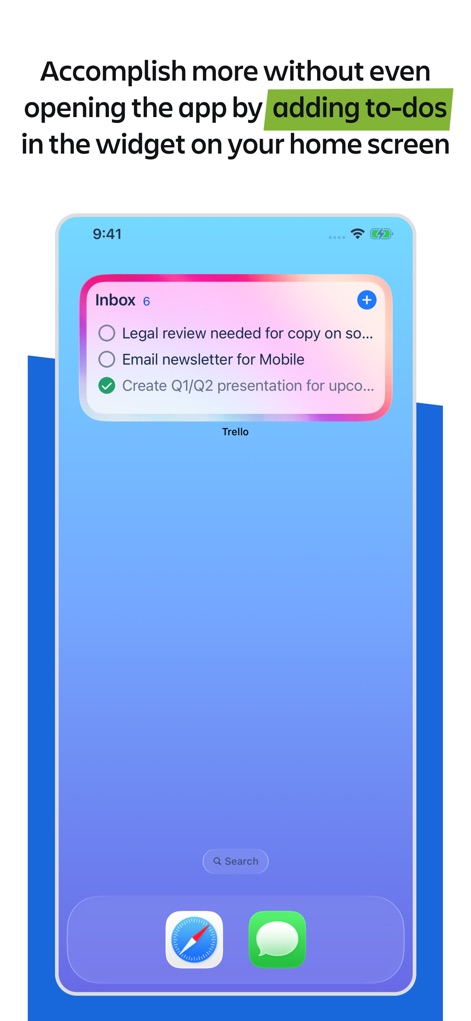
Widget-Integration
Nutzer sehen hier ein praktisches Home-Screen-Widget, das den schnellen Zugriff auf die Trello Inbox und die Anzeige offener Aufgaben direkt vom Startbildschirm ermöglicht.
Beschreibung
Download
Ähnliche Apps
Apps mit ähnlichen Funktionen und Nutzererfahrung

Notion: Notes, Tasks, AI
Notion Labs, Incorporated

Freenotes®: AI Notes Taking
Hangzhou Free Notes Technology Co., Ltd

Structured - Daily Planner
unorderly GmbH

Google Tasks: Get Things Done
Google LLC

TickTick:To-Do List & Calendar
Appest Limited

Noteful: Notes & PDF Markup
Noteful Technologies Ltd

Todoist: To Do List & Calendar
Doist Inc.

To do list MinimaList & Widget
Inner Grow Limited

monday.com - Work Platform
monday.com Ltd.
Diese Seite ist keine offizielle Seite der App oder ihres Entwicklers, sondern eine unabhängige redaktionelle Veröffentlichung, die zu Informations- und Kommentarzwecken erstellt wurde. Sofern nicht ausdrücklich anders angegeben, sind weder die App noch ihr Entwickler mit MWM, Apple, Google Play, dem App-Herausgeber oder dem Entwickler der App verbunden, von ihnen unterstützt, gesponsert, autorisiert oder anderweitig offiziell verbunden, und nichts auf dieser Seite impliziert, dass die App unter Verwendung der Dienste von MWM entwickelt wurde. Alle Marken, Logos, Screenshots und andere Inhalte bleiben Eigentum ihrer jeweiligen Inhaber.