
Diese Seite ist keine offizielle Seite der App oder ihres Entwicklers, sondern eine unabhängige redaktionelle Veröffentlichung, die zu Informations- und Kommentarzwecken erstellt wurde. Sofern nicht ausdrücklich anders angegeben, sind weder die App noch ihr Entwickler mit MWM, Apple, Google Play, dem App-Herausgeber oder dem Entwickler der App verbunden, von ihnen unterstützt, gesponsert, autorisiert oder anderweitig offiziell verbunden, und nichts auf dieser Seite impliziert, dass die App unter Verwendung der Dienste von MWM entwickelt wurde. Alle Marken, Logos, Screenshots und andere Inhalte bleiben Eigentum ihrer jeweiligen Inhaber.


trifa - Travel eSIM Store App
Überspringen Sie die Warteschlangen am Flughafen und teure Roaming-Gebühren. Aktivieren Sie Ihren Prepaid-Datentarif in 3 Minuten und bleiben Sie sofort nach der Landung verbunden, egal wo auf der Welt.
Downloads
878K+Bewertung
Bewertungen gesamt
11K+Herausgeber
Kategorie
TravelSprachen
4Neueste Version
2.7.8Größe
354.7 MBErstveröffentlichung
11. Aug. 2021Reisen Sie clever mit globaler Konnektivität
Verschwenden Sie keine Zeit mehr an SIM-Karten-Schaltern am Flughafen. Erhalten Sie mit wenigen Fingertipps auf Ihrem Smartphone schnelle, lokale Daten in über 195 Ländern.
Sofortige digitale Aktivierung
Überspringen Sie die Warteschlangen und den Austausch physischer SIM-Karten. Richten Sie Ihren internationalen Datentarif in unter 3 Minuten ein und verbinden Sie sich sofort nach der Landung.
Transparente Prepaid-Preise
Vermeiden Sie teure Roaming-Rechnungen. Wählen Sie Ihren Tarif, zahlen Sie im Voraus und laden Sie ihn jederzeit auf – keine Verträge und absolut keine versteckten Gebühren.
Häufig gestellte Fragen
Alles, was Sie über wissen müssen trifa - Travel eSIM Store App
Was ist trifa?
trifa ist eine Travel eSIM Store App, mit der Benutzer einfach Datenpläne für die Internetnutzung im Ausland kaufen und installieren können. Sie macht Roaming, mobile WLAN-Geräte oder physische SIM-Karten überflüssig.
Wie funktioniert trifa für die internationale Internetnutzung?
trifa vereinfacht die Internetnutzung im Ausland in drei Schritten: App installieren, Zielort auswählen und Datenplan kaufen, dann den Anweisungen in der App folgen, um die eSIM-Daten zu installieren. Die Konnektivität wird bei Ankunft aktiviert.
Bietet trifa eine schnelle Internetverbindung?
Ja, trifa bietet eine schnelle, zuverlässige und reibungslose Internetverbindung in über 200 Ländern. Sie gewährleistet stabile Kommunikation durch die Anbindung an die großen lokalen Telekommunikationsanbieter.
Ist die Einrichtung der eSIM von trifa kompliziert?
Nein, die Einrichtung der eSIM von trifa ist schnell und einfach. Der Vorgang kann in nur 3 Minuten abgeschlossen werden, indem Sie den Anweisungen in der App folgen, für eine problemlose Einrichtung.
Was ist eine eSIM und wie verwendet trifa sie?
Eine eSIM ist eine virtuelle SIM-Karte, die in ein Smartphone integriert ist. trifa ermöglicht es Benutzern, die eSIM für ihr Reiseziel über die App herunterzuladen, was eine sofortige Internetnutzung ohne Wechsel der physischen SIM-Karte ermöglicht.
Kann ich meine Datennutzung mit der trifa App überprüfen?
Ja, Benutzer können ihren Datenverbrauch direkt in der trifa App überprüfen. Die App zeigt die verbleibenden Daten an und bietet eine "Aufladen"-Option, falls mehr Daten benötigt werden.
Wie erhalte ich Unterstützung für die trifa App?
trifa bietet rund um die Uhr Chat-Support durch sein engagiertes Support-Team. Benutzer können trifa jederzeit und überall direkt über die Live-Chat-Funktion in der App kontaktieren.
Welche iPhone-Modelle sind mit trifa eSIMs kompatibel?
trifa eSIMs sind kompatibel mit Apple iPhone-Modellen, darunter die Serien 11, 12, 13, 14, 15, iPhone SE (2020), iPhone XS, XS Max und iPhone XR.
Erfordert trifa einen physischen SIM-Kartenwechsel?
Nein, trifa erfordert keinen physischen SIM-Kartenwechsel. Benutzer laden eSIM-Daten auf ihr Smartphone herunter und können so ihre normale SIM-Karte behalten und den physischen Umgang vermeiden.
Ist trifa ein Prepaid-Dienst?
Ja, trifa ist ein Prepaid-Dienst. Benutzer zahlen nur für die Datenmenge, die sie im Voraus kaufen. Wenn mehr Internet benötigt wird, können Gebühren einfach über die App hinzugefügt werden.
Kann trifa helfen, hohe internationale Roaming-Kosten zu vermeiden?
Ja, trifa hilft Benutzern, hohe internationale Roaming-Servicekosten zu vermeiden. Es bietet transparente, Prepaid-Datenpläne und beseitigt Bedenken hinsichtlich unerwarteter Gebühren bei der Internetnutzung im Ausland.
Die folgenden Screenshots und die Beschreibung stammen direkt aus dem offiziellen Store-Eintrag der App und sind Eigentum des Entwicklers.
App Store
Screenshots
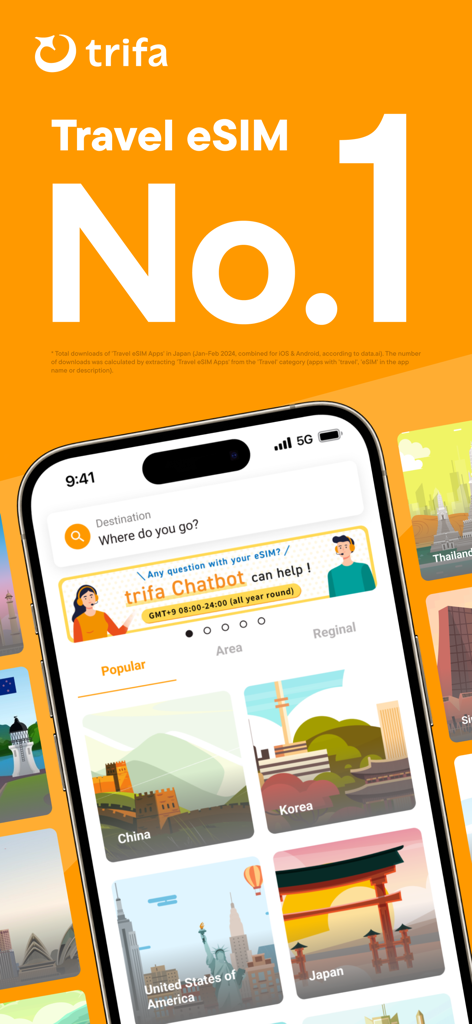
Startbildschirm der trifa Reise-eSIM-App mit Optionen für internationale Datentarife für Ziele wie Japan und die USA
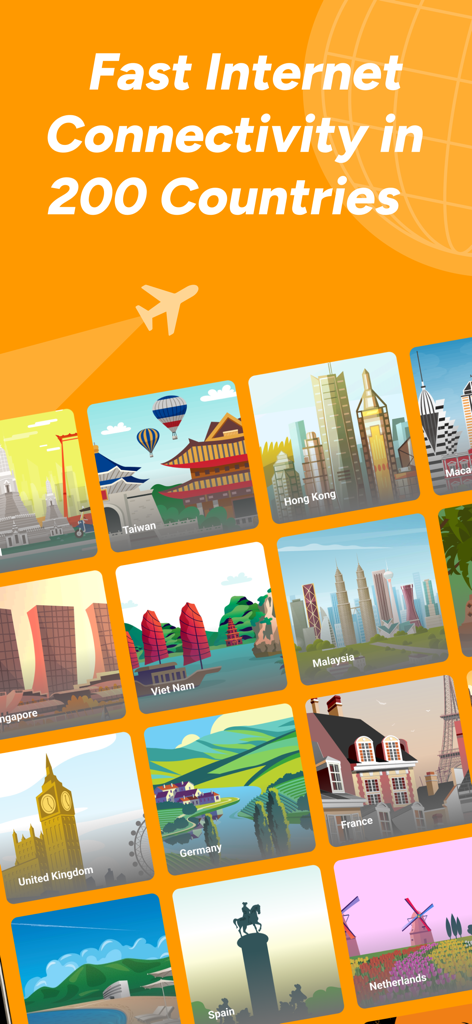
App-Bildschirm für trifa, der die Reise-eSIM-Abdeckung in 200 Ländern mit Illustrationen verschiedener internationaler Ziele zeigt.
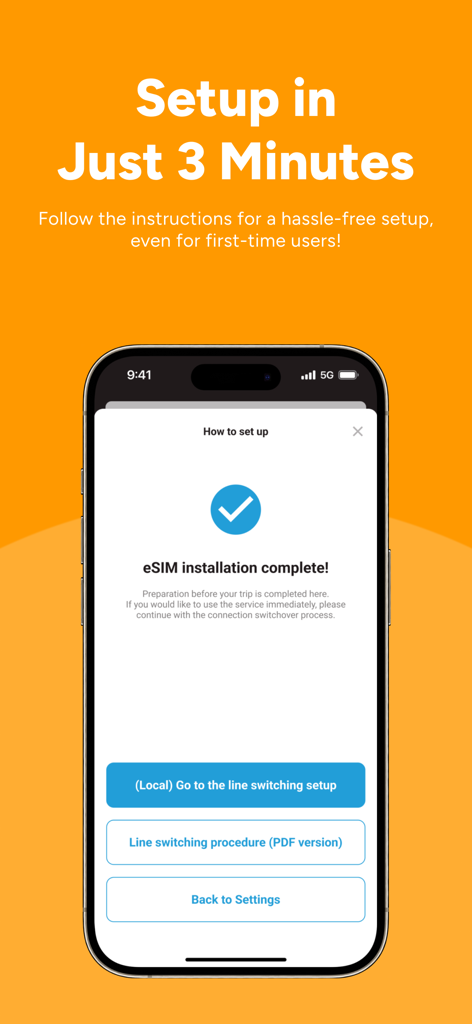
Smartphone-Bildschirm, der die erfolgreiche eSIM-Installation in der trifa Reise-App mit einer 3-minütigen Einrichtungsnachricht anzeigt.
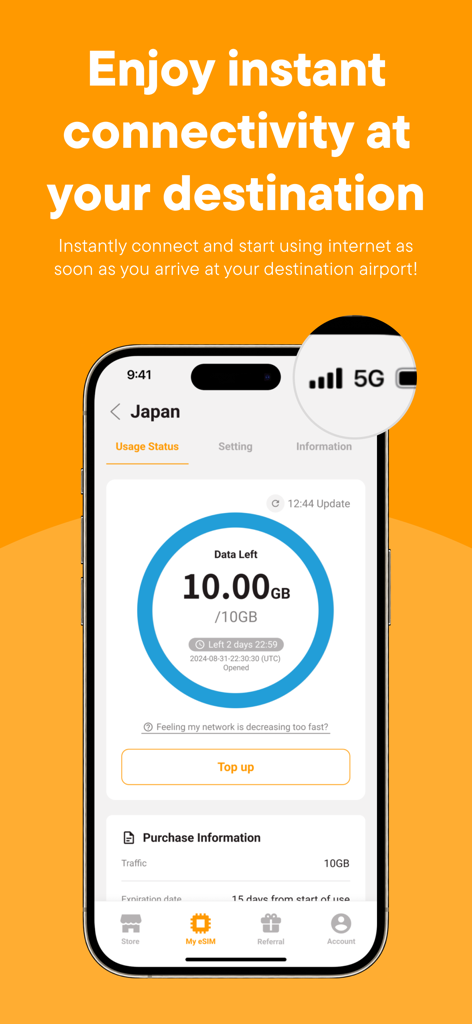
Ein Smartphone, das die Benutzeroberfläche der trifa-App mit 10 GB verbleibenden Daten für eine Japan-Reise-eSIM und einem 5G-Signal-Symbol zeigt.
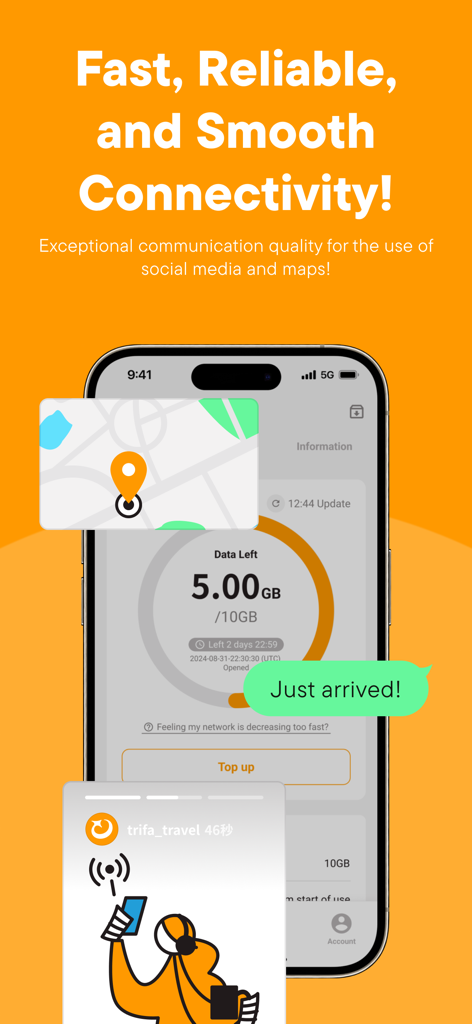
Ein iPhone-Bildschirm, der das trifa App Datenverbrauch Dashboard mit Karten- und Social-Media-Symbolen für die Reisekonnektivität anzeigt
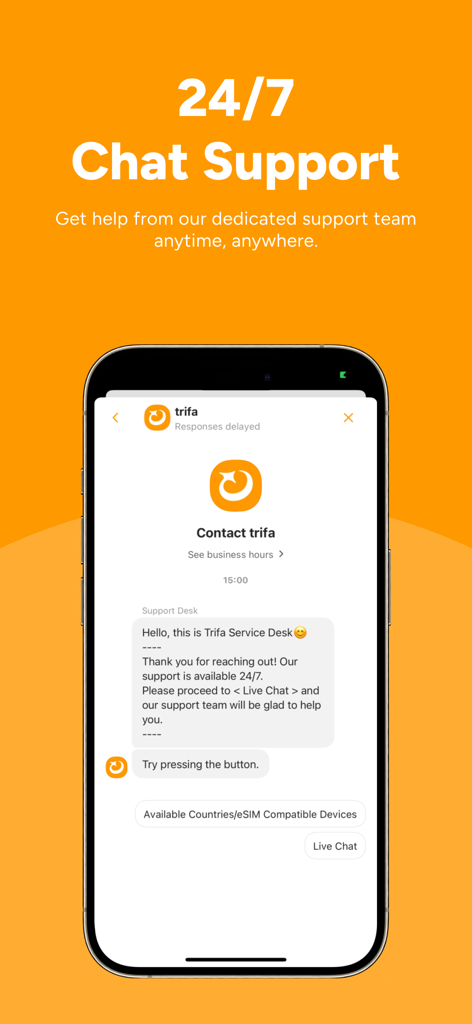
trifa App-Oberfläche, die einen 24/7 Kundenservice-Chat anzeigt
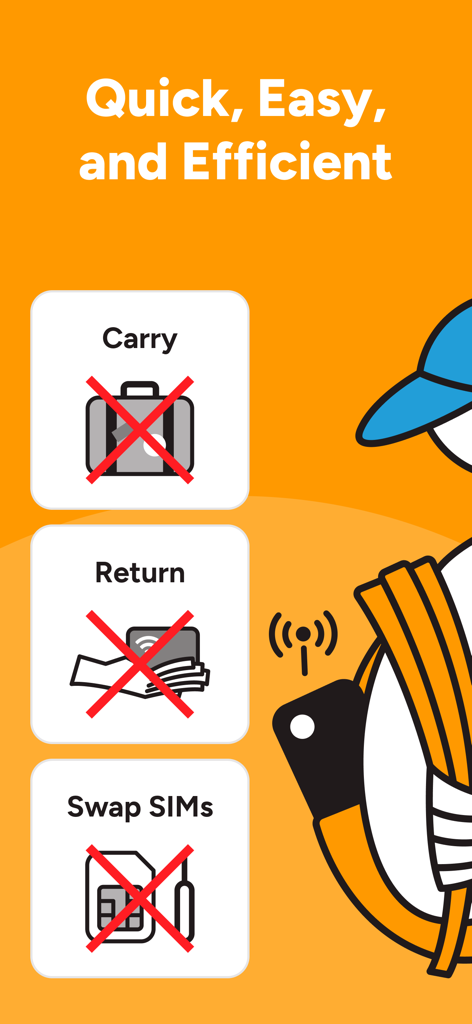
Marketing-Grafik für die trifa App, die zeigt, wie sie physische SIM-Karten und mobile WLAN-Vermietungen für internationale Reisen ersetzt

Angebotsbildschirm für die trifa Reise-eSIM-App mit Rabattgutscheinen für die Empfehlung von Freunden und Familie
Beschreibung
Download
Ähnliche Apps
Apps mit ähnlichen Funktionen und Nutzererfahrung

Holafly eSIM: Unlimited Data
HOLAFLY LIMITED

MobiMatter: eSIM Marketplace
MOBIMATTER LTD

로밍도깨비 eSIM – 데이터가 필요한 순간
Uangel Corporation

Nomad eSIM: Prepaid Data Plan
LotusFlare Inc

유심사 - 글로벌 eSIM 서비스
gadgetkorea Inc.

T-Mobile Prepaid eSIM
T-Mobile USA, Inc.

Simly - eSIM Internet Plans
Simly Technology Ltd

Kolet: Travel eSIM
Kolet

Simify eSIMs: Travel Connected
SIMSDIRECT PTY LTD
Diese Seite ist keine offizielle Seite der App oder ihres Entwicklers, sondern eine unabhängige redaktionelle Veröffentlichung, die zu Informations- und Kommentarzwecken erstellt wurde. Sofern nicht ausdrücklich anders angegeben, sind weder die App noch ihr Entwickler mit MWM, Apple, Google Play, dem App-Herausgeber oder dem Entwickler der App verbunden, von ihnen unterstützt, gesponsert, autorisiert oder anderweitig offiziell verbunden, und nichts auf dieser Seite impliziert, dass die App unter Verwendung der Dienste von MWM entwickelt wurde. Alle Marken, Logos, Screenshots und andere Inhalte bleiben Eigentum ihrer jeweiligen Inhaber.