TsmEdu
TsmEdu
Herunterladen auf App Store

Diese Seite ist keine offizielle Seite der App oder ihres Entwicklers, sondern eine unabhängige redaktionelle Veröffentlichung, die zu Informations- und Kommentarzwecken erstellt wurde. Sofern nicht ausdrücklich anders angegeben, sind weder die App noch ihr Entwickler mit MWM, Apple, Google Play, dem App-Herausgeber oder dem Entwickler der App verbunden, von ihnen unterstützt, gesponsert, autorisiert oder anderweitig offiziell verbunden, und nichts auf dieser Seite impliziert, dass die App unter Verwendung der Dienste von MWM entwickelt wurde. Alle Marken, Logos, Screenshots und andere Inhalte bleiben Eigentum ihrer jeweiligen Inhaber.


Logo von TsmEdu
Herunterladen auf App Store

TsmEdu

Befähigt Schüler, Prüfungen mit sofortigem Feedback zu meistern und hält Eltern durch Echtzeit-Fortschrittsverfolgung und direkte Lehrerkommunikation auf dem Laufenden.

Kennzahlen

Downloads

1K+

Bewertung

1.0/5

Bewertungen gesamt

0

Herausgeber

Amr Mohamed

Kategorie

Education

Sprachen

1

Neueste Version

1.0.3

Größe

24.2 MB

Erstveröffentlichung

1. Mai 2025
Funktionen

Entfesseln Sie Ihr volles akademisches Potenzial

TsmEdu vereint Schüler, Eltern und Lehrer auf einer leistungsstarken Plattform, um das Lernen zu optimieren, den Fortschritt zu verfolgen und jede Prüfung zu meistern.

Intelligente Kursorganisation

Übernehmen Sie die Kontrolle über Ihr akademisches Jahr mit integrierten Zeitplänen und automatischen Erinnerungen, die sicherstellen, dass Sie nie eine Frist oder Prüfung verpassen.

Sofortige Prüfungsbereitschaft

Meistern Sie Ihre Fächer durch Probeprüfungen mit Echtzeit-Bewertung und personalisierten Einblicken, um Ihre Lernzeit dort zu konzentrieren, wo es darauf ankommt.

Die folgenden Screenshots und die Beschreibung stammen direkt aus dem offiziellen Store-Eintrag der App und sind Eigentum des Entwicklers.

App Store

Screenshots
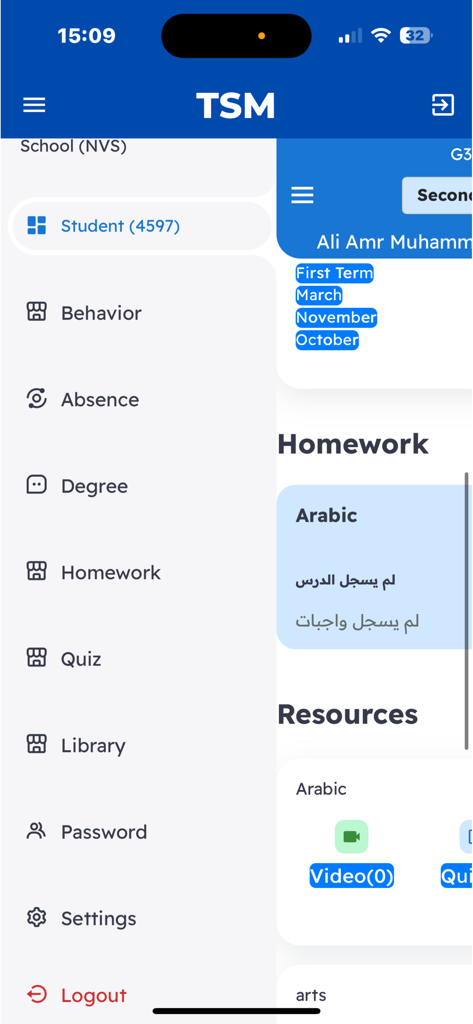
TsmEdu - Seitennavigationsmenü der TsmEdu-App mit Abschnitten für Hausaufgaben, Quiz und Verhaltensverfolgung
Seitennavigationsmenü der TsmEdu-App mit Abschnitten für Hausaufgaben, Quiz und Verhaltensverfolgung

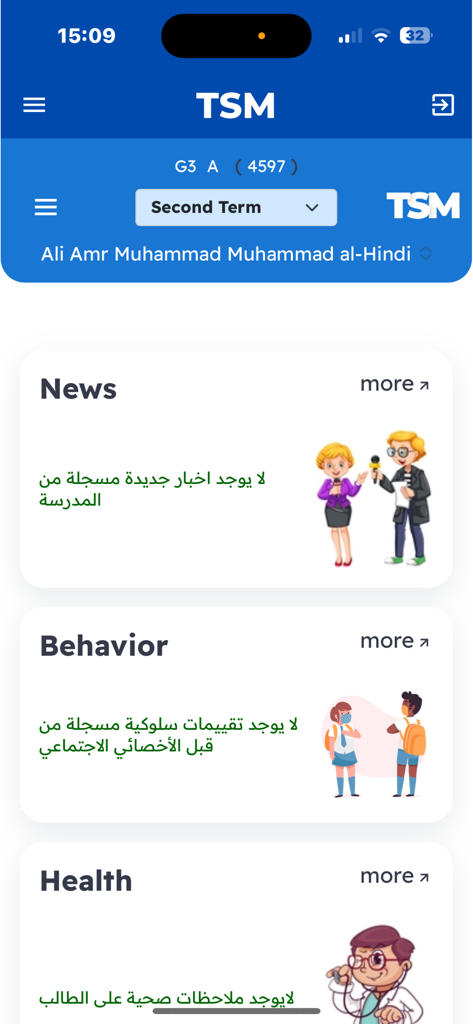
TsmEdu - Eine mobile Benutzeroberfläche der TsmEdu-App mit Informationskarten für Schulnachrichten, Schülerverhalten und Gesundheitsstatus.
Eine mobile Benutzeroberfläche der TsmEdu-App mit Informationskarten für Schulnachrichten, Schülerverhalten und Gesundheitsstatus.

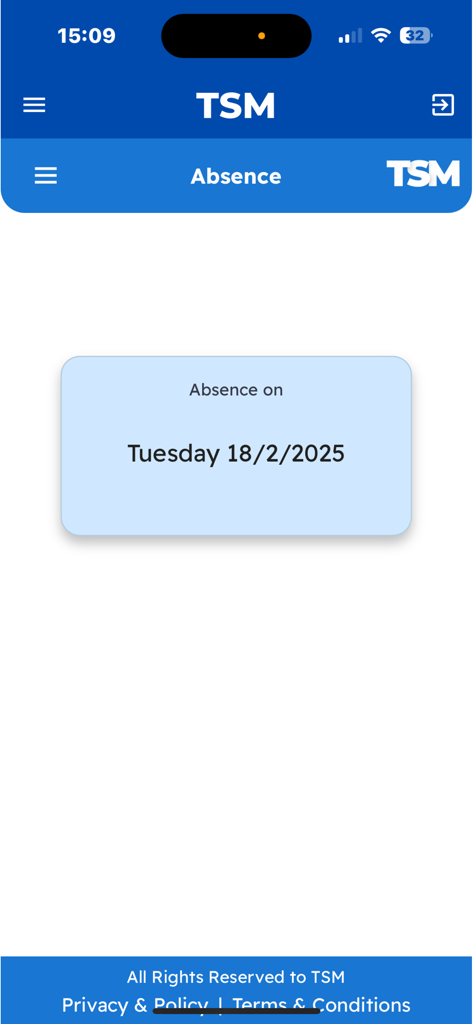
TsmEdu - TsmEdu-App-Oberfläche, die eine Schülerabwesenheitsmeldung für Dienstag, den 18. Februar 2025, anzeigt
TsmEdu-App-Oberfläche, die eine Schülerabwesenheitsmeldung für Dienstag, den 18. Februar 2025, anzeigt

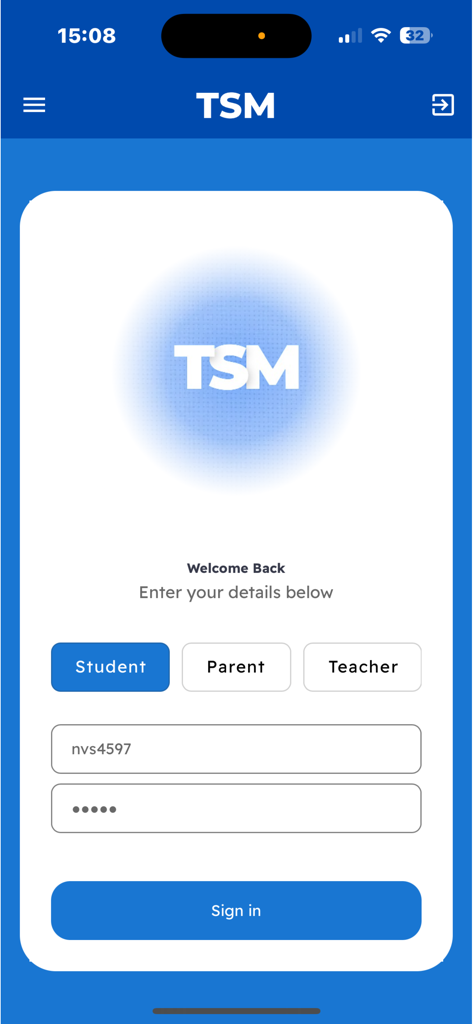
TsmEdu - TsmEdu-Anmeldeseite mit Anmeldeoptionen für Schüler, Eltern und Lehrer
TsmEdu-Anmeldeseite mit Anmeldeoptionen für Schüler, Eltern und Lehrer

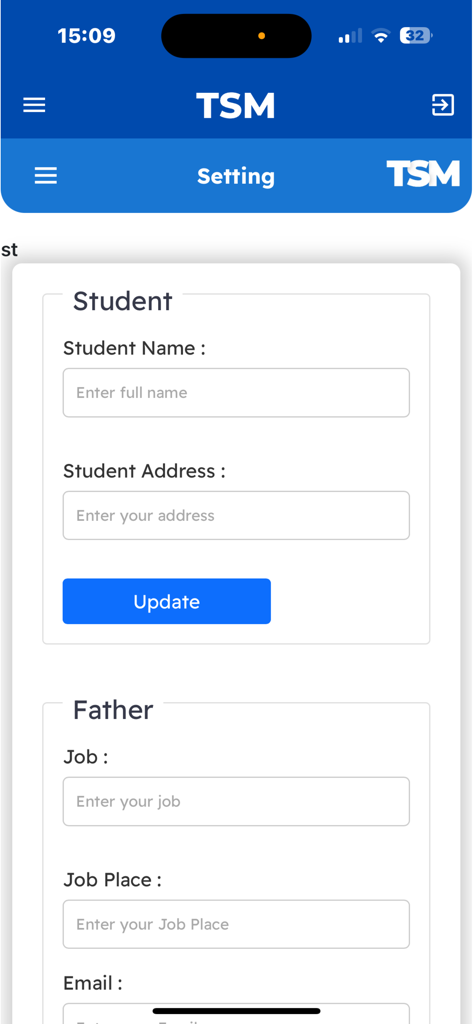
TsmEdu - TsmEdu-App-Einstellungen, die Profilinformationsformulare für Schüler und Eltern anzeigen

TsmEdu-App-Einstellungen, die Profilinformationsformulare für Schüler und Eltern anzeigen

Beschreibung

The educational application is carefully designed to provide comprehensive support to students, enabling them to effectively organize and manage their academic journey. With an intuitive interface and robust functionality, the app serves as an all-in-one tool, benefiting both students and their parents by enhancing the overall educational experience. For Students: The app allows students to register and track their subjects each term or academic year, ensuring that they have a clear overview of their course load. By selecting their courses within the app, students can easily manage their schedules, keeping track of assignments, projects, exams, and other course-related activities. With built-in notifications and reminders, students are promptly alerted to upcoming deadlines, exams, and critical milestones, reducing the risk of missed assignments or last-minute cramming. A key feature of the app is its integrated testing and assessment system. Students can take quizzes, mock exams, and practice tests directly within the app. These assessments are tailored to the subjects the student is enrolled in and are designed to mimic real exam conditions, helping them prepare effectively. The app supports multiple formats, including multiple-choice questions, true or false, short answers, and more detailed problem-solving exercises. Upon completion, the assessments are automatically graded, and students receive instant feedback on their performance. Through detailed score tracking, students can identify their strengths and weaknesses, allowing them to focus on areas that need improvement. Additionally, the app provides access to supplementary educational resources such as study guides, lecture notes, video tutorials, and interactive exercises. These resources are customized to align with the registered courses, giving students the tools they need to reinforce their understanding of key concepts. The app may also offer forums or discussion groups, enabling students to collaborate with peers, share insights, and seek assistance on challenging topics. For Parents: The application includes a feature specifically for parents, giving them a window into their child’s academic performance. Through real-time reports generated by teachers, parents can monitor their child’s progress across all subjects. These reports provide a clear breakdown of the student’s performance, highlighting their strengths, areas for improvement, and overall academic standing. Parents can also track their child’s scores in various tests and assignments, gaining a deeper understanding of how their child is performing relative to class averages or benchmark standards. One of the app’s most valuable features for parents is the ability to receive direct communication from teachers. Teachers can send personalized messages or notes regarding the student's behavior, class participation, and any academic concerns that need attention. This helps foster stronger collaboration between teachers and parents, allowing them to work together to support the student's educational development. For Teachers: Teachers benefit from the app's reporting and communication features as well. They can easily generate progress reports, input grades, and provide feedback on assignments and tests. The app simplifies the process of keeping parents informed and maintaining open lines of communication, ensuring that teachers can quickly address any academic issues or behavioral concerns. The app also helps teachers stay organized by providing tools for managing class schedules, monitoring student attendance, and tracking classroom participation. Additionally, teachers can use the app to assign homework or projects, create quizzes, and provide additional learning materials to students, enhancing the overall learning experience.

Download

Herunterladen auf App Store

Diese Seite ist keine offizielle Seite der App oder ihres Entwicklers, sondern eine unabhängige redaktionelle Veröffentlichung, die zu Informations- und Kommentarzwecken erstellt wurde. Sofern nicht ausdrücklich anders angegeben, sind weder die App noch ihr Entwickler mit MWM, Apple, Google Play, dem App-Herausgeber oder dem Entwickler der App verbunden, von ihnen unterstützt, gesponsert, autorisiert oder anderweitig offiziell verbunden, und nichts auf dieser Seite impliziert, dass die App unter Verwendung der Dienste von MWM entwickelt wurde. Alle Marken, Logos, Screenshots und andere Inhalte bleiben Eigentum ihrer jeweiligen Inhaber.








