
Diese Seite ist keine offizielle Seite der App oder ihres Entwicklers, sondern eine unabhängige redaktionelle Veröffentlichung, die zu Informations- und Kommentarzwecken erstellt wurde. Sofern nicht ausdrücklich anders angegeben, sind weder die App noch ihr Entwickler mit MWM, Apple, Google Play, dem App-Herausgeber oder dem Entwickler der App verbunden, von ihnen unterstützt, gesponsert, autorisiert oder anderweitig offiziell verbunden, und nichts auf dieser Seite impliziert, dass die App unter Verwendung der Dienste von MWM entwickelt wurde. Alle Marken, Logos, Screenshots und andere Inhalte bleiben Eigentum ihrer jeweiligen Inhaber.

TuneLab Piano Tuner
Konstruieren Sie den perfekten kundenspezifischen Stretch mit fortschrittlichen Inharmonizitätsmessungen, automatischem Notenwechsel und Cloud-synchronisierten Stimmdateien für Ihren gesamten Kundenstamm.
Downloads
77K+Bewertung
Bewertungen gesamt
200Herausgeber
Kategorie
MusicSprachen
1Neueste Version
4.7.2Größe
11.7 MBErstveröffentlichung
3. Dez. 2009Präzisionswerkzeuge für den Meister-Klaviertechniker
Verbessern Sie Ihren professionellen Service mit der branchenweit vertrauenswürdigsten akustischen Messtechnologie, die entwickelt wurde, um makellose kundenspezifische Stimmungen in kürzerer Zeit zu liefern.
Wissenschaftliche Inharmonizitäts-Kartierung
Eliminieren Sie Rätselraten, indem Sie die einzigartigen physikalischen Eigenschaften jedes Klaviers messen, um ein kundenspezifisches Stretch-Profil zu erstellen, das auf das jeweilige Instrument zugeschnitten ist.
Hocheffizienter Arbeitsablauf
Maximieren Sie Ihre abrechenbaren Stunden mit speziellen Over-Pull-Modi für schnelle Tonhöhenanhebungen und freihändigen automatischen Notenwechsel während der Feinabstimmung.
Die folgenden Screenshots und die Beschreibung stammen direkt aus dem offiziellen Store-Eintrag der App und sind Eigentum des Entwicklers.
App Store
Screenshots
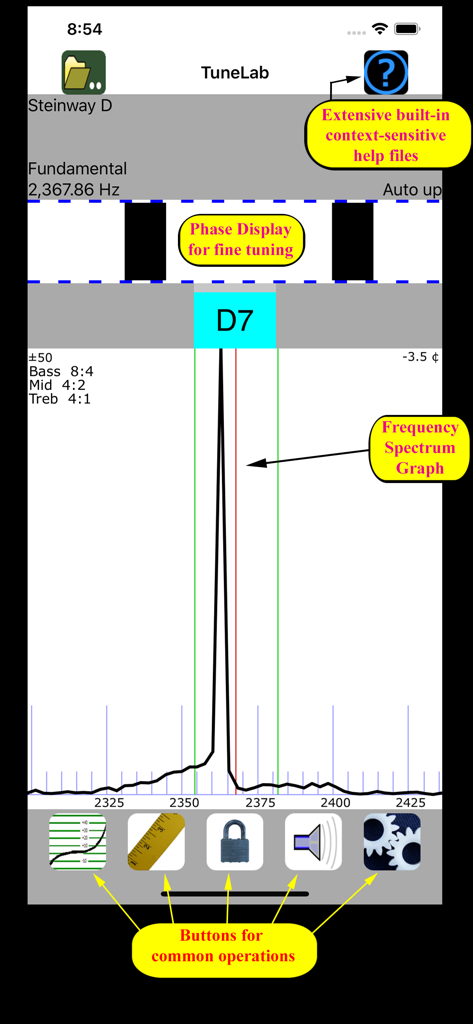
TuneLab Piano Tuner App-Oberfläche mit Frequenzspektrum-Diagramm und Phasenanzeige
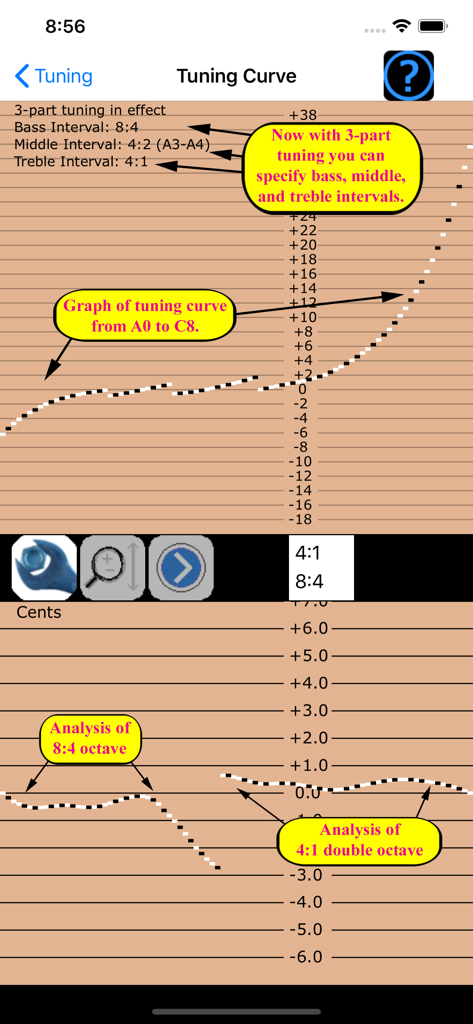
Professionelles Klavier-Stimmkurven-Diagramm und Intervall-Einstellungen in der TuneLab-App
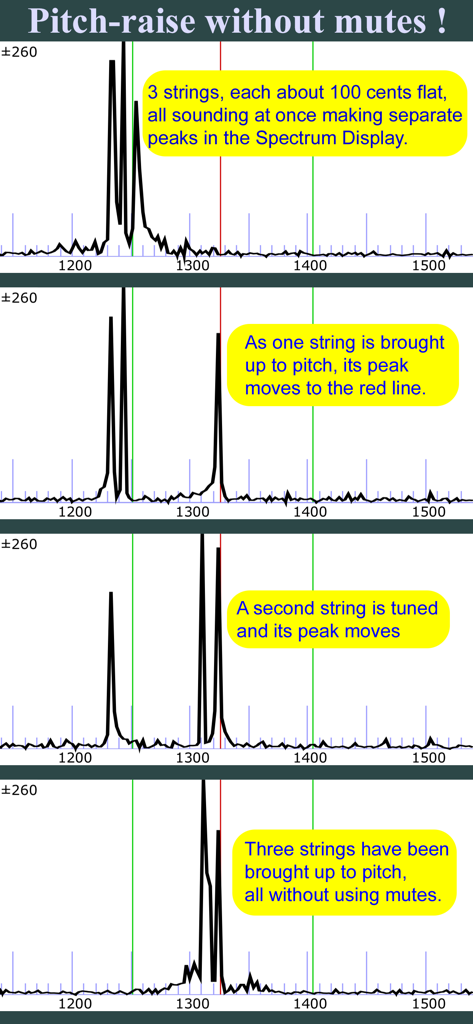
Tunelab App Spektrumanzeige mit Tonhöhenanhebung bei drei Saiten ohne Dämpfer
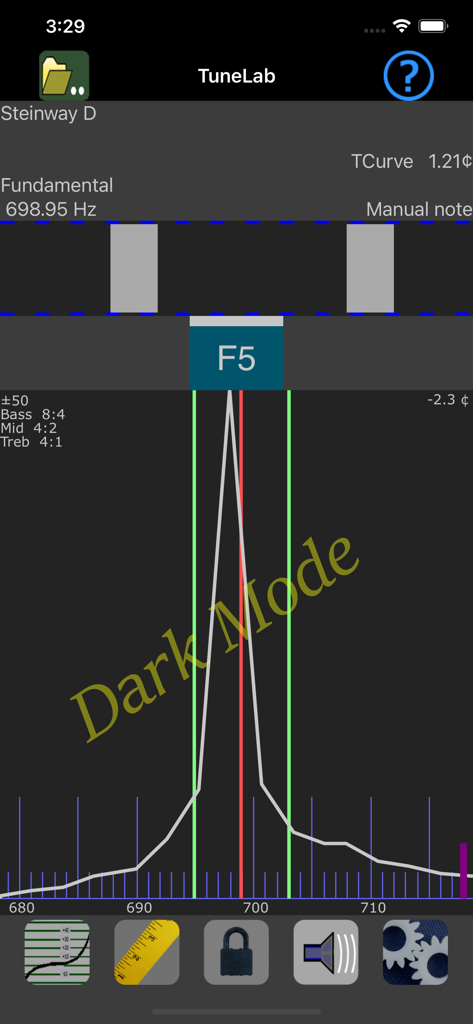
TuneLab Piano Tuner Oberfläche im Dunkelmodus mit Frequenzspektrum und Stroboskopanzeige für eine Note eines Steinway D Klaviers
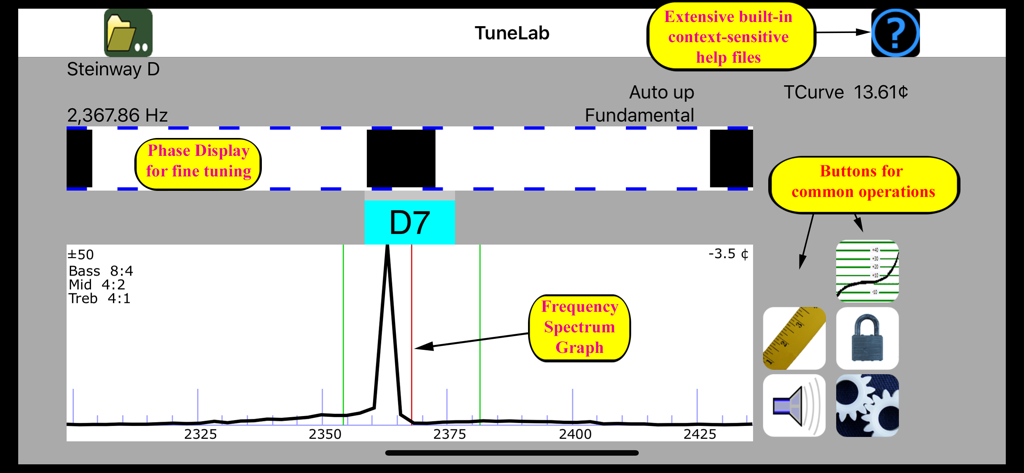
Professionelle Klavier-Stimmoberfläche mit Stroboskop-Phasenanzeige und Frequenzspektrum-Diagramm
Beschreibung
Download
Ähnliche Apps
Apps mit ähnlichen Funktionen und Nutzererfahrung

Open Sound Meter
Ehrenaudio GmbH

CyberTuner
Dean Reyburn

Guzheng Tuner
海 林
pianoscope – Piano Tuner
Frank Illenberger

iStroboSoft
Peterson Strobe Tuners

RacquetTune - String Tension
Sten Kaiser
PianoMeter – Piano Tuner
Willey Piano LLC

TechDisc
TechDisc Inc.

Auto-Key | Music key detection
Antares Audio Technologies, LLC
Diese Seite ist keine offizielle Seite der App oder ihres Entwicklers, sondern eine unabhängige redaktionelle Veröffentlichung, die zu Informations- und Kommentarzwecken erstellt wurde. Sofern nicht ausdrücklich anders angegeben, sind weder die App noch ihr Entwickler mit MWM, Apple, Google Play, dem App-Herausgeber oder dem Entwickler der App verbunden, von ihnen unterstützt, gesponsert, autorisiert oder anderweitig offiziell verbunden, und nichts auf dieser Seite impliziert, dass die App unter Verwendung der Dienste von MWM entwickelt wurde. Alle Marken, Logos, Screenshots und andere Inhalte bleiben Eigentum ihrer jeweiligen Inhaber.