TV Remote Control - Smart TVs
Herunterladen auf App Store

Diese Seite ist keine offizielle Seite der App oder ihres Entwicklers, sondern eine unabhängige redaktionelle Veröffentlichung, die zu Informations- und Kommentarzwecken erstellt wurde. Sofern nicht ausdrücklich anders angegeben, sind weder die App noch ihr Entwickler mit MWM, Apple, Google Play, dem App-Herausgeber oder dem Entwickler der App verbunden, von ihnen unterstützt, gesponsert, autorisiert oder anderweitig offiziell verbunden, und nichts auf dieser Seite impliziert, dass die App unter Verwendung der Dienste von MWM entwickelt wurde. Alle Marken, Logos, Screenshots und andere Inhalte bleiben Eigentum ihrer jeweiligen Inhaber.

Logo von TV Remote Control - Smart TVs
Herunterladen auf App Store

TV Remote Control - Smart TVs

Hören Sie auf, nach verlorenen Fernbedienungen und leeren Batterien zu suchen. Verwandeln Sie Ihr iPhone mit nahtloser Touchpad-Navigation, schneller Texteingabe und sofortigem Bildschirm-Mirroring für Roku, Fire Stick und alle wichtigen Smart TVs in eine leistungsstarke Universalfernbedienung.

Kennzahlen

Downloads

33K+

Bewertung

4.4/5

Bewertungen gesamt

600

Herausgeber

Ngoc Nguyen

Kategorie

Utilities

Sprachen

1

Neueste Version

1.6.7

Größe

239.9 MB

Erstveröffentlichung

26. Juni 2023
Funktionen

Eine Zentrale für jeden Bildschirm in Ihrem Zuhause

Verabschieden Sie sich von verlorenen Fernbedienungen und leeren Batterien. Verwandeln Sie Ihr iPhone in eine leistungsstarke Universalfernbedienung für Roku, Samsung, LG, Fire Stick und mehr.

Universelle Smart-Steuerung

Verbinden Sie sich sofort über WLAN mit all Ihren Geräten, einschließlich Roku, Samsung, LG und Vizio – kein Kabelsalat mehr auf dem Couchtisch.

Mühelose Texteingabe und Navigation

Hören Sie auf, sich mit klobigen Pfeiltasten herumzuärgern. Verwenden Sie die Tastatur und das Touchpad Ihres Telefons, um in Sekundenschnelle nach Filmen und Serien zu suchen.

Die folgenden Screenshots und die Beschreibung stammen direkt aus dem offiziellen Store-Eintrag der App und sind Eigentum des Entwicklers.

App Store

Screenshots
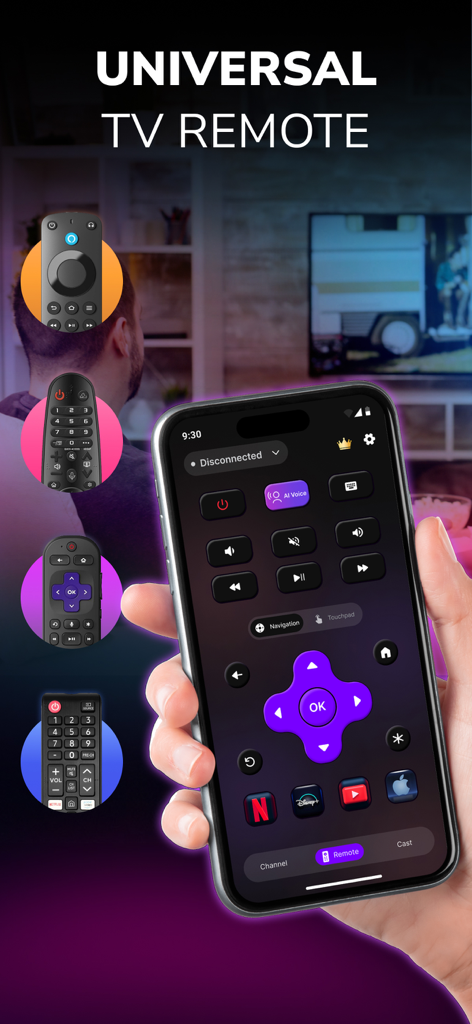
TV Remote Control - Smart TVs - Eine Hand hält ein iPhone, das die Benutzeroberfläche der universellen TV-Fernbedienungs-App mit Schaltflächen zur Navigation und zum Streamen anzeigt
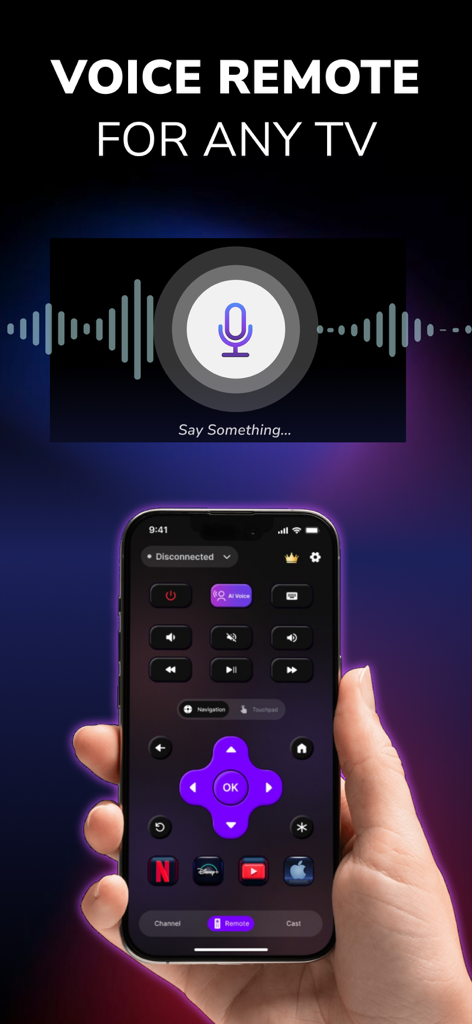
Eine Hand hält ein iPhone, das die Benutzeroberfläche der universellen TV-Fernbedienungs-App mit Schaltflächen zur Navigation und zum Streamen anzeigt

TV Remote Control - Smart TVs - Ein iPhone, das die Sprachbefehls-Oberfläche einer universellen TV-Fernbedienungs-App anzeigt

Ein iPhone, das die Sprachbefehls-Oberfläche einer universellen TV-Fernbedienungs-App anzeigt
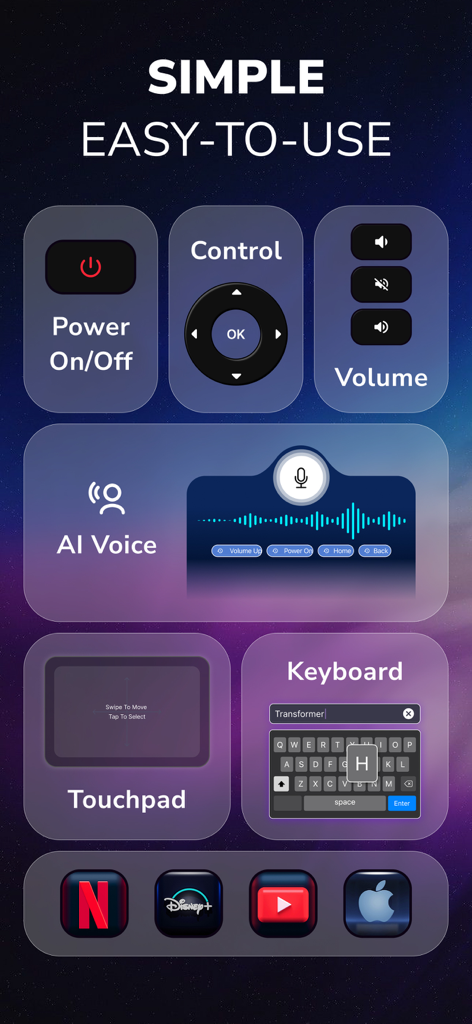
TV Remote Control - Smart TVs - Benutzeroberfläche der TV-Fernbedienungs-App mit Funktionen für Stromversorgung, Lautstärke, KI-Stimme, Touchpad und Tastatur
Benutzeroberfläche der TV-Fernbedienungs-App mit Funktionen für Stromversorgung, Lautstärke, KI-Stimme, Touchpad und Tastatur

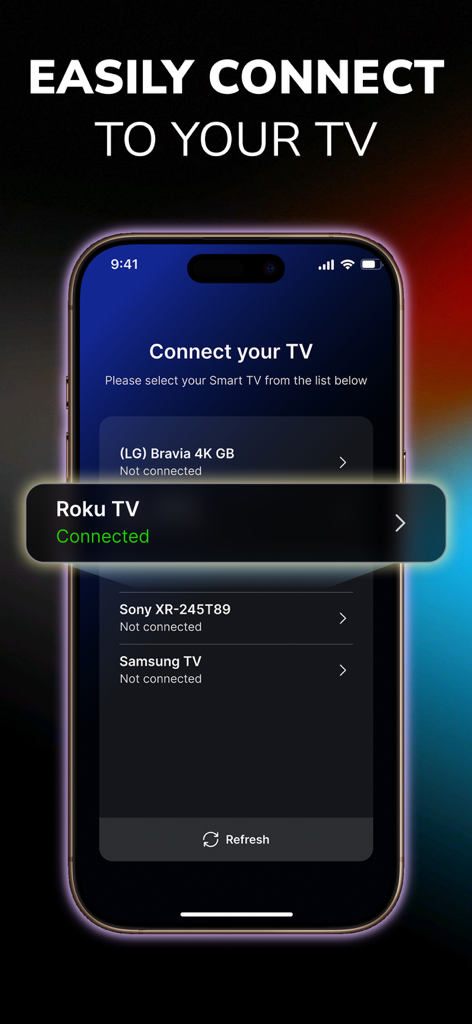
TV Remote Control - Smart TVs - Benutzeroberfläche der TV-Fernbedienungs-App, die eine erfolgreiche Verbindung mit einem Roku TV zeigt
Benutzeroberfläche der TV-Fernbedienungs-App, die eine erfolgreiche Verbindung mit einem Roku TV zeigt

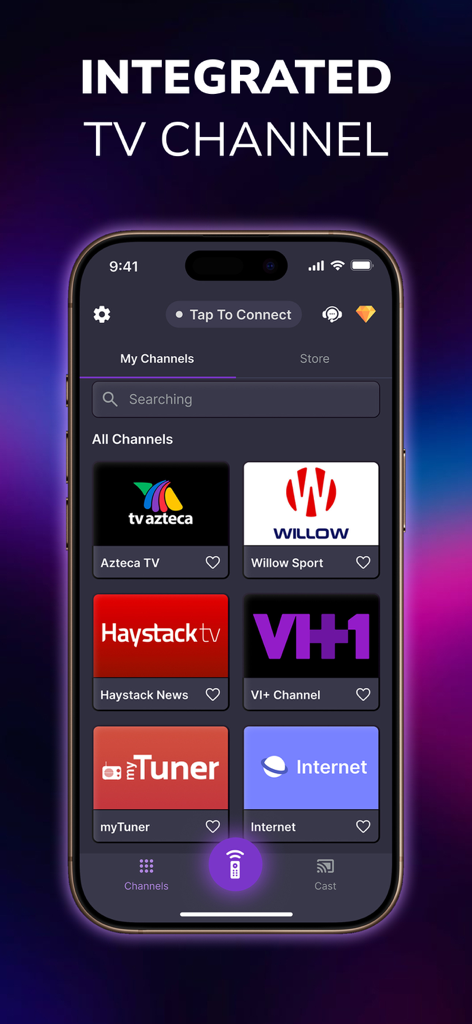
TV Remote Control - Smart TVs - Smartphone-Bildschirm, der integrierte TV-Kanäle innerhalb einer universellen Fernbedienungs-App anzeigt
Smartphone-Bildschirm, der integrierte TV-Kanäle innerhalb einer universellen Fernbedienungs-App anzeigt

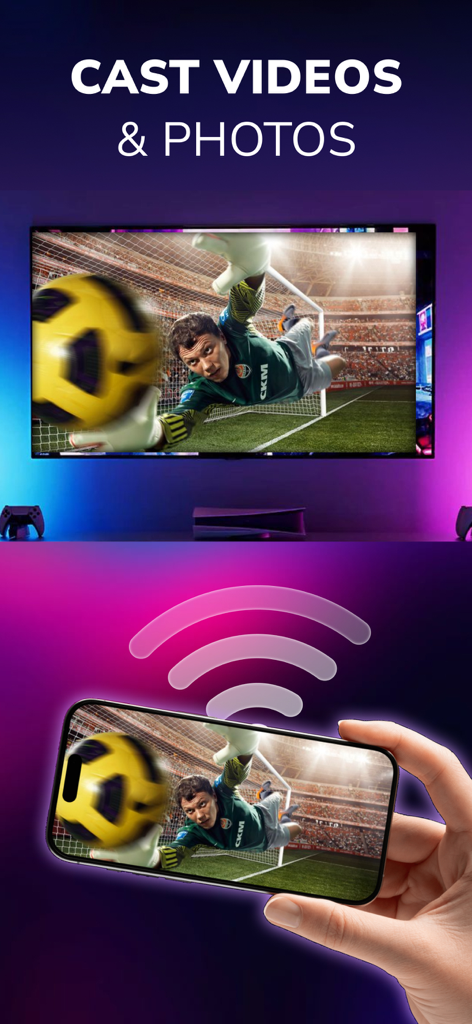
TV Remote Control - Smart TVs - Smartphone überträgt drahtlos ein Fußballvideo auf einen großen Smart-TV-Bildschirm

Smartphone überträgt drahtlos ein Fußballvideo auf einen großen Smart-TV-Bildschirm

Beschreibung

All-in-One Universal TV Remote App for Roku, LG, TCL, Vizio, Fire Stick, Onn, Insignia & More Are you tired of constantly searching for your TV remote? Frustrated with broken buttons or batteries that die when you need them most? It’s time to make your entertainment experience smoother, smarter, and wireless. Introducing TV Remote Control - Smart TV, the universal TV remote app built for convenience, compatibility, and complete control. Whether you own a Samsung TV, LG Smart TV, Vizio, TCL Roku TV, Philips, Insignia, Onn, or use streaming devices like Amazon Fire Stick or Roku Stick, this app is your go-to solution. With powerful functionality like screen mirroring, media casting, voice control, and touchpad control, this app transforms your smartphone into a seamless remote control center. It works with most smart TVs, streaming sticks, and Wi-Fi-connected displays, giving you full command of your screen from your phone or tablet. 1) Universal Remote Control Control multiple TVs and devices using just one app: - Samsung Smart TVs - LG Smart TVs - TCL Roku TVs - Vizio TVs - Philips TVs - Onn TVs - Insignia Fire TVs - Sony Bravia TVs - Hisense Smart TVs - Amazon Fire Stick / Fire TV - Roku Stick & Roku Boxes Other universal remote compatible TVs via Wi-Fi 2) TV Control Made Effortless With your smartphone connected to the same Wi-Fi network as your smart TV, you can instantly: - Power your TV on/off (supported models) - Adjust the volume or mute - Change channels instantly - Navigate with arrow keys, OK, back, home, etc. - Use a built-in touchpad for cursor-style navigation 3) Media Casting & Screen Mirroring - Cast videos from your phone gallery or video apps - Mirror your screen to display presentations, games, or social media - Play IPTV or web-based video content - Supported platforms include YouTube, Spotify, Netflix (via casting), local files, and more. 4) Voice Control Our voice search feature supports natural speech input so you can search for shows, change channels, or browse content hands-free. Examples: “Open Netflix”, “Search for comedy movies”, “Volume up”, ... etc 5) Favorite Channels & App Launching Add shortcuts to your favorite apps and streaming services like: Disney+, Loo Loo Kids, Roku Channel, Netflix, Prime Video, HBO Max, YouTube, Spotify, ... 6) Touchpad Navigation Use your phone screen as a virtual touchpad to navigate TV menus more naturally—especially useful for apps like YouTube or web browsers on smart TVs. Easy Setup – No Pairing Hassles 1. Ensure your smart TV, Fire Stick, or Roku is connected to the same Wi-Fi network as your mobile device. 2. Open the app and allow it to scan for available devices. 3.Tap to connect. That’s it! SUBSCRIPTION PRICING & TERMS Users can subscribe for unlimited access to Premium features and without ads. Payment will be charged to your iTunes Account at confirmation of purchase. Subscriptions may be managed by the user and auto-renewal may be turned off by going to the user's Account Settings after purchase. For details please visit the link https://support.apple.com/HT202039 Subscription automatically renews unless auto-renew is turned off at least 24 hours before the end of the current period. Account will be charged for renewal within 24-hours prior to the end of the current period and determine the renewal cost. When the current trial/subscription period expires, the user will be unsubscribed. The current active subscription period cannot be canceled. Once the subscription expires, the user will no longer be able to use the Interactive tab. Any unused portion of a free trial period, if offered, will be forfeited when the user purchases a subscription to that publication, if any. DISCLAIMER: TV Remote Control - Smart TV is not affiliated with or endorsed by any relevant brands. Privacy Policy: https://sites.google.com/view/privacypolicytvremotecontrol/ Terms of Use: https://sites.google.com/view/termofusetvremotecontrol/

Download

Herunterladen auf App Store

Diese Seite ist keine offizielle Seite der App oder ihres Entwicklers, sondern eine unabhängige redaktionelle Veröffentlichung, die zu Informations- und Kommentarzwecken erstellt wurde. Sofern nicht ausdrücklich anders angegeben, sind weder die App noch ihr Entwickler mit MWM, Apple, Google Play, dem App-Herausgeber oder dem Entwickler der App verbunden, von ihnen unterstützt, gesponsert, autorisiert oder anderweitig offiziell verbunden, und nichts auf dieser Seite impliziert, dass die App unter Verwendung der Dienste von MWM entwickelt wurde. Alle Marken, Logos, Screenshots und andere Inhalte bleiben Eigentum ihrer jeweiligen Inhaber.








