
Diese Seite ist keine offizielle Seite der App oder ihres Entwicklers, sondern eine unabhängige redaktionelle Veröffentlichung, die zu Informations- und Kommentarzwecken erstellt wurde. Sofern nicht ausdrücklich anders angegeben, sind weder die App noch ihr Entwickler mit MWM, Apple, Google Play, dem App-Herausgeber oder dem Entwickler der App verbunden, von ihnen unterstützt, gesponsert, autorisiert oder anderweitig offiziell verbunden, und nichts auf dieser Seite impliziert, dass die App unter Verwendung der Dienste von MWM entwickelt wurde. Alle Marken, Logos, Screenshots und andere Inhalte bleiben Eigentum ihrer jeweiligen Inhaber.


TwistedWave Audio Editor
Der schnellste und zuverlässigste Weg, professionelle Audioaufnahmen unterwegs zu machen und zu bearbeiten. Erleben Sie blitzschnelle Leistung, ZTX Time Stretching und eine unbegrenzte Rückgängig-Funktion, entwickelt für Sprecher und Podcaster.
Downloads
346K+Bewertung
Bewertungen gesamt
2K+Herausgeber
Kategorie
MusicSprachen
2Neueste Version
1.91Größe
32.6 MBErstveröffentlichung
9. Nov. 2010Professionelle Leistung, mobile Freiheit
Die flüssigste und zuverlässigste Audio-Workstation für Mobilgeräte. Nehmen Sie auf, bearbeiten und mastern Sie mit der Präzision einer Desktop-DAW, wo immer Sie Ihre Arbeit hinführt.
Blitzschnelle Leistung
Bearbeiten Sie riesige Dateien ohne Verzögerung. Unsere optimierte Engine verarbeitet stundenlange Audioaufnahmen reibungslos, mit unbegrenzten Rückgängig-/Wiederherstellungsoptionen, die sofort verfügbar sind.
Studio-Präzision
Erfassen Sie 24-Bit/96-kHz-Audio und verarbeiten Sie es mit branchenüblichem ZTX Time Stretching, AUv3-Erweiterungen und einer Reihe professioneller Effekte.
Die folgenden Screenshots und die Beschreibung stammen direkt aus dem offiziellen Store-Eintrag der App und sind Eigentum des Entwicklers.
App Store
Screenshots
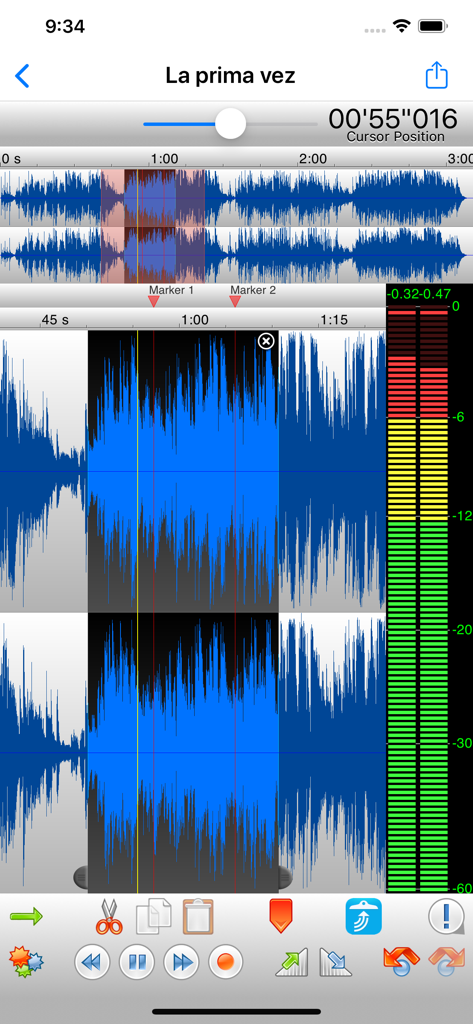
Oberfläche des TwistedWave Audio Editors mit einer Stereowellenform-Auswahl, einem vertikalen Pegelmesser und Bearbeitungswerkzeugen.
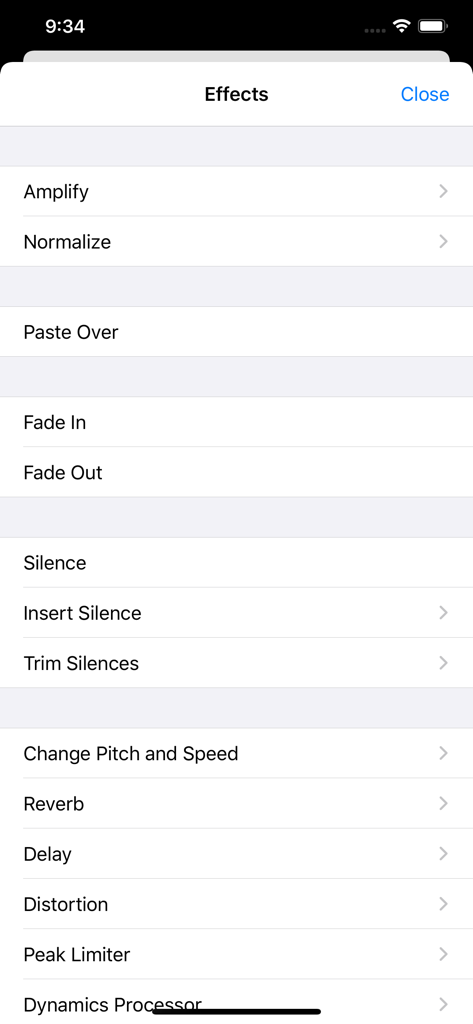
Eine Liste professioneller Audioeffekt-Optionen im Menü der TwistedWave Audio Editor App, einschließlich Verstärken, Normalisieren und Hall.
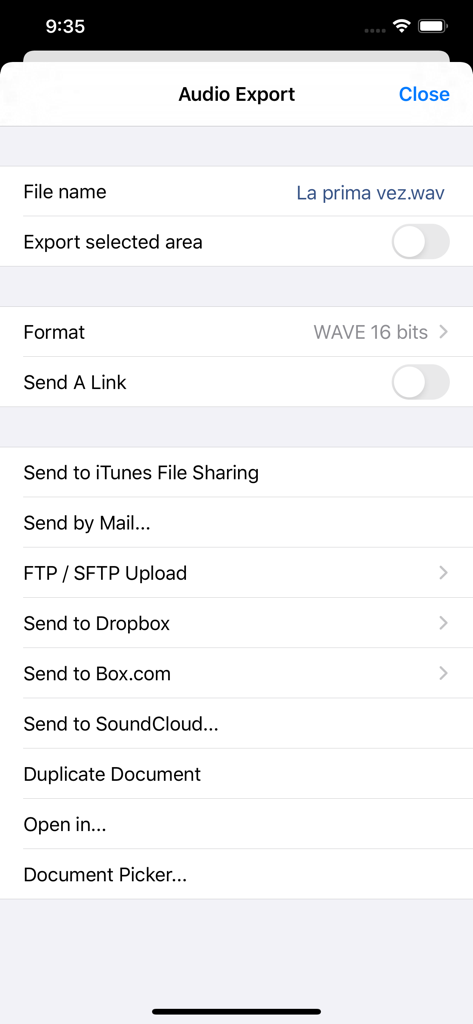
Exportmenü des TwistedWave Audio Editors mit verschiedenen Optionen für Dateifreigabe und Cloud-Speicher.
Beschreibung
Download
Ähnliche Apps
Top-gerankte Apps in derselben Kategorie

Spotify: Music and Podcasts
Spotify

YouTube Music
Google LLC

Shazam: Find Music & Concerts
Apple Inc.

SoundCloud: The Music You Love
SoundCloud Global Limited & Co KG

Suno - AI Songs & Music
Suno Inc.

QQ音乐 - 听我想听
Tencent Technology (Shenzhen) Company Limited

Audiomack - Play Music Offline
Audiomack, Inc.

GuitarTuna: Tune & Play Guitar
Yousician Ltd

BandLab – Music Maker & Beats
BandLab Singapore Pte Ltd
Diese Seite ist keine offizielle Seite der App oder ihres Entwicklers, sondern eine unabhängige redaktionelle Veröffentlichung, die zu Informations- und Kommentarzwecken erstellt wurde. Sofern nicht ausdrücklich anders angegeben, sind weder die App noch ihr Entwickler mit MWM, Apple, Google Play, dem App-Herausgeber oder dem Entwickler der App verbunden, von ihnen unterstützt, gesponsert, autorisiert oder anderweitig offiziell verbunden, und nichts auf dieser Seite impliziert, dass die App unter Verwendung der Dienste von MWM entwickelt wurde. Alle Marken, Logos, Screenshots und andere Inhalte bleiben Eigentum ihrer jeweiligen Inhaber.