
Diese Seite ist keine offizielle Seite der App oder ihres Entwicklers, sondern eine unabhängige redaktionelle Veröffentlichung, die zu Informations- und Kommentarzwecken erstellt wurde. Sofern nicht ausdrücklich anders angegeben, sind weder die App noch ihr Entwickler mit MWM, Apple, Google Play, dem App-Herausgeber oder dem Entwickler der App verbunden, von ihnen unterstützt, gesponsert, autorisiert oder anderweitig offiziell verbunden, und nichts auf dieser Seite impliziert, dass die App unter Verwendung der Dienste von MWM entwickelt wurde. Alle Marken, Logos, Screenshots und andere Inhalte bleiben Eigentum ihrer jeweiligen Inhaber.


uAttend
Stärken Sie Ihre Mitarbeiter mit intelligenten Stempelungen und Spesenabrechnungen, während Sie Echtzeit-Übersicht und Compliance für Ihr Unternehmen erhalten – alles von Ihrer Handfläche aus.
Downloads
375K+Bewertung
Bewertungen gesamt
300Herausgeber
Kategorie
BusinessSprachen
-Neueste Version
3.1.23Größe
253.6 MBErstveröffentlichung
5. Apr. 2011Stärken Sie Ihre Belegschaft, optimieren Sie Ihren Erfolg
Von intelligenten Stempelungen bis zur Echtzeit-Spesenabrechnung – uAttend steckt die Leistungsfähigkeit eines effizienten Zeitmanagements und finanzieller Transparenz direkt in Ihre Tasche.
Intelligentes & prädiktives Einstempeln
Stempeln Sie mühelos ein, aus oder für Pausen. Unsere intuitive Benutzeroberfläche sagt Ihre nächste Aktion voraus und spart Ihnen Zeit und reduziert Fehler bei der Arbeit.
Trinkgelder & Spesen sofort verfolgen
Erfassen Sie Kilometer und Trinkgelder unterwegs. Behalten Sie Ihre Einnahmen im Blick, indem Sie Bruttolohn und Spesen direkt in der App filtern können.
Die folgenden Screenshots und die Beschreibung stammen direkt aus dem offiziellen Store-Eintrag der App und sind Eigentum des Entwicklers.
App Store
Screenshots
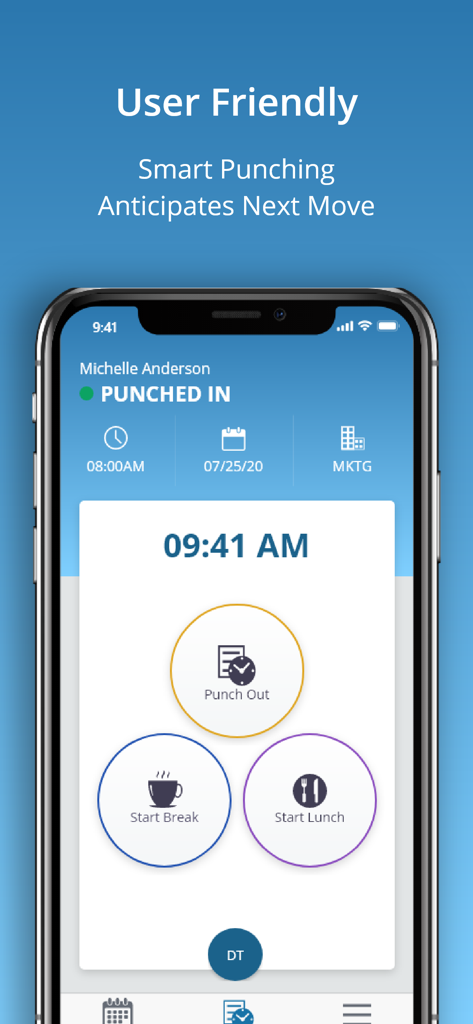
uAttend mobile App-Bildschirm mit intelligenten Stempeltasten zum Ausstempeln oder Starten einer Pause
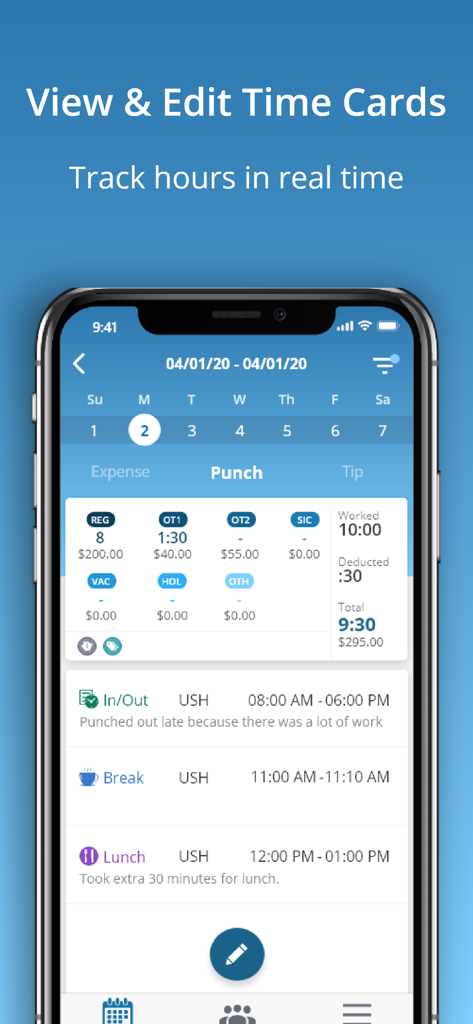
Ein Screenshot der uAttend mobilen App, der eine detaillierte Ansicht der Stundenzettel mit Arbeitsstunden, Pausen und Überstundeninformationen zeigt.
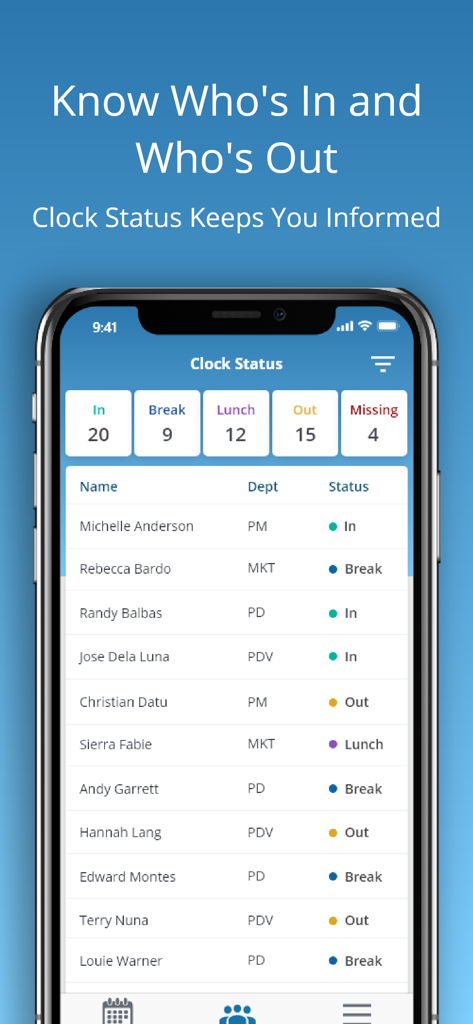
uAttend mobile App Dashboard mit Echtzeit-Mitarbeiteranwesenheitsstatus für Manager.
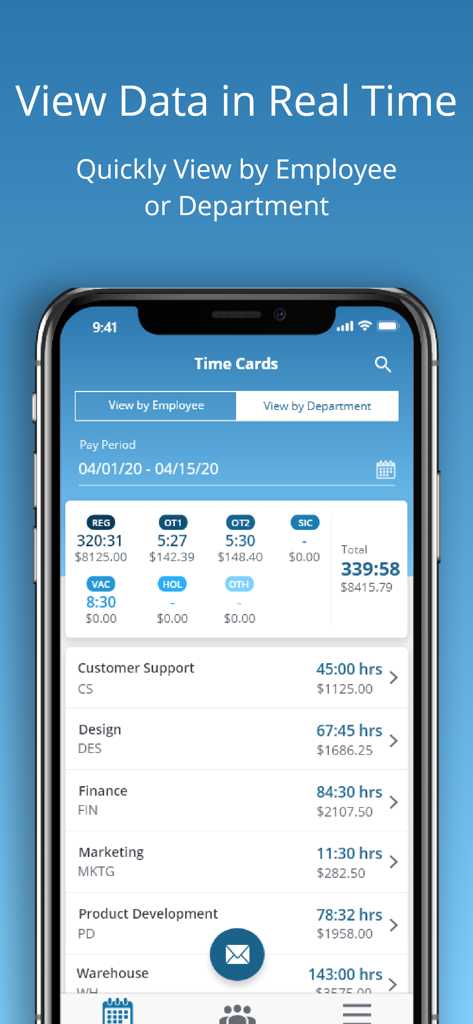
uAttend App Stundenzettel-Dashboard mit Stunden- und Gehaltsangaben pro Abteilung
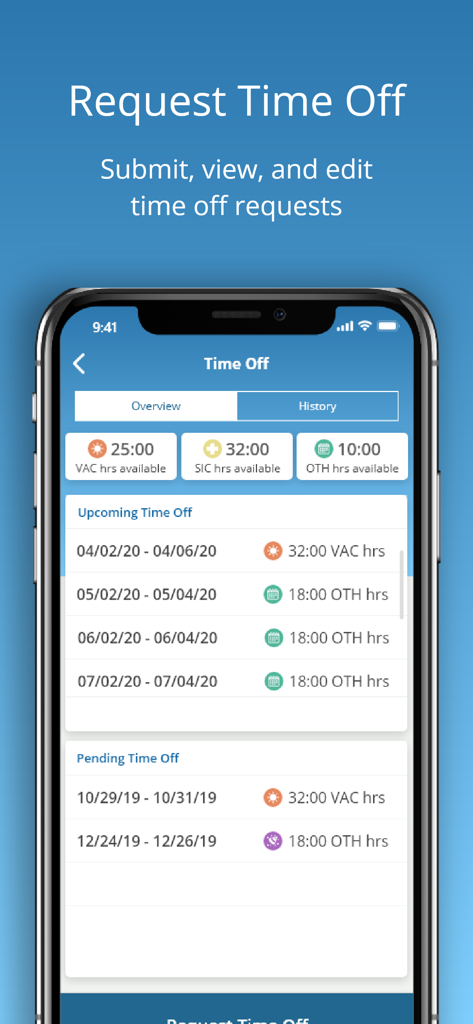
uAttend mobile App-Bildschirm zum Einreichen und Anzeigen von Urlaubsanträgen, einschließlich Urlaubs- und Krankheitstageguthaben
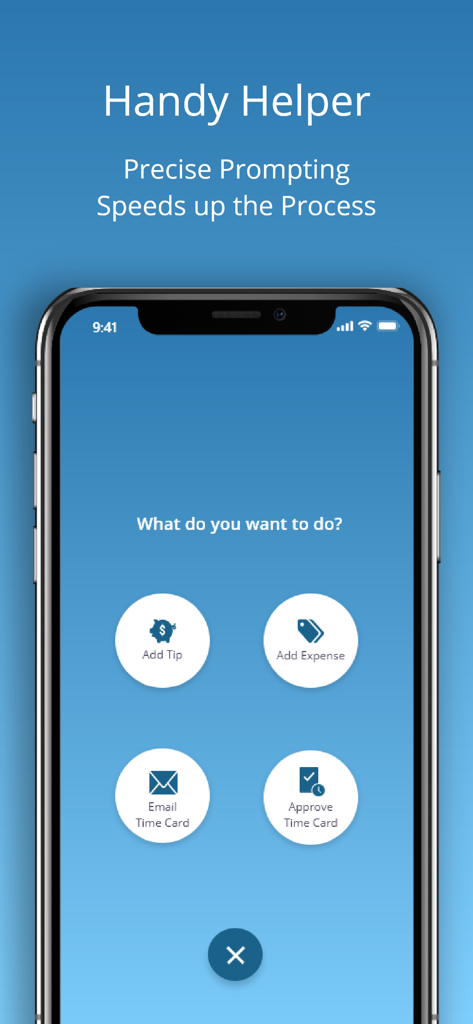
uAttend mobile App-Bildschirm mit Schnelltasten zum Hinzufügen von Trinkgeldern, Hinzufügen von Spesen, E-Mailen von Stundenzetteln und Genehmigen von Stundenzetteln
Beschreibung
Download
Ähnliche Apps
Top-gerankte Apps in derselben Kategorie

Microsoft Teams
Microsoft Corporation

Zoom Workplace
Zoom Communications, Inc.

WhatsApp Business
WhatsApp Inc.

Indeed Job Search
Indeed Inc.

LinkedIn: Network & Job Finder
LinkedIn Corporation

Adobe Acrobat Reader: Sign PDF
Adobe Inc.

WeCom-Work Communication&Tools
Tencent Technology (Shenzhen) Company Limited

BOSS直聘-招聘求职找工作神器
Beijing China Product Bo Farce Network Technology Co., Ltd.

DingDing - Redefine Work in AI
DingTalk Technology Co., Ltd.
Diese Seite ist keine offizielle Seite der App oder ihres Entwicklers, sondern eine unabhängige redaktionelle Veröffentlichung, die zu Informations- und Kommentarzwecken erstellt wurde. Sofern nicht ausdrücklich anders angegeben, sind weder die App noch ihr Entwickler mit MWM, Apple, Google Play, dem App-Herausgeber oder dem Entwickler der App verbunden, von ihnen unterstützt, gesponsert, autorisiert oder anderweitig offiziell verbunden, und nichts auf dieser Seite impliziert, dass die App unter Verwendung der Dienste von MWM entwickelt wurde. Alle Marken, Logos, Screenshots und andere Inhalte bleiben Eigentum ihrer jeweiligen Inhaber.