
Diese Seite ist keine offizielle Seite der App oder ihres Entwicklers, sondern eine unabhängige redaktionelle Veröffentlichung, die zu Informations- und Kommentarzwecken erstellt wurde. Sofern nicht ausdrücklich anders angegeben, sind weder die App noch ihr Entwickler mit MWM, Apple, Google Play, dem App-Herausgeber oder dem Entwickler der App verbunden, von ihnen unterstützt, gesponsert, autorisiert oder anderweitig offiziell verbunden, und nichts auf dieser Seite impliziert, dass die App unter Verwendung der Dienste von MWM entwickelt wurde. Alle Marken, Logos, Screenshots und andere Inhalte bleiben Eigentum ihrer jeweiligen Inhaber.


Unblur - AI Photo Enhancer
Fotos leiden nicht mehr an schlechter Qualität. Diese App gibt deinen Bildern die Schärfe, die sie verdienen – und dir die Kontrolle zurück.
Downloads
500k+Bewertung
Bewertungen gesamt
9.2KHerausgeber
Kategorie
Photo & VideoSprachen
1Neueste Version
6.0Größe
226.6 MBErstveröffentlichung
12. Apr. 2023Eine Bewertung der wichtigsten KI-gestützten Features zur Bildverbesserung und -generierung für eine breite Nutzerbasis.
Analyse der Kernfunktionen von Unblur - AI Photo Enhancer
KI-gestützte Foto-Optimierung
Die App wandelt alte, unscharfe oder niedrig aufgelöste Fotos sofort in kristallklare HD-Bilder um. Dieses Tool behebt Unschärfen, verbessert die Qualität und skaliert die Auflösung von Bildern mithilfe von KI.
Wiederherstellung alter Fotos
Es ermöglicht Nutzern, alte und beschädigte Fotos zu reparieren, indem es Kratzer und andere Makel automatisch entfernt, um so Vintage-Bilder wiederherzustellen.
Kolorierung von Schwarz-Weiß-Fotos
Dieses Tool bietet die Funktion, alte Schwarz-Weiß-Fotos automatisch mit realistischen Farben zu versehen, um ihnen neues Leben einzuhauchen.
Verbesserung von Gesichtsdetails
Die App schärft Porträts, verbessert Gesichtsdetails und wandelt Gesichtsfotos in hochauflösende Bilder um.
Häufig gestellte Fragen
Alles, was Sie über wissen müssen Unblur - AI Photo Enhancer
What is Unblur - AI Photo Enhancer?
Unblur - AI Photo Enhancer is an application that uses Artificial Intelligence to fix blurry, low-resolution photos, enhance their quality, and restore old images. It turns them into crystal clear HD.
How does Unblur - AI Photo Enhancer fix blurry photos?
Unblur fixes blurry photos by using Artificial Intelligence to sharpen portraits, de-noise images, and improve face details. It transforms blurry, low-resolution pictures into crystal clear HD.
Can Unblur - AI Photo Enhancer upscale image resolution?
Yes, Unblur - AI Photo Enhancer can upscale image resolution with AI. It turns low-resolution photos into high-definition quality, improving overall clarity and detail.
Does Unblur - AI Photo Enhancer restore old and vintage photos?
Yes, Unblur restores old and vintage photos. It can descratch images to remove damage and colorize old black and white photos, turning them into HD quality.
Can Unblur - AI Photo Enhancer generate art from text?
Yes, Unblur - AI Photo Enhancer can turn words into photos with Artificial Intelligence. Users input text prompts, and the app generates corresponding AI art images.
What are the subscription options for Unblur - AI Photo Enhancer?
Unblur - AI Photo Enhancer offers Premium subscription packages with weekly, monthly, or yearly lengths. These subscriptions provide an ad-free experience and access to all premium content.
How can I manage my Unblur - AI Photo Enhancer subscription?
You can manage your Unblur - AI Photo Enhancer subscription and turn off auto-renewal from your iTunes Account Settings after purchase. Your payment is charged to your iTunes Account.
Does Unblur - AI Photo Enhancer offer a free trial?
Yes, Unblur - AI Photo Enhancer may offer a free trial period. Any unused portion of this trial is forfeited upon purchasing a subscription to the app.
Does Unblur - AI Photo Enhancer offer an ad-free experience?
Yes, Unblur - AI Photo Enhancer offers an ad-free experience through its Premium subscription package. The free version includes advertisements.
What AI filters are available in Unblur - AI Photo Enhancer?
Unblur - AI Photo Enhancer includes AI filters such as 90's Anime, Mini Toy, Clay, and Plush. These filters transform portraits into stylized art.
How can I contact support for Unblur - AI Photo Enhancer?
You can contact support for Unblur - AI Photo Enhancer via email at app.care.anthony@gmail.com, or through the app’s settings screen for reporting bugs or suggestions.
Where can I find the privacy policy for Unblur - AI Photo Enhancer?
The privacy policy for Unblur - AI Photo Enhancer is available at the provided URL: https://sites.google.com/view/anthonydurbins/privacy.
Die folgenden Screenshots und die Beschreibung stammen direkt aus dem offiziellen Store-Eintrag der App und sind Eigentum des Entwicklers.
App Store
Screenshots
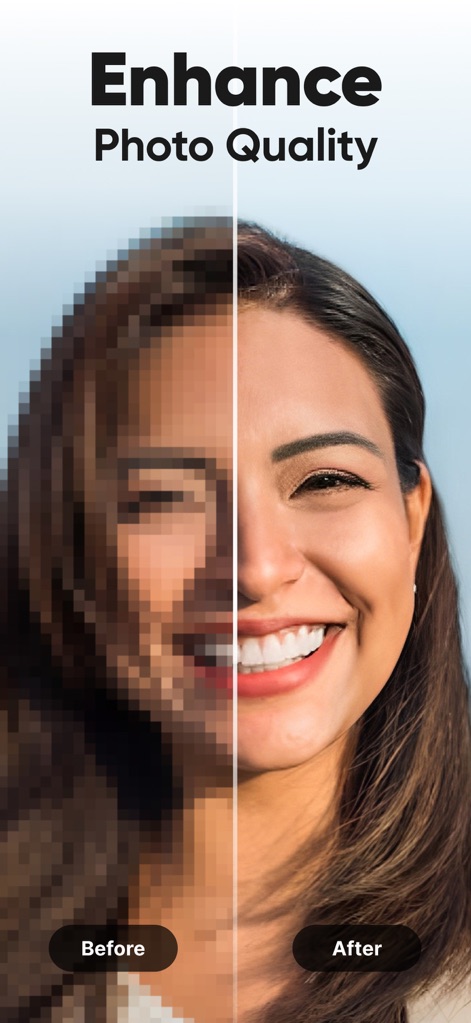
Diese Ansicht demonstriert die signifikante Verbesserung der Bildqualität, wobei die linke Hälfte die pixelierte Darstellung vor der Bearbeitung zeigt und die rechte Hälfte die gestochen scharfen Details nach der Optimierung.
Qualität verbessern
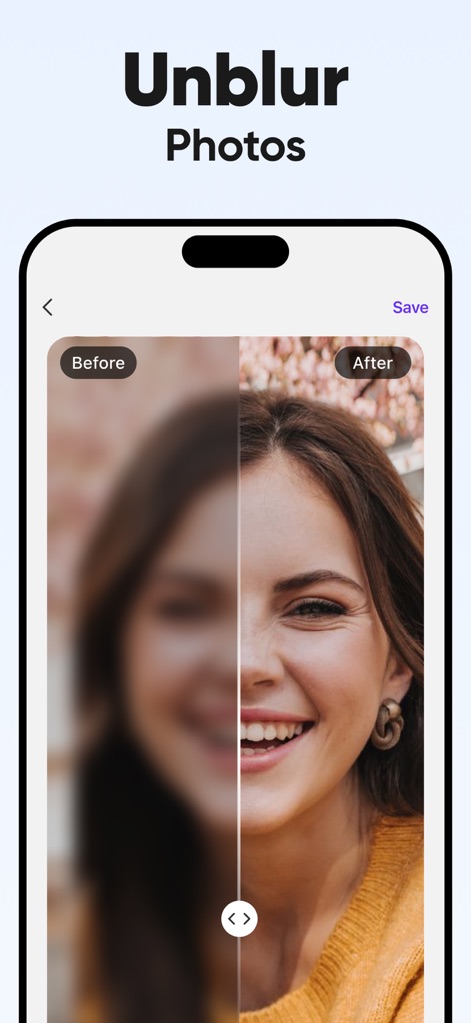
Nutzer können hier sehen, wie die App verschwommene Fotos korrigiert; die linke Seite zeigt die ursprünglichen, verwischten Gesichtsmerkmale, während die rechte Seite die klaren, deutlichen Konturen nach der Entschärfung darstellt.
Fotos entschärfen
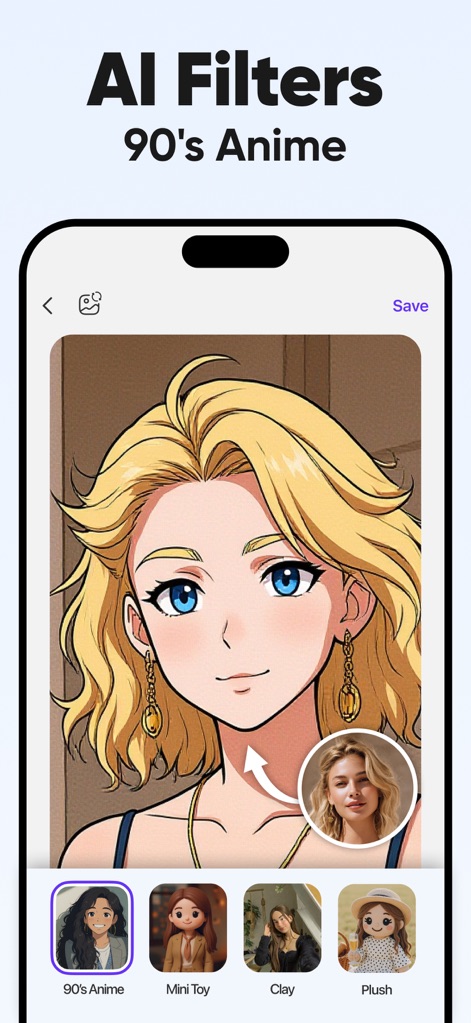
Dieses Beispiel zeigt die Anwendung eines AI-Filters, der ein Originalporträt in einen 90er-Jahre-Anime-Stil umwandelt, wobei das Ergebnis als detaillierte Zeichentrickfigur präsentiert wird.
AI-Anime-Filter
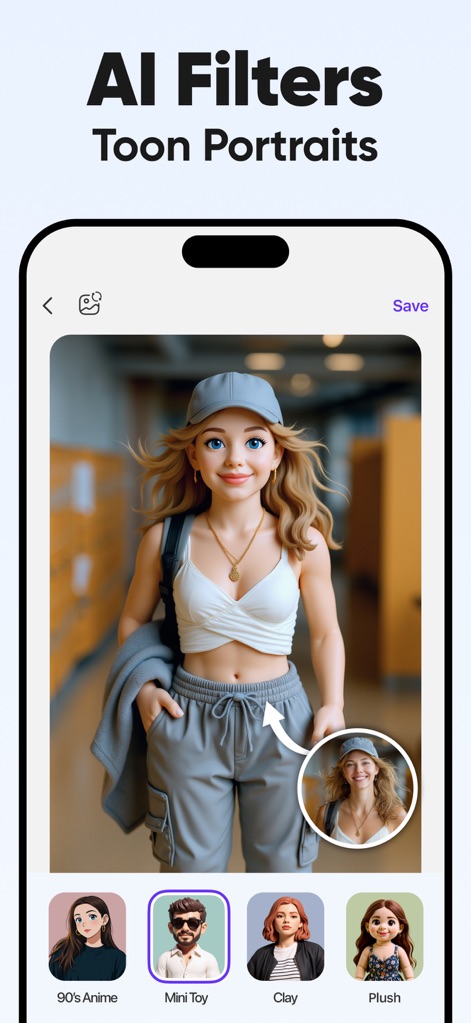
Hier wird die Fähigkeit der App illustriert, reale Porträts in ansprechende 3D-Cartoon-Darstellungen zu verwandeln, wobei das reale Ausgangsbild als Referenz eingeblendet ist.
Toon-Porträts erstellen
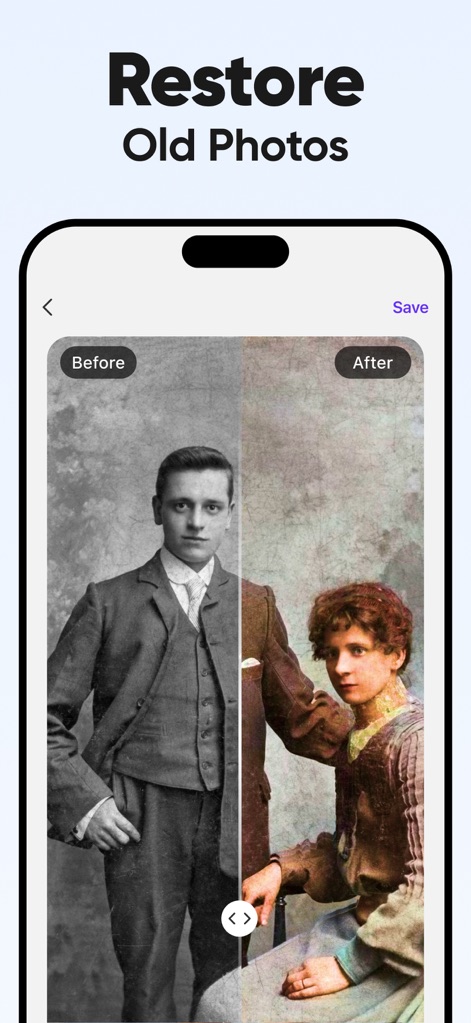
Die App demonstriert, wie sie alte Fotografien restauriert; die linke Hälfte zeigt das vergilbte Schwarz-Weiß-Original, während die rechte Hälfte das farbige, restaurierte Bild mit verbesserter Klarheit darstellt.
Alte Fotos restaurieren
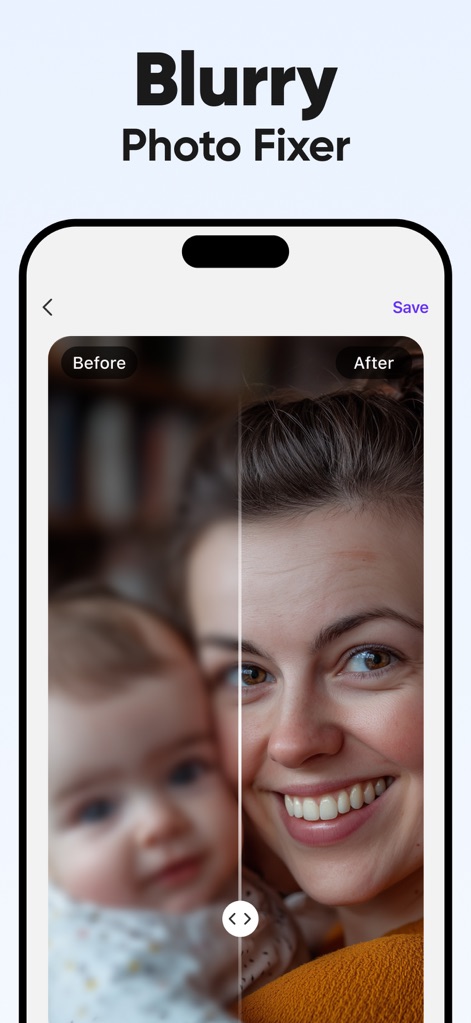
Dieser Screenshot verdeutlicht die Funktion zur Korrektur unscharfer Bilder, indem er das unscharfe Ausgangsfoto auf der linken Seite und das scharfe Detailbild auf der rechten Seite gegenüberstellt.
Unscharfe Fotos korrigieren
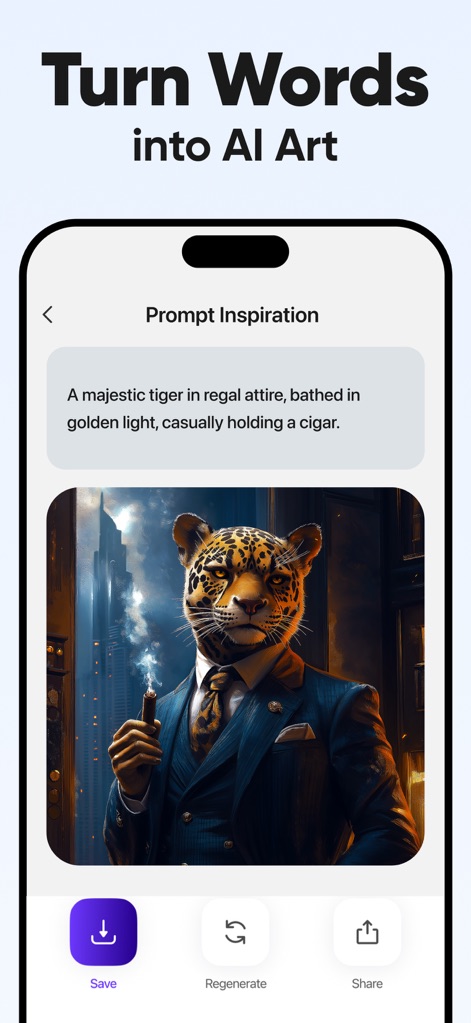
Nutzer können sehen, wie Textbeschreibungen in beeindruckende KI-generierte Bilder umgewandelt werden, wobei die Texteingabe für den Prompt oben und das entsprechende Kunstwerk unten dargestellt sind.
Worte zu KI-Kunst
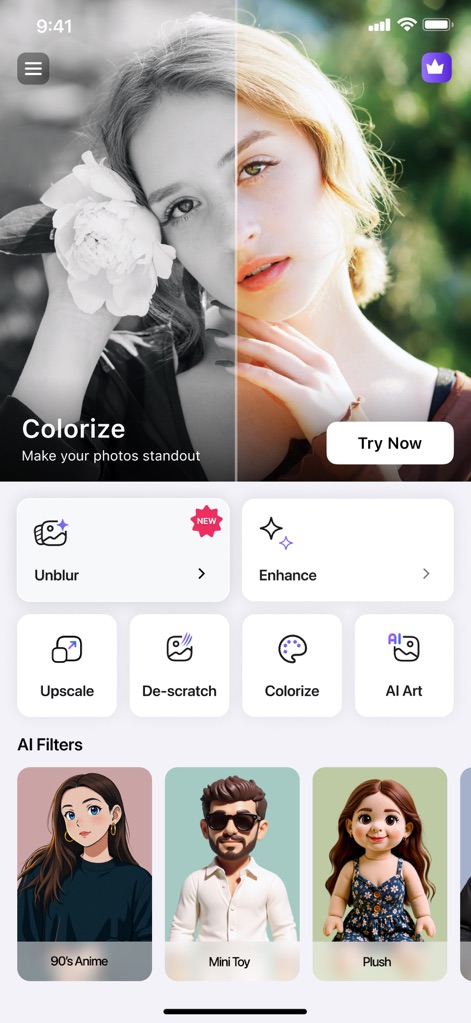
Diese umfassende Ansicht präsentiert die Benutzeroberfläche der App mit ihren übersichtlich angeordneten Funktionen wie Unblur und Enhance, während im Hintergrund eine Vorschau der Farbfunktion zu sehen ist.
Funktionsübersicht der App
Beschreibung
Download
Ähnliche Apps
Apps mit ähnlichen Funktionen und Nutzererfahrung

EPIK - AI Photo & Video Editor
SNOW Corporation

Citrus: AI 1 Tap Perfect Photo
Wemagine.ai LLP

SnapEdit: Photo Editor AI
SilverAI Joint Stock Company

Background Eraser 〜 Stickers
handyCloset Inc.

PhotoScan by Google Photos
Google LLC

Magic Eraser - Remove Object
Creatix Technology Global Limited

Magic Eraser Background Editor
Honk Honk Punch Pty Ltd

ProKnockOut-Cut Paste Photos
Shenzhen Qianhai Happy Tour Network Technology Co., Ltd.

Background Eraser - Remove BG*
SHANTANU PTE. LTD.
Diese Seite ist keine offizielle Seite der App oder ihres Entwicklers, sondern eine unabhängige redaktionelle Veröffentlichung, die zu Informations- und Kommentarzwecken erstellt wurde. Sofern nicht ausdrücklich anders angegeben, sind weder die App noch ihr Entwickler mit MWM, Apple, Google Play, dem App-Herausgeber oder dem Entwickler der App verbunden, von ihnen unterstützt, gesponsert, autorisiert oder anderweitig offiziell verbunden, und nichts auf dieser Seite impliziert, dass die App unter Verwendung der Dienste von MWM entwickelt wurde. Alle Marken, Logos, Screenshots und andere Inhalte bleiben Eigentum ihrer jeweiligen Inhaber.