
Diese Seite ist keine offizielle Seite der App oder ihres Entwicklers, sondern eine unabhängige redaktionelle Veröffentlichung, die zu Informations- und Kommentarzwecken erstellt wurde. Sofern nicht ausdrücklich anders angegeben, sind weder die App noch ihr Entwickler mit MWM, Apple, Google Play, dem App-Herausgeber oder dem Entwickler der App verbunden, von ihnen unterstützt, gesponsert, autorisiert oder anderweitig offiziell verbunden, und nichts auf dieser Seite impliziert, dass die App unter Verwendung der Dienste von MWM entwickelt wurde. Alle Marken, Logos, Screenshots und andere Inhalte bleiben Eigentum ihrer jeweiligen Inhaber.


Unicorn Blocker:Adblock
Erleben Sie 3x schnelleres Surfen und 21 % mehr Akkulaufzeit. Blockieren Sie aufdringliche Werbung, sparen Sie mobile Daten und schützen Sie Ihre Familie vor Trackern und Betrug in Safari.
Downloads
366K+Bewertung
Bewertungen gesamt
48K+Herausgeber
Kategorie
UtilitiesSprachen
3Neueste Version
1.27.4Größe
124.3 MBErstveröffentlichung
17. Okt. 2015Schneller, sauberer und länger surfen
Unicorn Blocker optimiert Ihr Safari-Erlebnis, indem es aufdringlichen Ballast entfernt, Ihre mobilen Daten schont und die tägliche Leistung Ihres iPhones steigert.
3x schnellere Surfgeschwindigkeit
Eliminieren Sie ressourcenintensive Skripte und Anzeigen, um Seiten bis zu 3-mal schneller zu laden und gleichzeitig die Datenverschwendung auf jeder besuchten Website um das 4-fache zu reduzieren.
Schützen Sie Ihre Familie
Schützen Sie Ihre Kinder vor unangemessenen Inhalten und bewahren Sie ältere Angehörige automatisch vor täuschenden Lockanzeigen und Phishing-Betrug.
Häufig gestellte Fragen
Alles, was Sie über wissen müssen Unicorn Blocker:Adblock
Was ist Unicorn Blocker:Adblock?
Unicorn Blocker:Adblock blockiert Werbung, reduziert den Datenverbrauch um das bis zu 4-fache, verbessert die Webbrowser-Geschwindigkeit um mehr als das 3-fache und verlängert die Akkulaufzeit um bis zu 21%.
Spart Unicorn Blocker:Adblock mobile Daten?
Ja, Unicorn Blocker:Adblock spart bis zu 4-mal mehr Daten, indem es den unnötigen Datenverbrauch durch Werbung reduziert.
Kann Unicorn Blocker:Adblock die Browser-Geschwindigkeit verbessern?
Ja, Unicorn Blocker:Adblock verbessert die Webbrowser-Geschwindigkeit um mehr als das 3-fache, potenziell bis zum 4-fachen, indem es eine leichtere Web-Umgebung schafft.
Verlängert Unicorn Blocker:Adblock die Akkulaufzeit?
Ja, Unicorn Blocker:Adblock verlängert die Akkulaufzeit um bis zu 21% aufgrund einer leichteren Web-Umgebung und reduzierten Datenverbrauchs.
Wie aktiviere ich die Unicorn Blocker:Adblock-Erweiterungen auf meinem iPhone?
Nach der Installation aktivieren Sie beide Unicorn-Erweiterungen in den iPhone-Einstellungen → Apps → Safari → Erweiterungen, schalten Sie sie auf "An" und stellen Sie sie auf allen Websites auf "Zulassen".
Wer kann von der Nutzung von Unicorn Blocker:Adblock profitieren?
Unicorn Blocker:Adblock kommt Nutzern zugute, die Werbeklicks vermeiden, ablenkende Werbung blockieren, Kinder oder ältere Menschen schützen, Daten/Akku sparen und Sehbehinderte durch Sprachführung unterstützen möchten.
Welche Arten von Werbung blockiert Unicorn Blocker:Adblock?
Unicorn Blocker:Adblock blockiert Website-, Tracking-, eingebettete, Popup-, erzwungene Weiterleitungs-, Anti-Adblock-Umgehungs- und Videoanzeigen. Es entfernt auch unnötige SNS-Elemente und Kryptowährungs-Mining-Skripte.
Was ist die Cleaner-Funktion in Unicorn Blocker:Adblock?
Die Cleaner-Funktion in Unicorn Blocker:Adblock ermöglicht es Benutzern, bestimmte Inhaltsbereiche auf Websites direkt auszuwählen und zu entfernen, auf denen die Werbeblockierung möglicherweise nicht ausreichend ist.
Wie aktualisiere ich die Blockierungsdatenbank für Unicorn Blocker:Adblock?
Um die Blockierungsdatenbank zu aktualisieren, drücken Sie die Update-Schaltfläche in der Unicorn-App oder aktivieren Sie automatische Updates, was eine Hintergrundaktualisierung erfordert.
Warum werden immer noch einige Anzeigen mit Unicorn Blocker:Adblock angezeigt?
Einige Anzeigen können auf Videoseiten, Twitter, Facebook oder Websites mit Anti-Adblock-Maßnahmen verbleiben, da sie sich außerhalb der Inhaltsblockierungsfunktionen von Safari befinden. Unicorn Pro löst die meisten dieser Probleme.
Blockiert Unicorn Blocker:Adblock Werbung in anderen Apps oder Spielen?
Nein, Unicorn Blocker:Adblock ist speziell für den Safari-Browser und blockiert keine Werbung in anderen Anwendungen oder Spiele-Apps.
Was passiert, wenn Unicorn Blocker:Adblock Werbung nicht effektiv blockiert?
Wenn die Werbeblockierung nicht funktioniert, lesen Sie die In-App-Anleitung, um die Einstellungen zu überprüfen. Wenn Probleme weiterhin bestehen, deinstallieren und installieren Sie die Unicorn Blocker:Adblock-App neu.
Was soll ich tun, wenn ich während der Nutzung von Unicorn Blocker:Adblock plötzlich eine Anzeige sehe?
Wenn plötzlich eine Anzeige erscheint, prüfen Sie, ob Sie die neuesten Blockierungsregeln innerhalb der Unicorn Blocker:Adblock-App aktualisieren können.
Kann Unicorn Blocker:Adblock manchmal Werbung nicht blockieren?
Ja, die vollständige Werbeblockierung kann manchmal fehlschlagen, da viele Websites ihre Werbeimplementierungen häufig ändern oder hinzufügen.
Wie kontaktiere ich den Kundensupport für Unicorn Blocker:Adblock?
Sie können den Kundensupport für Unicorn Blocker:Adblock per E-Mail unter support@unicorn-soft.com erreichen.
Kann Unicorn Blocker:Adblock bestimmte Webressourcen blockieren?
Ja, Unicorn Blocker:Adblock ermöglicht es Benutzern, bestimmte Webressourcen wie Bilder, GIFs, Webfonts und Skripte zu blockieren, um Daten zu sparen und die Geschwindigkeit zu erhöhen.
Bietet Unicorn Blocker:Adblock einen Benutzerfilter?
Ja, Unicorn Blocker:Adblock enthält eine Benutzerfilterfunktion, mit der Benutzer benutzerdefinierte Regeln zum Blockieren von Domains und Anzeigen erstellen können.
Unterstützt Unicorn Blocker:Adblock das Whitelisting von Websites?
Ja, Unicorn Blocker:Adblock enthält eine Option für Whitelisted Sites, mit der Benutzer bestimmte Websites von der Werbeblockierung ausnehmen können.
Kann ich mit Unicorn Blocker:Adblock manuell bestimmte Anzeigen entfernen?
Ja, Unicorn Blocker:Adblock verfügt über eine „Cleaner“-Funktion, mit der Sie bestimmte Anzeigenbereiche auswählen und direkt aus Safari entfernen können.
Ist Unicorn Blocker:Adblock einfach einzurichten?
Ja, Unicorn Blocker:Adblock ist einfach einzurichten. Sie aktivieren seinen Inhaltsblocker direkt in den Safari-Einstellungen Ihres iPhones.
Die folgenden Screenshots und die Beschreibung stammen direkt aus dem offiziellen Store-Eintrag der App und sind Eigentum des Entwicklers.
App Store
Screenshots
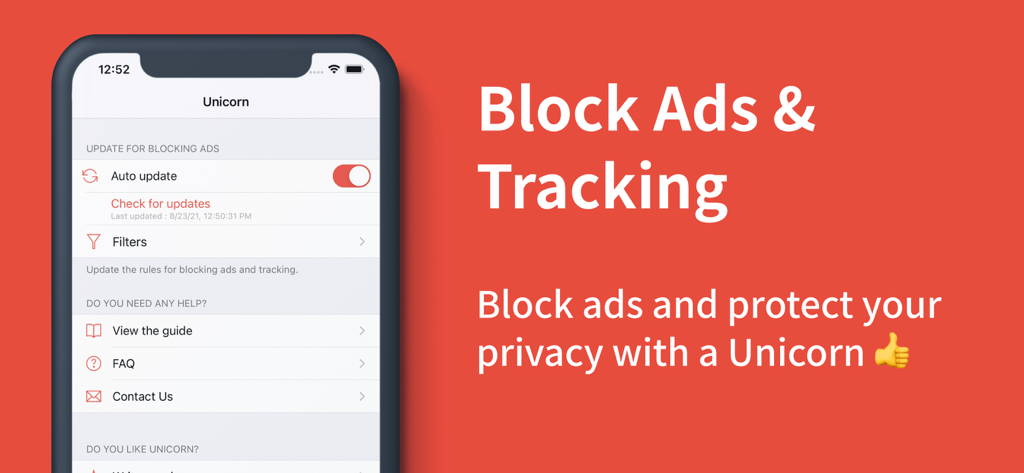
Unicorn Blocker App-Oberfläche zum Blockieren von Werbung und Tracking auf dem iPhone
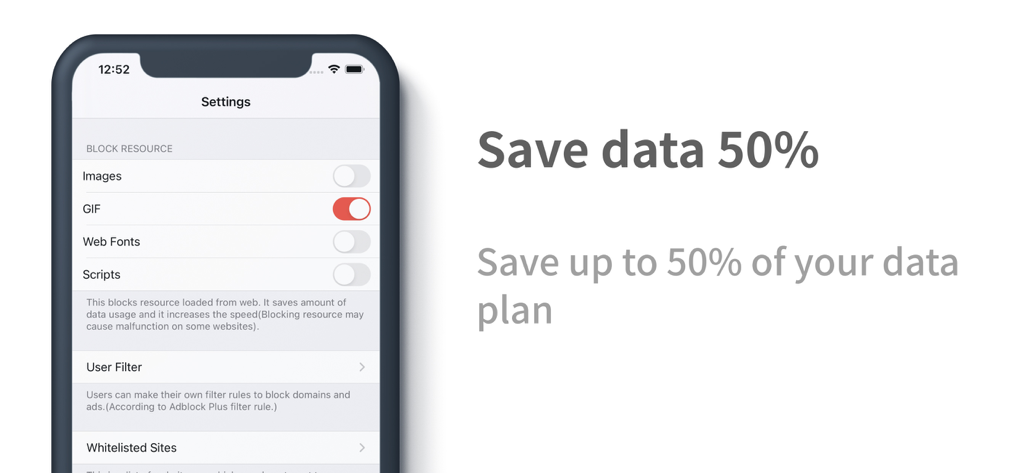
Smartphone-Bildschirm mit Unicorn Blocker-Einstellungen zum Sparen von bis zu 50 Prozent mobiler Daten durch Blockieren von GIFs und Skripten
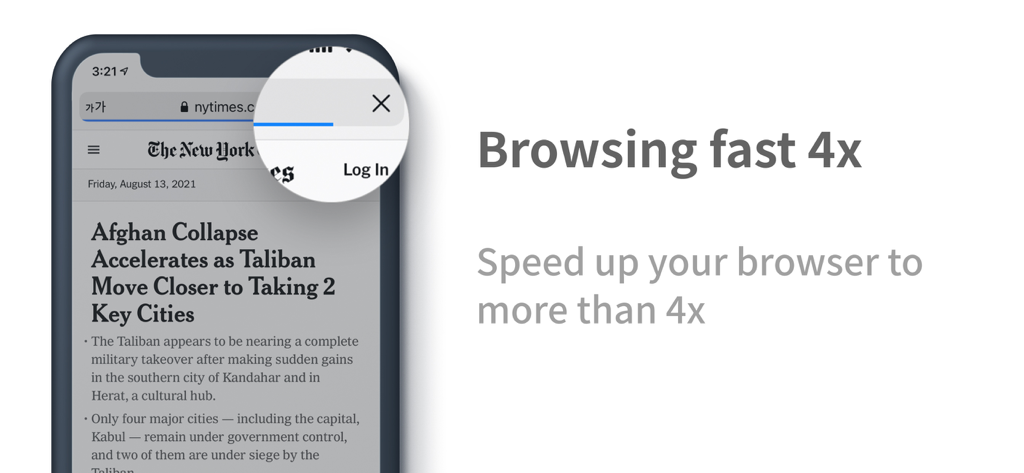
Unicorn Blocker App zeigt 4x schnelleres Surfen auf einem iPhone
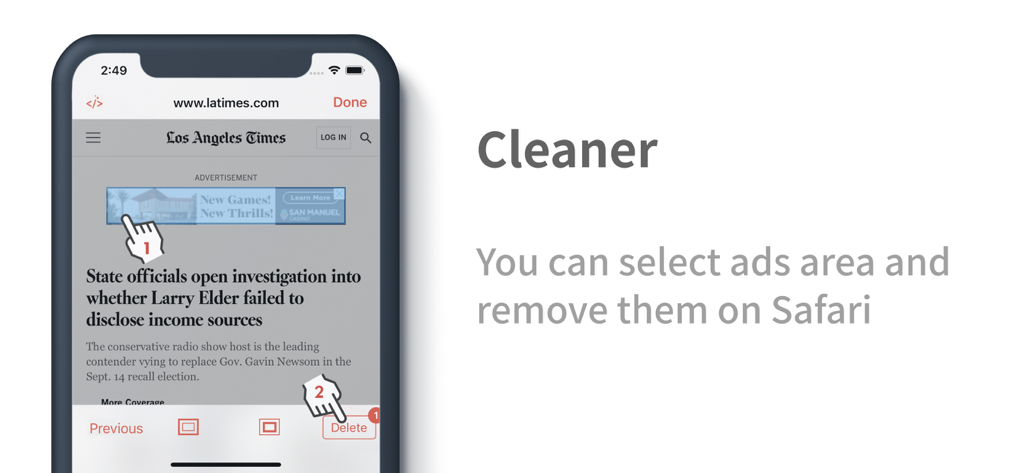
Unicorn Blocker Cleaner-Tool zeigt manuelle Auswahl und Entfernung von Werbung auf einer Safari-Nachrichten-Website
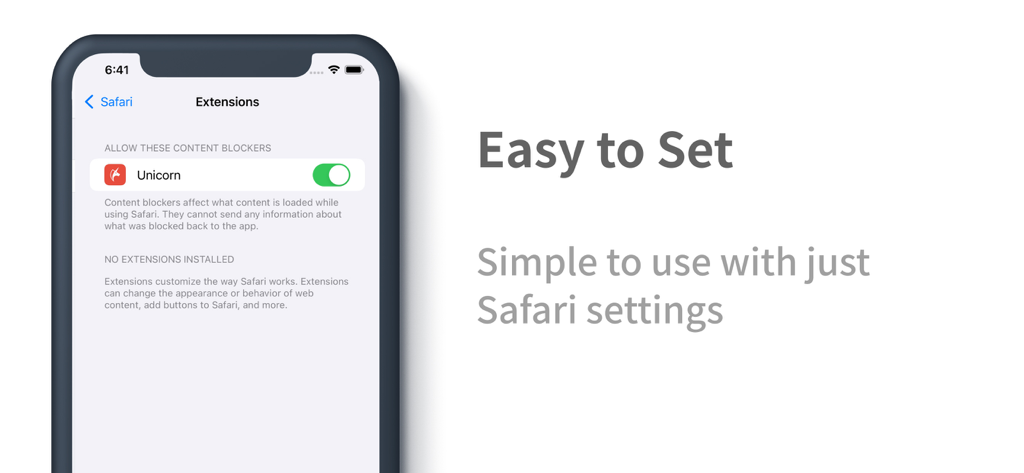
iPhone-Bildschirm mit aktivierter Unicorn Blocker-Erweiterung in den Safari-Einstellungen
Beschreibung
Download
Ähnliche Apps
Top-gerankte Apps in derselben Kategorie

Google LLC

Google Chrome
Google LLC

中国移动(手机营业厅)
China Mobile Online Services Co., Ltd.

Google Authenticator
Google LLC

CNH do Brasil
Servicos e Informacoes do Brasil

Cleanup: Phone Storage Cleaner
DEEP FLOW SOFTWARE SERVICES - FZCO

gov.br
Servicos e Informacoes do Brasil

中国电信-全国统一官方服务平台
CHINA TELECOM Corporation Ltd.

Microsoft Edge: AI Browser
Microsoft Corporation
Diese Seite ist keine offizielle Seite der App oder ihres Entwicklers, sondern eine unabhängige redaktionelle Veröffentlichung, die zu Informations- und Kommentarzwecken erstellt wurde. Sofern nicht ausdrücklich anders angegeben, sind weder die App noch ihr Entwickler mit MWM, Apple, Google Play, dem App-Herausgeber oder dem Entwickler der App verbunden, von ihnen unterstützt, gesponsert, autorisiert oder anderweitig offiziell verbunden, und nichts auf dieser Seite impliziert, dass die App unter Verwendung der Dienste von MWM entwickelt wurde. Alle Marken, Logos, Screenshots und andere Inhalte bleiben Eigentum ihrer jeweiligen Inhaber.