Utiful: Move & Organize Photos

Utiful: Move & Organize Photos


Herunterladen auf App Store
Logo von Utiful: Move & Organize Photos

Utiful: Das professionelle Foto-Ablagesystem für eine aufgeräumte Galerie

Hören Sie auf, Arbeitsfotos, Quittungen und Screenshots mit Ihren persönlichen Erinnerungen zu mischen. Verschieben Sie Ihre Fotos in organisierte Ordner und übernehmen Sie endlich wieder die Kontrolle über Ihre Aufnahmen.

Herunterladen auf App Store

Herausgeber

Utiful Software GmbH

Kategorie

Photo & Video

Downloads

88K+

Bewertung

4.0/5

Bewertungen gesamt

1K+

Sprachen

9

Ordnung auf einen Blick

Entdecken Sie die Oberfläche, die von 88K+ Nutzern verwendet wird.
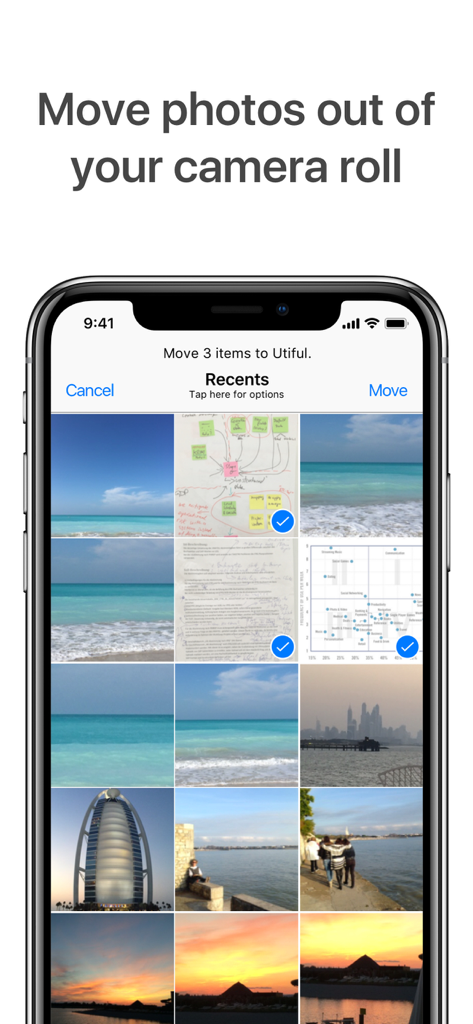
Benutzeroberfläche der Utiful-App, die den Vorgang zeigt, bei dem ausgewählte Nutzfotos aus den Aufnahmen in organisierte Ordner verschoben werden.

Benutzeroberfläche der Utiful-App, die den Vorgang zeigt, bei dem ausgewählte Nutzfotos aus den Aufnahmen in organisierte Ordner verschoben werden.

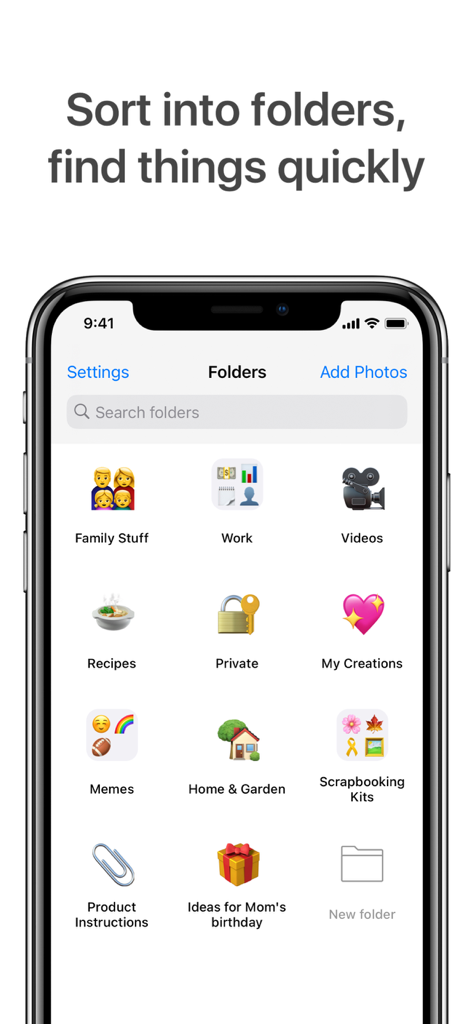
Smartphone-Bildschirm mit der Utiful-App und verschiedenen kategorisierten Fotoordnern wie Arbeit, Familie und Rezepte.

Smartphone-Bildschirm mit der Utiful-App und verschiedenen kategorisierten Fotoordnern wie Arbeit, Familie und Rezepte.

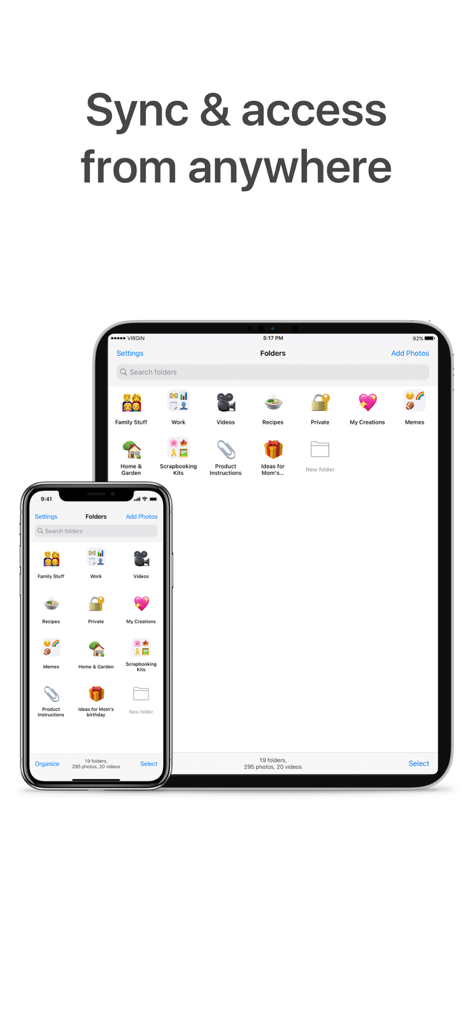
Benutzeroberfläche der Utiful-App, die über iPhone und iPad synchronisierte Fotoordner zeigt

Benutzeroberfläche der Utiful-App, die über iPhone und iPad synchronisierte Fotoordner zeigt

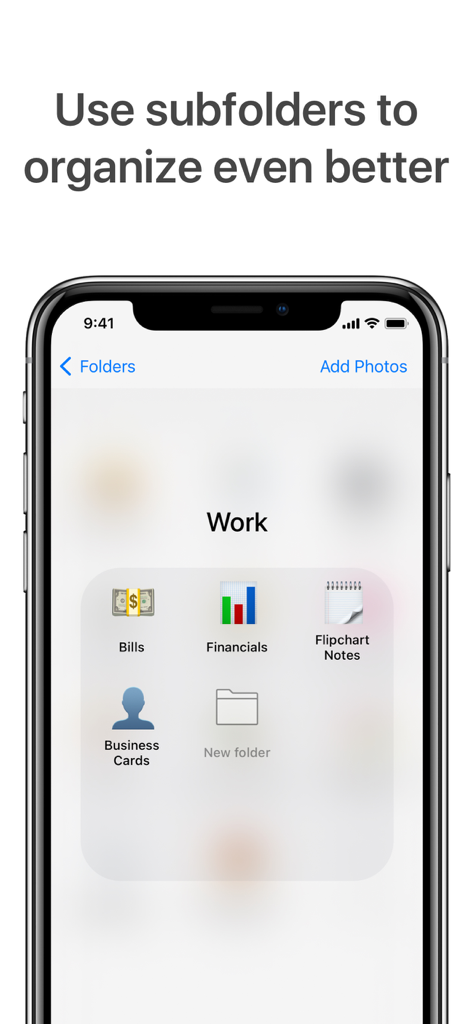
Screenshot der Utiful-App mit Unterordnern für die Arbeitsorganisation, einschließlich Rechnungen und Visitenkarten

Screenshot der Utiful-App mit Unterordnern für die Arbeitsorganisation, einschließlich Rechnungen und Visitenkarten

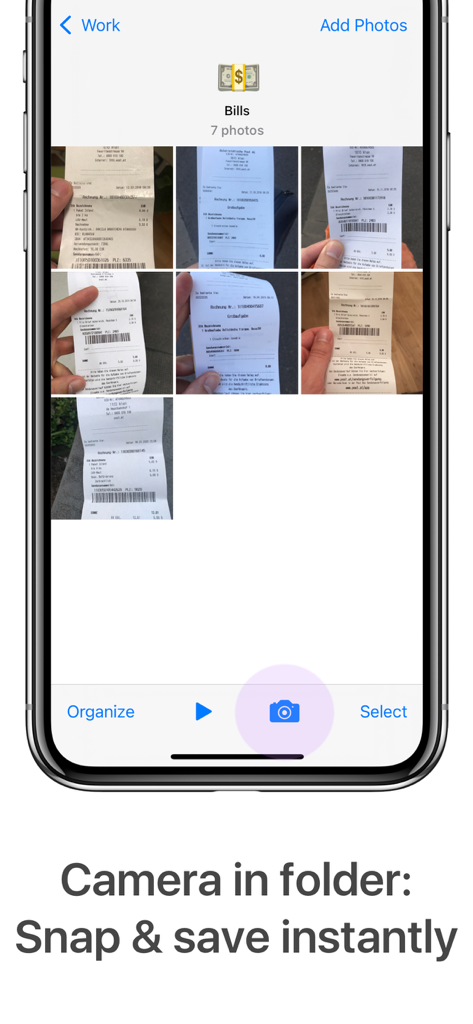
Benutzeroberfläche der Utiful-App mit einem Rechnungsordner für Belege und einer Kamera-Schaltfläche zum sofortigen Aufnehmen und Speichern von Fotos.

Benutzeroberfläche der Utiful-App mit einem Rechnungsordner für Belege und einer Kamera-Schaltfläche zum sofortigen Aufnehmen und Speichern von Fotos.

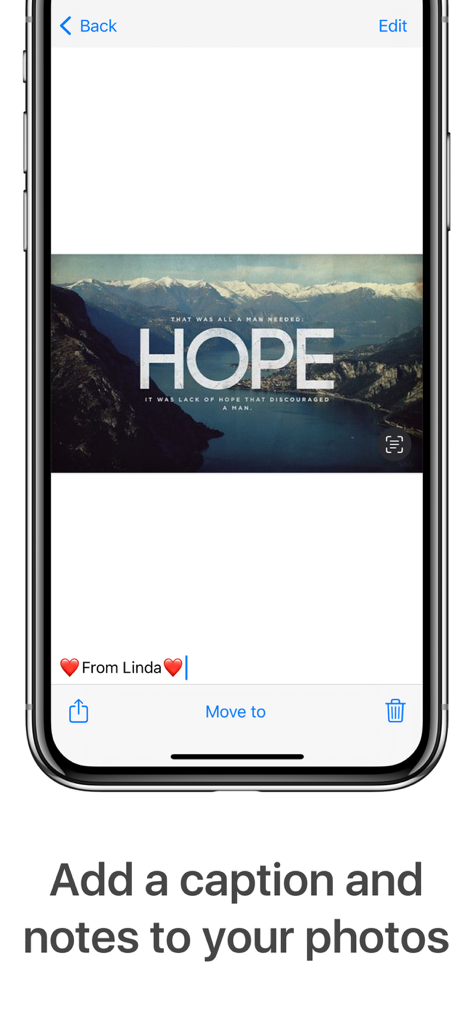
Hinzufügen einer Bildunterschrift und Notizen zu einem Foto in der Utiful-Organizer-App

Hinzufügen einer Bildunterschrift und Notizen zu einem Foto in der Utiful-Organizer-App

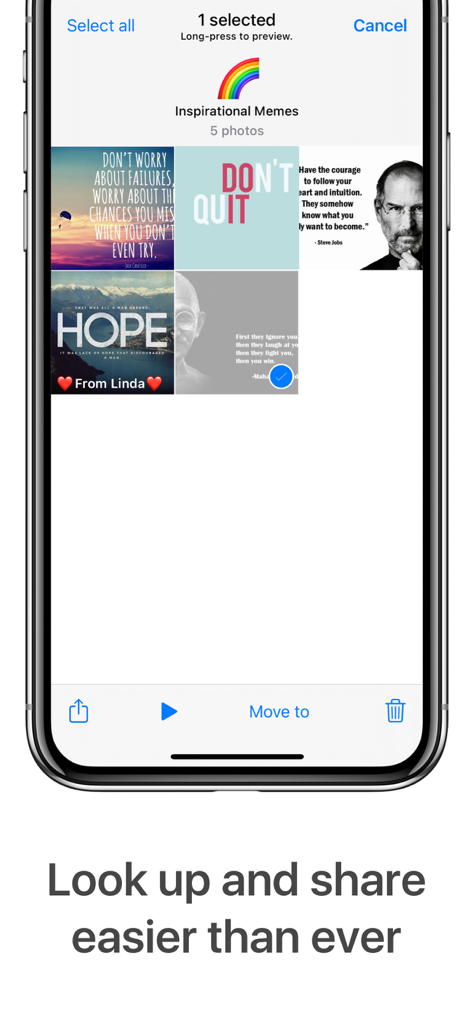
Ein Screenshot der Utiful-App, der einen organisierten Ordner mit inspirierenden Memes zeigt

Ein Screenshot der Utiful-App, der einen organisierten Ordner mit inspirierenden Memes zeigt

Meistern Sie Ihre digitale Organisation

Die Tools, die diese App auszeichnen, gewählt von 88K+ Nutzern.

📤

Echte 'Verschieben'-Funktion

Im Gegensatz zur Standard-Fotos-App entfernt Utiful Fotos tatsächlich aus Ihrer Hauptgalerie und speichert sie in Ordnern, sodass Sie endlich ein aufgeräumtes Album haben.

🔒

Sichere private Ordner

Bewahren Sie sensible Dokumente, Ausweise und vertrauliche Arbeitsdateien sicher und vor dem Haupt-Stream verborgen auf, dank integriertem Schutz durch Passcode, Face ID und Touch ID.

💼

Trennung von Beruf und Privatleben

Kategorisieren Sie geschäftliche Belege, Projektfortschritte und Inspirationen ganz einfach in einem vertrauten Ablagesystem, das für Profis entwickelt wurde, die Dateien in Sekundenschnelle finden müssen.

Über die App

Alles, was Sie über wissen müssen Utiful: Move & Organize Photos.

Beschreibung

Utiful is the photo filing system Apple forgot to build. As featured in The Wall Street Journal. Are you frustrated that the Apple Photos app mixes everything—and won't let you create real order? Unlike Apple Photos and other photo apps, Utiful lets you: • Move photos out of your camera roll and outside of the main gallery—finally! • Sort your photos into separate categories—work, hobbies, personal, and more. • Keep utility photos like documents, receipts, and IDs out of your main gallery. • Keep your main gallery clean and tidy. How Utiful Works: • Use Utiful to move photos out of your camera roll and save them to Utiful folders. • The photos are removed from the camera roll but kept in your Utiful folders. • Your Utiful folders are automatically backed up to your iCloud Backup. • The Utiful sync feature lets you access your folders across all your iOS devices. Utiful’s further unique features include: • Save photos to Utiful folders straight from the Photos app. • Take photos with the folder camera that save directly to the folder. • Manually rearrange photos in a folder—just the way you like. • Protect your Utiful folders with a passcode lock (Touch ID and Face ID supported). • Import/export photo folders from/to computer, cloud storage, external hard drives, also wirelessly via AirDrop. Who Uses Utiful: • Professionals & freelancers keeping work photos separate from personal ones • Contractors & service providers managing before/after project pictures • Doctors & lawyers organizing reference photos, evidence, and case documentation • Hobbyists & creatives storing inspiration, artwork, and craft ideas • Everyday users organizing screenshots, receipts, IDs, and notes by category as well as reference pictures such as haircuts, clothes, fitness tracking, songs identified with Shazam etc. Quick Start Guide: 1. Open Utiful, tap "Add Photos", select photos from the camera roll and tap "Move". 2. Or, while in the Photos app, select photos, tap Share and choose "Save to Utiful". All photo, video, GIF, and RAW formats are supported. Original image quality & metadata are preserved. The full feature list, User’s Manual, and tutorial videos are available anytime in the app’s settings. Download Utiful today and take control of your photo library! Subscription & Free Trial New users get a free trial before the subscription begins. After the free trial, your subscription automatically renews annually unless canceled at least 24 hours before the billing period ends. You can manage your subscription in Settings > Apple ID > Subscriptions. Terms of Use: utifulapp.com/terms.html Privacy Policy: utifulapp.com/privacy.html

Neueste Version

7.12.7

Größe

25.5 MB

Erstveröffentlichung

18. Dez. 2015

Bereit, das Foto-Chaos zu beenden?

Schließen Sie sich Tausenden von Profis und Ordnungsliebhabern an, die ihre Galerien zurückerobert haben. Starten Sie noch heute Ihren kostenlosen Test und erleben Sie das Ablagesystem, das Apple zu bauen vergessen hat.

Herunterladen auf App Store

App information, icons, screenshots, and descriptions displayed on this page are sourced from the Apple App Store and are the property of their respective developers. Download estimates and rankings are based on MWM's proprietary models and may not reflect actual figures. This page is provided for informational and analytical purposes only.

Believe this page infringes your intellectual property? File a dispute