Video Maker - Slideshow Editor
Herunterladen auf App Store

Diese Seite ist keine offizielle Seite der App oder ihres Entwicklers, sondern eine unabhängige redaktionelle Veröffentlichung, die zu Informations- und Kommentarzwecken erstellt wurde. Sofern nicht ausdrücklich anders angegeben, sind weder die App noch ihr Entwickler mit MWM, Apple, Google Play, dem App-Herausgeber oder dem Entwickler der App verbunden, von ihnen unterstützt, gesponsert, autorisiert oder anderweitig offiziell verbunden, und nichts auf dieser Seite impliziert, dass die App unter Verwendung der Dienste von MWM entwickelt wurde. Alle Marken, Logos, Screenshots und andere Inhalte bleiben Eigentum ihrer jeweiligen Inhaber.


Logo von Video Maker - Slideshow Editor
Herunterladen auf App Store

Video Maker - Slideshow Editor

Der einfachste Weg, Familienerinnerungen mit Musik und Animationen in Videos in professioneller Qualität zu verwandeln. Keine Bearbeitungskenntnisse erforderlich – wählen Sie einfach Ihre Fotos aus, wählen Sie ein Thema und teilen Sie die Magie in wenigen Minuten mit Ihren Lieben.

Kennzahlen

Downloads

880K+

Bewertung

4.0/5

Bewertungen gesamt

50K+

Herausgeber

pixel force private limited

Kategorie

Photo & Video

Sprachen

1

Neueste Version

2.0.19.4

Größe

84.3 MB

Erstveröffentlichung

23. Juni 2014
Funktionen

Feiern Sie die größten Momente Ihres Lebens

Der einfachste Weg, Ihre Fotobibliothek in schöne, qualitativ hochwertige Filme zu verwandeln, die die Geschichte Ihrer Familie erzählen, ohne die steile Lernkurve.

Video-Magie mit einem Fingertipp

Keine Bearbeitungserfahrung erforderlich. Wählen Sie einfach Ihre Lieblingsfotos aus und lassen Sie unseren intelligenten Editor sofort einen professionell aussehenden Film für Sie erstellen.

Musik für jede Erinnerung

Fügen Sie den perfekten Soundtrack aus unserer umfangreichen Themenbibliothek hinzu oder verwenden Sie Ihre eigenen Songs, um Ihre Geburtstags- und Urlaubsvideos wirklich unvergesslich zu machen.

Die folgenden Screenshots und die Beschreibung stammen direkt aus dem offiziellen Store-Eintrag der App und sind Eigentum des Entwicklers.

App Store

Screenshots
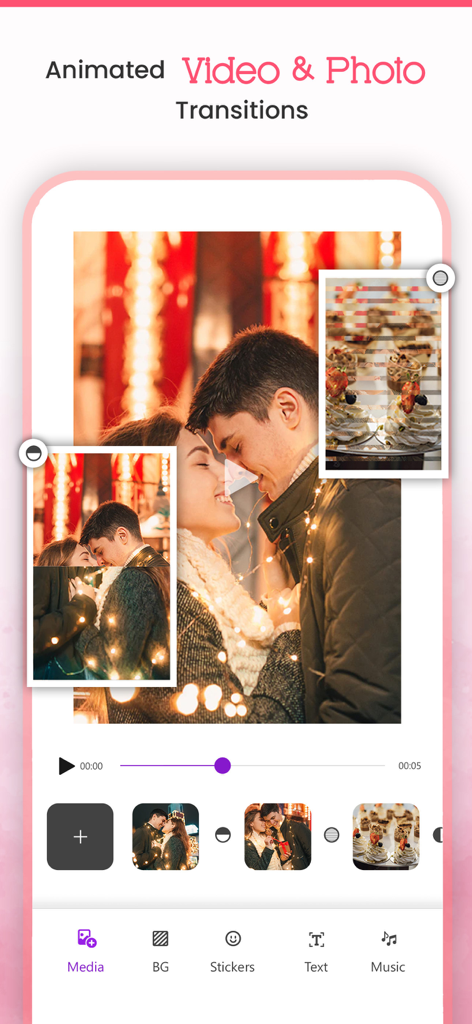
Video Maker - Slideshow Editor - Benutzeroberfläche der Video Maker App mit Fotodiashow-Bearbeitung mit animierten Übergängen.
Benutzeroberfläche der Video Maker App mit Fotodiashow-Bearbeitung mit animierten Übergängen.

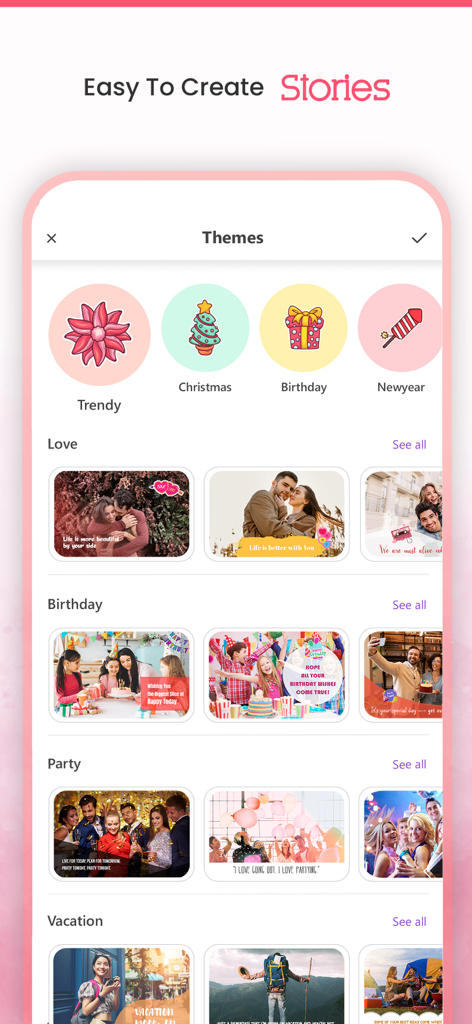
Video Maker - Slideshow Editor - Oberfläche der Video Maker App, die verschiedene Diashow-Themen für Geburtstage und Feiertage zeigt
Oberfläche der Video Maker App, die verschiedene Diashow-Themen für Geburtstage und Feiertage zeigt

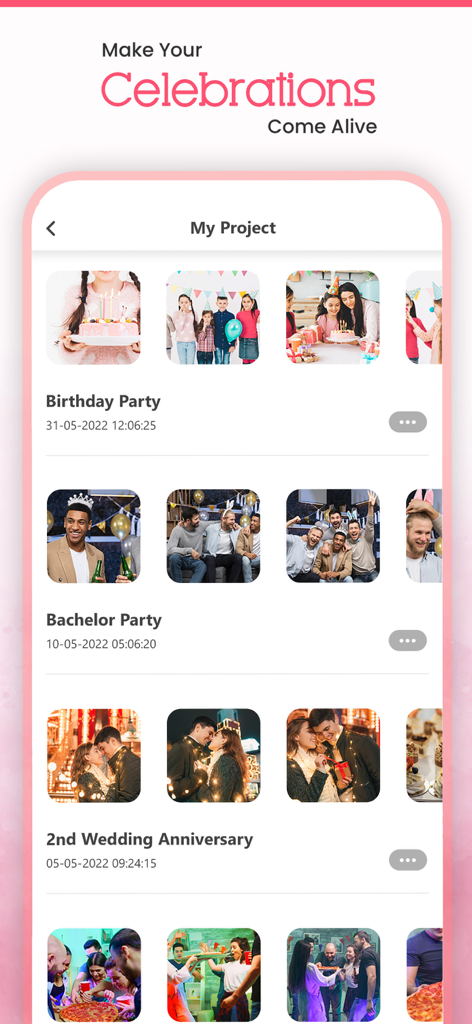
Video Maker - Slideshow Editor - Mobile App-Oberfläche, die eine Liste gespeicherter Fotodiashow-Projekte für Geburtstage und Jubiläen anzeigt.
Mobile App-Oberfläche, die eine Liste gespeicherter Fotodiashow-Projekte für Geburtstage und Jubiläen anzeigt.

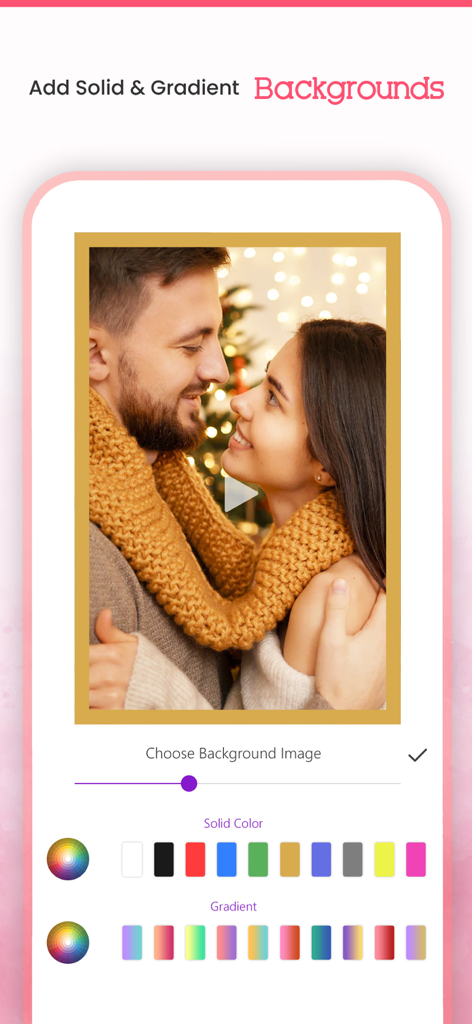
Video Maker - Slideshow Editor - Mobile App-Oberfläche, die einfarbige und Farbverlauf-Hintergrundoptionen für Video-Diashows zeigt

Mobile App-Oberfläche, die einfarbige und Farbverlauf-Hintergrundoptionen für Video-Diashows zeigt
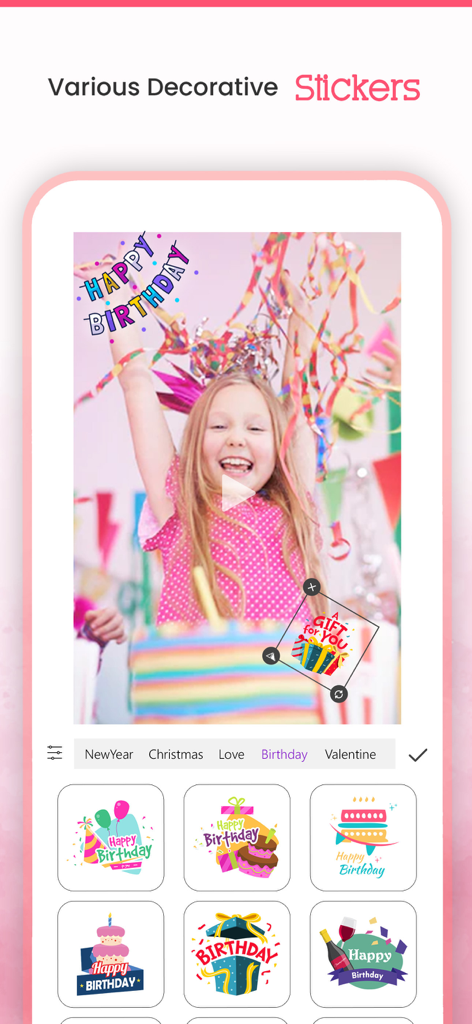
Video Maker - Slideshow Editor - Auswahlmenü für dekorative Geburtstagsaufkleber in der Benutzeroberfläche des Video Maker Diashow-Editors.

Auswahlmenü für dekorative Geburtstagsaufkleber in der Benutzeroberfläche des Video Maker Diashow-Editors.

Beschreibung

VideoMaker App will turn your photos into sensational movies by adding beautiful animations and music to it for Free. It allows you to select the Theme/effects and Audio of your Choice, and allows you to create & Share your Stunning Video. It's never been easier to make video from images/photos by choosing one of our video effects and music from our library or choose your ownsong/Music of your choice to make most beautiful video out of your photos, and Share that amazing movements with your Friends using our inbuilt Social Sharing option. Key Features:- * Create Stunning Video from your Photos * Add our in-built movie Themes and make your albums with your photos * Add Animated backgrounds to your video * Add Music from our in-built library * You can choose song or music of your own choice if you wish * You can arrange the images according to your choice * Add Title to your Video/Photo * Option to choose photos from your camera roll * In-built option to share your Awesome video with social networking sites * You can share on Facebook, Instagram, email, YouTube, Viddy etc Steps to create your movie 1. Select Create Project and select your Aspect Ratio and all photos from your album. 2. Add your Favourite transition. 3. Select your background, background 4. Select animation transition 5. Select music from music library or from our app. 6. Add effects to photos. 7. Enter your movie title. 8. Click on done button to create your movie. 9. Share with your friends(supports Facebook,Instagram, email,YouTube ,Viddy etc). Or You can use our huge collection of Themes and make movie with photos and videos too. How Does VideoMaker App Works? You don't need be a video editor at all to use this app. Just use our app as a movie maker. VideoMaker app will analyze your photos and focus on users automatically and creates a professional looking movie from photos that you have selected. It will give you an option to select effect and music according to your Choice/mood and make your video even more interesting/Compiling. RESTORE:You can restore your paid in app purchases without paying again. Follow these steps 1. Open the app 2. Click on Top Right to open the Premium window 3. Click on RESTORE to re-activate your in app purchases again 4. DONE Video Maker Premium Subscription========================== 1. Enjoy professional video maker & slideshow tools with Pro-Level Features & Amazing Members-Only Benefits. 2. Get unlimited access to all premium Slideshow maker Themes 3. Get unlimited access to all premium filters and tools 4. Patterns, colors, Stickers and Fonts 5. Get rid of ads and watermark 6. Get access to all movie style Photo and video transitions. • Subscriptions may be managed by the user and auto-renewal may be turned off by going to the user's Account Settings after purchase • Any unused portion of a free trial period, if offered, will be forfeited when the user purchases a subscription to that publication, where applicable Subscription plans: 1. USD $20.99/6 Months 2. USD $3.99/Week 3. USD $30.99/Year with 3 days Free Trial Subscriptions automatically renew unless they are turned off at least 24 hours before the end of the current period in account settings. Renewals are charged within 24-hours preceding the end of the current period. Payment is charged to iTunes Account at confirmation of purchase. Subscriptions are managed by the user. Terms of Service: http://206.189.130.170/ps_tc.html Privacy: http://206.189.130.170/ps_privacy.html

Download

Herunterladen auf App Store

Diese Seite ist keine offizielle Seite der App oder ihres Entwicklers, sondern eine unabhängige redaktionelle Veröffentlichung, die zu Informations- und Kommentarzwecken erstellt wurde. Sofern nicht ausdrücklich anders angegeben, sind weder die App noch ihr Entwickler mit MWM, Apple, Google Play, dem App-Herausgeber oder dem Entwickler der App verbunden, von ihnen unterstützt, gesponsert, autorisiert oder anderweitig offiziell verbunden, und nichts auf dieser Seite impliziert, dass die App unter Verwendung der Dienste von MWM entwickelt wurde. Alle Marken, Logos, Screenshots und andere Inhalte bleiben Eigentum ihrer jeweiligen Inhaber.








