VideoMaster Video Sound Editor

VideoMaster Video Sound Editor


Herunterladen auf App StoreHerunterladen auf Google Play
Logo von VideoMaster Video Sound Editor
VideoMaster Video Sound Editor: Studioqualität-Audio für jeden Creator

Verwandeln Sie Ihre mobilen Videos mit einem professionellen 6-Band-Equalizer und Lautstärkeboost. Perfekt für Vlogger, Podcaster und ASMR-Creator, die kristallklaren, filmischen Sound verlangen, ohne ihr iPhone verlassen zu müssen.

Herunterladen auf App Store

Herausgeber

Future Moments LLC

Kategorie

Photo & Video

Downloads

152K+

Bewertung

4.2/5

Bewertungen gesamt

1K+

Sprachen

23

Meistern Sie jedes Dezibel

Entdecken Sie die Oberfläche, die von 152K+ Nutzern verwendet wird.
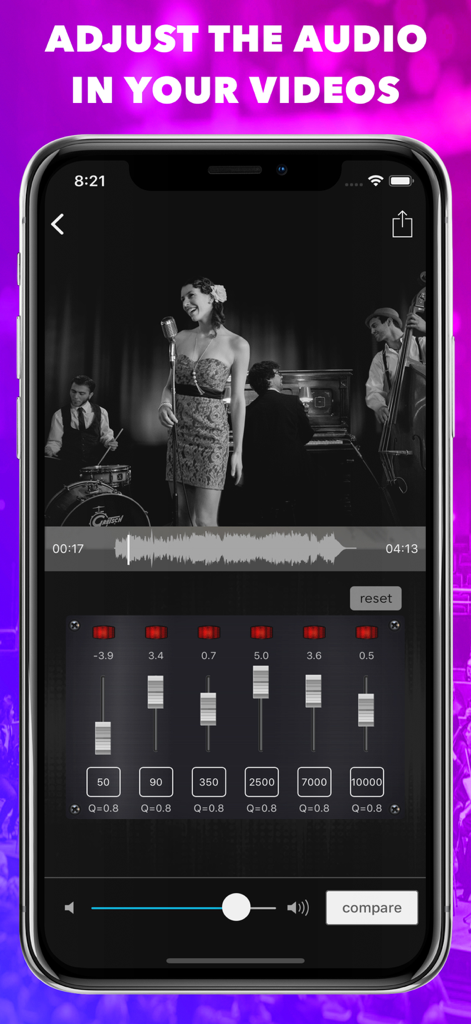
VideoMaster App-Oberfläche mit einem 6-Band-Audio-Equalizer zur Anpassung des Videosounds

VideoMaster App-Oberfläche mit einem 6-Band-Audio-Equalizer zur Anpassung des Videosounds

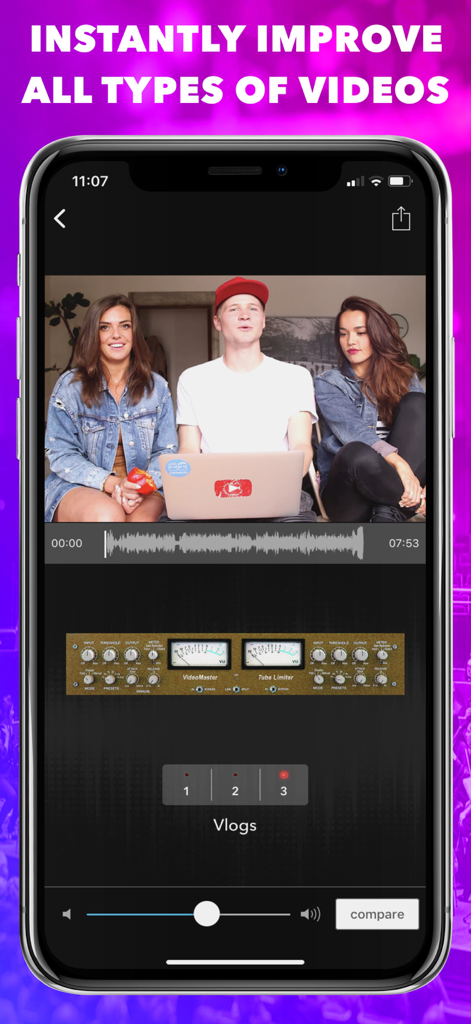
VideoMaster App-Oberfläche mit professionellen Audio-Mastering-Kontrollen und einer Vlog-Video-Voreinstellung auf einem iPhone

VideoMaster App-Oberfläche mit professionellen Audio-Mastering-Kontrollen und einer Vlog-Video-Voreinstellung auf einem iPhone

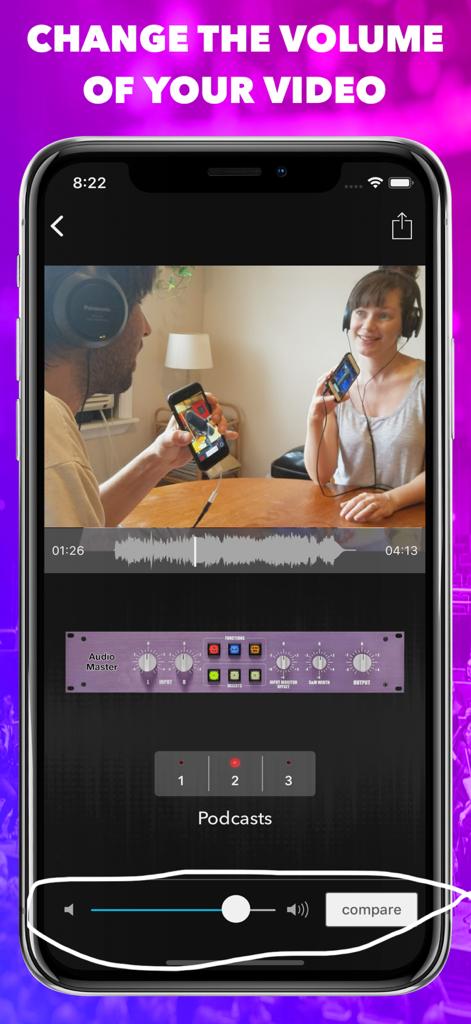
VideoMaster App-Oberfläche mit Lautstärkeregler und Audio-Mastering für einen Videopodcast

VideoMaster App-Oberfläche mit Lautstärkeregler und Audio-Mastering für einen Videopodcast

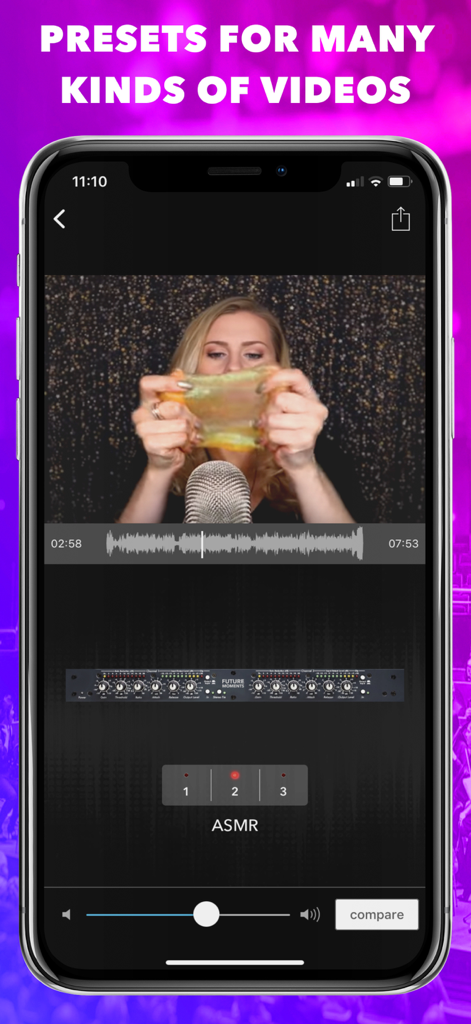
VideoMaster App-Oberfläche mit der Bearbeitung eines ASMR-Videos mit spezialisierten Audio-Voreinstellungen

VideoMaster App-Oberfläche mit der Bearbeitung eines ASMR-Videos mit spezialisierten Audio-Voreinstellungen

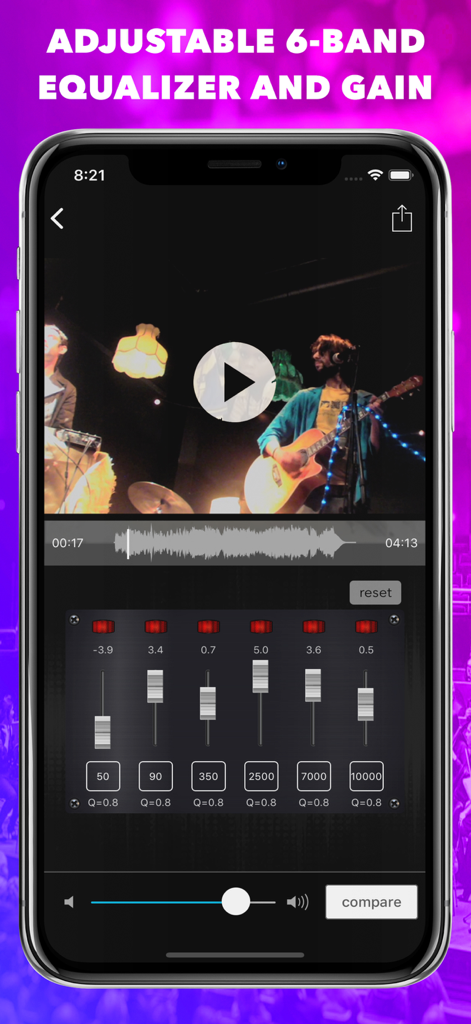
VideoMaster App-Oberfläche mit einem einstellbaren 6-Band-Equalizer und Gain-Reglern zur Bearbeitung von Videosound.

VideoMaster App-Oberfläche mit einem einstellbaren 6-Band-Equalizer und Gain-Reglern zur Bearbeitung von Videosound.

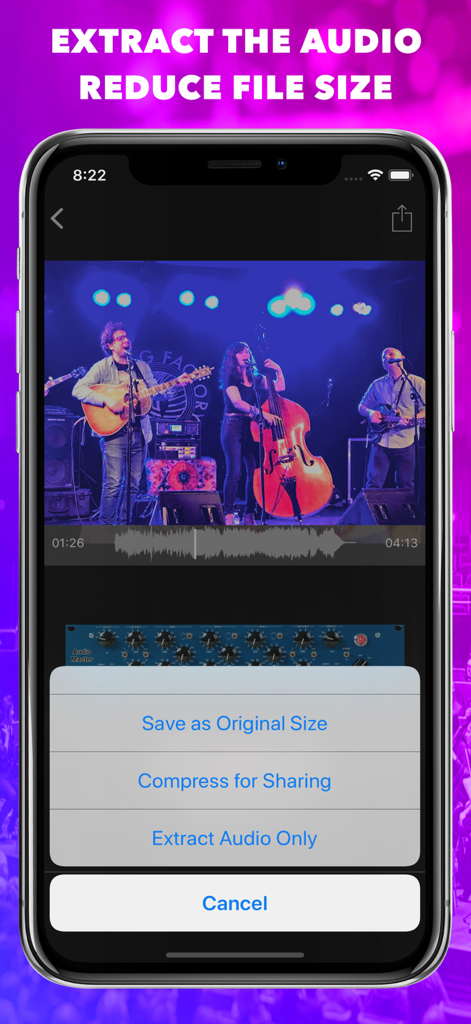
iPhone-Bildschirm mit Optionen zum Extrahieren von Audio oder Komprimieren eines Live-Musikvideos in der VideoMaster App

iPhone-Bildschirm mit Optionen zum Extrahieren von Audio oder Komprimieren eines Live-Musikvideos in der VideoMaster App

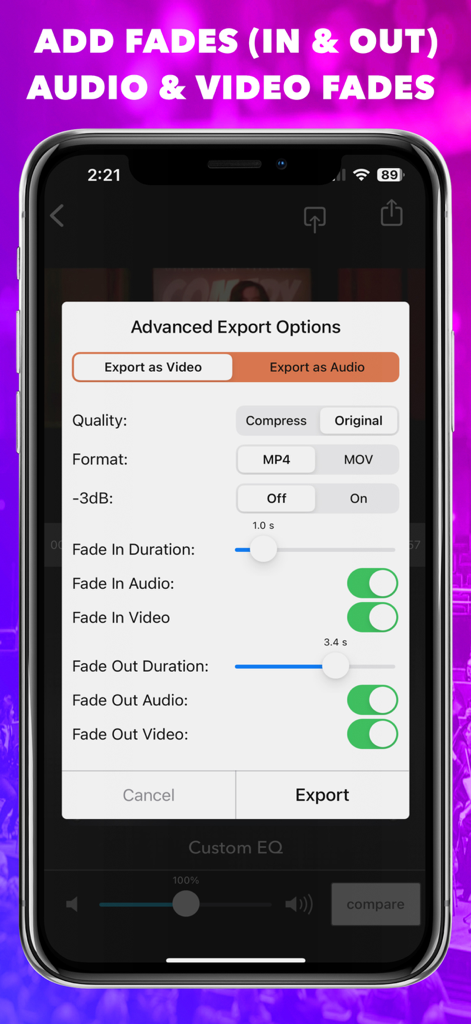
Erweiterte Exporteinstellungen mit Audio- und Video-Fade-Reglern in VideoMaster

Erweiterte Exporteinstellungen mit Audio- und Video-Fade-Reglern in VideoMaster

Werten Sie Ihre Inhalte mit Studioqualität-Audio auf

Die Tools, die diese App auszeichnen, gewählt von 152K+ Nutzern.

🎚️

6-Band Pro Equalizer

Übernehmen Sie die volle Kontrolle über Ihre Klangsignatur. Passen Sie Frequenz, Gain und Q-Faktor manuell an, um das perfekte Audioprofil für Ihre Marke zu erstellen.

🎙️

39 Sofortige Voreinstellungen

Erhalten Sie in Sekundenschnelle Studioergebnisse. Spezielle Modi für ASMR, Podcasts und Vlogs sorgen dafür, dass Ihre Stimme jedes Mal klar, warm und professionell klingt.

🔊

Verlustfreier Lautstärkeboost

Stellen Sie sicher, dass Ihr Publikum jedes Wort hört. Verstärken Sie leise Aufnahmen und exportieren Sie in Originalauflösung oder extrahieren Sie Audio für die plattformübergreifende Verteilung.

Über die App

Alles, was Sie über wissen müssen VideoMaster Video Sound Editor.

Beschreibung

VideoMaster is the only app with an equalizer and volume boost to fully adjust the sound of your videos. Import a video and use a 6-band equalizer or the many presets to improve the sound. No video quality is lost. Export the video as the same size, smaller size for easy sharing, or just extract the audio. Geared towards filmmakers, Youtubers, Vloggers, Instagram, tiktok users, music lovers, musicians who record live videos, voiceover artists, podcasters and more, VideoMaster is the video sibling to our AudioMaster app. Our apps come with full customer support through the side menu. This is a subscription app. If you'd like to own it with a one time purchase please download VideoMaster Pro. The different subscription options are given when you tap the export icon on the top right of the main screen. A great tool to get your videos sounding better than they ever were. Buy one version and own it on all of your iPhones and iPads. FEATURES ▪ Fully adjustable 6-Band Equalizer ▪ Adjust the Frequency, Gain and Q. ▪ Tap Numeric Box to Type Exact Freq, Gain or Q. ▪ Extract the Audio from Your Video ▪ Mute the Audio in your Video ▪ Save as Original Size or Compress for Sharing ▪ Easily Compare to your Original Video ▪ Press and Hold an EQ Module to Bypass It ▪ It Never Overwrites Your Original File 39 EQ PRESETS ▪ Vlog ▪ ASMR ▪ Narrative ▪ Podcasts ▪ Rock ▪ Folk ▪ Blues ▪ Classical ▪ Country ▪ Hip Hop ▪ Electronic ▪ Jazz ▪ Latin ▪ New Age ▪ Pop ▪ R&B / Soul Also by FUTURE MOMENTS: MAIVE Ai Video Generator VideoVerb Add reverb to your videos Hear Boost Get super hearing & recording powers MicSwap Mic Modeler & Recorder MicSwap MultiTrack Multitrack mic modeler & recorder MicSwap Video Edit video audio with mic models & fx MicSwap Camera The best sounding video camera AudioFix Denoise & clean the sound of your video VideoMaster Instant audio post-production for videos AudioVerb Add reverb & delay to your audio AudioMaster Audio mastering for podcasts & music Volume Booster Easily boost the sound of your audio or video Any questions just email us: info@micswap.com www.future-moments.com We answer every message. VideoMaster is free to download. We offer 3 subscription plans: Monthly Unlimited Use $4.99 USD 6 Month Unlimited Use $9.99 USD Yearly Unlimited Use $14.99 USD If you choose to subscribe, your subscriptions will automatically renew at the end of the selected time and will charge your credit card through your iTunes account. You can turn off auto-renew at any time from your iTunes account settings. Payment will be charged to iTunes Account at confirmation of purchase. Subscription automatically renews unless auto-renew is turned off at least 24-hours before the end of the current period. Account will be charged for renewal within 24-hours prior to the end of the current period, and identify the cost of the renewal. If you choose to subscribe, your subscriptions will automatically renew at the end of the selected time and will charge your credit card through your iTunes account. You can turn off auto-renew at any time from your Apple account settings. Future Moments LLC privacy policy: http://future-moments.com/faq Future Moments LLC terms of use: http://future-moments.com/faq

Neueste Version

3.5

Größe

73.0 MB

Erstveröffentlichung

23. Feb. 2019

Sind Sie bereit, Ihren Videos den Sound zu geben, den sie verdienen?

Lassen Sie schlechte Audioqualität Ihre Inhalte nicht zurückhalten. Schließen Sie sich Tausenden von Creators an, die VideoMaster nutzen, um unterwegs Studioqualität-Sound zu erzielen. Laden Sie jetzt herunter und beginnen Sie noch heute mit der Bearbeitung Ihres Audios.

Herunterladen auf App StoreHerunterladen auf Google Play

App information, icons, screenshots, and descriptions displayed on this page are sourced from the Apple App Store and are the property of their respective developers. Download estimates and rankings are based on MWM's proprietary models and may not reflect actual figures. This page is provided for informational and analytical purposes only.

Believe this page infringes your intellectual property? File a dispute