VILO: Video Editor Reel Maker

VILO: Video Editor Reel Maker

Herunterladen auf App Store
Logo von VILO: Video Editor Reel Maker

VILO: Verbessere deine Reels mit professioneller Videobearbeitung

Der All-in-One-Editor für die nächste Generation von Kreativen. Verwandle rohe Clips mit angesagten Vorlagen, filmischen Effekten und nahtloser Social-Media-Freigabe in virale Inhalte.

Herunterladen auf App Store

Herausgeber

MK APPS PRIVATE LIMITED

Kategorie

Photo & Video

Downloads

256K+

Bewertung

4.4/5

Bewertungen gesamt

700

Sprachen

11

Von Rohmaterial zu Viralem

Entdecken Sie die Oberfläche, die von 256K+ Nutzern verwendet wird.

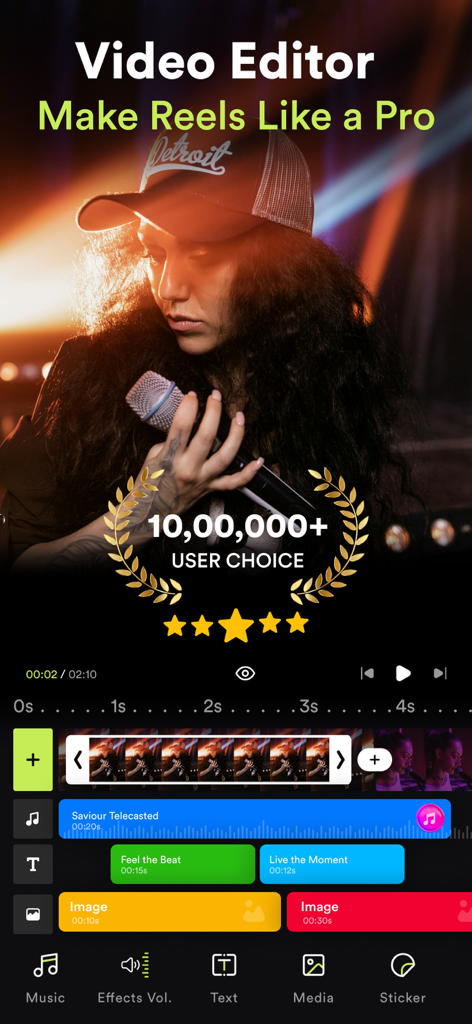
Oberfläche der VILO Video-Editor-App, die professionelle Reel-Erstellungsfunktionen und eine mehrschichtige Timeline zeigt
Oberfläche der VILO Video-Editor-App, die professionelle Reel-Erstellungsfunktionen und eine mehrschichtige Timeline zeigt

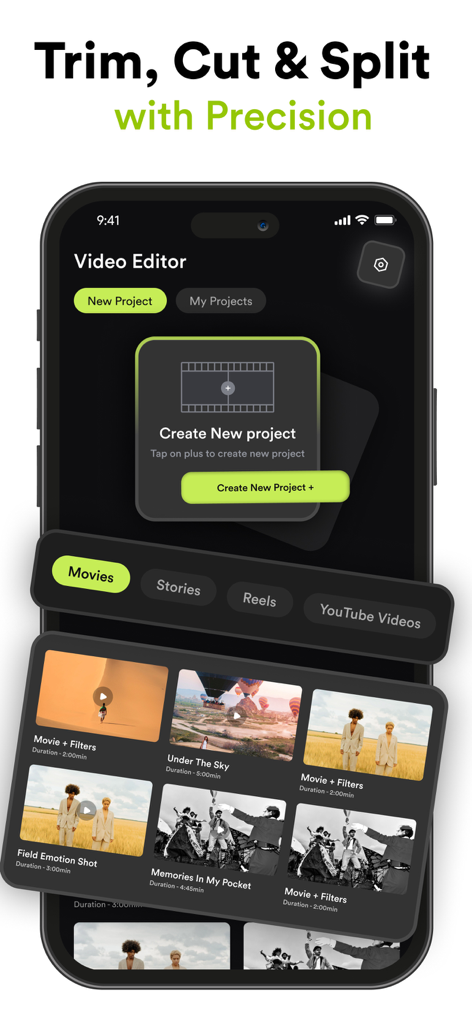
VILO Video-Editor-App-Oberfläche zur Erstellung neuer Projekte und Verwaltung von Social-Media-Videovorlagen
VILO Video-Editor-App-Oberfläche zur Erstellung neuer Projekte und Verwaltung von Social-Media-Videovorlagen

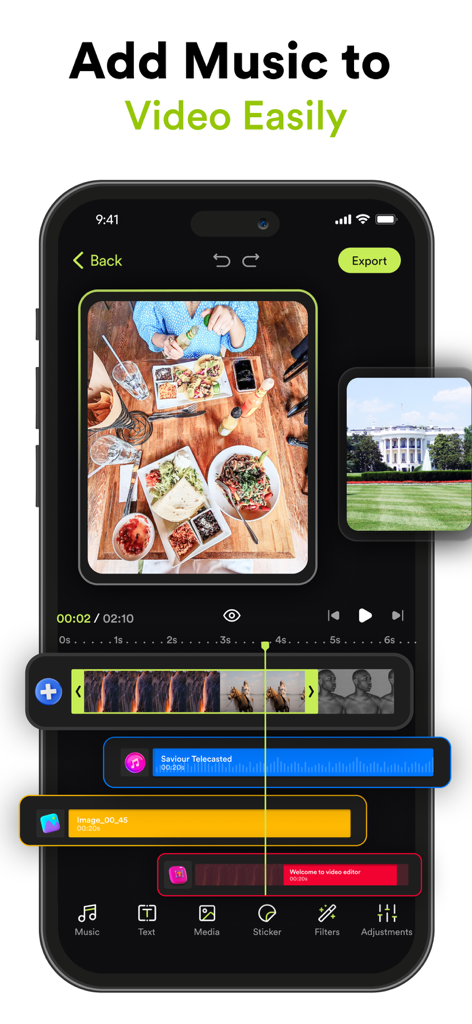
Mobile Videobearbeitungs-Oberfläche in VILO, die eine mehrspurige Timeline mit Musik und Videoclips zeigt
Mobile Videobearbeitungs-Oberfläche in VILO, die eine mehrspurige Timeline mit Musik und Videoclips zeigt

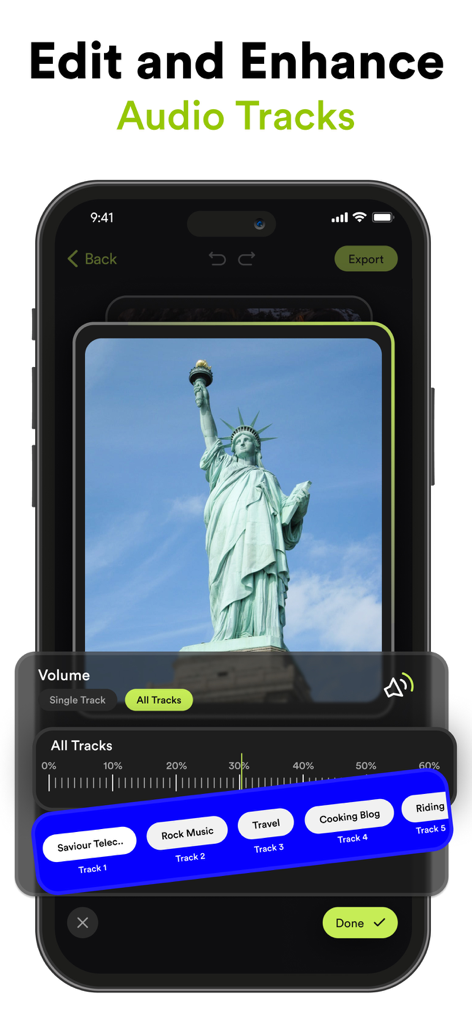
VILO-App-Oberfläche, die den Audio-Spur-Editor und die Lautstärkeregelung für ein Video zeigt
VILO-App-Oberfläche, die den Audio-Spur-Editor und die Lautstärkeregelung für ein Video zeigt

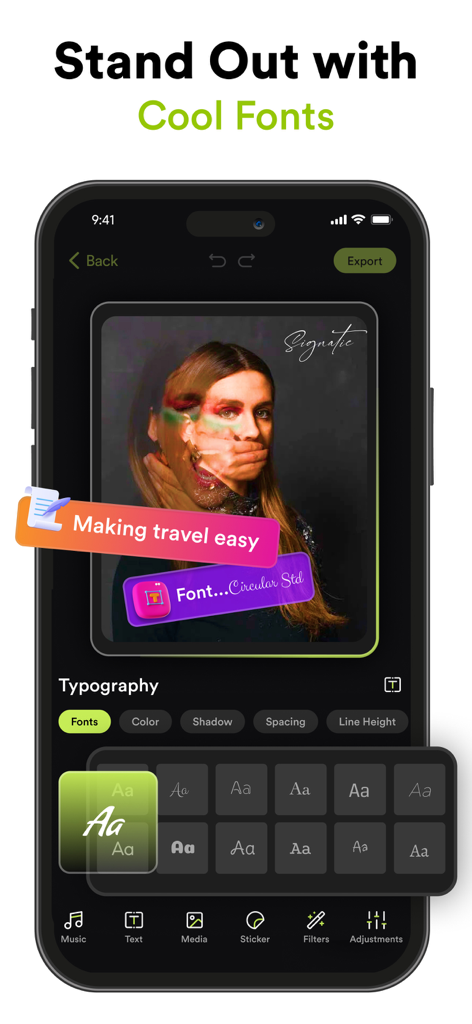
Ein mobiler Bildschirm der VILO-App, der eine Vielzahl von stilvollen Schriftarten und Typografie-Werkzeugen zur Anpassung von Textüberlagerungen in Videos anzeigt.
Ein mobiler Bildschirm der VILO-App, der eine Vielzahl von stilvollen Schriftarten und Typografie-Werkzeugen zur Anpassung von Textüberlagerungen in Videos anzeigt.

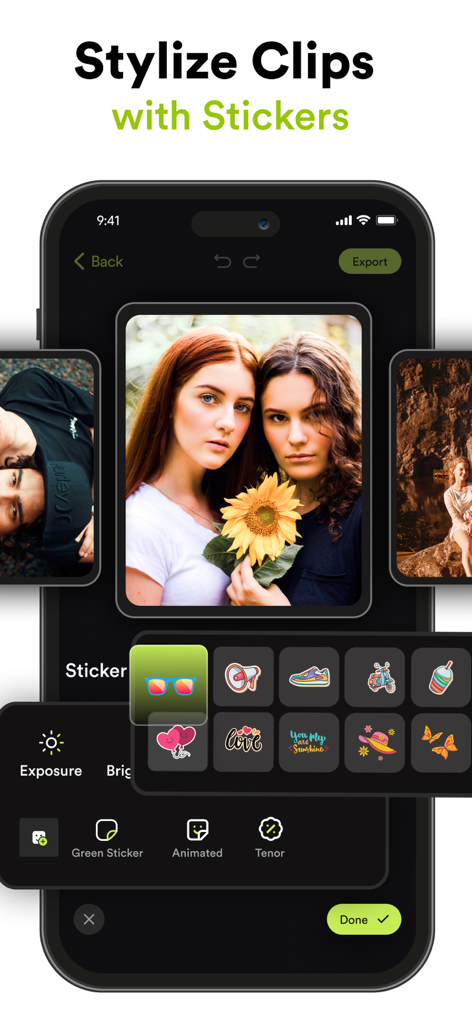
VILO Mobile-App-Oberfläche, die ein Menü mit bunten Stickern und animierten Symbolen zur Verschönerung von Videoclips zeigt
VILO Mobile-App-Oberfläche, die ein Menü mit bunten Stickern und animierten Symbolen zur Verschönerung von Videoclips zeigt

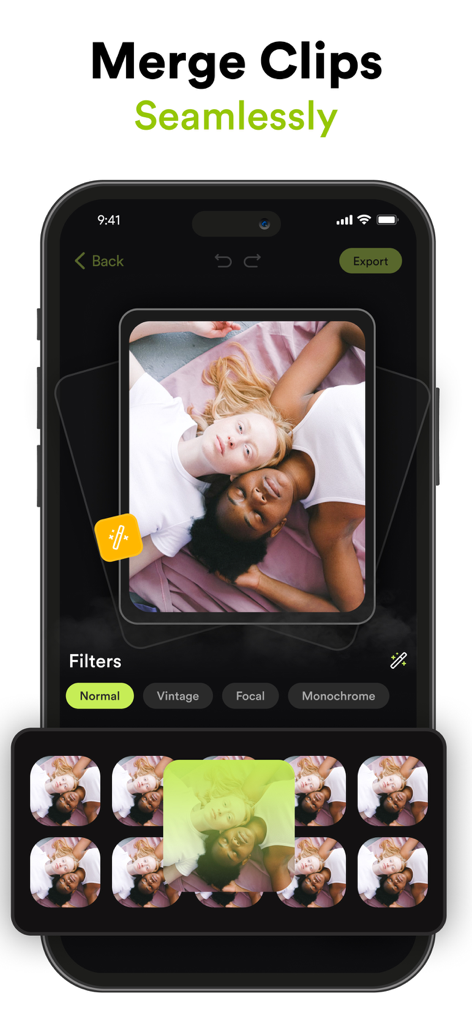
Oberfläche des VILO-Video-Editors, die zeigt, wie Clips zusammengeführt und Filter für Social-Media-Reels angewendet werden
Oberfläche des VILO-Video-Editors, die zeigt, wie Clips zusammengeführt und Filter für Social-Media-Reels angewendet werden

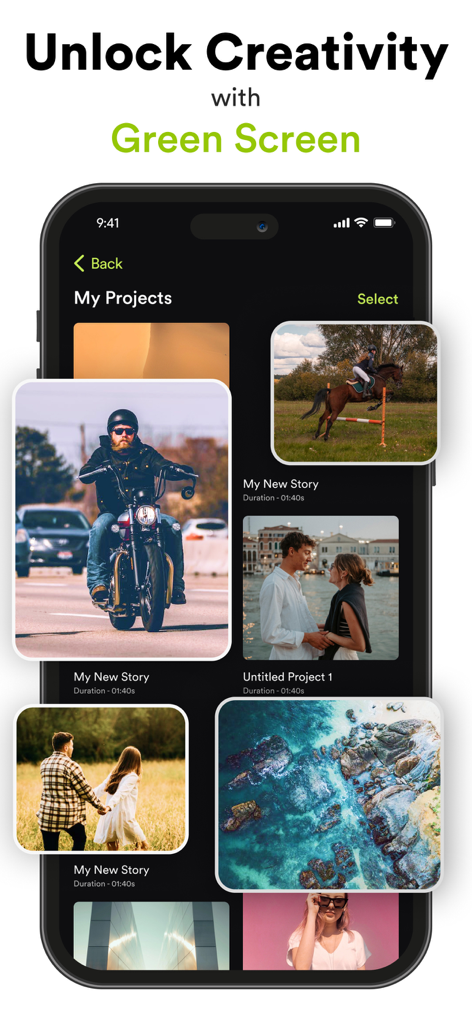
Smartphone, das die Projektgalerie des Vilo-Video-Editors mit verschiedenen Videominiaturen und einer Überschrift für die Greenscreen-Funktion anzeigt.
Smartphone, das die Projektgalerie des Vilo-Video-Editors mit verschiedenen Videominiaturen und einer Überschrift für die Greenscreen-Funktion anzeigt.

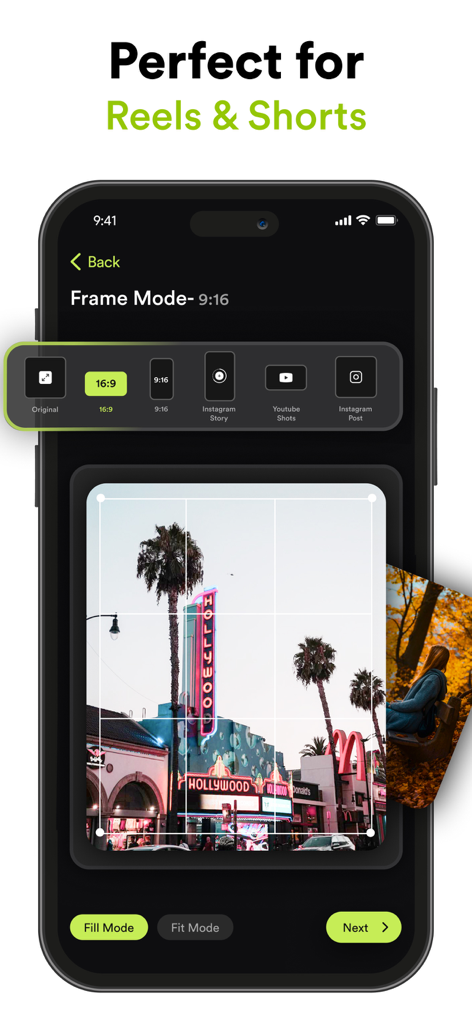
VILO-App-Bildschirm mit Optionen für den Bildmodus für Instagram Reels und YouTube Shorts mit verschiedenen Voreinstellungen für das Seitenverhältnis
VILO-App-Bildschirm mit Optionen für den Bildmodus für Instagram Reels und YouTube Shorts mit verschiedenen Voreinstellungen für das Seitenverhältnis

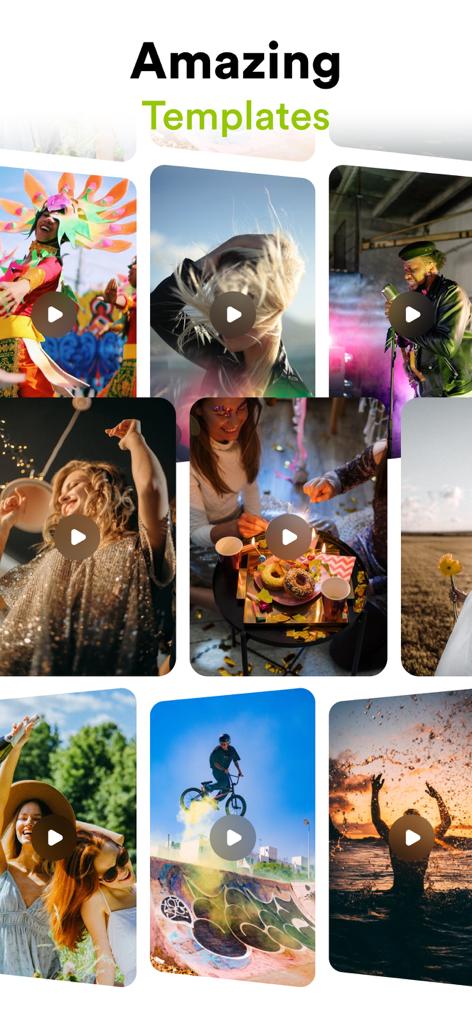
Ein lebendiges Raster verschiedener Video-Vorlagen in der Vilo-App mit Lifestyle- und Action-Clips für Social-Media-Inhalte.

Ein lebendiges Raster verschiedener Video-Vorlagen in der Vilo-App mit Lifestyle- und Action-Clips für Social-Media-Inhalte.

Professionelle Bearbeitung leicht gemacht

Die Tools, die diese App auszeichnen, gewählt von 256K+ Nutzern.

Viral-taugliche Vorlagen

Starte deinen nächsten Trend mit vorgefertigten Layouts für Instagram und TikTok. Professionelles Timing und Übergänge sind nur einen Fingertipp entfernt.

🎬

Filmische visuelle Werkzeuge

Meistere deine Ästhetik mit fortschrittlicher Farbkorrektur, Greenscreen-Magie und Tiefenschärfe-Unschärfe für diesen High-End-Produktionslook.

🔊

Perfekte Audiosynchronisation

Erwecke deine Geschichten mit einer kuratierten Musikbibliothek und präzisen Audiowerkzeugen zum Leben. Lass jeden Beat-Drop genau dann erfolgen, wenn dein Publikum ihn erwartet.

Über die App

Alles, was Sie über wissen müssen VILO: Video Editor Reel Maker.

Beschreibung

Transform Your Videos with Video Editor – The Ultimate Video Editing Experience! Are you ready to elevate your video content to the next level? Whether you’re an aspiring influencer, a social media enthusiast, or just someone who loves creating memorable videos, Video Editor is here to turn your vision into reality. Packed with powerful features and intuitive tools, our app is designed to make professional video editing accessible and fun. Download now and discover the endless possibilities! Key Features: Seamless Clip Merging Combine multiple clips effortlessly into one smooth video. Create stunning montages, highlight reels, or just piece together your favorite moments with our easy-to-use merging tool. Add Music & Audio Effects Enhance your videos with a vast library of music tracks and sound effects. Adjust the volume, add audio effects, and sync your soundtrack perfectly with your visuals to create a captivating experience. Social Media-Ready Orientations Get your content noticed across all platforms! Change your video orientation to fit Instagram Stories, YouTube, or any other social media format with just a few taps. Customize with Text, Stickers, & Media Express yourself with customizable text overlays, trendy stickers, and additional media. Personalize your videos to reflect your style and make your content stand out. Professional Color Grading & Adjustments Bring your footage to life with advanced color grading tools. Adjust brightness, contrast, saturation, and more to give your videos a cinematic look. Green Screen Magic Take your creativity to new heights with our green screen feature. Easily replace backgrounds, add exciting new elements, and transport your videos to any setting you imagine. Precision Trimming & Splitting Trim and split your clips with precision. Remove unwanted sections, focus on key moments, and seamlessly edit your footage to get the perfect cut every time. Speed Control & Opacity Adjustments Play with speed effects to create dramatic slow-motion or fast-paced sequences. Adjust the opacity to blend scenes or highlight key elements in your video. Stunning Blur Effects Add depth and focus to your videos with our blur effects. Create professional-looking bokeh backgrounds or emphasize specific areas with customizable blur. Instagram Stories & YouTube Templates Save time and effort with our pre-designed templates for Instagram Stories and YouTube. Easily add text, media, and effects to make your posts look polished and engaging. Why Choose Video Editor? - User-Friendly Interface: Enjoy a sleek and intuitive design that makes video editing a breeze, even if you’re a beginner. - High-Quality Output: Export your videos in stunning HD quality, ensuring they look their best on any device or platform. - Regular Updates: We’re always adding new features and improvements to keep your editing experience fresh and exciting. - Community Support: Join our vibrant community of creators. Share tips, get inspiration, and connect with fellow video enthusiasts. Subscription Details: Video Editor by MK offers premium features through auto-renewable subscriptions. Payment will be charged to your Apple ID account upon confirmation of purchase. Subscriptions automatically renew unless canceled at least 24 hours before the end of the current period. You can manage your subscription and turn off auto-renewal in your account settings. For more details on managing subscriptions, visit: https://support.apple.com/en-us/HT202039 Privacy Policy: https://videoeditor.mkapps.app/VideoEditorMK/terms/privacy Terms of Use: https://videoeditor.mkapps.app/VideoEditorMK/terms/terms Ready to Create Amazing Videos? Download Video Editor now and unlock your creative potential! Transform your raw footage into polished masterpieces with just a few taps. Your next viral video is just a download away!

Neueste Version

2.10

Größe

141.6 MB

Erstveröffentlichung

14. Juni 2021

Starte deine virale Ära noch heute

Schließe dich über 250.000 Kreativen an, die in Sekundenschnelle beeindruckende Reels und TikToks erstellen. Dein nächstes Meisterwerk ist nur einen Fingertipp entfernt.

Herunterladen auf App Store

App information, icons, screenshots, and descriptions displayed on this page are sourced from the Apple App Store and are the property of their respective developers. Download estimates and rankings are based on MWM's proprietary models and may not reflect actual figures. This page is provided for informational and analytical purposes only.

Believe this page infringes your intellectual property? File a dispute