
Diese Seite ist keine offizielle Seite der App oder ihres Entwicklers, sondern eine unabhängige redaktionelle Veröffentlichung, die zu Informations- und Kommentarzwecken erstellt wurde. Sofern nicht ausdrücklich anders angegeben, sind weder die App noch ihr Entwickler mit MWM, Apple, Google Play, dem App-Herausgeber oder dem Entwickler der App verbunden, von ihnen unterstützt, gesponsert, autorisiert oder anderweitig offiziell verbunden, und nichts auf dieser Seite impliziert, dass die App unter Verwendung der Dienste von MWM entwickelt wurde. Alle Marken, Logos, Screenshots und andere Inhalte bleiben Eigentum ihrer jeweiligen Inhaber.

Vocal Remover AI-Remove Voice
Isoliere sofort Vocals, erstelle Karaoke-Tracks und erkenne BPM. Das ultimative Toolkit für Musiker und Kreative, um jeden Song in Sekundenschnelle zu dekonstruieren.
Downloads
175K+Bewertung
Bewertungen gesamt
1K+Herausgeber
Kategorie
MusicSprachen
11Neueste Version
2.9.3Größe
49.2 MBErstveröffentlichung
18. Sept. 2023Meistere deinen Sound mit Studio-KI
Das ultimative mobile Studio für Kreative und Musiker. Isoliere Vocals, extrahiere Stems und remixe jeden Track in Sekundenschnelle mit modernster KI-Technologie.
Saubere Vocal-Extraktion
Isoliere hochwertige Acapellas oder erstelle professionelle Backing-Tracks für deinen nächsten viralen TikTok-Hit oder Karaoke-Abend mit einem einzigen Tippen.
Sofortige Stem-Trennung
Dekonstruiere jeden Song in einzelne Spuren für Drums, Bass und Instrumente. Perfekt zum Samplen, für DJ-Sets und zum Üben deiner Lieblingsriffs.
Häufig gestellte Fragen
Alles, was Sie über wissen müssen Vocal Remover AI-Remove Voice
Was ist Vocal Remover AI?
Vocal Remover AI ist eine Audiobearbeitungs-App zur Extraktion und Bearbeitung von Musik und Gesang. Sie erstellt Backing-Tracks, Karaoke und trennt Instrumente aus Songs mithilfe von KI-Algorithmen.
Wie entfernt Vocal Remover AI Vocals aus einem Song?
Vocal Remover AI isoliert und entfernt Vocals aus jedem Track mithilfe fortschrittlicher KI-Algorithmen. Dieser Prozess hinterlässt eine saubere Instrumentalversion, ideal für Sänger, DJs und Produzenten.
Kann Vocal Remover AI einzelne Instrumente aus einem Track trennen?
Ja, Vocal Remover AI kann Songs in einzelne Komponenten wie Bass, Schlagzeug, Gitarre oder Klavier zerlegen. Die App teilt die hochgeladene Datei in mehrere separate Spuren auf.
Kann ich in Vocal Remover AI meine Stimme über einen Backing-Track aufnehmen?
Ja, Vocal Remover AI ermöglicht es Benutzern, Vocals über jeden erstellten Backing-Track aufzunehmen. Die App bietet während der Aufnahmesitzungen auch eine Kopfhörer-Monitoring-Funktion.
Welche Soundeffekte bietet Vocal Remover AI an?
Vocal Remover AI bietet verschiedene Soundeffekte zur Verbesserung von Tracks. Dazu gehören Gain, Reverb, Delay und verschiedene Audiofilter, die es Benutzern ermöglichen, ihre Audioausgabe präzise anzupassen.
Ermöglicht Vocal Remover AI Anpassungen von Tonhöhe und Geschwindigkeit?
Ja, Vocal Remover AI ermöglicht es Benutzern, die Tonalität (Tonhöhe) und das Tempo (Geschwindigkeit) jedes Songs zu ändern. Diese Funktion ist wertvoll für Musiker, die Stücke in verschiedenen Tonarten oder Tempi üben oder lernen.
Welche Audio-Exportformate unterstützt Vocal Remover AI?
Vocal Remover AI unterstützt den Export von Ergebnissen in mehreren Formaten. Dazu gehören m4a, wav, aiff, caf, mp3 und flac. Benutzer können entweder die gesamte Datei oder alle Spuren in einem Archiv exportieren.
Gibt es eine kostenlose Testversion für Vocal Remover AI?
Ja, Vocal Remover AI bietet eine 3-tägige kostenlose Testversion an. Nach der Testphase wird das Abonnement automatisch abgerechnet, sofern es nicht über die Einstellungen des iTunes- und App-Store-Kontos gekündigt wird.
Was ist die Abonnementdauer für Vocal Remover AI?
Das Abonnement für Vocal Remover AI dauert 1 Monat. Dies ist ein automatisch erneuerndes Abonnement, das Benutzer jederzeit über ihre Kontoeinstellungen kündigen können.
Wie kann ich die automatische Verlängerung für Vocal Remover AI kündigen?
Benutzer können die automatische Verlängerung für Vocal Remover AI jederzeit deaktivieren. Diese Option ist in den Einstellungen Ihres iTunes- und App-Store-Kontos zugänglich.
Kann Vocal Remover AI BPM und Tonart erkennen?
Ja, Vocal Remover AI analysiert Tracks sofort, um ihr Tempo (BPM) und ihre musikalische Tonart anzuzeigen. Diese Funktion hilft Musikern und Produzenten, Songs korrekt abzustimmen oder zu üben.
Kann ich in Vocal Remover AI Playlists erstellen?
Ja, Vocal Remover AI ermöglicht es Benutzern, Playlists direkt in der App zu erstellen und zu bearbeiten. Benutzer können auch Titelbilder festlegen und die Wiedergabereihenfolge anpassen.
Die folgenden Screenshots und die Beschreibung stammen direkt aus dem offiziellen Store-Eintrag der App und sind Eigentum des Entwicklers.
App Store
Screenshots
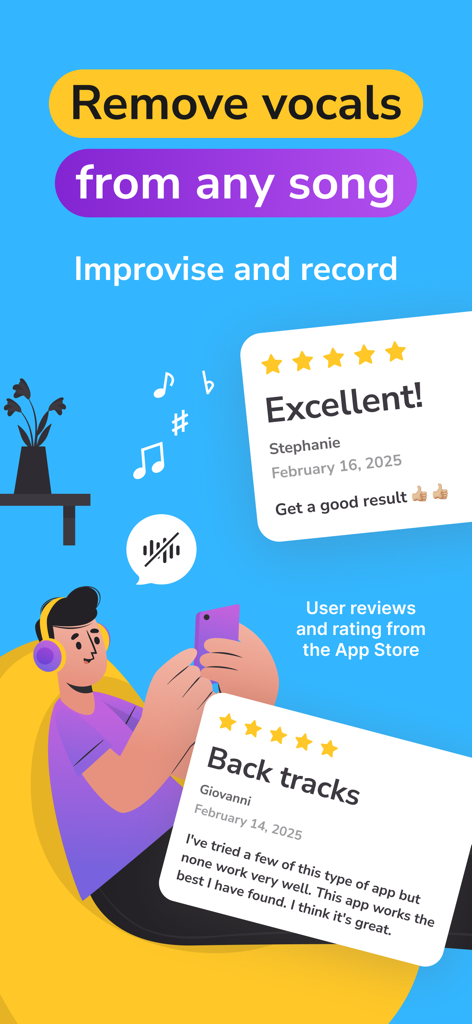
Werbe-Screenshot von Vocal Remover AI, der Nutzerbewertungen und die Hauptfunktion zum Entfernen von Stimmen aus jedem Lied anzeigt.
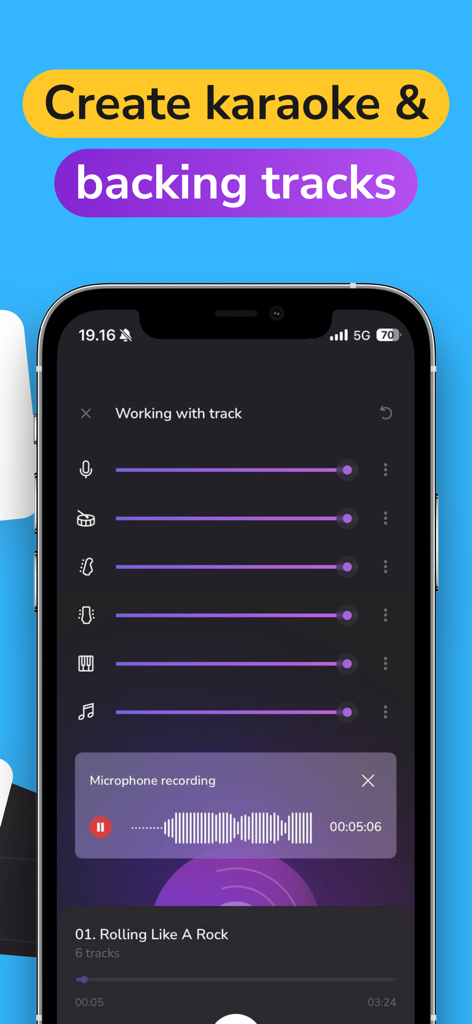
Mobile App-Oberfläche zur Anpassung von Song-Stems und Aufnahme von Vocals zur Erstellung benutzerdefinierter Backing-Tracks.
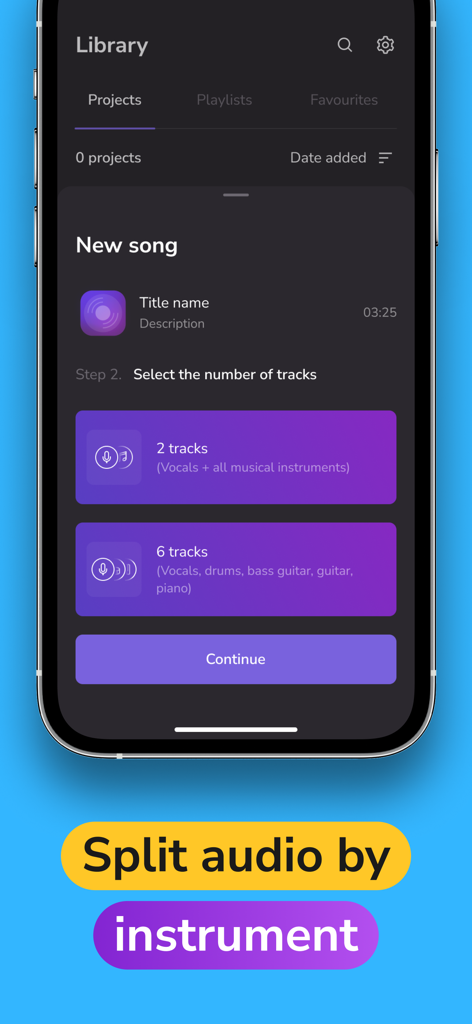
Oberfläche der Vocal Remover AI-App, die Optionen zur Trennung eines Songs in zwei oder sechs separate Audiospuren anzeigt.
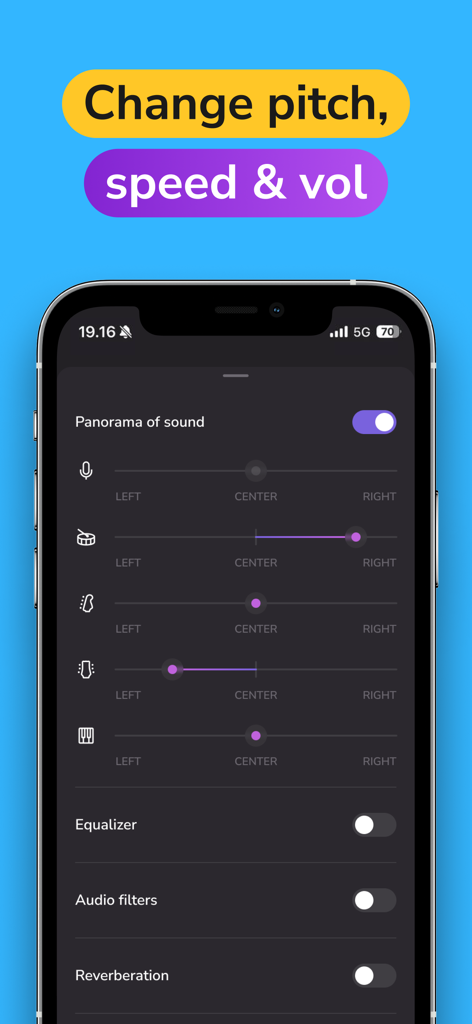
Oberfläche der mobilen App, die Schieberegler für Panorama-Sound zeigt, um Vocals und einzelne Instrumente wie Schlagzeug und Gitarre zu positionieren.
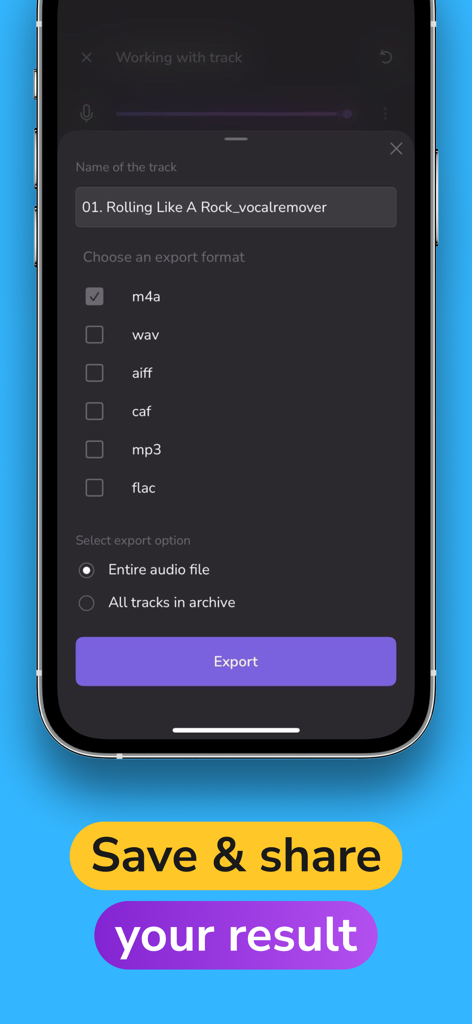
Ein Screenshot der Vocal Remover AI-App, der den Audio-Export-Bildschirm mit mehreren Formatoptionen wie MP3 und WAV sowie einer Schaltfläche 'Speichern und teilen' zeigt.
Beschreibung
Download
Ähnliche Apps
Apps mit ähnlichen Funktionen und Nutzererfahrung

Music Speed Changer ▶▶▶
Single Minded Productions, LLC

Vocal Remover - Musiclab
CHENGDU Yiwo Tech Development Co., Ltd

Audio Fusion
景睿 文

Audio Jam: AI for musicians
Kiraku Tech Co., Ltd.

Anytune Pro+: Studio Tools
Anytune Inc.

Moises: The Musician's App
Moises Systems Inc

Strum - Play Guitar
W185 Holdings LLC

Chordify: Songs, Chords, Tuner
Chordify BV

Chord ai - Play any song!
Nomad AI OU
Diese Seite ist keine offizielle Seite der App oder ihres Entwicklers, sondern eine unabhängige redaktionelle Veröffentlichung, die zu Informations- und Kommentarzwecken erstellt wurde. Sofern nicht ausdrücklich anders angegeben, sind weder die App noch ihr Entwickler mit MWM, Apple, Google Play, dem App-Herausgeber oder dem Entwickler der App verbunden, von ihnen unterstützt, gesponsert, autorisiert oder anderweitig offiziell verbunden, und nichts auf dieser Seite impliziert, dass die App unter Verwendung der Dienste von MWM entwickelt wurde. Alle Marken, Logos, Screenshots und andere Inhalte bleiben Eigentum ihrer jeweiligen Inhaber.