
Diese Seite ist keine offizielle Seite der App oder ihres Entwicklers, sondern eine unabhängige redaktionelle Veröffentlichung, die zu Informations- und Kommentarzwecken erstellt wurde. Sofern nicht ausdrücklich anders angegeben, sind weder die App noch ihr Entwickler mit MWM, Apple, Google Play, dem App-Herausgeber oder dem Entwickler der App verbunden, von ihnen unterstützt, gesponsert, autorisiert oder anderweitig offiziell verbunden, und nichts auf dieser Seite impliziert, dass die App unter Verwendung der Dienste von MWM entwickelt wurde. Alle Marken, Logos, Screenshots und andere Inhalte bleiben Eigentum ihrer jeweiligen Inhaber.

Vocal Tune Studio
Bringen Sie Vocal-Produktion auf Desktop-Niveau in Ihr mobiles Setup. Von granularen Notenbearbeitungen und Formantverschiebungen bis hin zu perfektem Time-Stretching – erzielen Sie Studio-Qualität direkt in Ihrem bevorzugten AUv3-Host oder Standalone.
Downloads
26K+Bewertung
Bewertungen gesamt
0Herausgeber
Kategorie
MusicSprachen
1Neueste Version
1.4.4Größe
17.3 MBErstveröffentlichung
28. März 2023Studio-Qualität-Vocals, überall
Verwandeln Sie Ihr iPhone oder iPad in eine leistungsstarke Vocal-Produktionssuite mit granularen Korrekturen für Tonhöhe, Zeit und Formanten, zugeschnitten auf den modernen unabhängigen Künstler.
Profi-Tonhöhenkorrektur
Von subtilen natürlichen Korrekturen bis zum ikonischen Hard-Tune-Effekt – erzielen Sie makellose Vocals mit automatischer Skalenerkennung oder chirurgischer manueller Kontrolle.
Nahtlose AUv3-Integration
Schließen Sie sich direkt an GarageBand, Cubasis oder Ihre bevorzugte mobile DAW an, um Ihre Spuren in Echtzeit zu bearbeiten, ohne jemals Ihr Projekt verlassen zu müssen.
Die folgenden Screenshots und die Beschreibung stammen direkt aus dem offiziellen Store-Eintrag der App und sind Eigentum des Entwicklers.
App Store
Screenshots
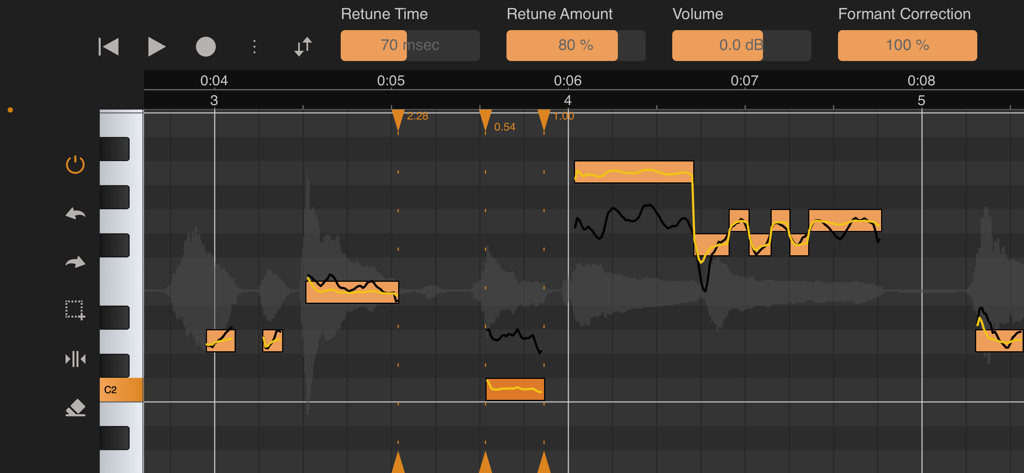
Oberfläche von Vocal Tune Studio, die Werkzeuge zur Tonhöhen- und Formantenkorrektur zeigt
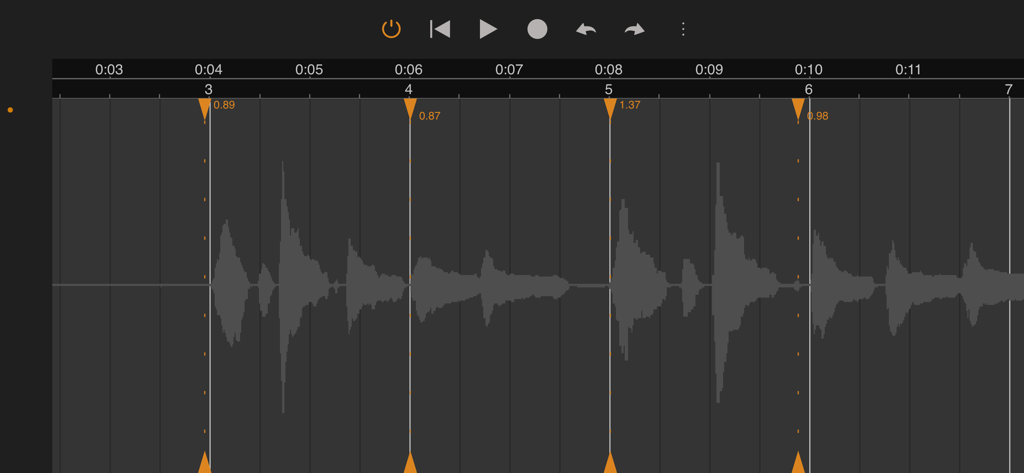
Audio-Wellenform-Oberfläche in Vocal Tune Studio, die Zeitkorrektur- und Dehnungsmarker für professionelle Musikproduktion zeigt
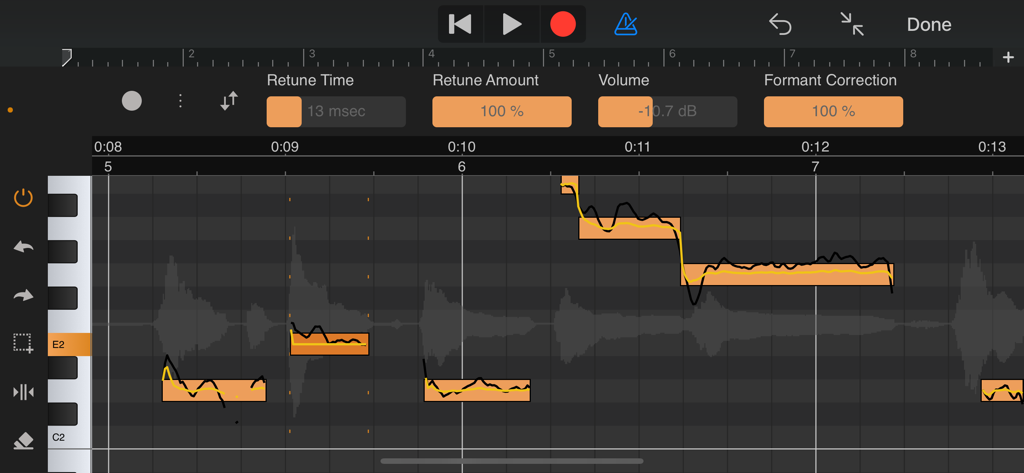
Professionelle Oberflächen zur Tonhöhen- und Formantenkorrektur in Vocal Tune Studio, die detaillierte Notenbearbeitung auf einem mobilen Gerät zeigt.
Beschreibung
Download
Ähnliche Apps
Top-gerankte Apps in derselben Kategorie

Spotify: Music and Podcasts
Spotify

YouTube Music
Google LLC

Shazam: Find Music & Concerts
Apple Inc.

SoundCloud: The Music You Love
SoundCloud Global Limited & Co KG

Suno - AI Songs & Music
Suno Inc.

QQ音乐 - 听我想听
Tencent Technology (Shenzhen) Company Limited

Audiomack - Play Music Offline
Audiomack, Inc.

GuitarTuna: Tune & Play Guitar
Yousician Ltd

BandLab – Music Maker & Beats
BandLab Singapore Pte Ltd
Diese Seite ist keine offizielle Seite der App oder ihres Entwicklers, sondern eine unabhängige redaktionelle Veröffentlichung, die zu Informations- und Kommentarzwecken erstellt wurde. Sofern nicht ausdrücklich anders angegeben, sind weder die App noch ihr Entwickler mit MWM, Apple, Google Play, dem App-Herausgeber oder dem Entwickler der App verbunden, von ihnen unterstützt, gesponsert, autorisiert oder anderweitig offiziell verbunden, und nichts auf dieser Seite impliziert, dass die App unter Verwendung der Dienste von MWM entwickelt wurde. Alle Marken, Logos, Screenshots und andere Inhalte bleiben Eigentum ihrer jeweiligen Inhaber.