
Diese Seite ist keine offizielle Seite der App oder ihres Entwicklers, sondern eine unabhängige redaktionelle Veröffentlichung, die zu Informations- und Kommentarzwecken erstellt wurde. Sofern nicht ausdrücklich anders angegeben, sind weder die App noch ihr Entwickler mit MWM, Apple, Google Play, dem App-Herausgeber oder dem Entwickler der App verbunden, von ihnen unterstützt, gesponsert, autorisiert oder anderweitig offiziell verbunden, und nichts auf dieser Seite impliziert, dass die App unter Verwendung der Dienste von MWM entwickelt wurde. Alle Marken, Logos, Screenshots und andere Inhalte bleiben Eigentum ihrer jeweiligen Inhaber.


Voice Record Pro
Der ultimative All-in-One-Rekorder für Power-User. Nehmen Sie unbegrenzt hochauflösendes Audio auf, bearbeiten Sie es präzise und exportieren Sie es auf jede Cloud-Plattform – keine Abonnements, keine Grenzen, nur professionelle Ergebnisse.
Downloads
1M+Bewertung
Bewertungen gesamt
18K+Herausgeber
Kategorie
UtilitiesSprachen
1Neueste Version
4.1.0Größe
106.4 MBErstveröffentlichung
13. Sept. 2012Professionelle Aufnahme ohne den Profi-Preis
Erfassen Sie jedes Detail mit Studio-Steuerungen, unbegrenzter Aufnahmelänge und sofortigem Export auf Ihre bevorzugten Cloud-Plattformen – alles in einem leistungsstarken, kostenlosen Tool.
Studioqualität-Steuerung
Übernehmen Sie die volle Kontrolle über Ihr Audio. Nehmen Sie in MP3, WAV oder AAC mit detaillierten Einstellungen für Bitraten und Abtastraten auf, die für jede Umgebung geeignet sind.
Nahtlose Workflow-Integration
Vermeiden Sie Reibungsverluste. Synchronisieren Sie Aufnahmen sofort mit Google Drive, Dropbox oder OneDrive oder verwenden Sie den integrierten WLAN-Server, um Dateien auf Ihren PC zu übertragen.
Die folgenden Screenshots und die Beschreibung stammen direkt aus dem offiziellen Store-Eintrag der App und sind Eigentum des Entwicklers.
App Store
Screenshots
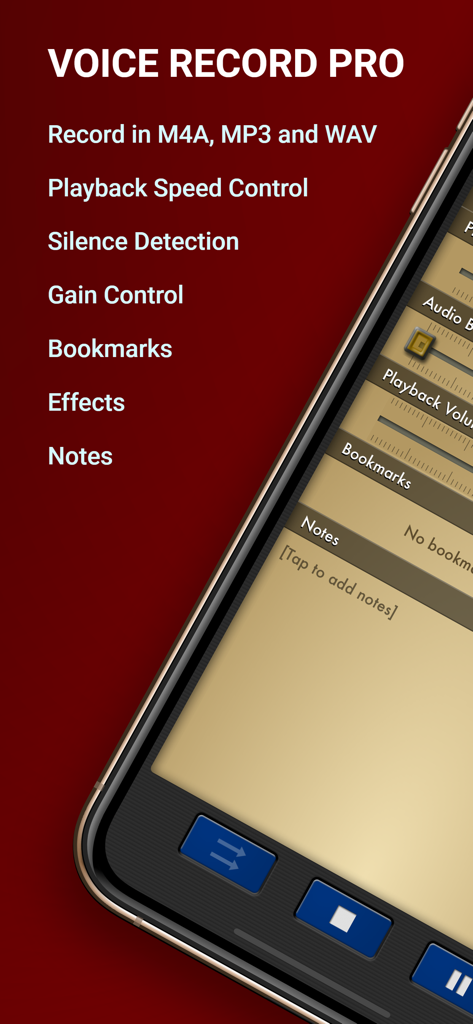
Voice Record Pro App-Oberfläche, die Aufnahmeformate und erweiterte Audiofunktionen anzeigt
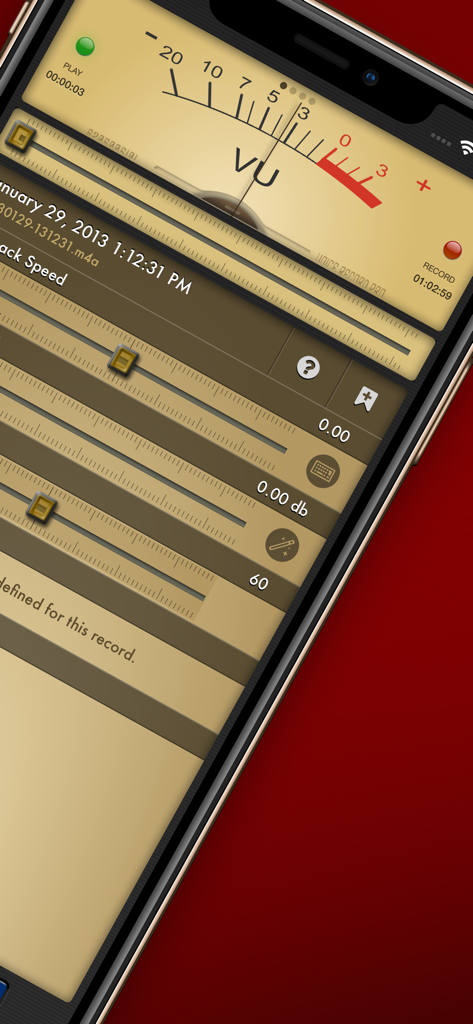
Professionelle Audioaufnahme-Oberfläche mit analogem VU-Meter und Wiedergabegeschwindigkeitsreglern
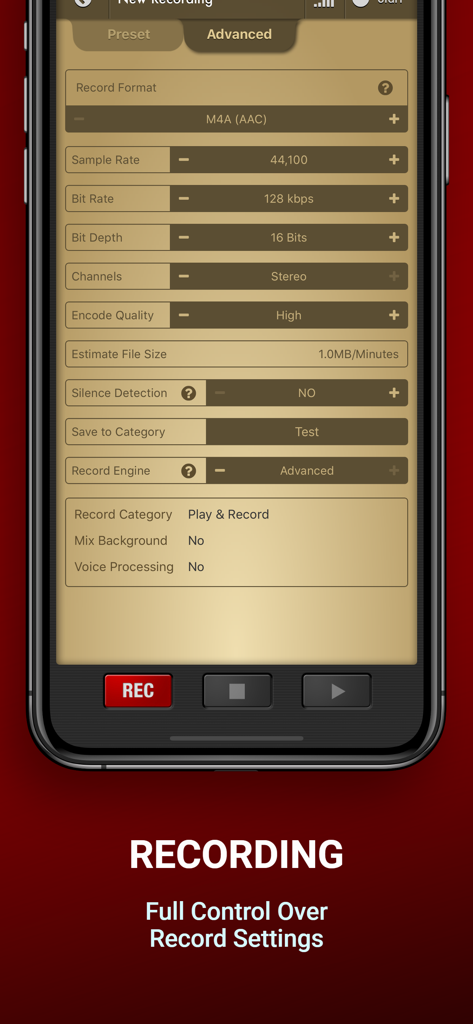
Erweiterte Aufnahmeoberfläche von Voice Record Pro mit detaillierten Audio-Konfigurationseinstellungen für Bitrate und Abtastrate
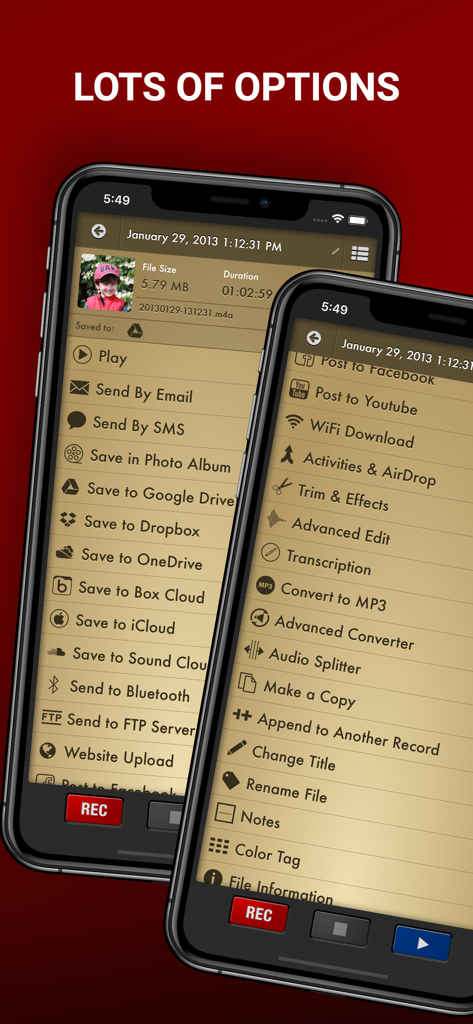
Menü mit Export- und Bearbeitungsoptionen in der Voice Record Pro App
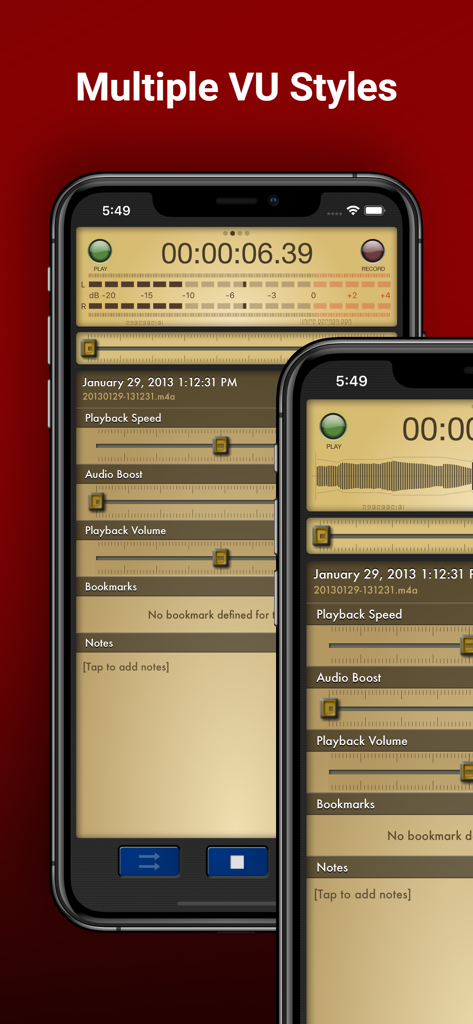
Voice Record Pro App-Oberfläche auf dem iPhone, die verschiedene VU-Meter-Stile und Audiowiedergabesteuerelemente anzeigt
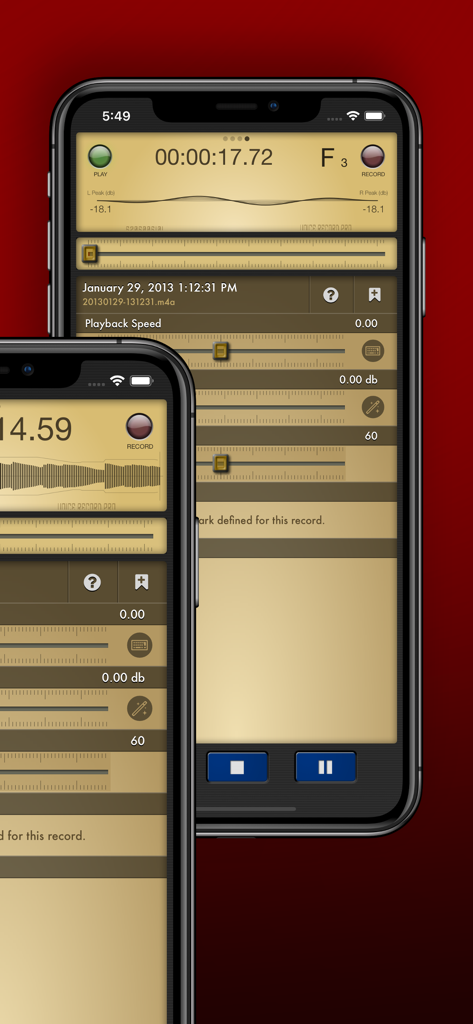
Voice Record Pro App-Oberfläche mit professionellen Wiedergabe- und Lautstärkeeinstellungen auf dem iPhone
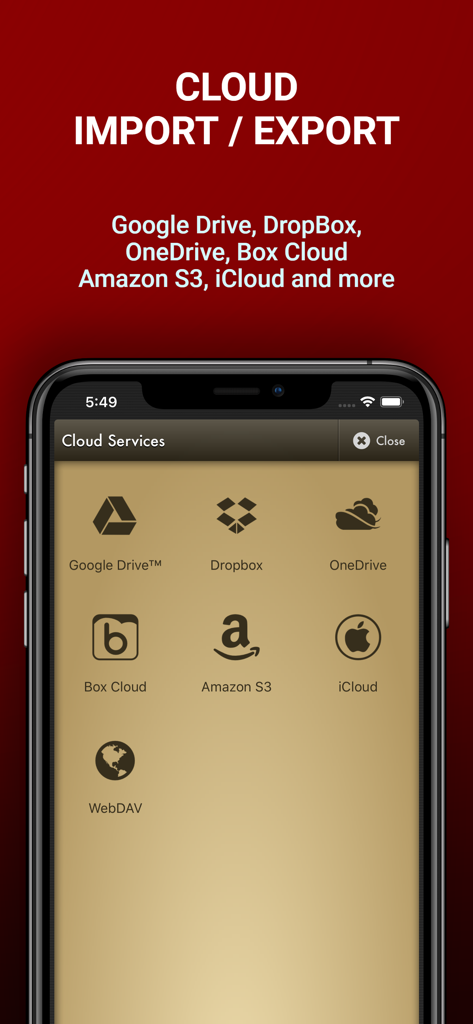
Bildschirm der Voice Record Pro App mit Optionen für Cloud-Dienste zum Importieren und Exportieren von Audiodateien, einschließlich Google Drive, Dropbox und OneDrive
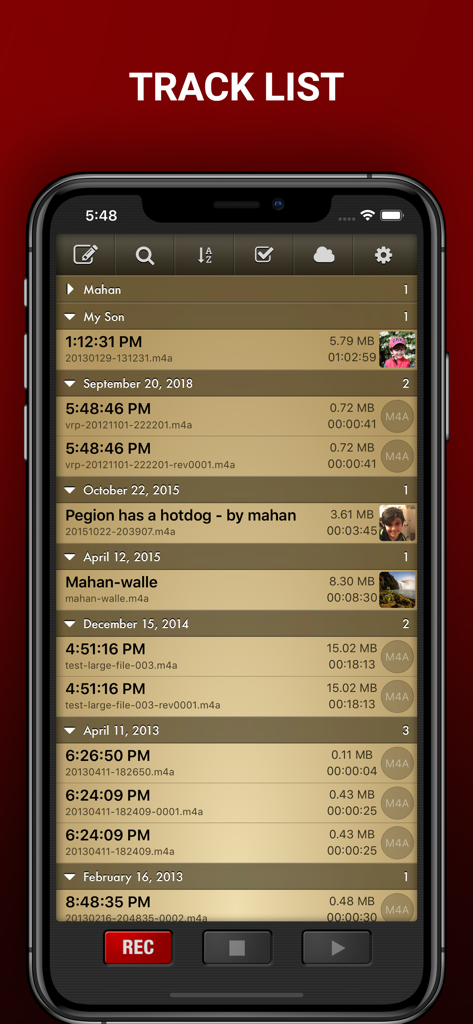
Bildschirm mit der Trackliste von Voice Record Pro, der eine detaillierte Liste organisierter Audioaufnahmen mit Zeitstempeln und Dateiinformationen anzeigt
Beschreibung
Download
Ähnliche Apps
Top-gerankte Apps in derselben Kategorie

Google LLC

Google Chrome
Google LLC

中国移动(手机营业厅)
China Mobile Online Services Co., Ltd.

Google Authenticator
Google LLC

CNH do Brasil
Servicos e Informacoes do Brasil

Cleanup: Phone Storage Cleaner
DEEP FLOW SOFTWARE SERVICES - FZCO

gov.br
Servicos e Informacoes do Brasil

中国电信-全国统一官方服务平台
CHINA TELECOM Corporation Ltd.

Microsoft Edge: AI Browser
Microsoft Corporation
Diese Seite ist keine offizielle Seite der App oder ihres Entwicklers, sondern eine unabhängige redaktionelle Veröffentlichung, die zu Informations- und Kommentarzwecken erstellt wurde. Sofern nicht ausdrücklich anders angegeben, sind weder die App noch ihr Entwickler mit MWM, Apple, Google Play, dem App-Herausgeber oder dem Entwickler der App verbunden, von ihnen unterstützt, gesponsert, autorisiert oder anderweitig offiziell verbunden, und nichts auf dieser Seite impliziert, dass die App unter Verwendung der Dienste von MWM entwickelt wurde. Alle Marken, Logos, Screenshots und andere Inhalte bleiben Eigentum ihrer jeweiligen Inhaber.