Vuforia Creator

Vuforia Creator

Herunterladen auf App Store
Logo von Vuforia Creator

Vuforia Creator: Optimieren Sie Ihren Enterprise-AR-Workflow

Die unverzichtbare Ergänzung für XR-Entwickler zum Scannen von Umgebungen, Testen von Modellzielen und Aufzeichnen von 6DOF-Sitzungen für nahtlose Off-Site-Entwicklung.

Herausgeber

PTC Inc.

Kategorie

Developer Tools

Downloads

51K+

Bewertung

1.0/5

Bewertungen gesamt

0

Sprachen

1

Präzision in jedem Scan

Entdecken Sie die Oberfläche, die von 51K+ Nutzern verwendet wird.
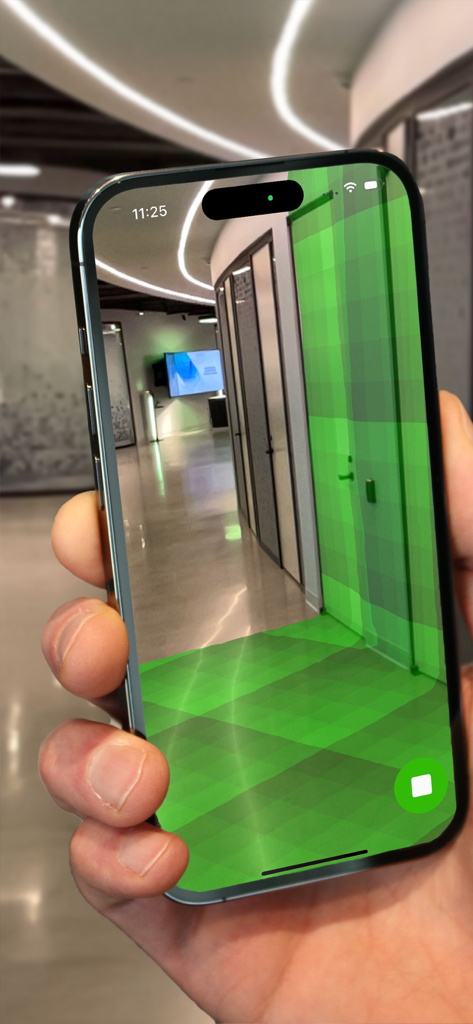
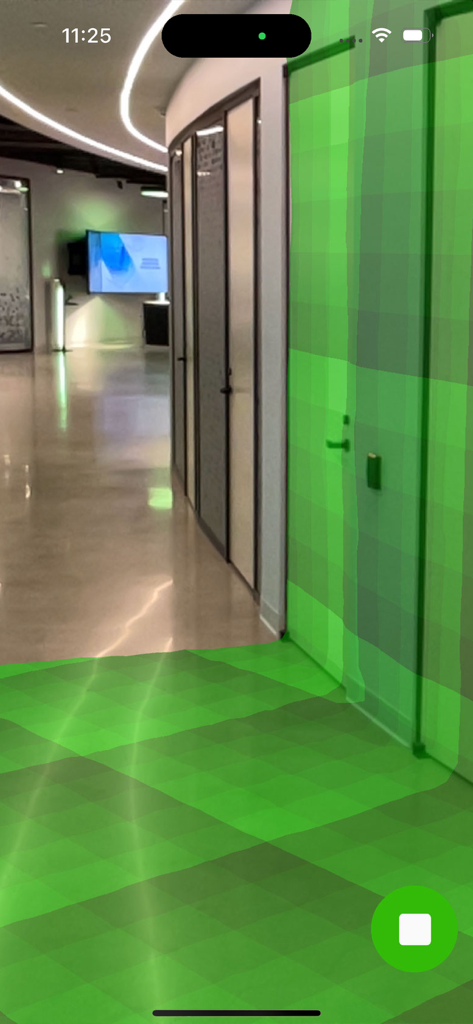
iPhone-Bildschirm, der einen Augmented-Reality-grünen Mesh zeigt, der einen Bürokorridor scannt

iPhone-Bildschirm, der einen Augmented-Reality-grünen Mesh zeigt, der einen Bürokorridor scannt

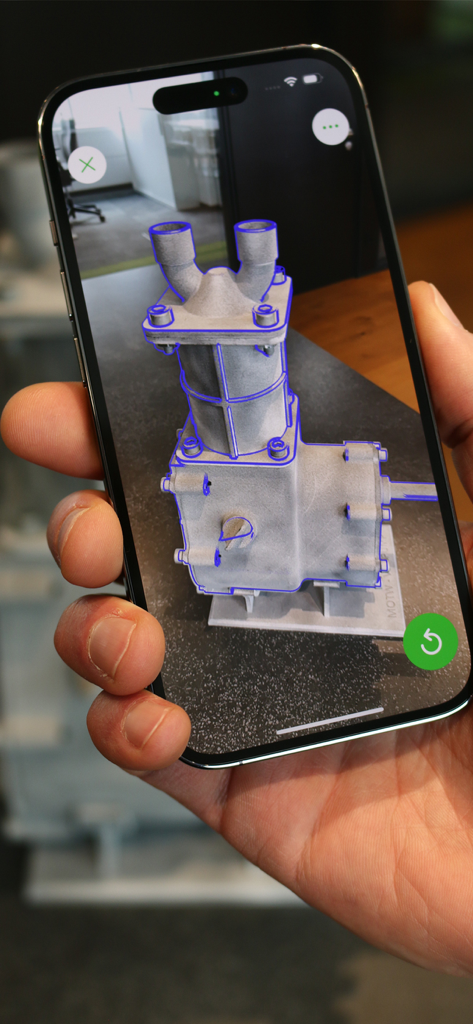
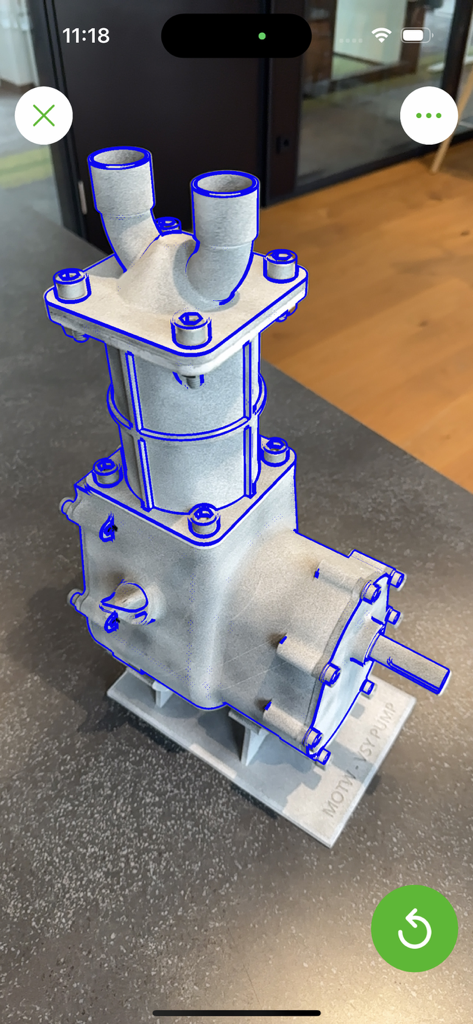
Eine Person hält ein Smartphone mit Vuforia Creator, um ein Augmented-Reality-Modellziel-Overlay auf einem physischen Industrieteil zu testen

Eine Person hält ein Smartphone mit Vuforia Creator, um ein Augmented-Reality-Modellziel-Overlay auf einem physischen Industrieteil zu testen

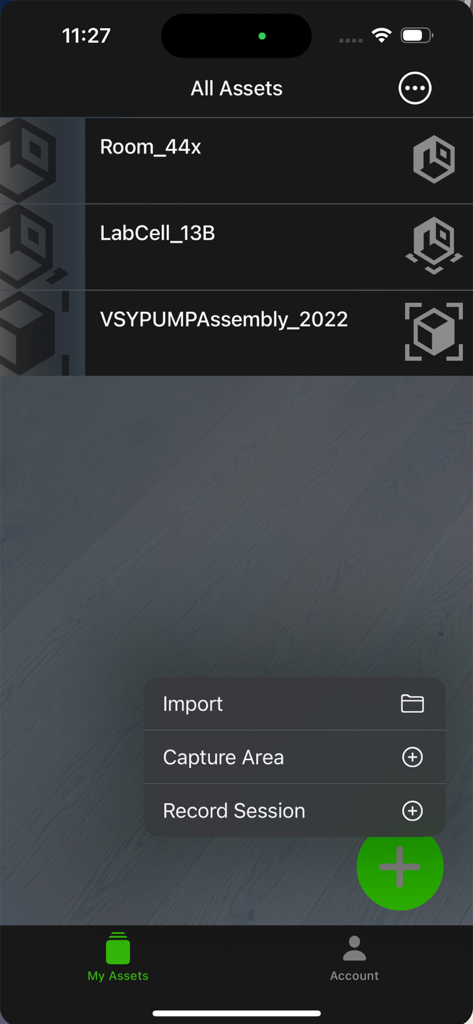
Vuforia Creator-App, die AR-Assets und ein Menü zum Erfassen von Bereichen oder Aufzeichnen von Sitzungen anzeigt

Vuforia Creator-App, die AR-Assets und ein Menü zum Erfassen von Bereichen oder Aufzeichnen von Sitzungen anzeigt

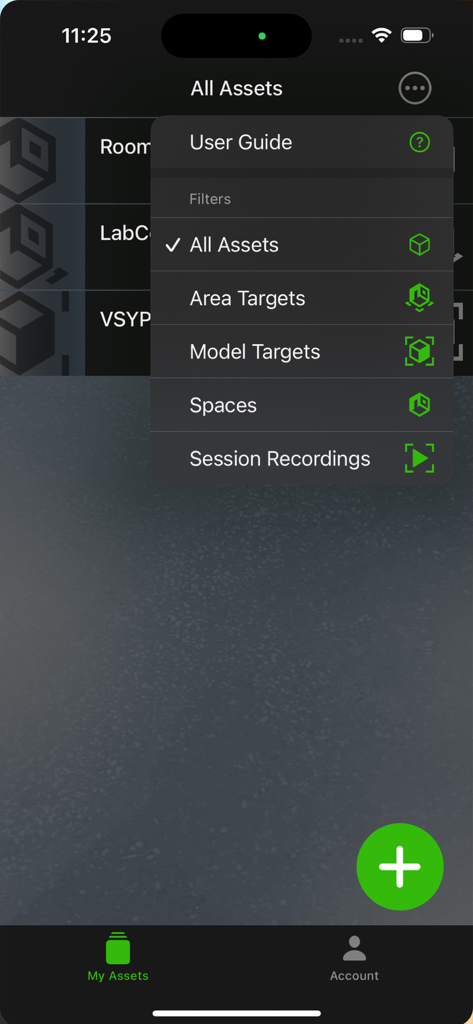
Vuforia Creator-App-Oberfläche mit dem Menü Alle Assets filtern mit Optionen für Bereichsziele und Modellziele

Vuforia Creator-App-Oberfläche mit dem Menü Alle Assets filtern mit Optionen für Bereichsziele und Modellziele

Mobile App-Oberfläche, die ein Augmented-Reality-Mesh zeigt, das einen Büroflur für die Umgebungszuordnung scannt.

Mobile App-Oberfläche, die ein Augmented-Reality-Mesh zeigt, das einen Büroflur für die Umgebungszuordnung scannt.

Eine Industriepumpe wird in Augmented Reality mit blauen Umrissen in der Vuforia Creator-App verfolgt

Eine Industriepumpe wird in Augmented Reality mit blauen Umrissen in der Vuforia Creator-App verfolgt

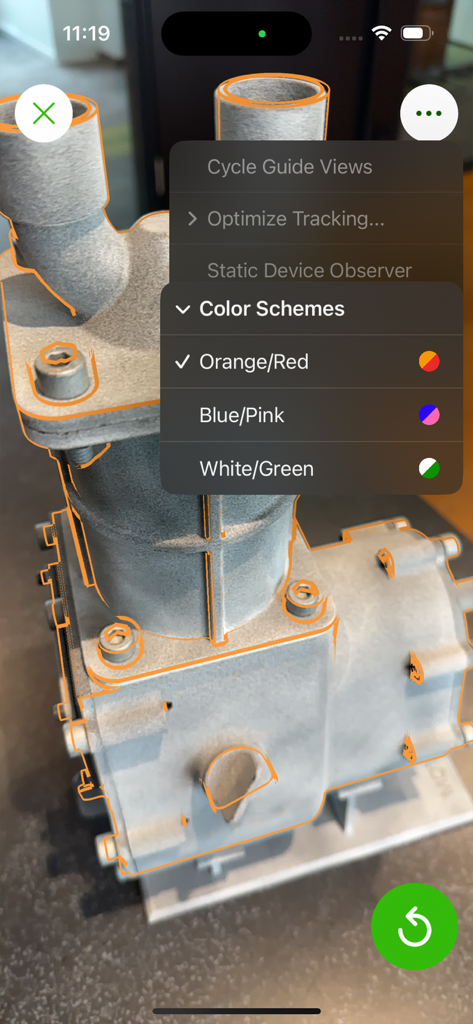
Vuforia Creator mobile App, die AR-Modellverfolgung auf einem mechanischen Teil mit anpassbarem Farbschema demonstriert

Vuforia Creator mobile App, die AR-Modellverfolgung auf einem mechanischen Teil mit anpassbarem Farbschema demonstriert

Beherrschen Sie Ihren industriellen AR-Workflow

Die Tools, die diese App auszeichnen, gewählt von 51K+ Nutzern.

📡

Sofortige Erstellung von Bereichszielen

Nutzen Sie LiDAR-Sensoren, um physische Räume in Minuten in AR-Leinwände zu verwandeln und einsatzbereite Ziele zu erstellen, auch offline.

Validierung der Echtzeit-Nachverfolgung

Sorgen Sie für Stabilität in Unternehmensqualität, indem Sie Modell- und Bereichsziele direkt anhand physischer Assets testen, um die Leistung vor der Bereitstellung zu überprüfen.

🎥

Wiedergabe von Remote-Sitzungen

Erfassen Sie Standortbegehungen mit 6DOF-Posendaten, sodass Sie Ihre AR-Erlebnisse bequem von Ihrem Büro aus simulieren und verfeinern können.

Über die App

Alles, was Sie über wissen müssen Vuforia Creator.

Beschreibung

The Vuforia® Creator™ application is an essential companion for anyone developing Augmented Reality (AR) applications using Vuforia Engine™. It enables users to scan and test Area Targets, test Model Targets, and record sessions that can be played back during development for testing. Area Targets turn a physical space into a canvas for augmented reality, enabling developers to create applications that feature dynamic AR navigation, clear service and maintenance guidance, or factory monitoring of live IoT data from the floor. The Vuforia Creator application makes scanning and generating Area Targets a breeze. Using a LiDAR-enabled mobile device, users can easily scan a space and create an Area Target instantly. Even when used offline, the captured data can be saved and later converted into an Area Target using the desktop Area Target Generator application. Additionally, for existing Area Targets, this application allows developers to test the stability and tracking in the corresponding environment. Model Targets enable the tracking and augmenting of real-world objects like industrial machines and vehicles. This technology can be used to create detailed AR user manuals, precise service instructions, or product demonstrations. After creating a Model Target with the Vuforia Model Target Generator, it can be loaded into the Vuforia Creator application to test the target. Session Recordings are a helpful tool during development, as they allow the developer to play back a recorded walkthrough complete with video and six degrees of freedom (6DOF) pose data. If you cannot take multiple trips to the location you’re developing an experience for, record a session, and then use the recording to test your augmentation of Area or Model Targets. Session recordings are an efficient way for the developers creating an experience to collaborate with the future users in the field. Key Functionality: • Scan an environment and instantly generate Area Targets with a depth-enabled mobile device • Test the detection and tracking quality of Area Targets and Model Targets • Import, share, or delete datasets in the new Asset Browser • Record sessions/walkthroughs to aid in off-site development, complete with video and six degrees of freedom (6DOF) pose data

Neueste Version

11.4.0

Größe

359.6 MB

Erstveröffentlichung

21. Nov. 2022

Optimieren Sie Ihren Enterprise-AR-Workflow noch heute

Laden Sie die unverzichtbare Ergänzung für die Vuforia Engine herunter und beginnen Sie mit dem Scannen, Testen und Aufzeichnen von hochpräzisen Zielen direkt von Ihrem LiDAR-fähigen Gerät aus.

Herunterladen auf App Store

App information, icons, screenshots, and descriptions displayed on this page are sourced from the Apple App Store and are the property of their respective developers. Download estimates and rankings are based on MWM's proprietary models and may not reflect actual figures. This page is provided for informational and analytical purposes only.

Believe this page infringes your intellectual property? File a dispute