
Diese Seite ist keine offizielle Seite der App oder ihres Entwicklers, sondern eine unabhängige redaktionelle Veröffentlichung, die zu Informations- und Kommentarzwecken erstellt wurde. Sofern nicht ausdrücklich anders angegeben, sind weder die App noch ihr Entwickler mit MWM, Apple, Google Play, dem App-Herausgeber oder dem Entwickler der App verbunden, von ihnen unterstützt, gesponsert, autorisiert oder anderweitig offiziell verbunden, und nichts auf dieser Seite impliziert, dass die App unter Verwendung der Dienste von MWM entwickelt wurde. Alle Marken, Logos, Screenshots und andere Inhalte bleiben Eigentum ihrer jeweiligen Inhaber.


WebDAV Nav+
Greifen Sie sicher auf Dateien von Ihrem NAS oder privaten Server zu, bearbeiten Sie sie und synchronisieren Sie sie. Ein vielseitiges Dienstprogramm mit Syntaxhervorhebung für Code, DICOM-Unterstützung und lokaler Verschlüsselung für Power-User.
Downloads
194K+Bewertung
Bewertungen gesamt
1K+Herausgeber
Kategorie
UtilitiesSprachen
16Neueste Version
8.5.6Größe
20.7 MBErstveröffentlichung
1. Jan. 2011Übernehmen Sie die volle Kontrolle über Ihre Daten
Die ultimative mobile Workstation für Profis, die eine granulare Kontrolle über ihre privaten Server, Cloud-Speicher und lokalen Dateien wünschen – alles in einer sicheren Umgebung.
Sicherer Zugriff auf private Server
Überspringen Sie die Cloud von Big Tech und verbinden Sie sich direkt mit Ihrem NAS oder privaten Server mit vollständiger Datenhoheit und PIN-geschütztem Speicher.
Professioneller Code- & Texteditor
Nehmen Sie unterwegs Hotfixes mit Syntaxhervorhebung für Python, PHP und JS sowie voller Unterstützung für Office- und PDF-Formate vor.
Die folgenden Screenshots und die Beschreibung stammen direkt aus dem offiziellen Store-Eintrag der App und sind Eigentum des Entwicklers.
App Store
Screenshots
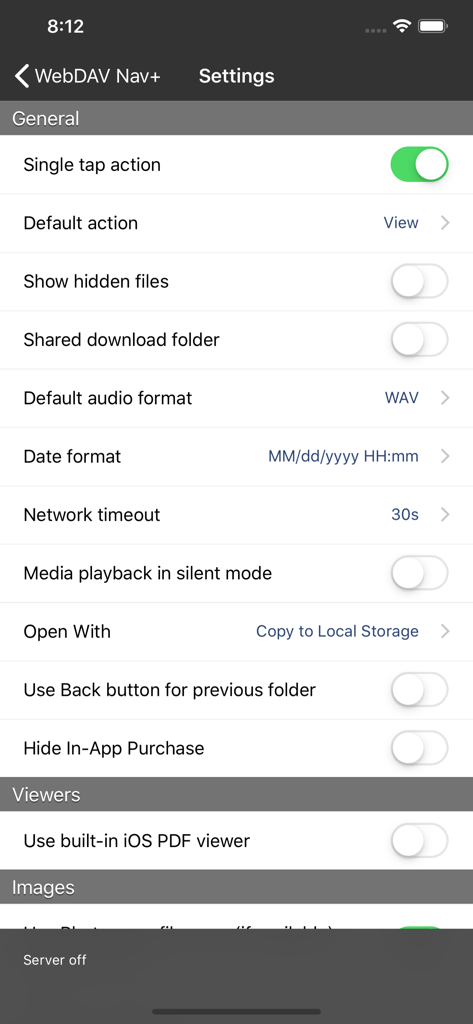
WebDAV Nav plus App-Einstellungen-Oberfläche mit allgemeinen Konfigurations- und Viewer-Optionen
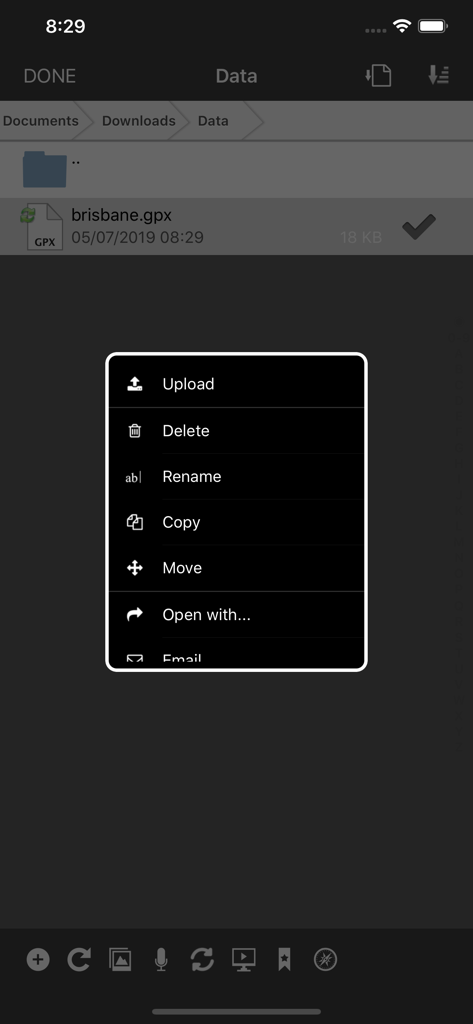
WebDAV Nav plus App, die ein Dateikontextmenü mit Optionen zum Hochladen, Löschen, Umbenennen, Kopieren und Verschieben von Dateien anzeigt
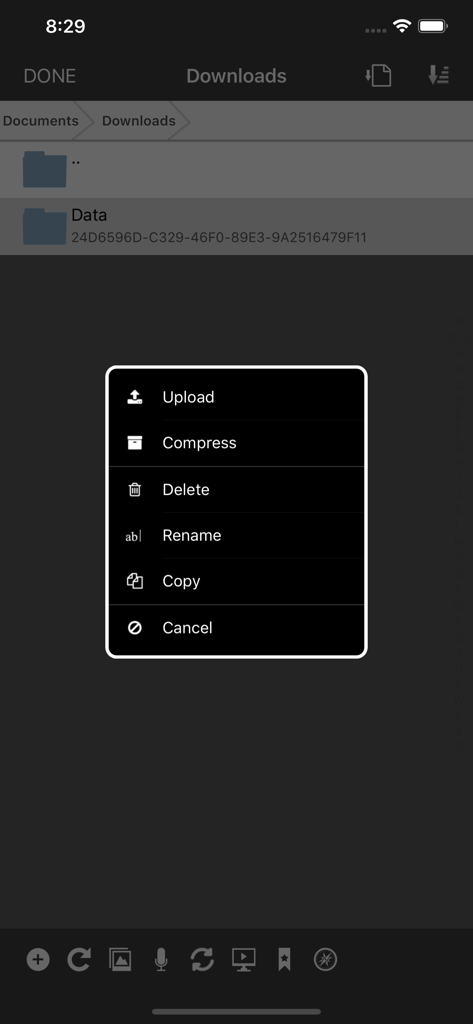
WebDAV Nav plus mobile App, die ein Popup-Menü mit Dateiverwaltungsoptionen wie Hochladen, Komprimieren, Löschen und Umbenennen anzeigt
Beschreibung
Download
Ähnliche Apps
Top-gerankte Apps in derselben Kategorie

Google LLC

Google Chrome
Google LLC

中国移动(手机营业厅)
China Mobile Online Services Co., Ltd.

Google Authenticator
Google LLC

CNH do Brasil
Servicos e Informacoes do Brasil

Cleanup: Phone Storage Cleaner
DEEP FLOW SOFTWARE SERVICES - FZCO

gov.br
Servicos e Informacoes do Brasil

中国电信-全国统一官方服务平台
CHINA TELECOM Corporation Ltd.

Microsoft Edge: AI Browser
Microsoft Corporation
Diese Seite ist keine offizielle Seite der App oder ihres Entwicklers, sondern eine unabhängige redaktionelle Veröffentlichung, die zu Informations- und Kommentarzwecken erstellt wurde. Sofern nicht ausdrücklich anders angegeben, sind weder die App noch ihr Entwickler mit MWM, Apple, Google Play, dem App-Herausgeber oder dem Entwickler der App verbunden, von ihnen unterstützt, gesponsert, autorisiert oder anderweitig offiziell verbunden, und nichts auf dieser Seite impliziert, dass die App unter Verwendung der Dienste von MWM entwickelt wurde. Alle Marken, Logos, Screenshots und andere Inhalte bleiben Eigentum ihrer jeweiligen Inhaber.