WhatsAgain for WhatsApp
Herunterladen auf App Store

Diese Seite ist keine offizielle Seite der App oder ihres Entwicklers, sondern eine unabhängige redaktionelle Veröffentlichung, die zu Informations- und Kommentarzwecken erstellt wurde. Sofern nicht ausdrücklich anders angegeben, sind weder die App noch ihr Entwickler mit MWM, Apple, Google Play, dem App-Herausgeber oder dem Entwickler der App verbunden, von ihnen unterstützt, gesponsert, autorisiert oder anderweitig offiziell verbunden, und nichts auf dieser Seite impliziert, dass die App unter Verwendung der Dienste von MWM entwickelt wurde. Alle Marken, Logos, Screenshots und andere Inhalte bleiben Eigentum ihrer jeweiligen Inhaber.


Logo von WhatsAgain for WhatsApp
Herunterladen auf App Store

WhatsAgain for WhatsApp

Synchronisieren Sie nahtlos mehrere Konten auf Ihrem iPhone und genießen Sie das Vollbild-Erlebnis, das Ihrem iPad bisher gefehlt hat. Das ultimative Werkzeug für Berufstätige und Multitasker, um die Lücke zwischen Arbeit und Leben zu schließen.

Kennzahlen

Downloads

228K+

Bewertung

4.3/5

Bewertungen gesamt

1K+

Herausgeber

PGD Mobile Development, S.L.

Kategorie

Social Networking

Sprachen

1

Neueste Version

1.21

Größe

10.9 MB

Erstveröffentlichung

3. Feb. 2019
Funktionen

Steigern Sie Ihre Produktivität

Verwalten Sie mühelos mehrere WhatsApp-Konten auf Ihrem iPhone und iPad mit einer professionellen Oberfläche, die für Ihren geschäftigen Lebensstil entwickelt wurde.

Dual-Account-Freiheit

Eliminieren Sie die Notwendigkeit für zwei Telefone. Nutzen Sie Ihre privaten und geschäftlichen Konten gleichzeitig auf einem einzigen Gerät.

Natives iPad-Erlebnis

Keine Browser-Tabs mehr. Genießen Sie eine dedizierte Vollbild-WhatsApp-Oberfläche, die speziell für Ihren iPad-Workflow entwickelt wurde.

Die folgenden Screenshots und die Beschreibung stammen direkt aus dem offiziellen Store-Eintrag der App und sind Eigentum des Entwicklers.

App Store

Screenshots
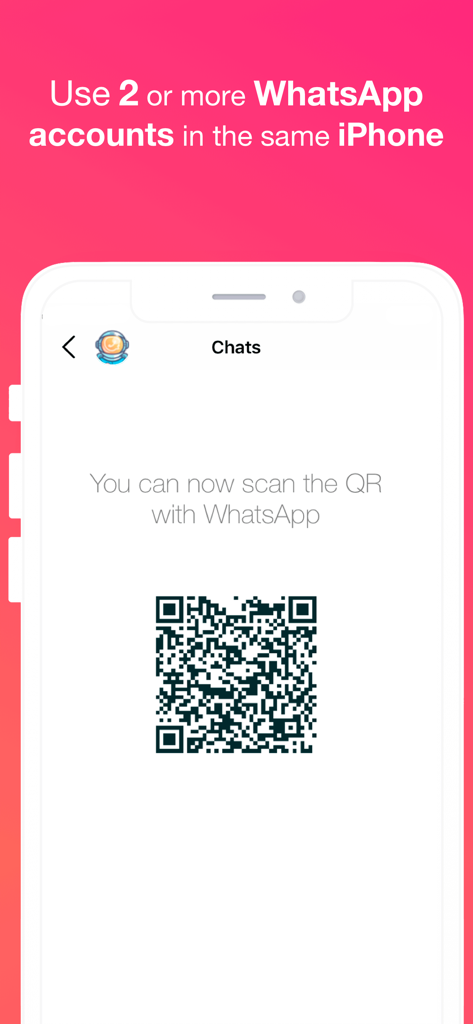
WhatsAgain for WhatsApp - WhatsAgain App zeigt einen QR-Code zum Synchronisieren mehrerer WhatsApp-Konten auf einem einzelnen iPhone.
WhatsAgain App zeigt einen QR-Code zum Synchronisieren mehrerer WhatsApp-Konten auf einem einzelnen iPhone.

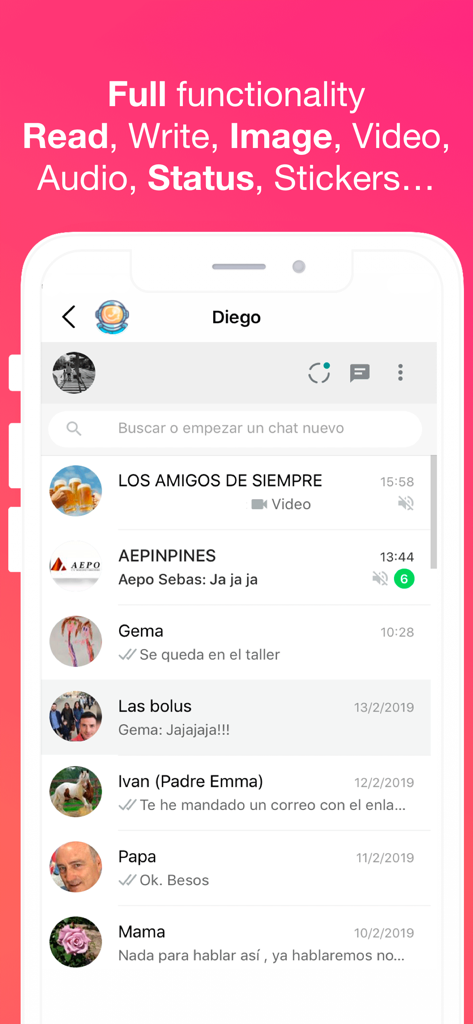
WhatsAgain for WhatsApp - WhatsAgain App-Oberfläche zeigt mehrere WhatsApp-Chat-Konversationen und unterstützte Funktionen
WhatsAgain App-Oberfläche zeigt mehrere WhatsApp-Chat-Konversationen und unterstützte Funktionen

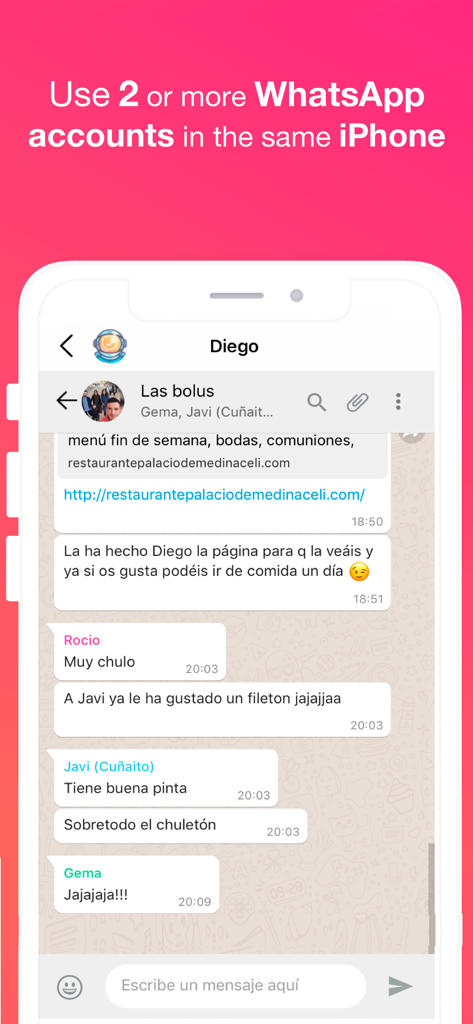
WhatsAgain for WhatsApp - Screenshot der WhatsAgain App zeigt einen WhatsApp-Gruppenchat auf einem iPhone mit Text über die Nutzung mehrerer Konten
Screenshot der WhatsAgain App zeigt einen WhatsApp-Gruppenchat auf einem iPhone mit Text über die Nutzung mehrerer Konten

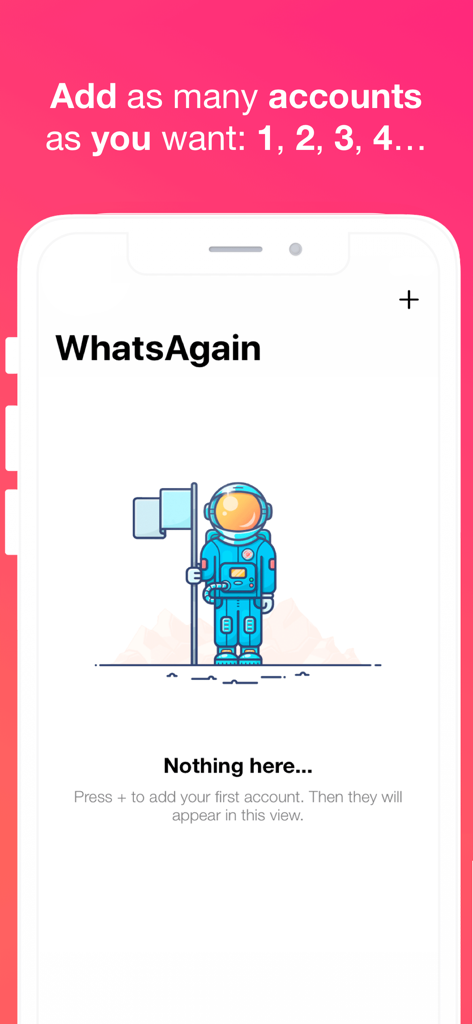
WhatsAgain for WhatsApp - WhatsAgain App-Oberfläche zeigt einen leeren Zustand mit einer Astronautenillustration und Anweisungen zum Hinzufügen mehrerer WhatsApp-Konten

WhatsAgain App-Oberfläche zeigt einen leeren Zustand mit einer Astronautenillustration und Anweisungen zum Hinzufügen mehrerer WhatsApp-Konten

Beschreibung

Welcome to WhatsAgain, the application that synchronizes your WhatsApp Web accounts. Yes, you have read well, YOUR ACCOUNTS, in plural, double accounts or multi accounts. And full screen! Read more to learn how to have more than one WhatsApp account on your iPhone, or WhatsApp on iPad, like Whatscan but working xD WhatsAgain allows you to access, through WhatsWeb, all the accounts that you have or need to manage. And also, with all the features you already have, like Whatscan but working xD And, why am I going to need something like that? Well, it's easy. We present to you several scenarios that we use now WhatsAgain. · I have two or more phones with WhatsApp: In this case, WhatsAgain, allows you to have all the WhatsApp accounts on the same device. For example, if you have a personal account, a professional account, and another technical support account. With WhatsAgain, you can access them from a single device. Great, right? How does WhatsAgain work? WhatsAgain works by pairing the official WhatsApp accounts through the WhatsWeb platform. How to match a WhatsApp account with WhatsAgain? · Open WhatsAgain and follow the steps until you see a QR code on the screen. · On the mobile with the WhatsApp account, navigate to 'Settings' -> 'WhatsApp Web / Desktop' -> 'Scan QR code'. · Scan the QR code of the mobile screen with WhatsAgain and wait for the account to load. AND READY!!! Can I stop using my official WhatsApp account on WhatsAgain? Yes of course. You simply have to close the session or the WhatsWeb sessions that you want from your WhatsApp app. SUBSCRIPTION PRICING AND TERMS You can find all related information in these links: PGDMobile / iWazowski.com Terms of Service: https://pgdmobile.com/legal/pdf/Terms_of_Service.pdf PGDMobile / iWazowski.com Privacy Policy: http://pgdmobile.com/legal/pdf/Privacy_Policy.pdf 1) About Subscription: WhatsAgain offers you the following subscription: Monthly Membership offers a monthly subscription for $0.99 after a 3-day free trial. After buying this subscription, you will unlock the following features: Send audio messages, you will be able to signin the app with your Google account, you will be able to save your WhatsApp Web session in the cloud, you will be able to open your stored sessions in other device signing in with your Google account. 2) About end of trial and subscription renewal: This price is for United States customers. Pricing in other countries may vary, and actual charges may be converted to your local currency depending on the country of residence. Your subscription will be charged to your iTunes Account at confirmation of purchase. Subscription automatically renews unless auto-renew is turned off at least 24-hours before the end of the current period. Account will be charged for renewal within 24-hours prior to the end of the current period, and identify the cost of the renewal. Subscriptions may be managed by the user and auto-renewal may be turned off by going to the user's Account Settings after purchase. Any unused portion of a free trial period, if offered, will be forfeited when the user purchases a subscription to that publication, where applicable. 3) About canceling trial or subscription: You can turn off the auto-renew for the subscription whenever you want to through iTunes. Check https://support.apple.com/HT202039. When your current trial/subscription period expires, you will be unsubscribed. The current active subscription period can not be canceled. After your subscription expires, you will no longer have access to premium features. If you have any questions or comments, feel free to contact us at support@iwazowski.com Disclaimer: WhatsAgain is a third-party app for WhatsApp. It does not have, nor does it exist, any commercial relationship, nor is it endorsed or endorsed by WhatsApp, Facebook Inc. or any of its affiliates. The application connects to your official WhatsApp Web account and complies with the terms of use of WhatsApp.

Download

Herunterladen auf App Store

Diese Seite ist keine offizielle Seite der App oder ihres Entwicklers, sondern eine unabhängige redaktionelle Veröffentlichung, die zu Informations- und Kommentarzwecken erstellt wurde. Sofern nicht ausdrücklich anders angegeben, sind weder die App noch ihr Entwickler mit MWM, Apple, Google Play, dem App-Herausgeber oder dem Entwickler der App verbunden, von ihnen unterstützt, gesponsert, autorisiert oder anderweitig offiziell verbunden, und nichts auf dieser Seite impliziert, dass die App unter Verwendung der Dienste von MWM entwickelt wurde. Alle Marken, Logos, Screenshots und andere Inhalte bleiben Eigentum ihrer jeweiligen Inhaber.