Whatscan - Whats Scan Web
Herunterladen auf App Store

Diese Seite ist keine offizielle Seite der App oder ihres Entwicklers, sondern eine unabhängige redaktionelle Veröffentlichung, die zu Informations- und Kommentarzwecken erstellt wurde. Sofern nicht ausdrücklich anders angegeben, sind weder die App noch ihr Entwickler mit MWM, Apple, Google Play, dem App-Herausgeber oder dem Entwickler der App verbunden, von ihnen unterstützt, gesponsert, autorisiert oder anderweitig offiziell verbunden, und nichts auf dieser Seite impliziert, dass die App unter Verwendung der Dienste von MWM entwickelt wurde. Alle Marken, Logos, Screenshots und andere Inhalte bleiben Eigentum ihrer jeweiligen Inhaber.

Logo von Whatscan - Whats Scan Web
Herunterladen auf App Store

Whatscan - Whats Scan Web

Verwalten Sie nahtlos Arbeits- und private Chats auf einem einzigen iPhone. Beanspruchen Sie Ihre digitalen Grenzen mit dem Geistermodus, anonymer Statusanzeige und sicherem Passwortschutz für Ihre privatesten Gespräche zurück.

Kennzahlen

Downloads

42K+

Bewertung

4.4/5

Bewertungen gesamt

400

Herausgeber

Vivek Warde

Kategorie

Social Networking

Sprachen

1

Neueste Version

2.7

Größe

25.4 MB

Erstveröffentlichung

16. Aug. 2019
Funktionen

Meistern Sie Ihre WhatsApp-Produktivität

Schließen Sie die Lücke zwischen Ihrem Berufs- und Privatleben mit einem leistungsstarken Toolkit, das auf Datenschutz, Effizienz und nahtlose Multi-Account-Verwaltung ausgelegt ist.

Dual-Account-Verwaltung

Führen Sie mühelos zwei WhatsApp-Konten auf einem einzigen iPhone. Halten Sie Ihre berufliche und private Kommunikation organisiert, ohne ein zweites Gerät mitführen zu müssen.

Stealth-Datenschutzmodus

Lesen Sie Nachrichten und sehen Sie Statusmeldungen anonym an. Blenden Sie Ihre blauen Häkchen und den letzten Online-Status aus, um Ihre Grenzen zu wahren und zu antworten, wenn Sie bereit sind.

Die folgenden Screenshots und die Beschreibung stammen direkt aus dem offiziellen Store-Eintrag der App und sind Eigentum des Entwicklers.

App Store

Screenshots
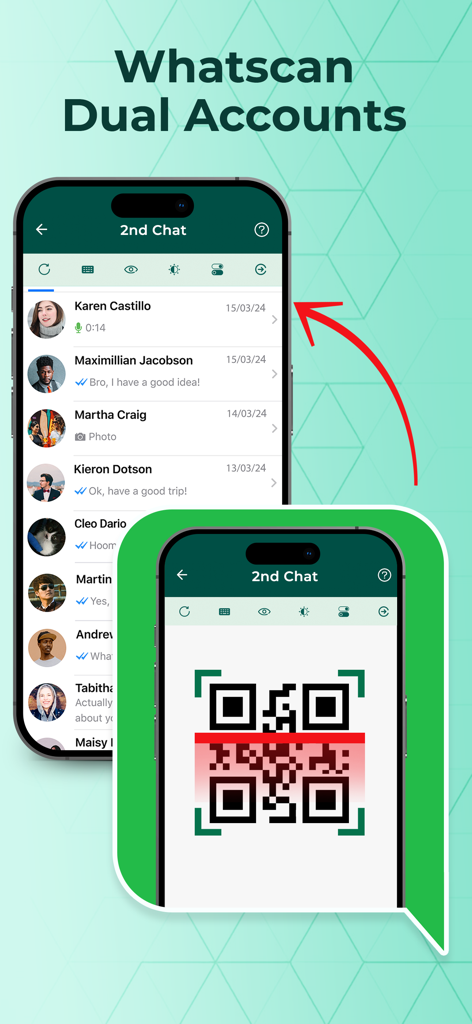
Whatscan - Whats Scan Web - Whatscan-App-Oberfläche, die die Einrichtung von Dual-Konten mit einem QR-Code-Scanner und einer sekundären Chatliste zeigt
Whatscan-App-Oberfläche, die die Einrichtung von Dual-Konten mit einem QR-Code-Scanner und einer sekundären Chatliste zeigt

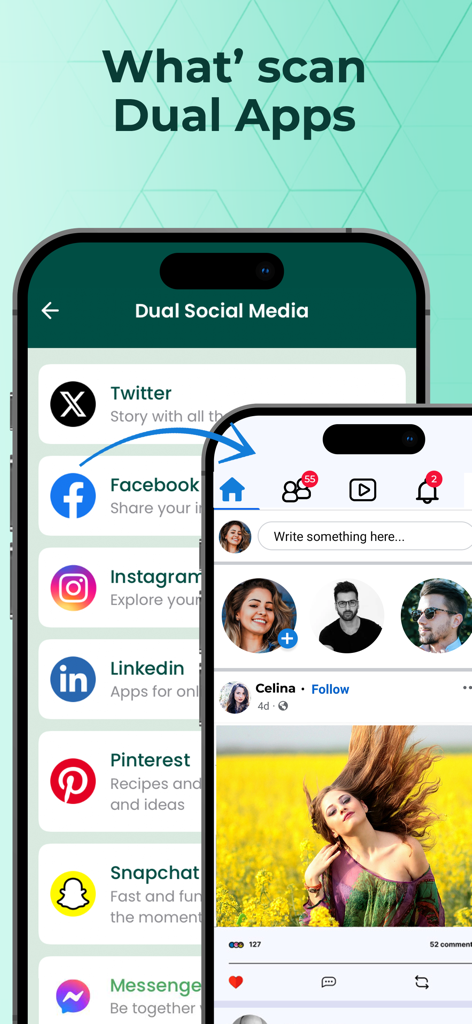
Whatscan - Whats Scan Web - Whatscan-App-Oberfläche, die die Dual-Social-Media-Funktion zur Verwaltung mehrerer Social-Media-Konten auf einem Gerät zeigt
Whatscan-App-Oberfläche, die die Dual-Social-Media-Funktion zur Verwaltung mehrerer Social-Media-Konten auf einem Gerät zeigt

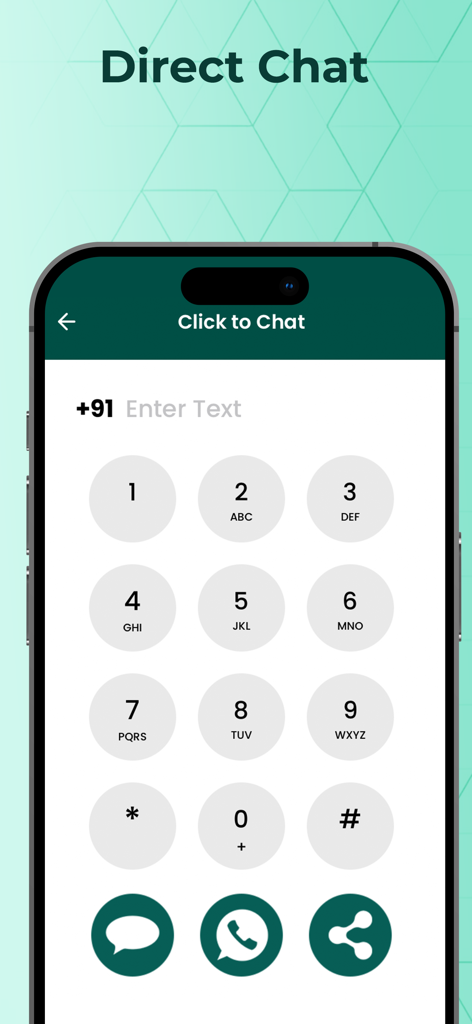
Whatscan - Whats Scan Web - Oberfläche der Direktchat-Funktion in der Whatscan-App, die ein Ziffernfeld zum Senden von Nachrichten an nicht gespeicherte Nummern zeigt
Oberfläche der Direktchat-Funktion in der Whatscan-App, die ein Ziffernfeld zum Senden von Nachrichten an nicht gespeicherte Nummern zeigt

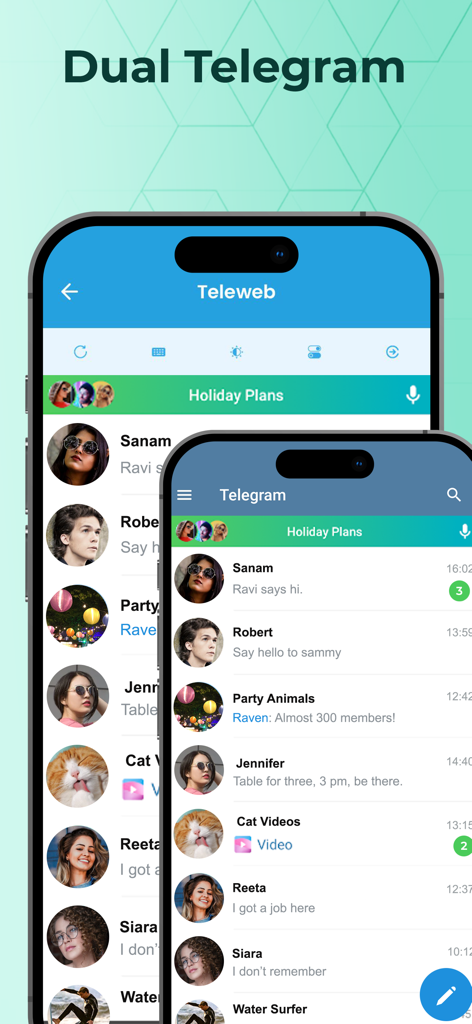
Whatscan - Whats Scan Web - Oberfläche von Whatscan, die die Dual-Telegram-Funktion zur Verwaltung mehrerer Konten auf einem einzelnen iPhone zeigt
Oberfläche von Whatscan, die die Dual-Telegram-Funktion zur Verwaltung mehrerer Konten auf einem einzelnen iPhone zeigt

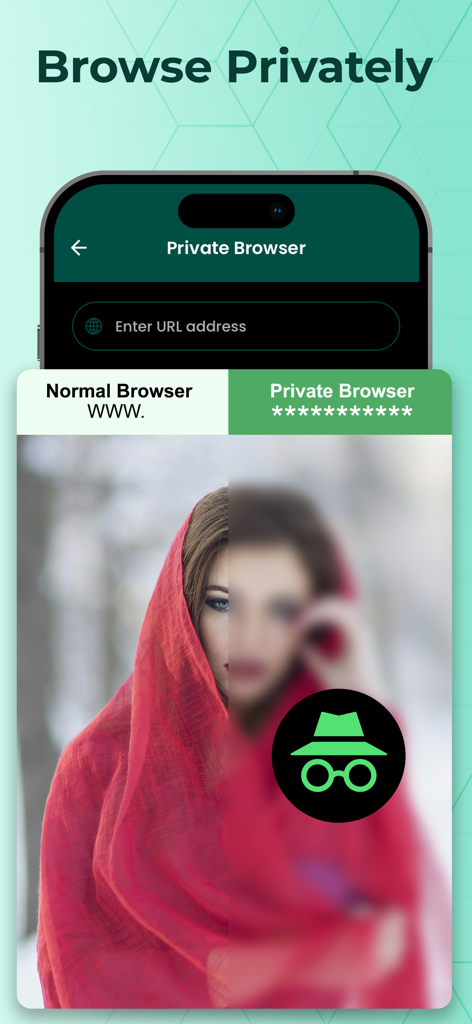
Whatscan - Whats Scan Web - Screenshot der Private-Browser-Funktion der Whatscan-App, der den Inkognito-Modus hervorhebt
Screenshot der Private-Browser-Funktion der Whatscan-App, der den Inkognito-Modus hervorhebt

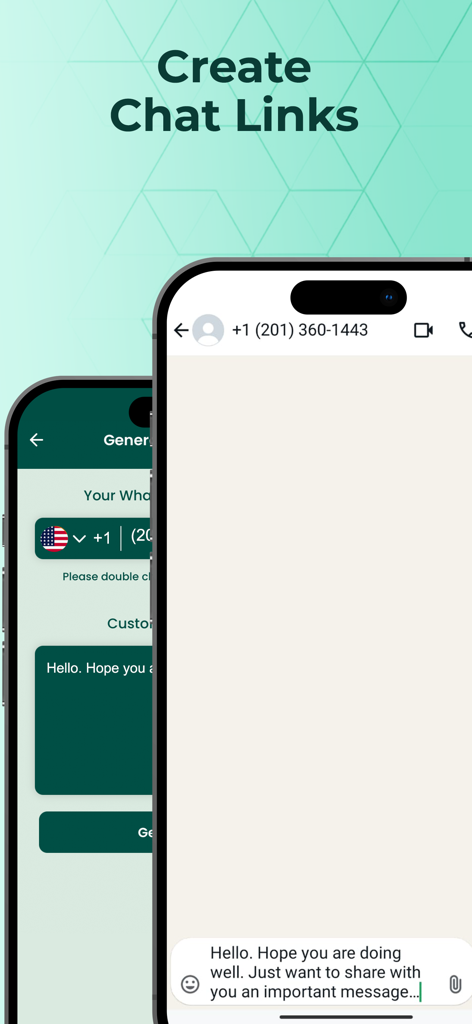
Whatscan - Whats Scan Web - Mobile Ansicht, die die Chat-Link-Generator-Funktion in der Whatscan-App zeigt
Mobile Ansicht, die die Chat-Link-Generator-Funktion in der Whatscan-App zeigt

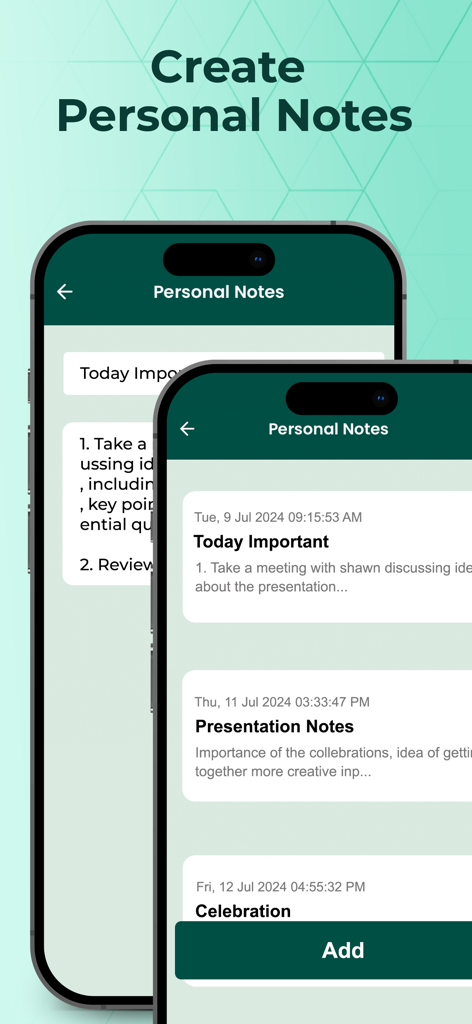
Whatscan - Whats Scan Web - Screenshot der Funktion 'Persönliche Notizen' in der Whatscan-App, die eine Liste gespeicherter Notizen und eine Schaltfläche zum Hinzufügen zeigt.
Screenshot der Funktion 'Persönliche Notizen' in der Whatscan-App, die eine Liste gespeicherter Notizen und eine Schaltfläche zum Hinzufügen zeigt.

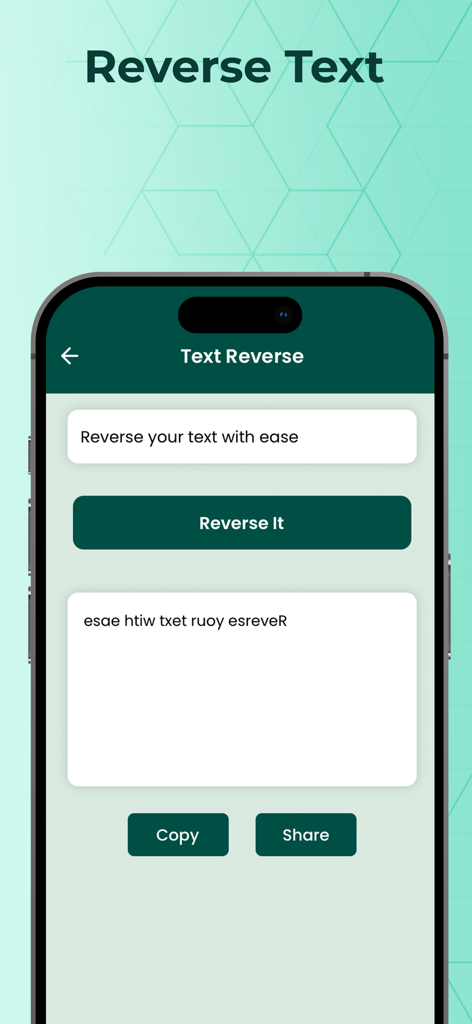
Whatscan - Whats Scan Web - Screenshot der Textumkehr-Funktion der Whatscan-App, die zeigt, wie Text in einem Eingabefeld umgekehrt wird
Screenshot der Textumkehr-Funktion der Whatscan-App, die zeigt, wie Text in einem Eingabefeld umgekehrt wird

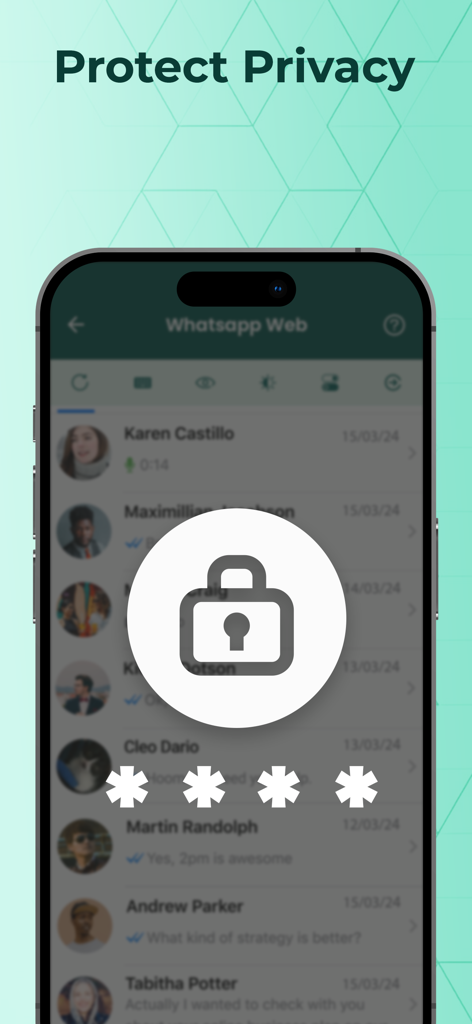
Whatscan - Whats Scan Web - Whatscan-App-Oberfläche, die eine Passwortsperre und eine Datenschutzfunktion für Chatlisten zeigt.

Whatscan-App-Oberfläche, die eine Passwortsperre und eine Datenschutzfunktion für Chatlisten zeigt.

Beschreibung

Whatscan web for whatsweb is the best tool to seamlessly manage multiple web accounts on a single device. Whatscan enhances your privacy by allowing you to hide your online last seen status, hide blue ticks, disable read receipts, and view your friend's status privately. Easily open popular dual social media apps on a single device, and initiate chats by typing the number without saving it. Explore all that Whatscan web has to offer! ► Looking for New Features? - Struggling to manage two phones for work and personal social accounts? - Want to hide your last seen status? - Prefer reading messages from notifications without others knowing? - Need to view status/stories anonymously? - Wish to chat directly without saving numbers? - Seeking a private browser for incognito surfing? - Want to manage more than one web account on a single device? Whatscan is here for You! New Features in Whatscan App: ► Multiple Web Account Management: Effortlessly switch between accounts on your iPhone and stay connected without frequent logins and logouts. Enjoy fast chat loading and a smooth user experience with light/dark mode options. ► Privacy Protection: Enable privacy mode in the Web Scanner Dual Chat to hide read receipts, check marks, blue ticks, and last seen status. View status/stories without notifying others. ► Link Generator: Create message links with ease! Enter the recipient's phone number and a pre-filled message to generate a clickable link that opens with your message ready to send. ► Dual Apps Space / Parallel App: Clone popular social media apps and manage work and personal accounts on a single device. Enjoy independent data storage, separate notifications, and prevent interference between web accounts. ► Private Browsing: Enjoy fast, secure, private web browsing. Features include anonymous browsing history, private search, encrypted data traffic (HTTPS Everywhere), script and cookie blocking, and incognito tabs. ► Passcode Protection: Secure your dual social media apps, chats with a PIN to lock Whatscan and keep your private space safe from unauthorized access. ► Personal Notes: Take notes with a simple, unlimited note-taking utility. Create, edit text notes with no length or number limits, constrained only by your phone's storage. ► Reverse Text Generator: Easily reverse text for fun messages, secret encoding, or experimenting with text formats. Reverse words, sentences, or entire paragraphs. ► World Prefixes: Quickly add country codes to phone numbers. Just search and tap the desired country code to add it before calling or saving a number, without manual entry. Subscription Information: - Monthly Subscription - $9.99 - Yearly Subscription - $29.99 - Lifetime In-App Purchase - $49.99 - Payments will be charged to your iTunes account upon confirmation of purchase. - Subscription automatically renews unless auto-renewal is turned off at least 24 hours before the end of the current period. - Accounts will be charged for renewal within 24 hours prior to the end of the current period, and the cost of renewal will be determined. - Subscriptions can be managed by the user, and automatic updates can be disabled by going to the user account settings after purchase. - During the active subscription period, the current subscription cannot be canceled. - Any unused portion of a free trial period, if offered, will be forfeited when the user purchases a subscription to this publication, if applicable. Privacy Policy: https://sites.google.com/view/whatscansprivacypolicy/home Terms and Conditions: https://sites.google.com/view/whatscantermsnconditions/home If you like this app, please share it with your friends & rate us on app store. If you have any suggestion or complaint regarding the app please write to us. Disclaimer: This app is not affiliated with, endorsed by, or associated with WhatsApp Inc. WhatsApp™ is a trademark of WhatsApp Inc. All trademarks, logos, brand names are the property of their respective owners.

Download

Herunterladen auf App Store

Diese Seite ist keine offizielle Seite der App oder ihres Entwicklers, sondern eine unabhängige redaktionelle Veröffentlichung, die zu Informations- und Kommentarzwecken erstellt wurde. Sofern nicht ausdrücklich anders angegeben, sind weder die App noch ihr Entwickler mit MWM, Apple, Google Play, dem App-Herausgeber oder dem Entwickler der App verbunden, von ihnen unterstützt, gesponsert, autorisiert oder anderweitig offiziell verbunden, und nichts auf dieser Seite impliziert, dass die App unter Verwendung der Dienste von MWM entwickelt wurde. Alle Marken, Logos, Screenshots und andere Inhalte bleiben Eigentum ihrer jeweiligen Inhaber.








