WhatsWeb - Click to Chat
Herunterladen auf App Store

Diese Seite ist keine offizielle Seite der App oder ihres Entwicklers, sondern eine unabhängige redaktionelle Veröffentlichung, die zu Informations- und Kommentarzwecken erstellt wurde. Sofern nicht ausdrücklich anders angegeben, sind weder die App noch ihr Entwickler mit MWM, Apple, Google Play, dem App-Herausgeber oder dem Entwickler der App verbunden, von ihnen unterstützt, gesponsert, autorisiert oder anderweitig offiziell verbunden, und nichts auf dieser Seite impliziert, dass die App unter Verwendung der Dienste von MWM entwickelt wurde. Alle Marken, Logos, Screenshots und andere Inhalte bleiben Eigentum ihrer jeweiligen Inhaber.

Logo von WhatsWeb - Click to Chat
Herunterladen auf App Store

WhatsWeb - Click to Chat

Optimieren Sie Ihr Berufs- und Privatleben durch die Verwaltung von zwei Konten auf einem Gerät. Stellen Sie mühelos gelöschte Nachrichten wieder her, speichern Sie Statusmeldungen und senden Sie sofort Nachrichten an Nicht-Kontakte mit dem leistungsstärksten Dienstprogramm für WhatsApp.

Kennzahlen

Downloads

92K+

Bewertung

4.5/5

Bewertungen gesamt

2K+

Herausgeber

Bhuvan Gupta

Kategorie

Utilities

Sprachen

16

Neueste Version

4.0

Größe

61.7 MB

Erstveröffentlichung

13. März 2024
Funktionen

Meistern Sie Ihren Messaging-Workflow

Entfesseln Sie das volle Potenzial Ihrer Kommunikation mit leistungsstarken Tools zur Verwaltung von Dual-Konten, zur Wiederherstellung verlorener Daten und zur Wahrung Ihrer Privatsphäre – alles an einem Ort.

Dual-Account-Verwaltung

Perfekt für Freiberufler und Geschäftsinhaber. Synchronisieren Sie zwei Konten auf einem einzigen iPhone, um Ihre beruflichen und privaten Konversationen organisiert zu halten, ohne ein zweites Gerät zu benötigen.

Sofortige Wiederherstellung von Nachrichten

Verpassen Sie nichts und verlieren Sie keine Quittung. Stellen Sie gelöschte Textnachrichten und Mediendateien automatisch wieder her, was Ihnen absolute Sicherheit und eine vollständige Aufzeichnung jeder Interaktion gibt.

Die folgenden Screenshots und die Beschreibung stammen direkt aus dem offiziellen Store-Eintrag der App und sind Eigentum des Entwicklers.

App Store

Screenshots
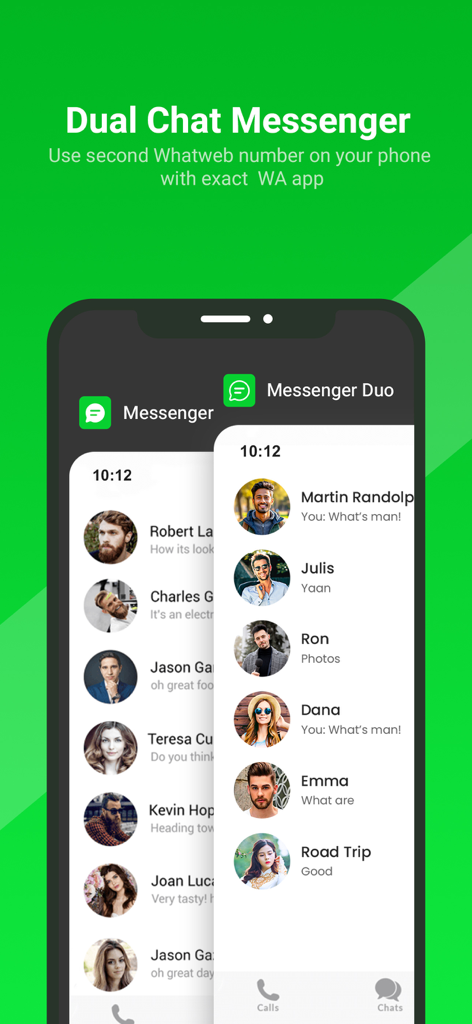
WhatsWeb - Click to Chat - Smartphone-Bildschirm mit überlappenden Dual-Messenger-Chatlisten zur Verwaltung zweier Konten auf einem Gerät
Smartphone-Bildschirm mit überlappenden Dual-Messenger-Chatlisten zur Verwaltung zweier Konten auf einem Gerät

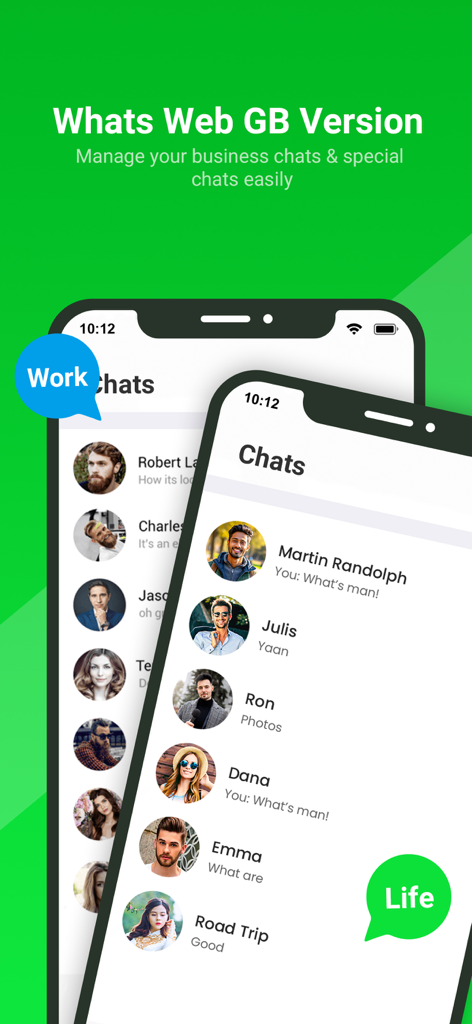
WhatsWeb - Click to Chat - Oberfläche der WhatsWeb-App, die separate Geschäfts- und Privat-Chatlisten auf einem Mobilgerät anzeigt
Oberfläche der WhatsWeb-App, die separate Geschäfts- und Privat-Chatlisten auf einem Mobilgerät anzeigt

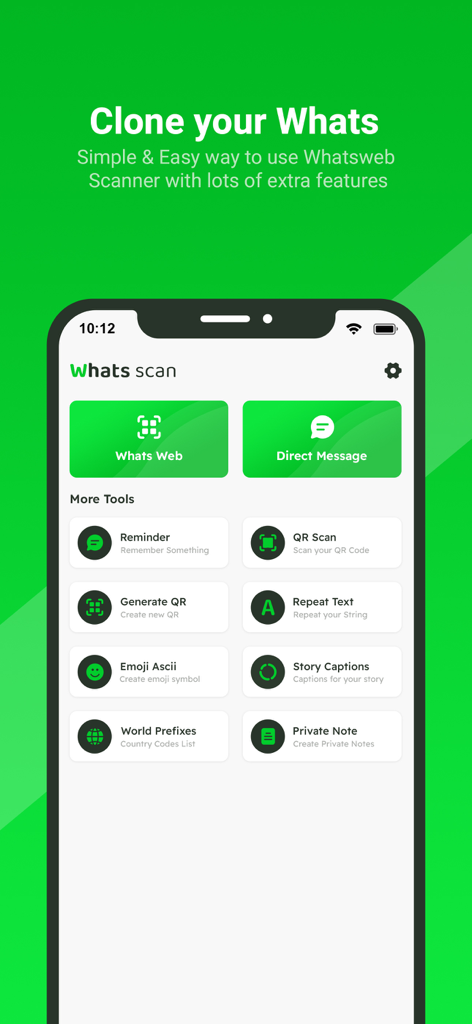
WhatsWeb - Click to Chat - Startbildschirm der WhatsWeb-App mit Tools für Account-Klonen und Direktnachrichten
Startbildschirm der WhatsWeb-App mit Tools für Account-Klonen und Direktnachrichten

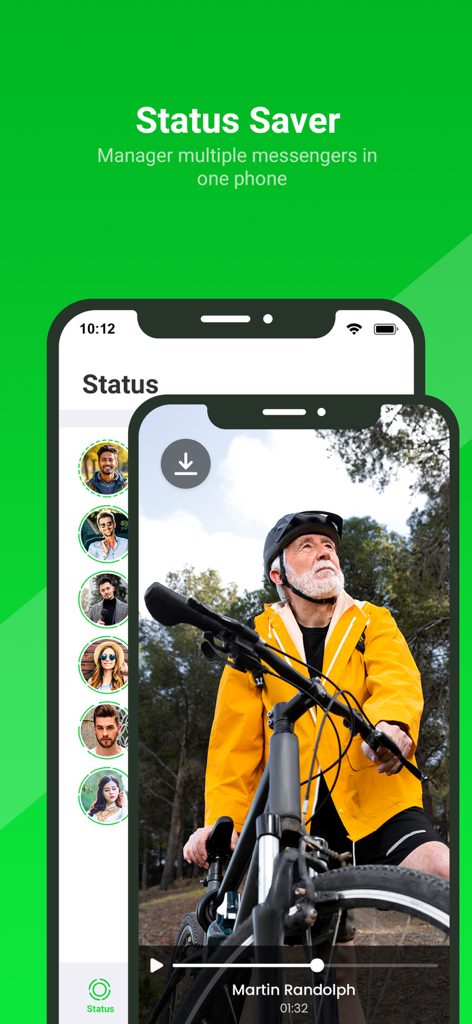
WhatsWeb - Click to Chat - Oberfläche der WhatsWeb-App, die die Status-Saver-Funktion zum Herunterladen und Verwalten von Messenger-Status-Updates zeigt
Oberfläche der WhatsWeb-App, die die Status-Saver-Funktion zum Herunterladen und Verwalten von Messenger-Status-Updates zeigt

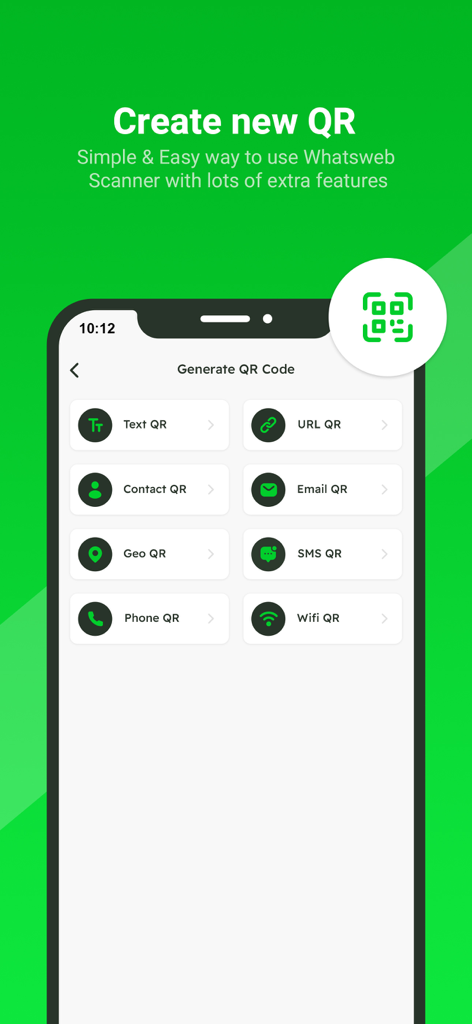
WhatsWeb - Click to Chat - Screenshot der QR-Code-Generierungs-Oberfläche mit Optionen für Text URL Kontakt E-Mail Geo SMS Telefon und WLAN QR-Codes
Screenshot der QR-Code-Generierungs-Oberfläche mit Optionen für Text URL Kontakt E-Mail Geo SMS Telefon und WLAN QR-Codes

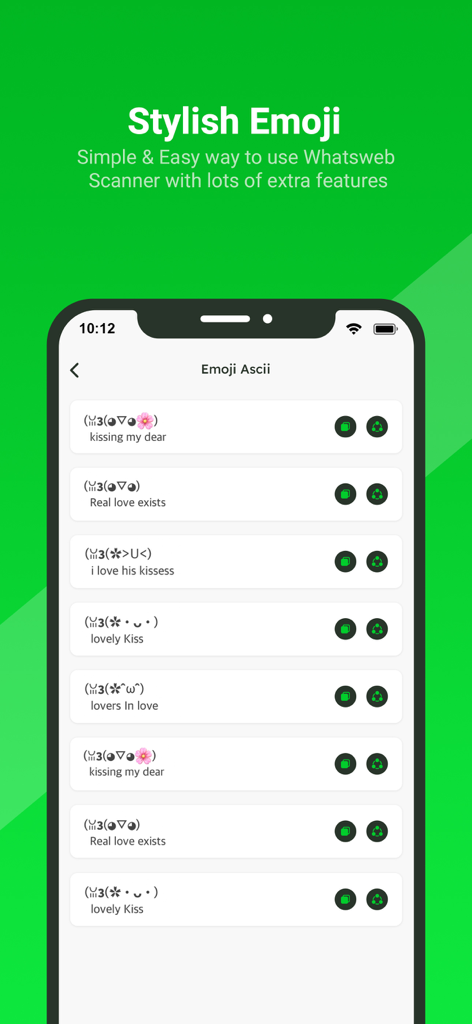
WhatsWeb - Click to Chat - Eine Liste von stilvollen ASCII-Emoticons und Kaomojis innerhalb der WhatsWeb Mobile App
Eine Liste von stilvollen ASCII-Emoticons und Kaomojis innerhalb der WhatsWeb Mobile App

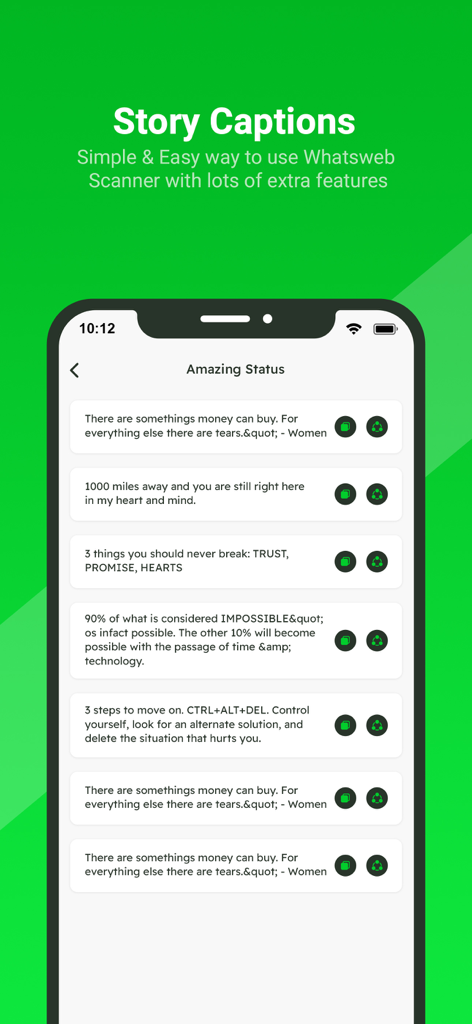
WhatsWeb - Click to Chat - Eine Liste von Story-Bildunterschriften und Statuszitaten innerhalb der WhatsWeb Mobile App

Eine Liste von Story-Bildunterschriften und Statuszitaten innerhalb der WhatsWeb Mobile App
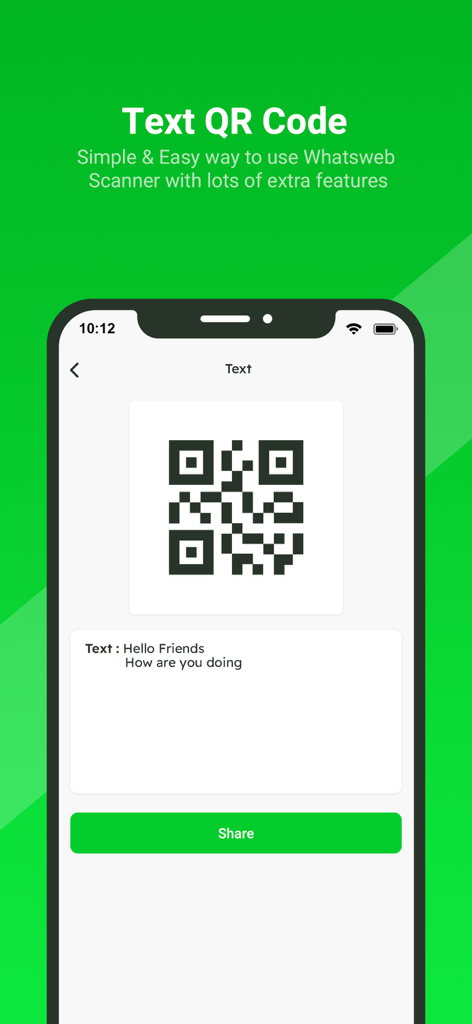
WhatsWeb - Click to Chat - WhatsWeb App-Oberfläche zum Generieren und Teilen eines Textnachrichten-QR-Codes
WhatsWeb App-Oberfläche zum Generieren und Teilen eines Textnachrichten-QR-Codes

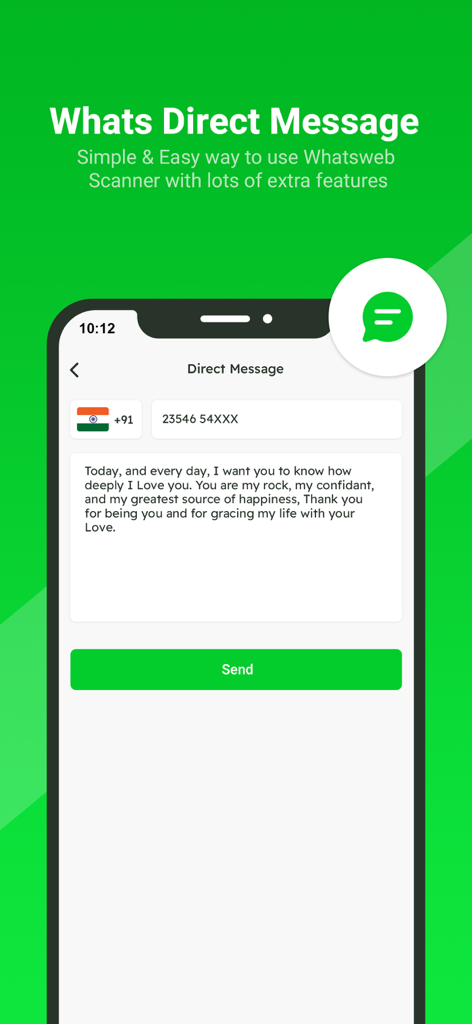
WhatsWeb - Click to Chat - App-Bildschirm, der die Direktnachrichten-Funktion zum Senden von Nachrichten ohne Speichern von Kontakten anzeigt

App-Bildschirm, der die Direktnachrichten-Funktion zum Senden von Nachrichten ohne Speichern von Kontakten anzeigt

Beschreibung

Small app to open a WhatsApp chat with any number (you and that number). This free Whatscan for Whats Dual app automatically syncs all messages of the cloned WA account which enables you easily read and reply anytime. All downloaded Whatscan Web files from cloned WA accounts can also be managed effectively. Whatscan is a mobile application designed to enable users to access and manage multiple WhatsApp accounts simultaneously on a single device. Developed to cater to the growing need for managing personal and professional communications separately, Whatscan offers a convenient solution for users who wish to access two WhatsApp accounts without the hassle of constantly switching between them. It’s also a Status Saver that helps you download and repost WA status. And a practical message recovery app that supports restoring deleted WA messages. Why choose Whats Dual? - Fast, Simple & Easy to use Whats Dual Scanner - Clone WA accounts & Dual WA - Automatically sync all WA messages - One-click to recover deleted WA messages - Free Status Saver & Downloader; share and repost status - Download, read, and reply all WA messages - Efficiently manage downloaded files of cloned account - Lightweight - Dark Mode Whatscan Web You can clone WA accounts on another device or Dual WA on a single device with this powerful Whats Dual scanner. Easily read all messages of the cloned account on your device. Fast and Stable Connection Scan the QR code in Whats Dual and you can easily log in to the account. It works smoothly after logging in, no need to worry about unexpected logouts. Instantly Sync WA Messages You can read, reply and download all messages of cloned accounts in real time. Never miss a message. Recover Deleted Messages You can view deleted WA messages in WhatsDeleted. Easily recover all deleted text messages and media files. Status Saver Status Saver helps you easily download all images, GIFs and videos from WA status. You can also share these status with your friends or repost them to other media. Direct Chat Want to send a message but find out he's not in your contacts? With Direct Chat, you can directly send messages on WA or WA Business without adding contacts. Easily Manage Saved Files All downloaded Whats Dual files are well organized in Saved Files. You can centrally manage, view or share your downloaded images, videos or documents at any time. Am I Being Watched? No need to worry about your account being watched by others. This Whats Dual app can help you check if your WA account is being logged in by someone else. Try Whatscan and keep your account safe! How to use Whats Dual Step 1: Open the WA account you want to log into Step 2: Tap Three Dots / Settings, then tap Linked Devices Step 3: Tap Link A Device to scan the QR code in Whats Dual to log in Step 4: Now you can view all messages of the cloned account Get unlimited access to all premium Add on for Whats App Web Subscribe Monthly Whats Scan pro at $1.99 and Yearly Whats Scan Pro at $9.99 to use ads free versions of the premium app which can cancel anytime. • Privacy Policy: https://sites.google.com/view/bhuvangupta-pp • Terms of Use: https://sites.google.com/view/bhuvangupta-tos Very simple to use and a powerful tool for Whats Scan! Try this

Download

Herunterladen auf App Store

Diese Seite ist keine offizielle Seite der App oder ihres Entwicklers, sondern eine unabhängige redaktionelle Veröffentlichung, die zu Informations- und Kommentarzwecken erstellt wurde. Sofern nicht ausdrücklich anders angegeben, sind weder die App noch ihr Entwickler mit MWM, Apple, Google Play, dem App-Herausgeber oder dem Entwickler der App verbunden, von ihnen unterstützt, gesponsert, autorisiert oder anderweitig offiziell verbunden, und nichts auf dieser Seite impliziert, dass die App unter Verwendung der Dienste von MWM entwickelt wurde. Alle Marken, Logos, Screenshots und andere Inhalte bleiben Eigentum ihrer jeweiligen Inhaber.