
Diese Seite ist keine offizielle Seite der App oder ihres Entwicklers, sondern eine unabhängige redaktionelle Veröffentlichung, die zu Informations- und Kommentarzwecken erstellt wurde. Sofern nicht ausdrücklich anders angegeben, sind weder die App noch ihr Entwickler mit MWM, Apple, Google Play, dem App-Herausgeber oder dem Entwickler der App verbunden, von ihnen unterstützt, gesponsert, autorisiert oder anderweitig offiziell verbunden, und nichts auf dieser Seite impliziert, dass die App unter Verwendung der Dienste von MWM entwickelt wurde. Alle Marken, Logos, Screenshots und andere Inhalte bleiben Eigentum ihrer jeweiligen Inhaber.

WifiLink: Share WiFi
Bieten Sie Gästen und Kunden sofortigen, verschlüsselten Zugriff mit einem einfachen Scan. Der professionelle Weg, Ihr Internet zu teilen – für Airbnb-Gastgeber, kleine Unternehmen und sicherheitsbewusste Haushalte.
Downloads
14K+Bewertung
Bewertungen gesamt
100Herausgeber
Kategorie
UtilitiesSprachen
16Neueste Version
3.0Größe
35.3 MBErstveröffentlichung
31. Mai 2020Zugriff sicher teilen, niemals Ihr Passwort
Entwickelt für sicherheitsbewusste Gastgeber und moderne Geschäftsinhaber, verwandelt WifiLink Ihr Netzwerk in ein privates, verschlüsseltes Gateway für Ihre Gäste.
Verschlüsselte QR-Teilung
Schützen Sie Ihre digitale Privatsphäre mit QR-Codes, die Ihr tatsächliches Passwort vor Drittanbieter-Scannern und Eindringlingen verbergen.
Professionelle Druckvorlagen
Perfekt für Airbnb-Gastgeber und Ladenbesitzer; erstellen und drucken Sie benutzerdefinierte WLAN-Aufkleber für Ihren Raum, um ein erstklassiges Gästeerlebnis zu bieten.
Die folgenden Screenshots und die Beschreibung stammen direkt aus dem offiziellen Store-Eintrag der App und sind Eigentum des Entwicklers.
App Store
Screenshots
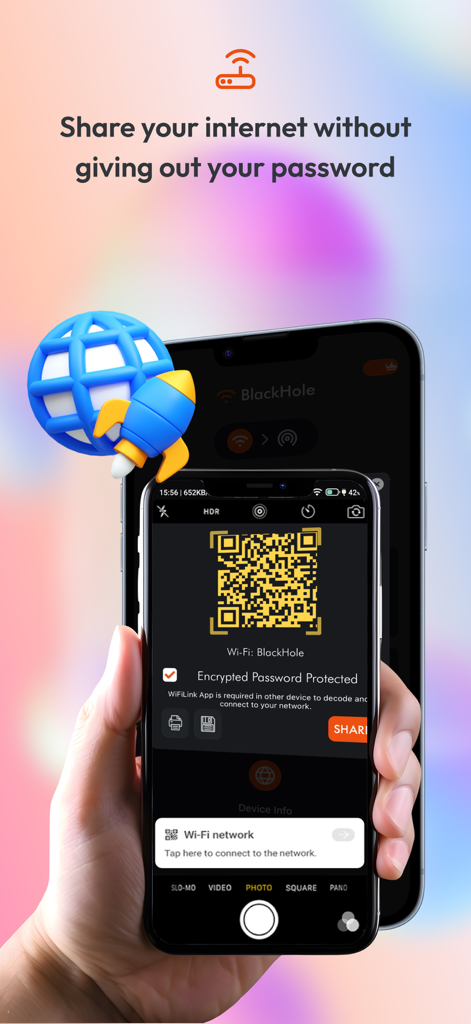
Ein Smartphone-Bildschirm, der einen verschlüsselten QR-Code anzeigt, mit dem ein WLAN-Netzwerk sicher geteilt wird, ohne das Passwort preiszugeben
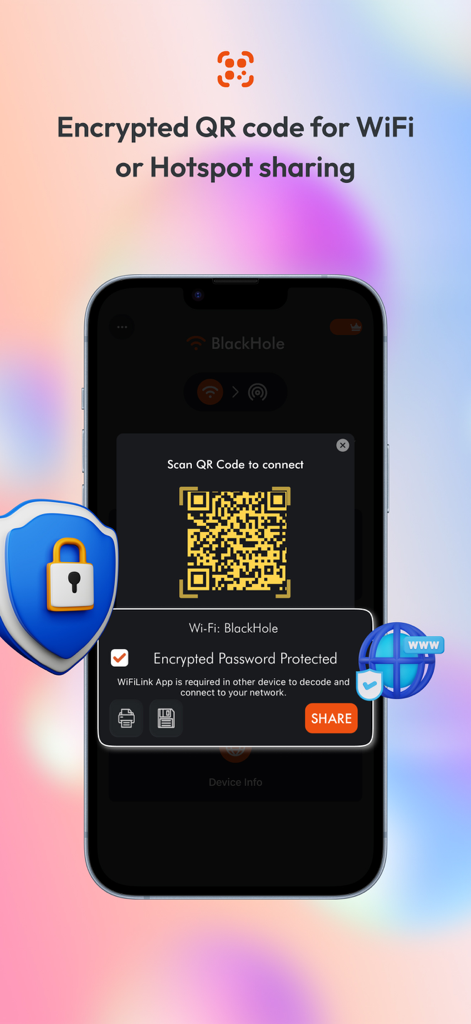
Smartphone-Bildschirm mit einem verschlüsselten QR-Code für die sichere WLAN- und Hotspot-Freigabe mit einem Schutzschild-Symbol.
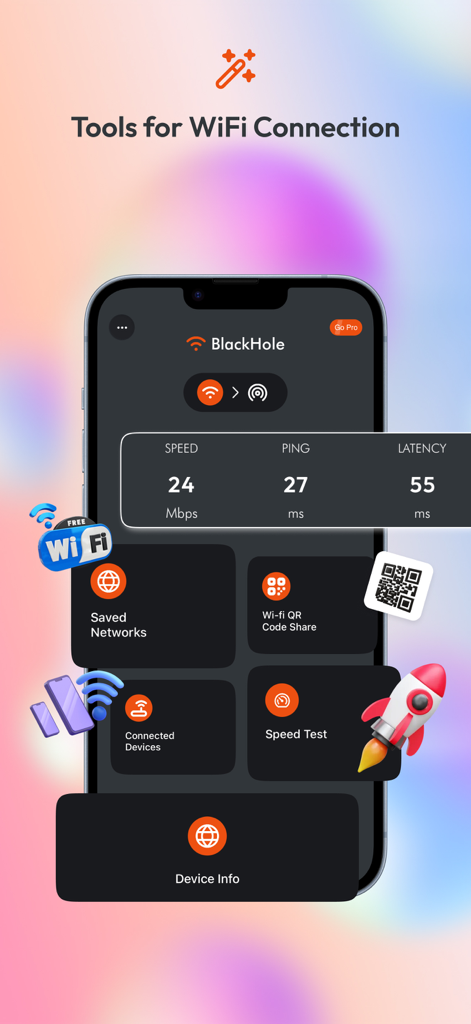
WifiLink App-Dashboard mit Tools für Speedtest und verschlüsselte QR-Code-Freigabe
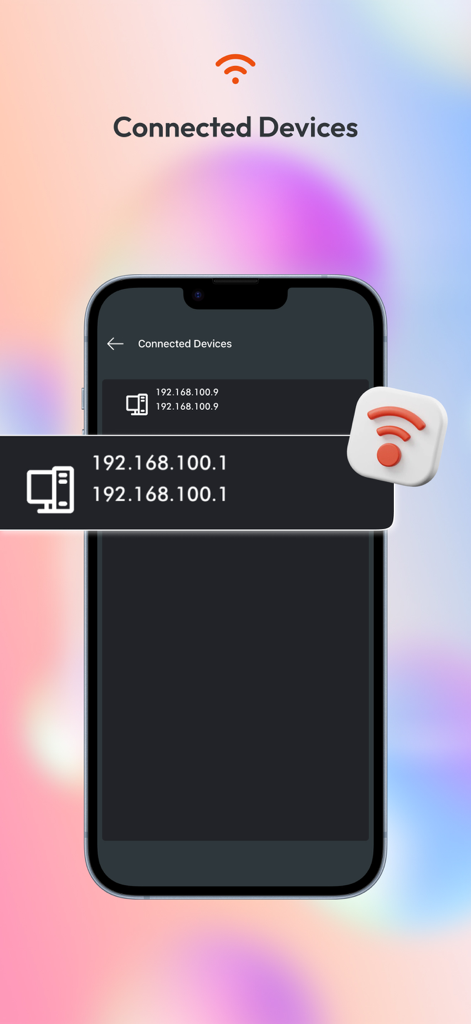
Ein Smartphone-Bildschirm aus der WifiLink-App, der eine Liste der mit einem Netzwerk verbundenen Geräte mit IP-Adressen anzeigt
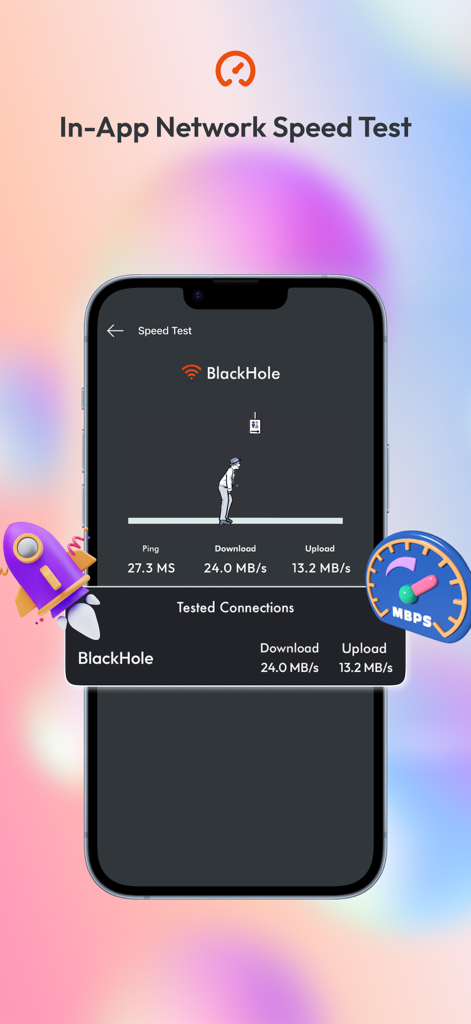
Screenshot der WifiLink-App, der einen Netzwerk-Speedtest in der App mit Download- und Upload-Metriken zeigt.
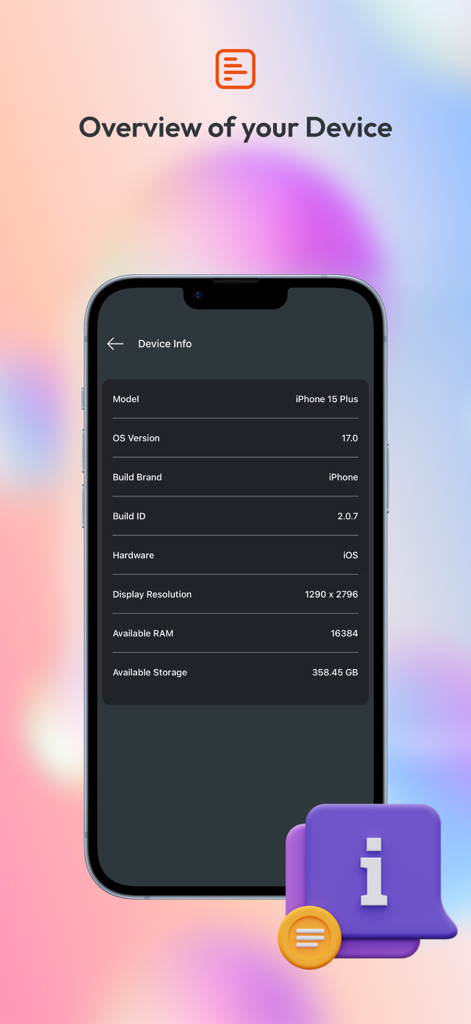
Smartphone-Anzeige mit technischen Gerätespezifikationen wie Betriebssystemversion und Speicher
Beschreibung
Download
Ähnliche Apps
Top-gerankte Apps in derselben Kategorie

Google LLC

Google Chrome
Google LLC

中国移动(手机营业厅)
China Mobile Online Services Co., Ltd.

Google Authenticator
Google LLC

CNH do Brasil
Servicos e Informacoes do Brasil

Cleanup: Phone Storage Cleaner
DEEP FLOW SOFTWARE SERVICES - FZCO

gov.br
Servicos e Informacoes do Brasil

Microsoft Edge: AI Browser
Microsoft Corporation

Super VPN Fly 2026
YUNFAN TECHNOLOGY CO., LIMITED
Diese Seite ist keine offizielle Seite der App oder ihres Entwicklers, sondern eine unabhängige redaktionelle Veröffentlichung, die zu Informations- und Kommentarzwecken erstellt wurde. Sofern nicht ausdrücklich anders angegeben, sind weder die App noch ihr Entwickler mit MWM, Apple, Google Play, dem App-Herausgeber oder dem Entwickler der App verbunden, von ihnen unterstützt, gesponsert, autorisiert oder anderweitig offiziell verbunden, und nichts auf dieser Seite impliziert, dass die App unter Verwendung der Dienste von MWM entwickelt wurde. Alle Marken, Logos, Screenshots und andere Inhalte bleiben Eigentum ihrer jeweiligen Inhaber.