Wordpad + Text, PDF, AI Write

Wordpad + Text, PDF, AI Write

Herunterladen auf App Store
Logo von Wordpad + Text, PDF, AI Write

Wordpad + Text, PDF, KI Schreiben: Ihr ultimativer All-in-One Mobiler Arbeitsplatz

Der leistungsstarke Textverarbeitungs- und PDF-Editor, entwickelt für den mobilen Power-User. Schreiben, kommentieren, unterschreiben und organisieren Sie mit KI-gestützter Effizienz auf Ihrem iPad und iPhone.

Herausgeber

Kairoos Solutions S.L.

Kategorie

Business

Downloads

9K+

Bewertung

4.2/5

Bewertungen gesamt

0

Sprachen

10

Ihr Arbeitsbereich, Visualisiert

Entdecken Sie die Oberfläche, die von 9K+ Nutzern verwendet wird.
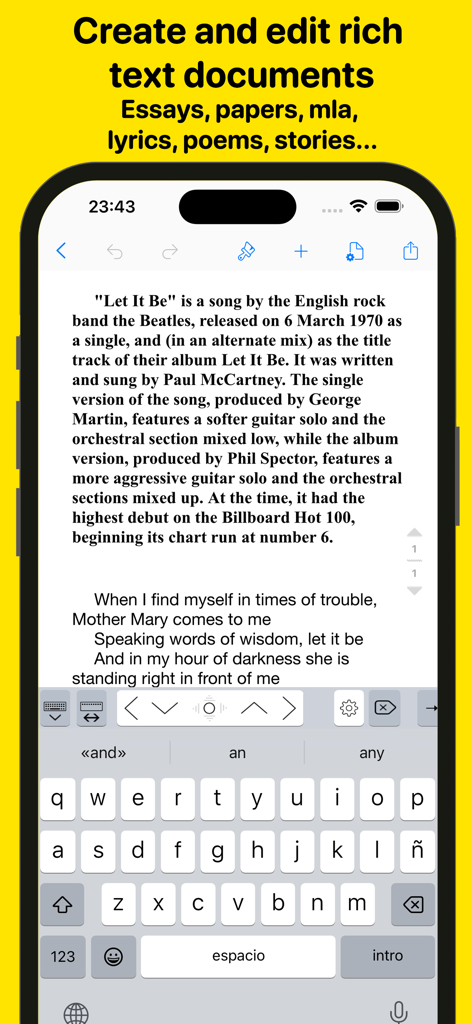
iPhone-Oberfläche der Wordpad Plus App zur Erstellung und Bearbeitung von Rich-Text-Dokumenten

iPhone-Oberfläche der Wordpad Plus App zur Erstellung und Bearbeitung von Rich-Text-Dokumenten

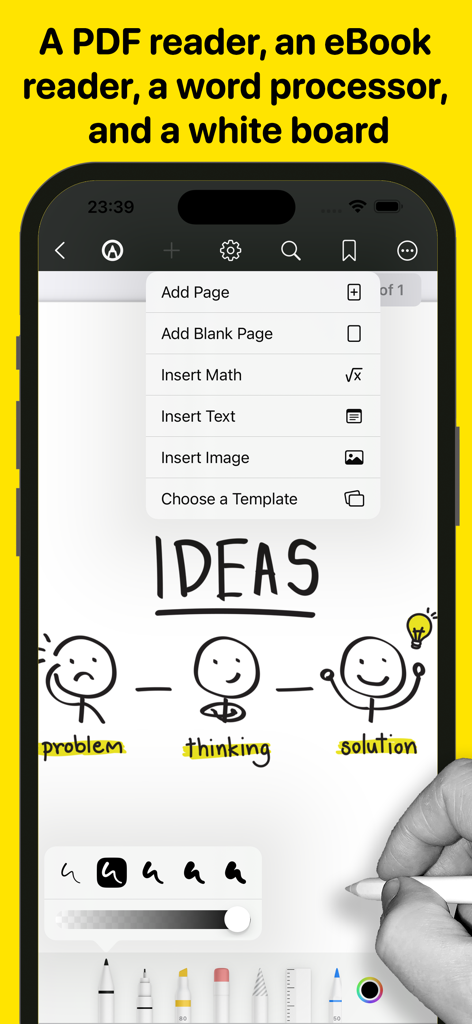
iPhone-Oberfläche mit Whiteboard-Zeichenwerkzeugen, Strichmännchen-Illustrationen und einem Menü zum Hinzufügen von Seiten und mathematischen Formeln

iPhone-Oberfläche mit Whiteboard-Zeichenwerkzeugen, Strichmännchen-Illustrationen und einem Menü zum Hinzufügen von Seiten und mathematischen Formeln

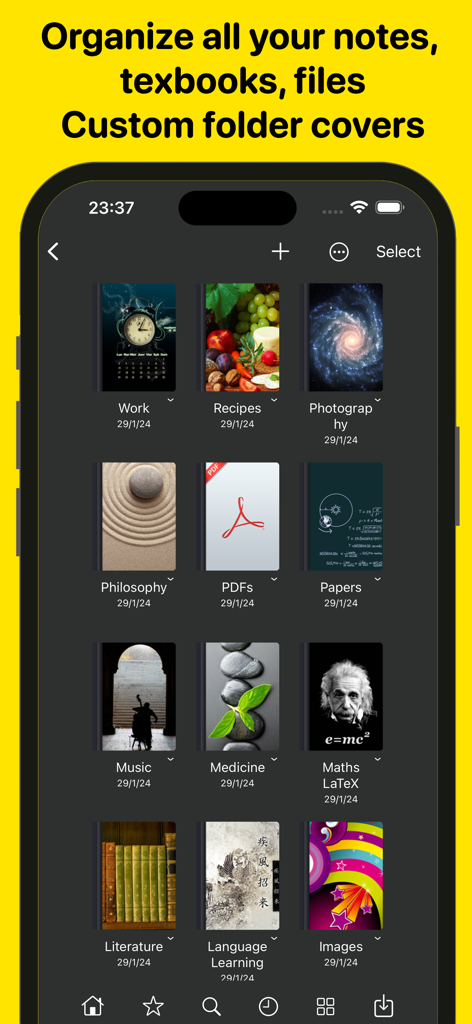
Ein Smartphone-Bildschirm, der ein Raster digitaler Notizbücher mit benutzerdefinierten ästhetischen Einbänden zur Organisation von Notizen und Dokumenten zeigt.

Ein Smartphone-Bildschirm, der ein Raster digitaler Notizbücher mit benutzerdefinierten ästhetischen Einbänden zur Organisation von Notizen und Dokumenten zeigt.

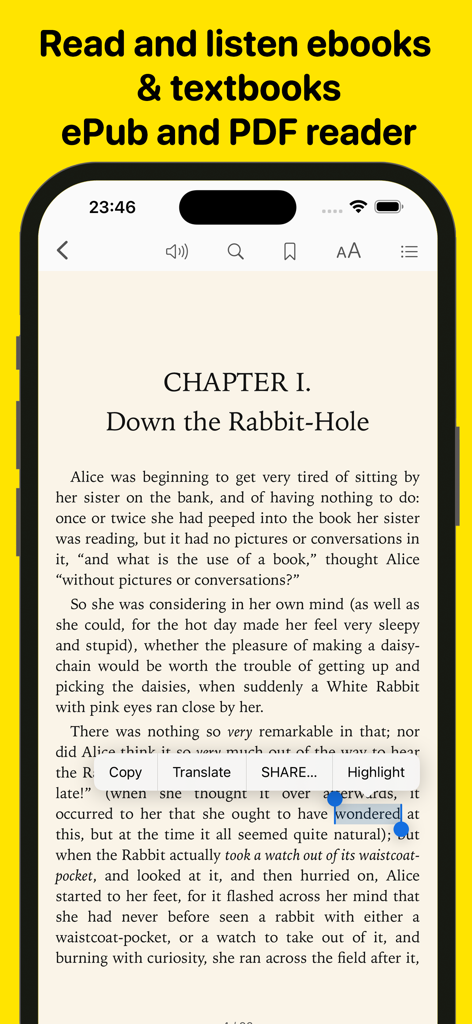
iPhone-Bildschirm mit einer E-Book-Reader-Oberfläche mit Textauswahl- und Kommentierungsoptionen

iPhone-Bildschirm mit einer E-Book-Reader-Oberfläche mit Textauswahl- und Kommentierungsoptionen

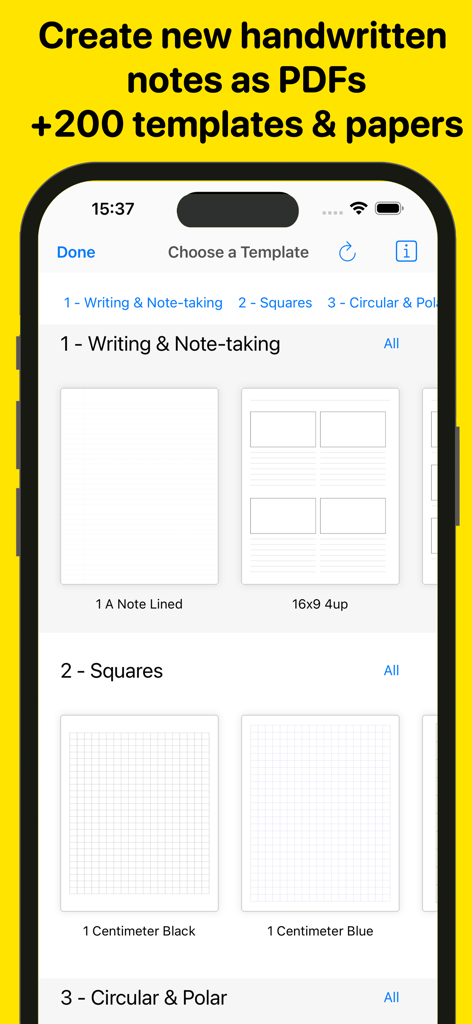
Oberfläche, die verschiedene digitale Notiz- und karierte Papier-Vorlagen in der Wordpad-App anzeigt.

Oberfläche, die verschiedene digitale Notiz- und karierte Papier-Vorlagen in der Wordpad-App anzeigt.

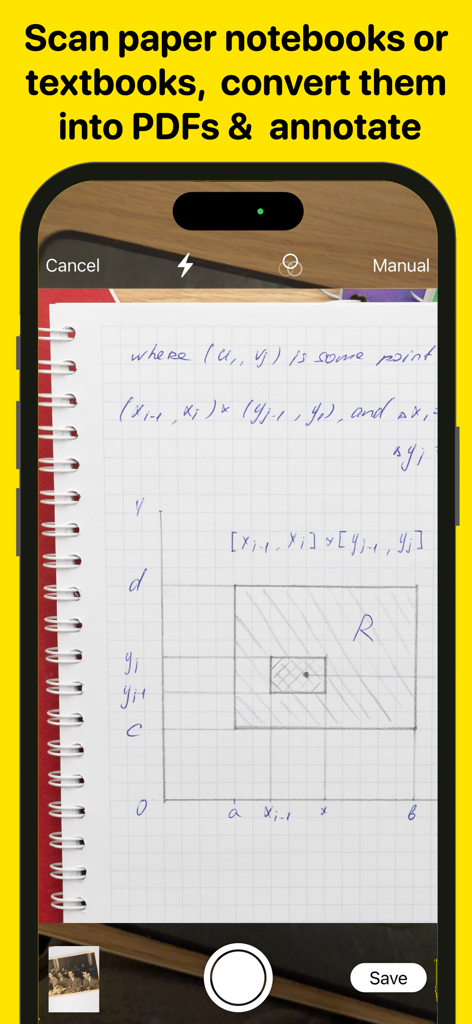
Smartphone scannt eine handgeschriebene Notizbuchseite, um sie in ein PDF umzuwandeln

Smartphone scannt eine handgeschriebene Notizbuchseite, um sie in ein PDF umzuwandeln

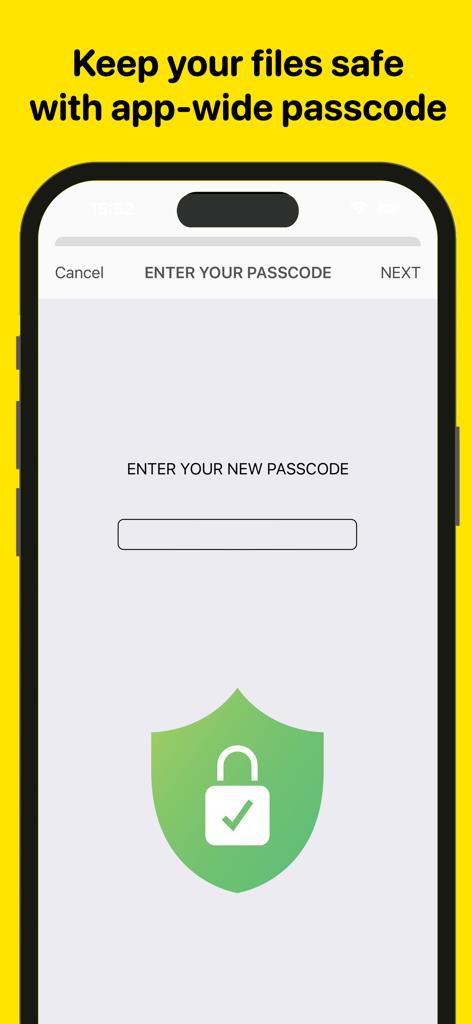
Mobile App-Bildschirm, der die Passcode-Sperrfunktion mit einem grünen Sicherheitsschild-Symbol zum Schutz von Dateien zeigt

Mobile App-Bildschirm, der die Passcode-Sperrfunktion mit einem grünen Sicherheitsschild-Symbol zum Schutz von Dateien zeigt

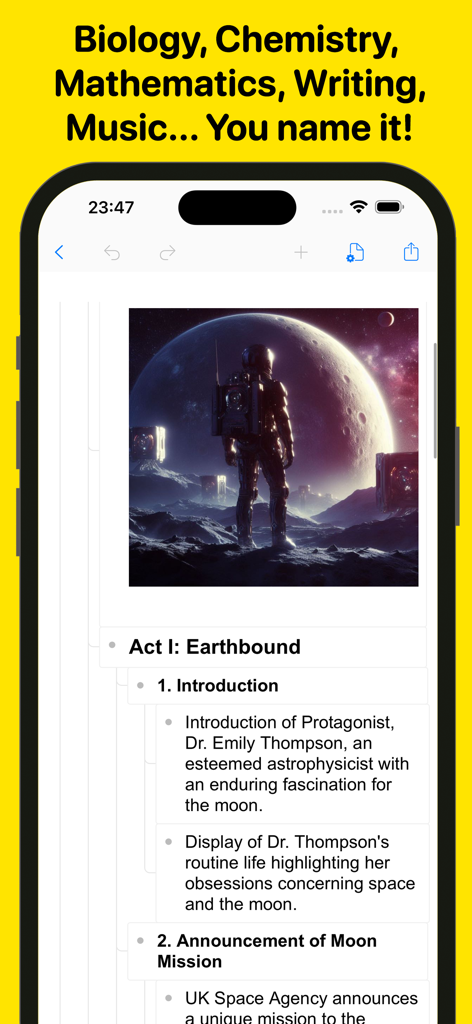
Ein Screenshot der Wordpad-App auf einem iPhone, der eine strukturierte Dokumentenübersicht und ein Bild eines Astronauten zeigt

Ein Screenshot der Wordpad-App auf einem iPhone, der eine strukturierte Dokumentenübersicht und ein Bild eines Astronauten zeigt

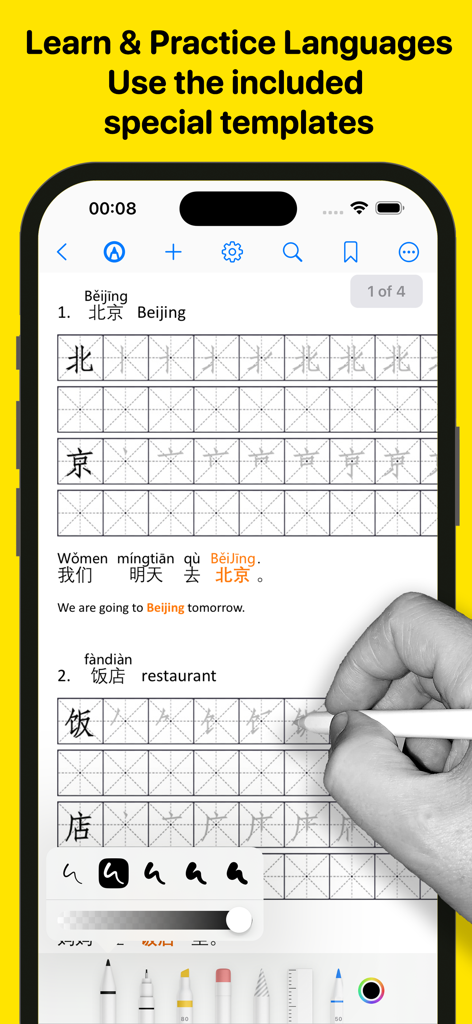
Ein Benutzer übt chinesische Handschrift mit speziellen Sprachlernvorlagen und digitalen Tintenwerkzeugen in der Wordpad-App.

Ein Benutzer übt chinesische Handschrift mit speziellen Sprachlernvorlagen und digitalen Tintenwerkzeugen in der Wordpad-App.

Ihre Komplettes Digitale Arbeitsstation

Die Tools, die diese App auszeichnen, gewählt von 9K+ Nutzern.

🚀

Der Laptop-freie Prozessor

Verwandeln Sie Ihr iPad in ein Kraftpaket mit Formatierungen für Rich-Text, Multi-Window-Unterstützung und professionellen Vorlagen, die die Desktop-Bearbeitung zur Vergangenheit machen.

✍️

PDF-Magie & Papierloses Unterschreiben

Kommentieren Sie Lehrbücher mit präzisen Tintens-Werkzeugen, füllen Sie Formulare aus und unterschreiben Sie Geschäftsverträge unterwegs. Hervorheben und Scannen war noch nie so flüssig.

🤖

KI-gestützte Produktivität

Überwinden Sie die Schreibblockade mit KI-Unterstützung, lesen Sie freihändig Korrektur mit Text-to-Speech und bleiben Sie mit einem ablenkungsfreien Modus, der für wichtige Arbeiten entwickelt wurde, konzentriert.

Über die App

Alles, was Sie über wissen müssen Wordpad + Text, PDF, AI Write.

Beschreibung

Introducing Wordpad+, your ultimate app for managing, editing, highlighting, and writing tasks across school, college, business, and personal life. Whether you're jotting down last-minute lecture notes, crafting a compelling story, writing meeting minutes, working on a critical essay, or simply organizing random thoughts, Wordpad+ is here to assist. Students, educators, writers, medical professionals, journalists, scholars, and business experts use Wordpad+ daily to create and edit notes, annotations, memos, signed PDFs, papers, highlighted PDF textbooks, and more. Key Features: Powerful Word Processor - Enjoy seamless writing with Wordpad+'s advanced word processor. - Utilize rich text formatting options, including tables, lists, fonts, styles, and colors. - Create professional documents effortlessly with templates for resumes, reports, and more. - Automatically save your work and access it across multiple devices. PDF Magic & More - Annotate PDFs with tools for highlighting, sketching, adding text boxes and pictures, and signing documents. - Use advanced 7 Ink tools to write and sketch: Marker, Pen, Pencil, Monoline, Fountain Pen, Watercolor, and Crayon. - Fill out PDF forms with ease. - Sign documents directly on your device. - Ensure authenticity with digital signature verification. Write & Style Your Way - Ready Anytime, Anywhere: Wordpad+ is your pocket writing companion, perfect for offline moments or when your laptop is unavailable. - Customize margins, headers, and more to make your work look professional. - Track writing statistics, including word and sentence counts. - Proofread on the go with Text to Speech. - Dictate your text for hands-free writing. - Focus mode to eliminate distractions. - Type in over 30 languages. Books & Textbooks - Wordpad+ includes a full-featured PDF and ePub reader. - Import and export files from various cloud services like iCloud Drive, Google Drive, Dropbox, and more. - Customize your reading experience with multiple themes (dark, light, sepia) and font sizes. Enjoy text-to-speech in ePub and PDF files. - Utilize the powerful PDF engine for extensive documents, including form fill-ins. Annotate, highlight, and insert text or images in your eBooks. Organize Like a Pro - Unlimited space for all your notes, ideas, and projects. - Open multiple documents side by side using multi-windows and multitask. - Create and organize folders and subfolders to suit your needs. - Customize notebook covers for a personalized touch. - Efficient search feature to find anything quickly. - File manager supports various document file formats (rtf, pdf, txt, md, epub, MS Office, Apple iWork, mp3, mp4, png, jpg, gif, tiff, zip, etc.) Share & Export Easily - Open email attachments directly in the app. - Sync everything with iCloud, Dropbox, and more. - Convert your work into different formats – PDF, ePub, HTML, and others. - Zip and email folders effortlessly. Scanner & All-to-PDF Converter - Scan notes, books, tickets, recipes, and more directly to PDF. - Convert documents, images, photos, scans, etc., to PDF on your device. - Handle PowerPoint, Word, and Excel files efficiently. Convert them into PDF and annotate them! Backup & Secure - Protect your content with a passcode. - Lock any folder or project for additional security. - Ensure data safety with automatic backups. Wordpad+ is more than just a word processor and PDF editor – it's your comprehensive solution for organizing thoughts, lectures, books, sketches, notes, and projects. Download it now for free and experience its versatility! Privacy Policy http://www.noteswriter.com/Kairoos_Privacy_Policy.html EULA https://www.apple.com/legal/internet-services/itunes/dev/stdeula/ This app requires users to have a subscription to unlock all the features after a 3-day risk-free trial.

Neueste Version

1.6.0

Größe

300.1 MB

Erstveröffentlichung

12. Juli 2024

Sind Sie bereit, Ihr iPad in eine professionelle Arbeitsstation zu verwandeln?

Hören Sie auf, zwischen Apps zu wechseln. Schließen Sie sich Tausenden von mobilen Power-Usern an, die alles an einem Ort schreiben, kommentieren und unterschreiben. Starten Sie noch heute Ihre 3-tägige risikofreie Testversion.

Herunterladen auf App Store

App information, icons, screenshots, and descriptions displayed on this page are sourced from the Apple App Store and are the property of their respective developers. Download estimates and rankings are based on MWM's proprietary models and may not reflect actual figures. This page is provided for informational and analytical purposes only.

Believe this page infringes your intellectual property? File a dispute