WristBoard - Watch Keyboard
Herunterladen auf App Store

Diese Seite ist keine offizielle Seite der App oder ihres Entwicklers, sondern eine unabhängige redaktionelle Veröffentlichung, die zu Informations- und Kommentarzwecken erstellt wurde. Sofern nicht ausdrücklich anders angegeben, sind weder die App noch ihr Entwickler mit MWM, Apple, Google Play, dem App-Herausgeber oder dem Entwickler der App verbunden, von ihnen unterstützt, gesponsert, autorisiert oder anderweitig offiziell verbunden, und nichts auf dieser Seite impliziert, dass die App unter Verwendung der Dienste von MWM entwickelt wurde. Alle Marken, Logos, Screenshots und andere Inhalte bleiben Eigentum ihrer jeweiligen Inhaber.

Logo von WristBoard - Watch Keyboard
Herunterladen auf App Store

WristBoard - Watch Keyboard

Tippen Sie Nachrichten schneller und privater als je zuvor. Bringen Sie eine vollständige QWERTY-Tastatur auf Ihr Handgelenk mit intelligenter Autokorrektur, Wischgesten und benutzerdefinierten Designs für maximale Produktivität unterwegs.

Kennzahlen

Downloads

240K+

Bewertung

2.9/5

Bewertungen gesamt

1K+

Herausgeber

Adam Foot

Kategorie

Productivity

Sprachen

20

Neueste Version

7.1.1

Größe

17.1 MB

Erstveröffentlichung

21. Feb. 2019
Funktionen

Das ultimative Tipperlebnis für Ihr Handgelenk

Hören Sie auf, mit Ihrer Uhr zu sprechen und fangen Sie an zu tippen. WristBoard bietet eine vollständige, private und effiziente Tastatur für Ihre Apple Watch, damit Sie produktiv bleiben können, ohne Ihr Telefon herauszuholen.

Schnelles Wisch-Tippen

Gleiten Sie durch Ihre Nachrichten mit der effizientesten Art zu tippen auf einer Uhr. Unsere Wischtechnologie spiegelt das flüssige Erlebnis wider, das Sie von Ihrem iPhone kennen, für maximale Geschwindigkeit.

Diskrete Privatsphäre

Wahren Sie Ihre Privatsphäre an öffentlichen Orten. Antworten Sie lautlos auf iMessages und E-Mails mit einer vollständigen QWERTY-Tastatur, anstatt umständliches Sprachdiktat zu verwenden.

Die folgenden Screenshots und die Beschreibung stammen direkt aus dem offiziellen Store-Eintrag der App und sind Eigentum des Entwicklers.

App Store

Screenshots
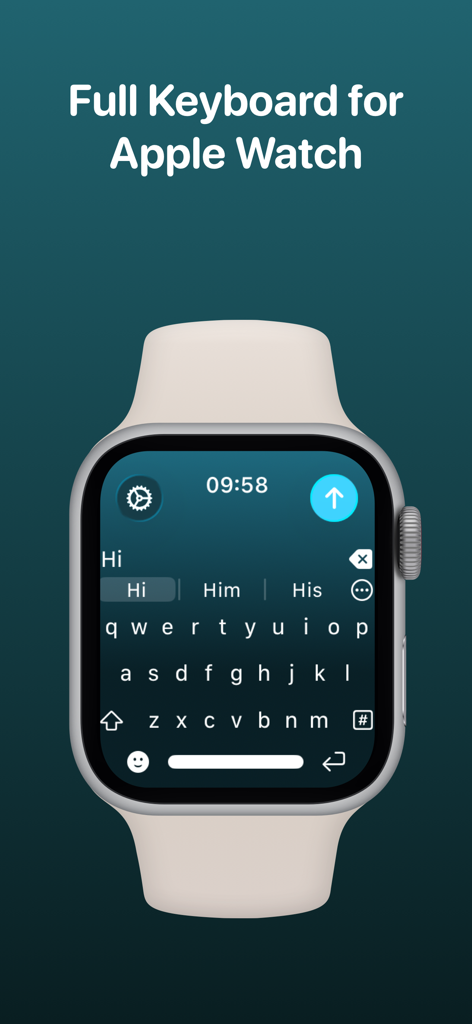
WristBoard - Watch Keyboard - WristBoard App zeigt eine vollständige QWERTY-Tastatur auf dem Bildschirm einer Apple Watch.
WristBoard App zeigt eine vollständige QWERTY-Tastatur auf dem Bildschirm einer Apple Watch.

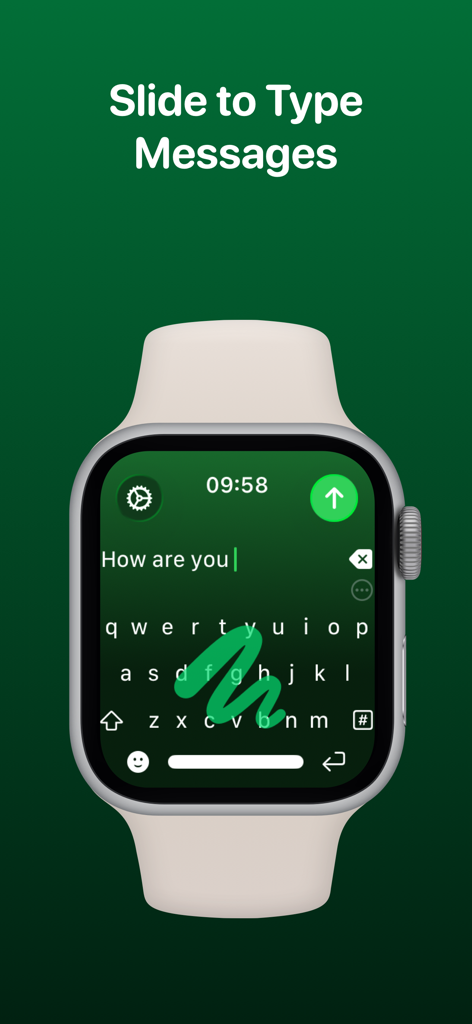
WristBoard - Watch Keyboard - Eine Apple Watch zeigt die WristBoard-Tastatur mit einer Wischgeste auf einer grünen Oberfläche.

Eine Apple Watch zeigt die WristBoard-Tastatur mit einer Wischgeste auf einer grünen Oberfläche.
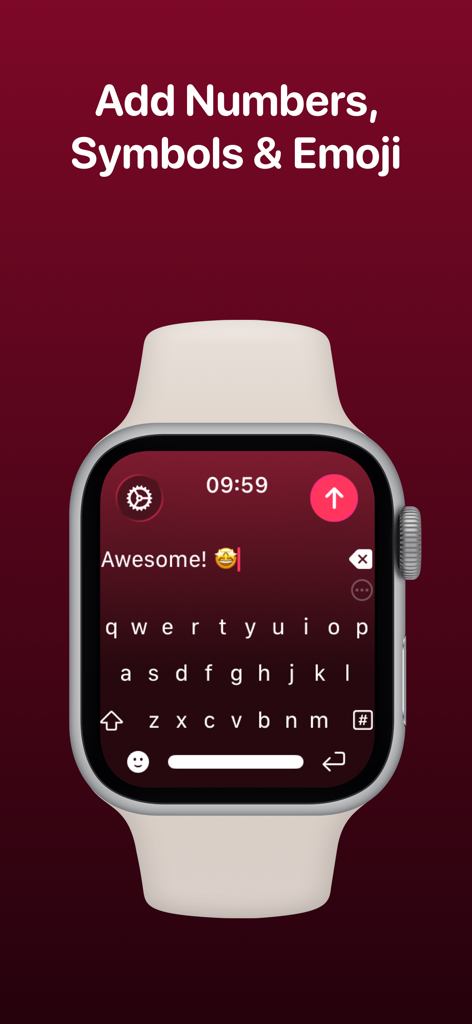
WristBoard - Watch Keyboard - Apple Watch zeigt die vollständige QWERTY-Tastaturoberfläche von WristBoard mit einer Textnachricht und einem Emoji
Apple Watch zeigt die vollständige QWERTY-Tastaturoberfläche von WristBoard mit einer Textnachricht und einem Emoji

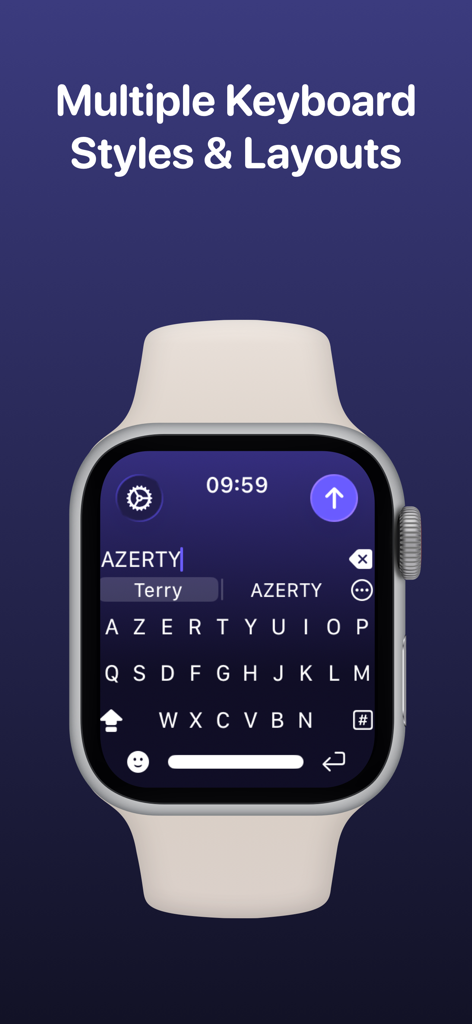
WristBoard - Watch Keyboard - Ein Screenshot einer Apple Watch zeigt ein AZERTY-Tastaturlayout in der WristBoard-App unter der Überschrift Mehrere Tastaturstile und Layouts.
Ein Screenshot einer Apple Watch zeigt ein AZERTY-Tastaturlayout in der WristBoard-App unter der Überschrift Mehrere Tastaturstile und Layouts.

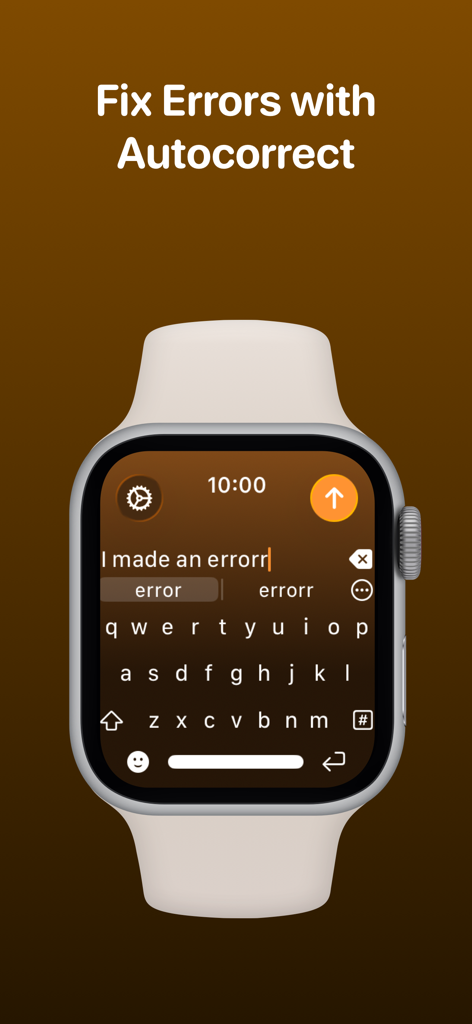
WristBoard - Watch Keyboard - WristBoard-Tastatur auf der Apple Watch zeigt die Autokorrekturfunktion zur Behebung von Tippfehlern.
WristBoard-Tastatur auf der Apple Watch zeigt die Autokorrekturfunktion zur Behebung von Tippfehlern.

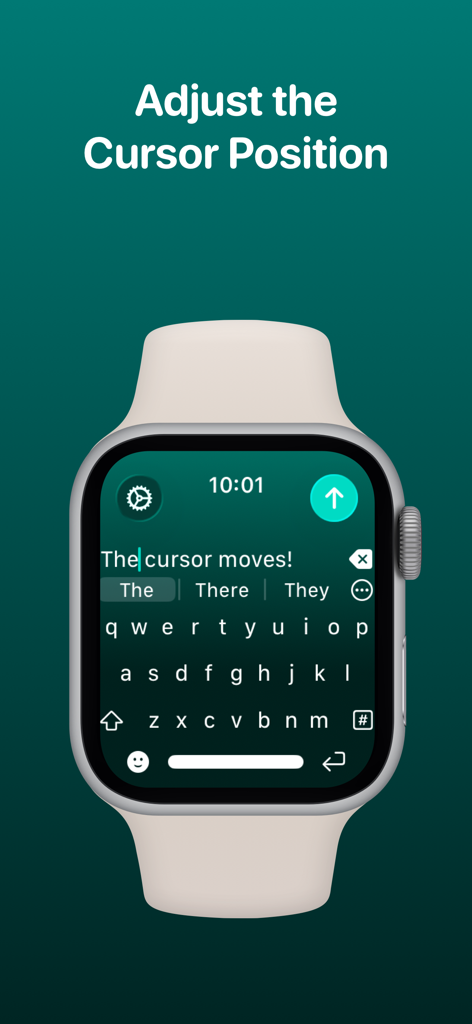
WristBoard - Watch Keyboard - WristBoard App zeigt die Position des Cursors, der auf der Tastaturoberfläche der Apple Watch angepasst wird.
WristBoard App zeigt die Position des Cursors, der auf der Tastaturoberfläche der Apple Watch angepasst wird.

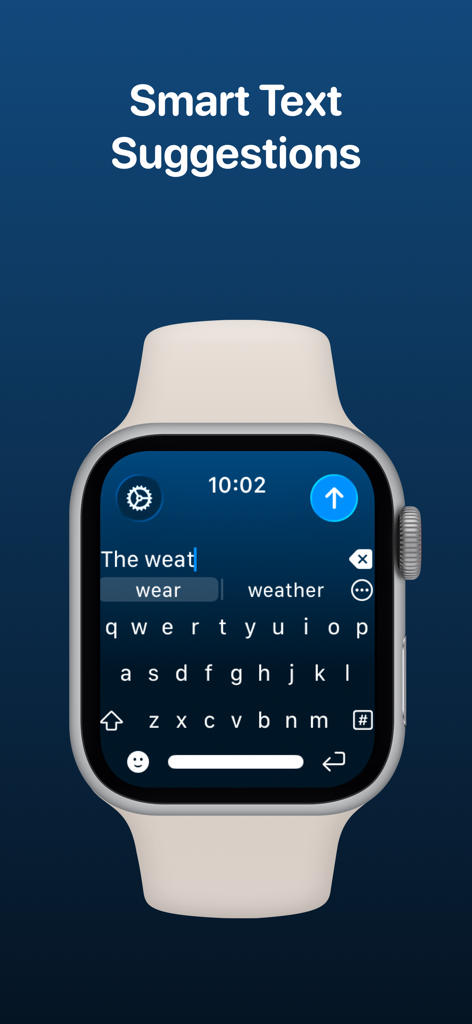
WristBoard - Watch Keyboard - WristBoard App auf der Apple Watch zeigt intelligente Textvorschläge beim Tippen auf einer QWERTY-Tastatur.
WristBoard App auf der Apple Watch zeigt intelligente Textvorschläge beim Tippen auf einer QWERTY-Tastatur.

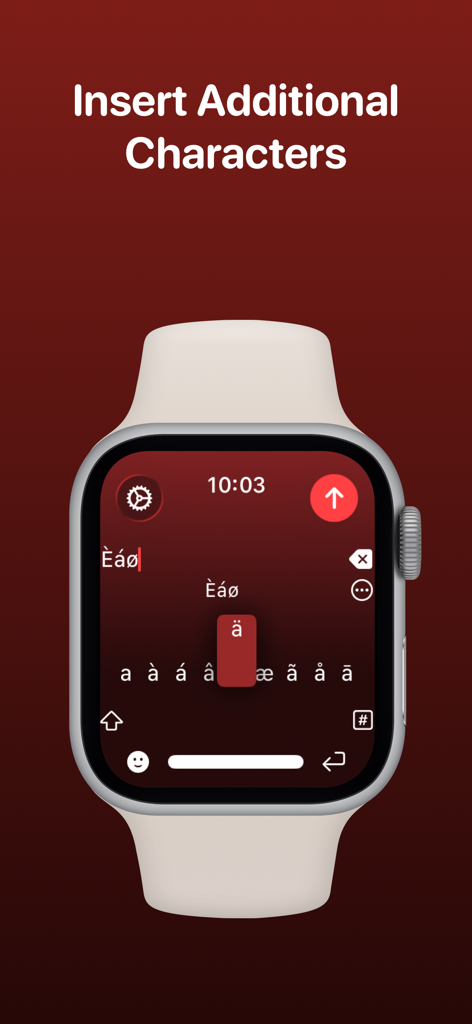
WristBoard - Watch Keyboard - Bildschirm der Apple Watch zeigt die Auswahl von akzentuierten und Sonderzeichen in der WristBoard-App.
Bildschirm der Apple Watch zeigt die Auswahl von akzentuierten und Sonderzeichen in der WristBoard-App.

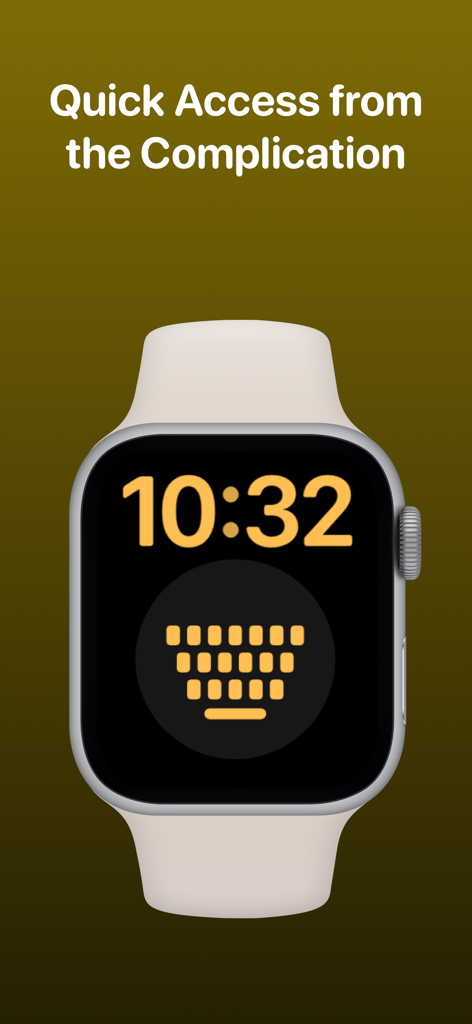
WristBoard - Watch Keyboard - Zifferblatt der Apple Watch mit der WristBoard-Tastatur-Komplikation für schnellen Zugriff.
Zifferblatt der Apple Watch mit der WristBoard-Tastatur-Komplikation für schnellen Zugriff.

WristBoard - Watch Keyboard - Logos von Tech-Publikationen, die WristBoard vorgestellt haben, darunter 9to5Mac Cult of Mac iMore AppAdvice und TechRadar

Logos von Tech-Publikationen, die WristBoard vorgestellt haben, darunter 9to5Mac Cult of Mac iMore AppAdvice und TechRadar

Beschreibung

Swipe and type messages on your Apple Watch using a fully functional keyboard with WristBoard. * As featured on the App Store, 9to5Mac, Cult of Mac, iMore, AppAdvice, TechRadar & iPhon.fr * Typing messages on Apple Watch can be chore - Scribble doesn't always work and Dictation isn't great in public spaces. With WristBoard, you get a fully-fledged keyboard straight on your wrist, no awkward typos necessary! By adding a full QWERTY, AZERTY or QWERTZ keyboard to your Apple Watch, you can reply to iMessages quickly and privately. Autocorrect and smart text predictions quickly ensures what you type is accurate and makes senses. WristBoard contains these great features: FULL KEYBOARD Add a full QWERTY, AZERTY or QWERTZ keyboard to your Apple Watch. Keys are easy to press and there’s support for key previews as you swipe along the keyboard. SWIPE KEYBOARD WristBoard was the first app to introduce swipe typing on Apple Watch and provides a more efficient way to type out messages on your wrist. SENDING WristBoard uses the built-in Apple Messages app on your Apple Watch to send messages to your contacts. Type out your message, tap the send button and you’ll be taken to the Messages app with your message ready to go! There's support for the Apple Mail app too so you can emails all from your wrist! SUGGESTIONS As you’re typing, you can complete words using the suggestions bar above the keys. Tap on a suggestion to replace the current typed word with the full suggestion. Great for improving speed on the small screen! Access all suggestions by tapping the ellipsis icon next to the first suggestions. AUTOCORRECT Whilst typing, if you make a mistake, WristBoard will automatically replace the incorrect word with one it thinks is correct. OTHER CHARACTERS WristBoard has full support for adding symbols, numbers and other special characters. EMOJI WristBoard supports adding an unlimited amount of emoji to a single message! Simply tap the emoji icon to get started and pick from Apple’s library, or one of your most recently used ones. THEMES Customise the look and feel of your keyboard with support for themes. MESSAGE PREVIEW Before sending your message, just tap the text field to view a full preview of your message. HAPTICS Choose to receive Haptic Feedback on actions like key presses and button actions. COMPLICATION For quick and easy access, you can add the WristBoard Complication to your Watch Face. Just tap and the keyboard will launch. CURSOR Whilst typing on the keyboard, you can see exactly where you are with the pulsing blue cursor. Use the Digital Crown to move the cursor's position. SETTINGS Customize WristBoard your way. Access the Settings menu by using the options button on the keyboard and you’ll be able to change the layout and toggle auto correct, suggestions & more. If you like this app, I’d really appreciate it if you could take the time to leave a positive review! Having issues? Please get in touch: Email: support@adamfoot.dev Website: https://adamfoot.dev Please note, a supported Apple Watch is required for full app functionality. WristBoard supports sending messages via SMS & iMessage through the Messages app or email through the Mail app. Some features may require a WristBoard+ subscription which can be purchased in the app. You can cancel at anytime. Terms: https://adamfoot.dev/terms-of-use

Download

Herunterladen auf App Store

Diese Seite ist keine offizielle Seite der App oder ihres Entwicklers, sondern eine unabhängige redaktionelle Veröffentlichung, die zu Informations- und Kommentarzwecken erstellt wurde. Sofern nicht ausdrücklich anders angegeben, sind weder die App noch ihr Entwickler mit MWM, Apple, Google Play, dem App-Herausgeber oder dem Entwickler der App verbunden, von ihnen unterstützt, gesponsert, autorisiert oder anderweitig offiziell verbunden, und nichts auf dieser Seite impliziert, dass die App unter Verwendung der Dienste von MWM entwickelt wurde. Alle Marken, Logos, Screenshots und andere Inhalte bleiben Eigentum ihrer jeweiligen Inhaber.








