
Diese Seite ist keine offizielle Seite der App oder ihres Entwicklers, sondern eine unabhängige redaktionelle Veröffentlichung, die zu Informations- und Kommentarzwecken erstellt wurde. Sofern nicht ausdrücklich anders angegeben, sind weder die App noch ihr Entwickler mit MWM, Apple, Google Play, dem App-Herausgeber oder dem Entwickler der App verbunden, von ihnen unterstützt, gesponsert, autorisiert oder anderweitig offiziell verbunden, und nichts auf dieser Seite impliziert, dass die App unter Verwendung der Dienste von MWM entwickelt wurde. Alle Marken, Logos, Screenshots und andere Inhalte bleiben Eigentum ihrer jeweiligen Inhaber.

XLSX Sheets: Edit Spreadsheet
Verabschieden Sie sich von sperriger Software für eine schnellere, intelligentere Datenverwaltung. Bearbeiten Sie Excel-kompatible Dateien, meistern Sie Formeln mit Echtzeit-Vorschlägen und arbeiten Sie überall – auch offline.
Downloads
2M+Bewertung
Bewertungen gesamt
7K+Herausgeber
Kategorie
ProductivitySprachen
18Neueste Version
1.1.29Größe
231.1 MBErstveröffentlichung
23. Feb. 2023Beherrschen Sie Ihre Daten unterwegs
Erleben Sie einen mobilen Tabellenkalkulationseditor, der für Fachleute entwickelt wurde, die Leistung ohne unnötigen Ballast benötigen. Bearbeiten Sie komplexe Dateien überall und jederzeit.
Gebaut für Geschwindigkeit und Genauigkeit
Verabschieden Sie sich von Komplexität mit Echtzeit-Formelvorschlägen und einer für schnelle mobile Bearbeitungen optimierten Oberfläche.
Volle Offline-Produktivität
Arbeiten Sie in U-Bahnen oder Flugzeugen weiter mit nahtlosem Offline-Zugriff, der Ihren Fortschritt synchronisiert, sobald Sie wieder online sind.
Häufig gestellte Fragen
Alles, was Sie über wissen müssen XLSX Sheets: Edit Spreadsheet
Was sind XLSX Sheets?
XLSX Sheets ist eine mobile Lösung zum Erstellen, Bearbeiten und Verwalten von Excel-kompatiblen Tabellen und Smartsheets. Es bietet umfassende Bearbeitungswerkzeuge, Formelbeherrschung, Datenvisualisierung und Echtzeit-Kollaborationsfunktionen.
Kann XLSX Sheets Excel-Dateien bearbeiten?
Ja, XLSX Sheets ist für die Erstellung, Bearbeitung und Verwaltung von Excel-kompatiblen Tabellen konzipiert. Es bietet eine umfassende Suite von Bearbeitungswerkzeugen und Excel-kompatiblen Formeln, um eine nahtlose Kompatibilität mit vorhandenen Excel-Dateien zu gewährleisten.
Unterstützt XLSX Sheets Formeln?
Ja, XLSX Sheets unterstützt Formeln. Es bietet eine Bibliothek von einfachen bis fortgeschrittenen Excel-kompatiblen Funktionen und bietet Formelvorschläge in Echtzeit. Dies gewährleistet genaue und effiziente Berechnungen in Ihren Tabellen.
Kann ich mit anderen Benutzern über XLSX Sheets zusammenarbeiten?
Ja, XLSX Sheets ermöglicht die Echtzeit-Zusammenarbeit an Tabellen. Sie können nahtlos mit anderen zusammenarbeiten, indem Sie Tabellen und XLS-Dateien über gängige Cloud-Dienste wie Google Drive, Dropbox und OneDrive teilen.
Funktioniert XLSX Sheets offline?
Ja, XLSX Sheets ermöglicht Ihnen das Arbeiten offline. Sie können Ihre Tabellen auch ohne Internetverbindung weiter bearbeiten. Dies gewährleistet einen unterbrechungsfreien Zugriff und die Kontrolle über Ihre Daten, wo immer Sie sich befinden.
Welche Dateiformate unterstützt XLSX Sheets für den Import und Export?
XLSX Sheets unterstützt den Import von Daten aus CSV-Dateien, Webtabellen und anderen XLS-Dateien. Es kann Tabellen zur maximalen Flexibilität und Kompatibilität in Formate wie PDF, CSV oder XLS exportieren oder konvertieren.
Wie viel kostet XLSX Sheets?
XLSX Sheets bietet wöchentliche, monatliche und jährliche Abonnementoptionen. Sie können den Plan wählen, der am besten zu Ihren Bedürfnigen passt. Abonnementgebühren werden über Ihr App Store-Konto abgewickelt.
Wie kann ich mein XLSX Sheets-Abonnement kündigen?
Sie können Ihr XLSX Sheets-Abonnement nach dem Kauf in den Account-Einstellungen im App Store kündigen. Stellen Sie sicher, dass die Kündigung mindestens 24 Stunden vor Ende des aktuellen Abrechnungszeitraums erfolgt, um eine automatische Verlängerung zu verhindern.
Bietet XLSX Sheets Vorlagen an?
Ja, XLSX Sheets bietet Excel-kompatible Vorlagen für verschiedene Aufgaben. Dazu gehören Budgetierung, To-Do-Listen, Buchhaltung und Finanzanalysen, die Ihre Arbeitsabläufe rationalisieren und Zeit sparen.
Kann ich XLS-Tabellen mit XLSX Sheets in PDF konvertieren?
Ja, XLSX Sheets kann XLS-Tabellen in das PDF-Format konvertieren. Die App ermöglicht auch den Export in CSV- oder XLS-Formate, was Flexibilität für den Datenaustausch und die Archivierung bietet.
Die folgenden Screenshots und die Beschreibung stammen direkt aus dem offiziellen Store-Eintrag der App und sind Eigentum des Entwicklers.
App Store
Screenshots
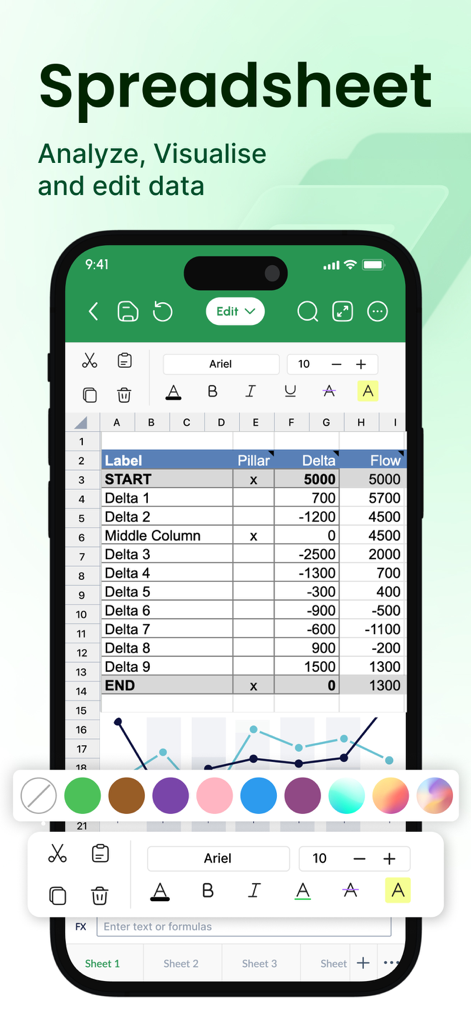
XLSX Sheets App-Oberfläche zeigt eine Tabellenkalkulation und ein Diagramm auf einem Mobilgerät
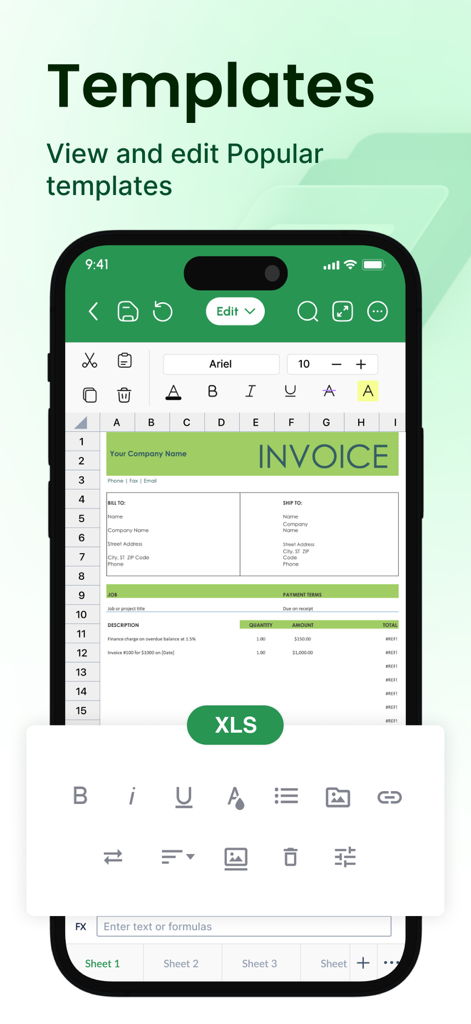
Ein Mobiltelefon, das eine bearbeitbare Rechnungsvorlage in der XLSX Sheets App anzeigt.
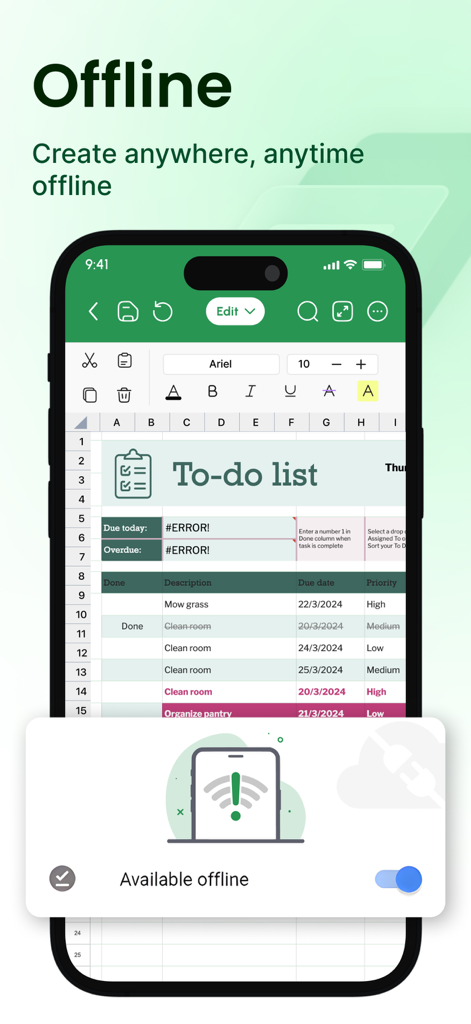
XLSX Sheets mobile App-Oberfläche, die eine To-Do-Liste mit aktiviertem Offline-Bearbeitungsmodus anzeigt
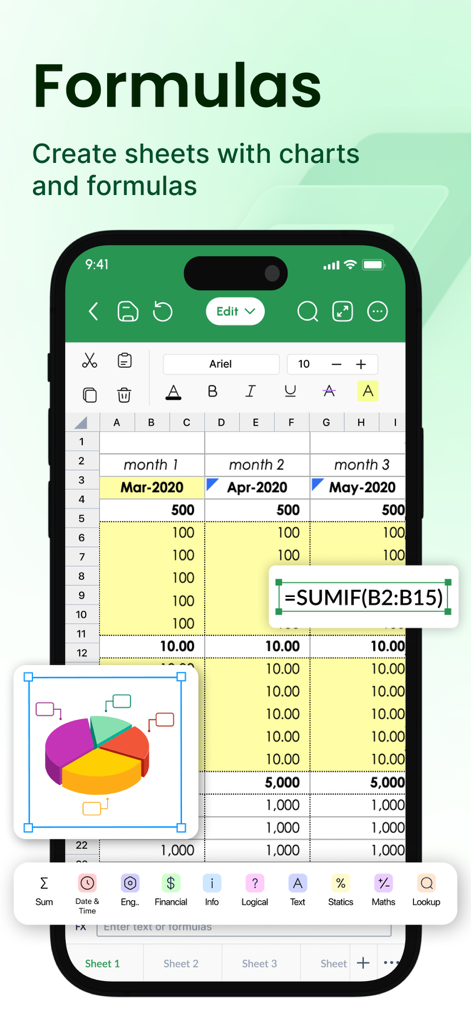
Eine mobile Tabellenkalkulations-Oberfläche, die die Bearbeitung einer SUMIF-Formel und eine 3D-Kreisdiagramm-Visualisierung zeigt
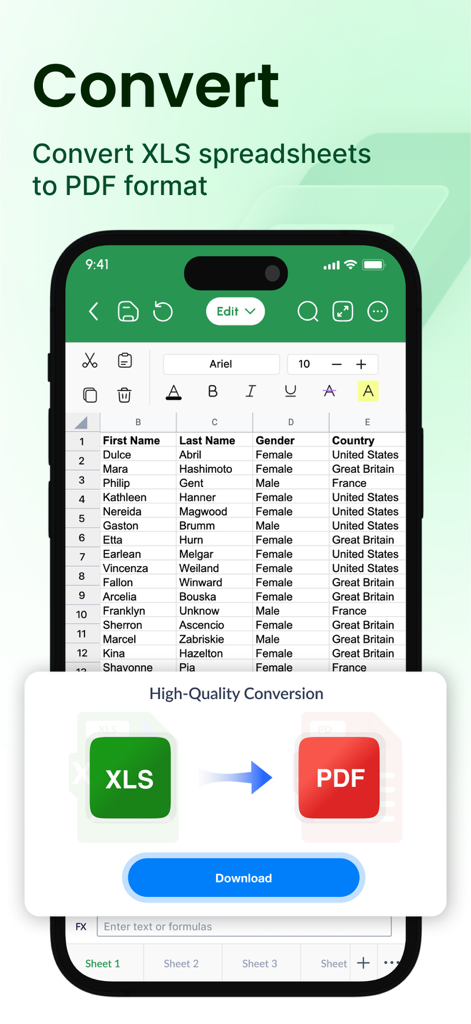
Eine mobile App-Oberfläche, die die Konvertierung einer Excel-Tabellenkalkulation in ein PDF-Dokument zeigt.
Beschreibung
Download
Ähnliche Apps
Apps mit ähnlichen Funktionen und Nutzererfahrung

Google Sheets
Google LLC

Table Notes Spreadsheet Excel
Vivek Agarwal

Microsoft Excel
Microsoft Corporation

Spreadsheets
SMM service, s.r.o.

Spreadsheet-xlsx&csv editor
BEST MUSIC VIDEO & IMAGE MAKER LIMITED

Sheets - Spreadsheet
CODE HARMONY LIMITED

Simple Spreadsheet:view & edit
WEN WU LI

Zoho Sheet: Spreadsheet App
Zoho Corporation

Numbers: Make Spreadsheets
Apple Inc.
Diese Seite ist keine offizielle Seite der App oder ihres Entwicklers, sondern eine unabhängige redaktionelle Veröffentlichung, die zu Informations- und Kommentarzwecken erstellt wurde. Sofern nicht ausdrücklich anders angegeben, sind weder die App noch ihr Entwickler mit MWM, Apple, Google Play, dem App-Herausgeber oder dem Entwickler der App verbunden, von ihnen unterstützt, gesponsert, autorisiert oder anderweitig offiziell verbunden, und nichts auf dieser Seite impliziert, dass die App unter Verwendung der Dienste von MWM entwickelt wurde. Alle Marken, Logos, Screenshots und andere Inhalte bleiben Eigentum ihrer jeweiligen Inhaber.