
Diese Seite ist keine offizielle Seite der App oder ihres Entwicklers, sondern eine unabhängige redaktionelle Veröffentlichung, die zu Informations- und Kommentarzwecken erstellt wurde. Sofern nicht ausdrücklich anders angegeben, sind weder die App noch ihr Entwickler mit MWM, Apple, Google Play, dem App-Herausgeber oder dem Entwickler der App verbunden, von ihnen unterstützt, gesponsert, autorisiert oder anderweitig offiziell verbunden, und nichts auf dieser Seite impliziert, dass die App unter Verwendung der Dienste von MWM entwickelt wurde. Alle Marken, Logos, Screenshots und andere Inhalte bleiben Eigentum ihrer jeweiligen Inhaber.

XM Zhootracker
Beherrschen Sie das Grid mit einer von LSDJ inspirierten Benutzeroberfläche, die für Geschwindigkeit und Portabilität entwickelt wurde. Komponieren Sie authentische Chiptunes mit voller FastTracker II (.XM)-Kompatibilität, taktilem Gamepad-Support und integriertem Sampling.
Downloads
100Bewertung
Bewertungen gesamt
0Herausgeber
Kategorie
MusicSprachen
1Neueste Version
1.2.5Größe
7.2 MBErstveröffentlichung
16. Jan. 2026Retro-Power, moderne Präzision
Erleben Sie die ultimative Verschmelzung von Tracker-Erbe der 90er Jahre und mobiler Innovation. Entwickelt für Chiptune-Künstler und experimentelle Komponisten, die Wert auf Workflow-Geschwindigkeit und kreative Einschränkungen legen.
Von LSDJ inspirierte Navigation
Meistern Sie Ihre Muster mit einem virtuellen D-Pad und A-Button-Layout. Wir haben die klassische Handheld-Muskelgedächtnis direkt auf Ihr iPad portiert, für blitzschnelle Bearbeitung.
Professionelle XM-Kompatibilität
Volle Unterstützung für Standard-.XM-Module und WAV-Importe. Beginnen Sie Ihren Track unterwegs und beenden Sie ihn auf Ihrem Desktop mit MilkyTracker oder FastTracker II.
Die folgenden Screenshots und die Beschreibung stammen direkt aus dem offiziellen Store-Eintrag der App und sind Eigentum des Entwicklers.
App Store
Screenshots
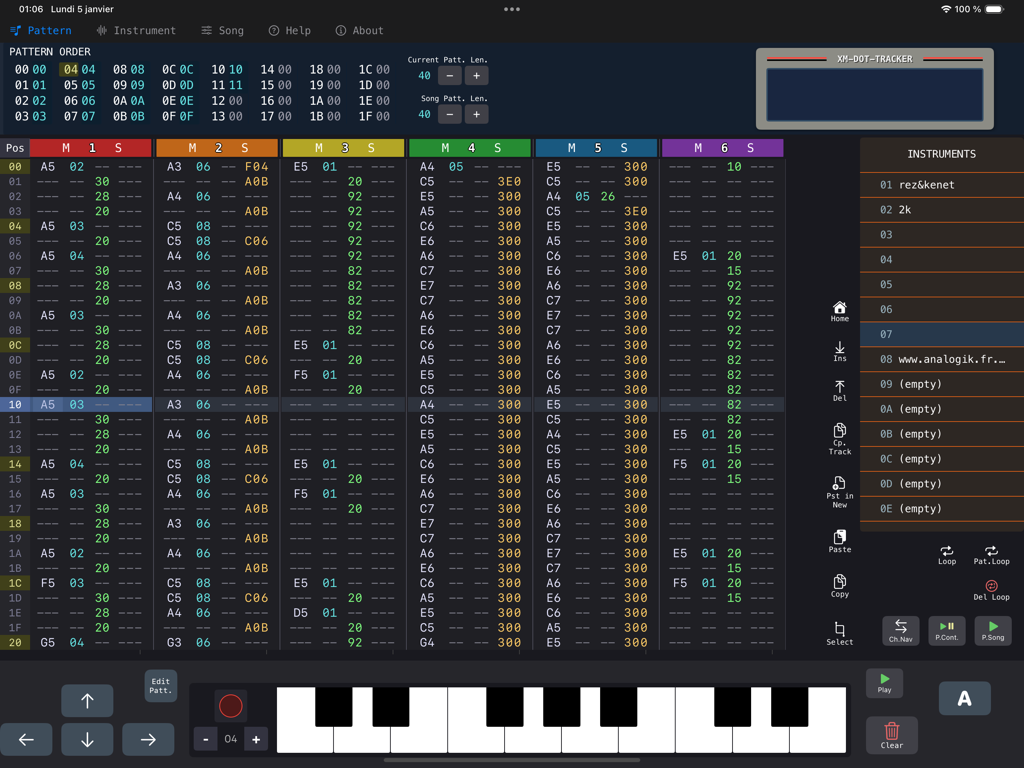
XM Zhootracker Musikproduktions-Interface mit einem vertikalen Tracker-Gitter und virtueller Klaviatur für Chiptune-Komposition auf dem iPad
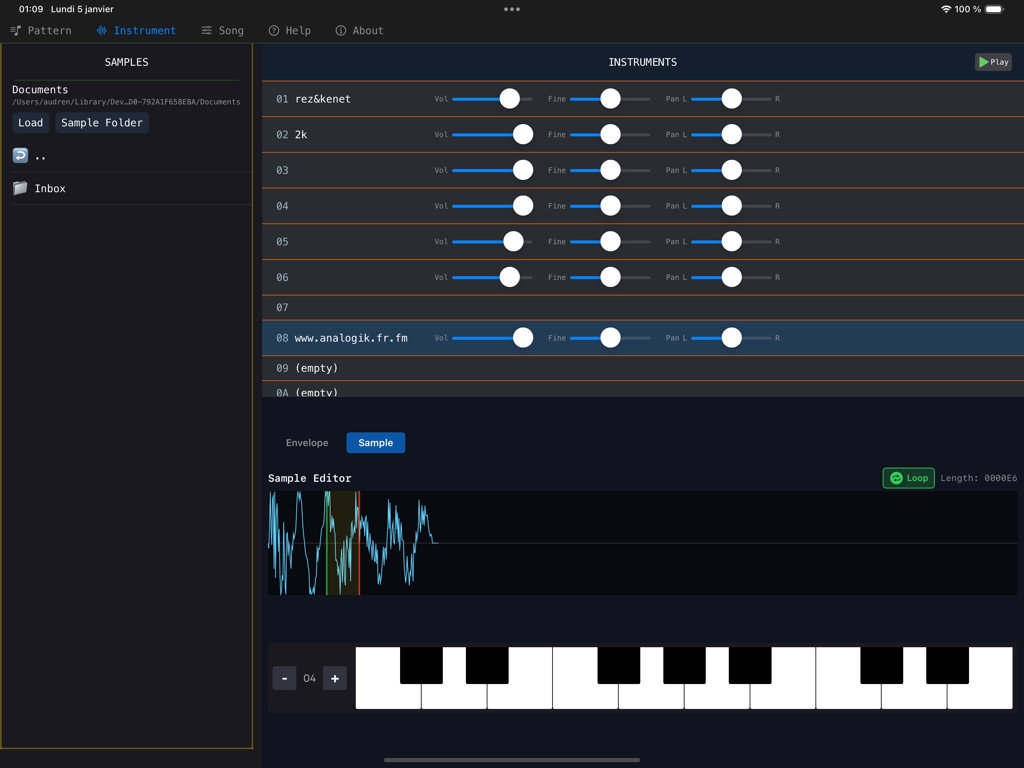
Instrumenteneinstellungen und Sample-Editor-Oberfläche in der XM Zhootracker Musik-App
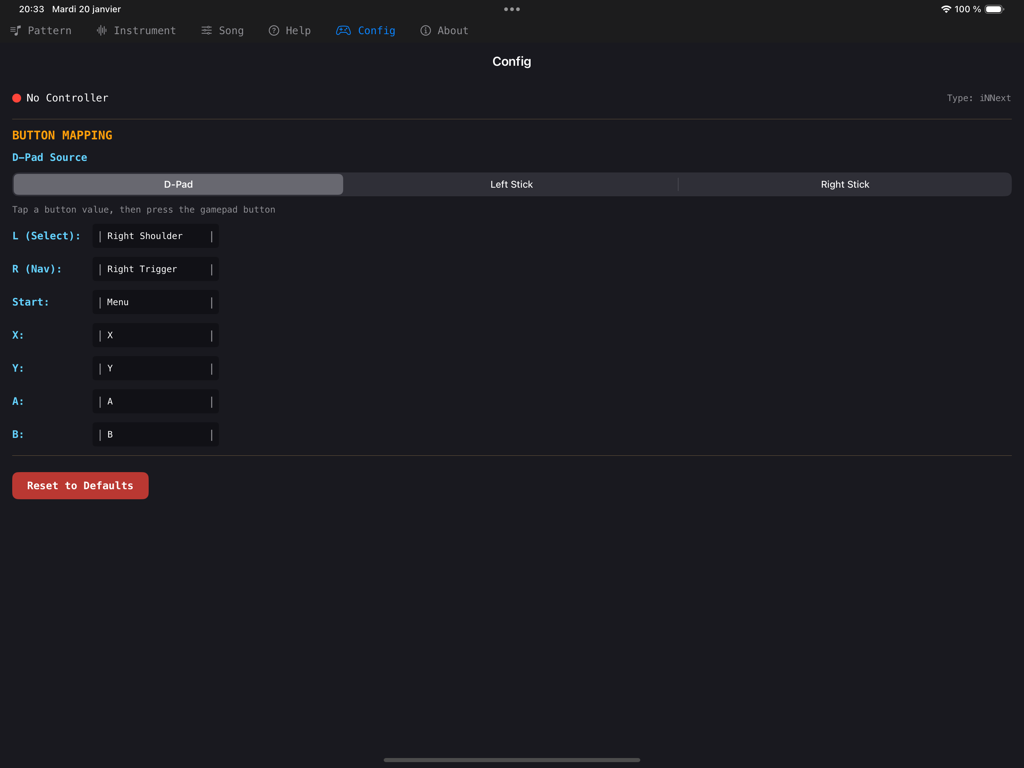
Gamepad-Tastenbelegungs-Konfigurationsbildschirm in der XM Zhootracker-App
Beschreibung
Download
Ähnliche Apps
Top-gerankte Apps in derselben Kategorie

Spotify: Music and Podcasts
Spotify

YouTube Music
Google LLC

Shazam: Find Music & Concerts
Apple Inc.

SoundCloud: The Music You Love
SoundCloud Global Limited & Co KG

Suno - AI Songs & Music
Suno Inc.

QQ音乐 - 听我想听
Tencent Technology (Shenzhen) Company Limited

Audiomack - Play Music Offline
Audiomack, Inc.

BandLab – Music Maker & Beats
BandLab Singapore Pte Ltd

GuitarTuna: Tune & Play Guitar
Yousician Ltd
Diese Seite ist keine offizielle Seite der App oder ihres Entwicklers, sondern eine unabhängige redaktionelle Veröffentlichung, die zu Informations- und Kommentarzwecken erstellt wurde. Sofern nicht ausdrücklich anders angegeben, sind weder die App noch ihr Entwickler mit MWM, Apple, Google Play, dem App-Herausgeber oder dem Entwickler der App verbunden, von ihnen unterstützt, gesponsert, autorisiert oder anderweitig offiziell verbunden, und nichts auf dieser Seite impliziert, dass die App unter Verwendung der Dienste von MWM entwickelt wurde. Alle Marken, Logos, Screenshots und andere Inhalte bleiben Eigentum ihrer jeweiligen Inhaber.