xTerminal - SSH Terminal Shell

xTerminal - SSH Terminal Shell

Herunterladen auf App Store
Logo von xTerminal - SSH Terminal Shell

xTerminal - SSH Terminal Shell: Steuern Sie Ihre Infrastruktur überall

Das ultimative professionelle Terminal für DevOps und SysAdmins. Verwalten Sie sicher Multi-Sessions, automatisieren Sie Aufgaben mit Snippets und handhaben Sie Dateien über SFTP – alles aus Ihrer Tasche.

Herausgeber

婉媚 邵

Kategorie

Developer Tools

Downloads

463K+

Bewertung

4.7/5

Bewertungen gesamt

100

Sprachen

1

Ihr mobiles Kommandozentrum

Entdecken Sie die Oberfläche, die von 463K+ Nutzern verwendet wird.

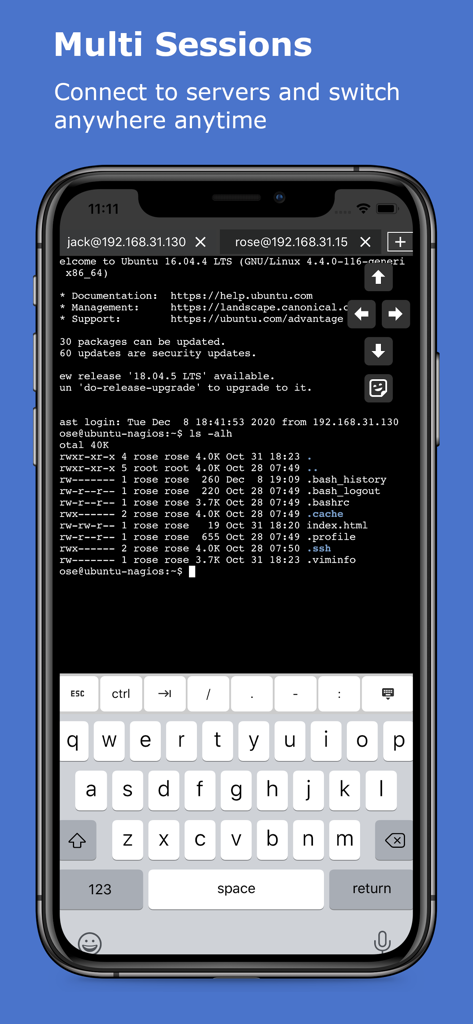
xTerminal-App, die mehrere SSH-Sitzungen auf einem mobilen Bildschirm anzeigt
xTerminal-App, die mehrere SSH-Sitzungen auf einem mobilen Bildschirm anzeigt

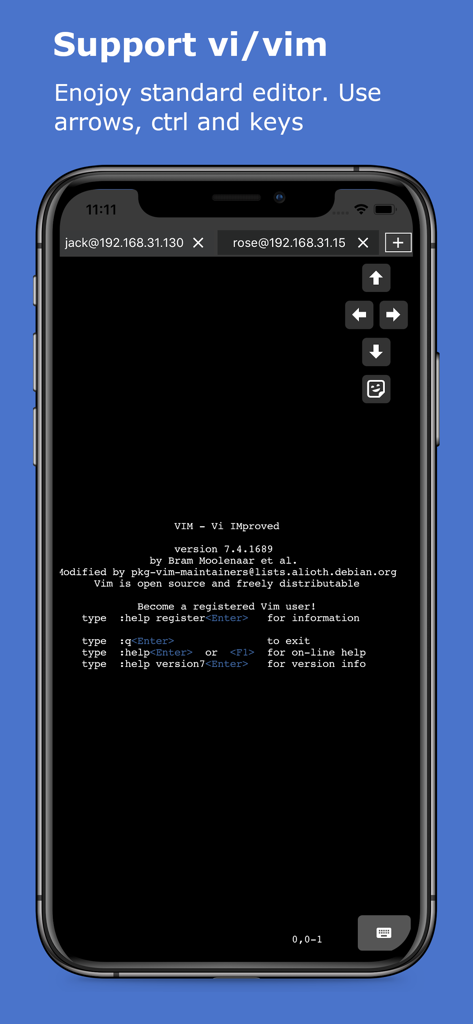
iPhone-Bildschirm, der den Vim-Texteditor innerhalb der xTerminal SSH-Shell mit Pfeiltasten auf dem Bildschirm zeigt
iPhone-Bildschirm, der den Vim-Texteditor innerhalb der xTerminal SSH-Shell mit Pfeiltasten auf dem Bildschirm zeigt

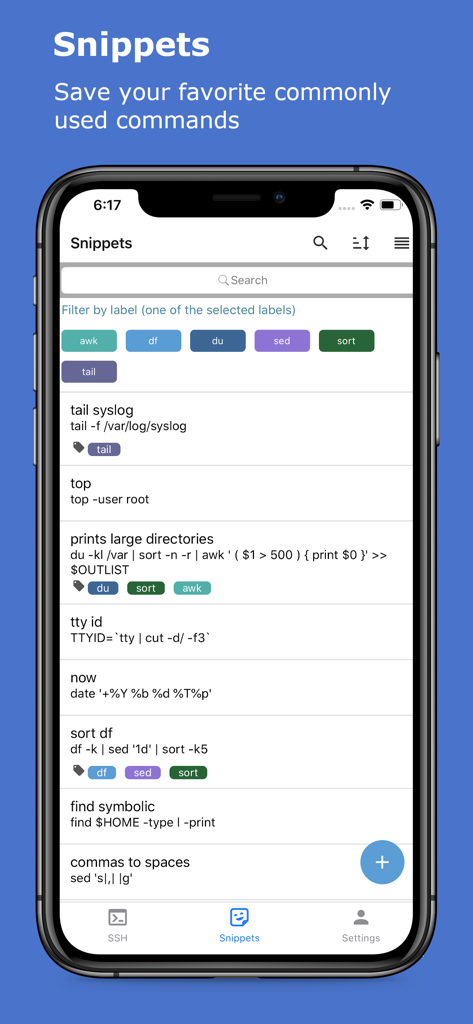
xTerminal-App Snippets-Bildschirm, der eine Liste gespeicherter SSH-Befehle mit Labels und Filtern zeigt
xTerminal-App Snippets-Bildschirm, der eine Liste gespeicherter SSH-Befehle mit Labels und Filtern zeigt

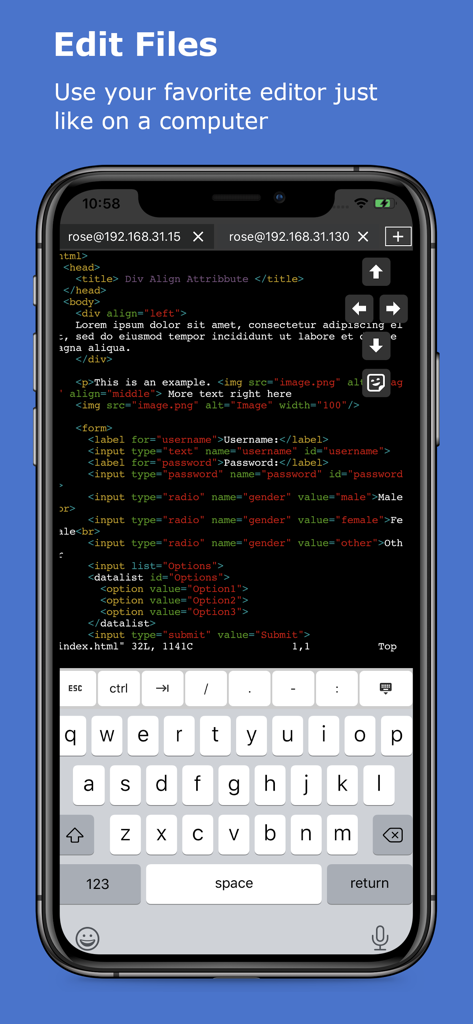
Bearbeiten von Code im xTerminal SSH-Terminal auf dem iPhone
Bearbeiten von Code im xTerminal SSH-Terminal auf dem iPhone

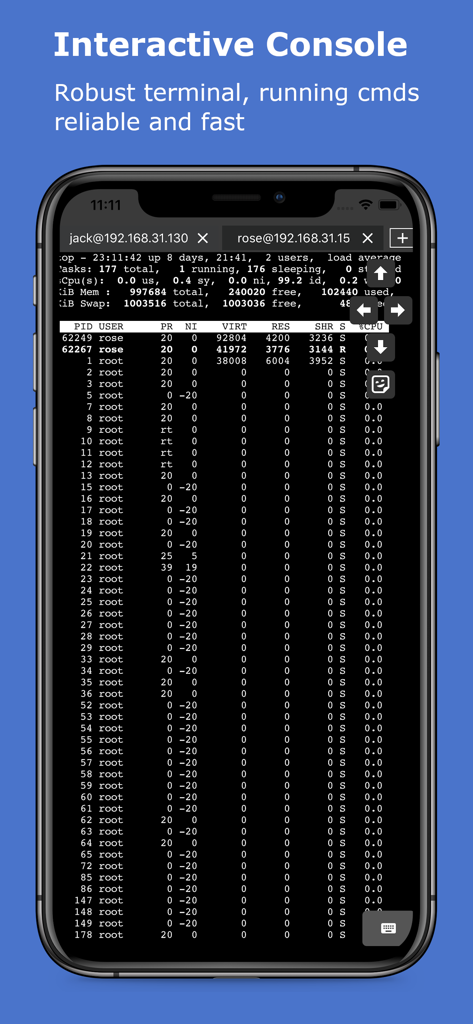
Interaktives SSH-Terminal, das Serverprozesse auf einem mobilen Gerät anzeigt
Interaktives SSH-Terminal, das Serverprozesse auf einem mobilen Gerät anzeigt

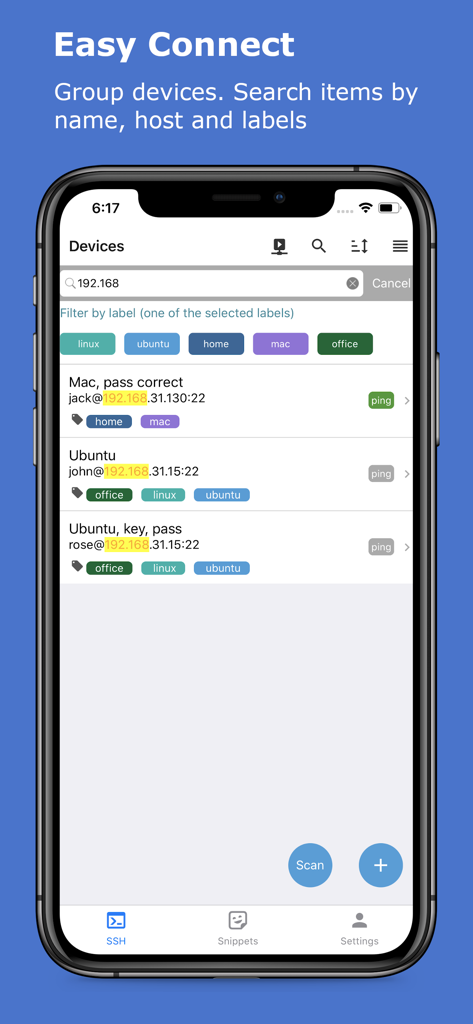
Oberfläche der xTerminal-App, die eine Liste verwalteter SSH-Server mit Filter-Labels und Suchleiste zeigt
Oberfläche der xTerminal-App, die eine Liste verwalteter SSH-Server mit Filter-Labels und Suchleiste zeigt

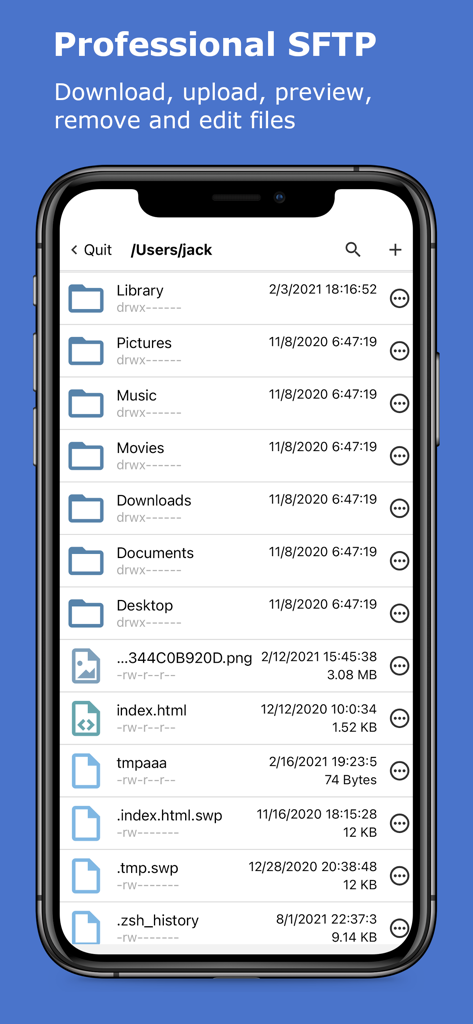
xTerminal-App, die die professionelle SFTP-Oberfläche zur Verwaltung von Serverdateien und -ordnern zeigt
xTerminal-App, die die professionelle SFTP-Oberfläche zur Verwaltung von Serverdateien und -ordnern zeigt

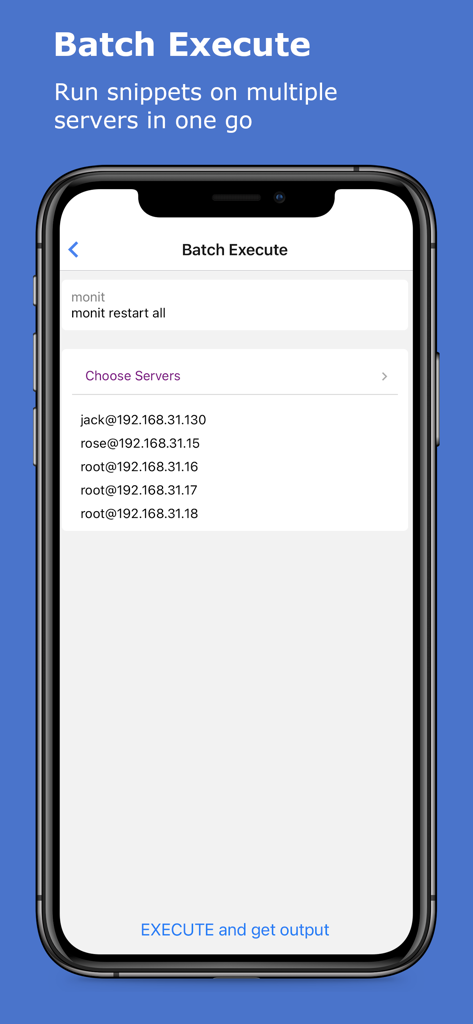
Oberfläche zur Stapelausführung von SSH-Befehlen auf mehreren Servern in der xTerminal-App
Oberfläche zur Stapelausführung von SSH-Befehlen auf mehreren Servern in der xTerminal-App

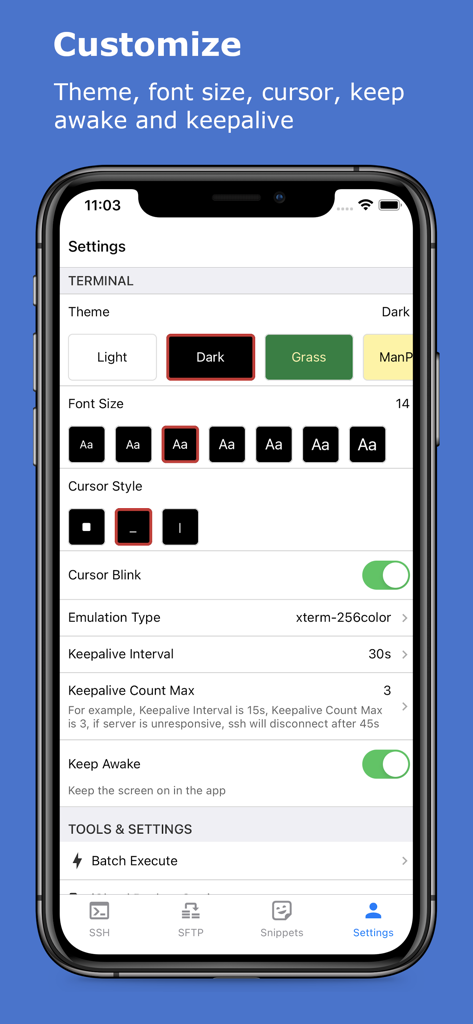
Einstellungen der xTerminal-App zur Anpassung von Terminal-Designs und Schriftgrößen

Einstellungen der xTerminal-App zur Anpassung von Terminal-Designs und Schriftgrößen

Steuern Sie Ihre Infrastruktur

Die Tools, die diese App auszeichnen, gewählt von 463K+ Nutzern.

Automatisieren mit Snippets

Sparen Sie sich repetitive Eingaben. Speichern Sie komplexe Befehle und führen Sie sie mit einem einzigen Tippen auf mehreren Servern gleichzeitig aus, um Ihre Effizienz im Bereitschaftsdienst zu steigern.

🖥️

Desktop-Klasse Terminal

Erleben Sie eine reaktionsschnelle Shell mit vollständiger Vi/Vim-Unterstützung und integriertem SFTP für nahtlose Dateiverwaltung und Protokollüberwachung unterwegs.

🔒

Sicherheit auf Enterprise-Niveau

Schützen Sie Ihre Sitzungen mit FaceID/TouchID. Ihre Anmeldedaten bleiben mit sicherer lokaler Speicherung und verschlüsselter iCloud-Synchronisierung über Ihre Geräte hinweg privat.

Über die App

Alles, was Sie über wissen müssen xTerminal - SSH Terminal Shell.

Beschreibung

xTerminal - Your Ultimate SSH Terminal Shell xTerminal is your all-in-one SSH terminal client for managing servers with speed and security. Whether you're an IT professional or a developer, xTerminal gives you the tools to easily connect, control, and manage your servers from anywhere. Key Features: * Interactive SSH Terminal: A fast, reliable terminal for executing commands on your servers. Eg: Use top to monitor system status or follow logs with tail -f. * Powerful Editor: Edit documents with vi/vim just like on a desktop, with full support for CTRL and arrow keys, making your SSH terminal experience smooth. * Multi-Session Management: Manage multiple SSH connections at once. Add, remove, and switch between sessions with ease, boosting your productivity. * Snippets: Save and organize frequently used SSH commands. Quickly search by name, command, or label, making repeated tasks quicker and simpler. * Device Management: Add your SSH servers, group them by labels, and search by name, host, or labels. Connect via password or public key authentication. * Advanced SSH Options: Support for SSH jump hosts and SOCKS5 proxies for enhanced security and flexible connections. * SFTP for File Management: Upload, download, edit, move, and delete files using the built-in SFTP, allowing you to manage files on your servers directly from the terminal. * Keep Sessions Alive: Use “Keep Awake” and “Keep Alive” features to maintain persistent SSH connections without interruptions. * User-Friendly Interface: Simple navigation with pull-to-refresh, search highlights, sortable lists, and drag-and-drop to reorder devices or snippets. * Live Ping Monitoring: Check device connectivity in real-time with ping stats, including ms and TTL, helping you monitor the health of your network. * Discover Network Devices: Easily find and save neighboring network devices for quick access later. * Secure Port Knocking: Add an extra layer of protection by using port knocking to guard your servers from unauthorized access. * Enhanced Security: Use TouchID/FaceID to protect your SSH sessions, ensuring secure access to your terminal on app launch or resume. * iCloud Sync: Backup and restore your device and snippet lists across all iOS devices, ensuring seamless access to your settings anywhere. * Copy & Paste: Effortlessly run commands from the clipboard or copy terminal output, streamlining your workflow in the terminal. * Universal App: Optimized for both iPhone and iPad, giving you a consistent experience across devices. * Secure Data Storage: All credentials and data are stored securely on your device, so you can rest assured your information is safe. * Batch Execution: Execute commands on multiple servers at once and view all the outputs in one go. * Startup Snippets: Set up essential commands to run on app startup, giving you immediate access to critical tasks as soon as you connect. xTerminal is built for anyone needing a fast, reliable, and secure SSH terminal. It’s perfect for managing remote servers on various platforms, including macOS, Linux, OpenBSD, FreeBSD, NetBSD, Solaris, and OpenVMS. Payment will be charged to iTunes Account at confirmation of purchase. Subscription automatically renews unless auto-renew is turned off at least 24-hours before the end of the current period. Account will be charged for renewal within 24-hours prior to the end of the current period, and identify the cost of the renewal. Subscriptions may be managed by the user and auto-renewal may be turned off by going to the user's Account Settings after purchase. Any unused portion of a free trial period, if offered, will be forfeited when the user purchases a subscription to that publication, where applicable. Terms of use https://septudio.com/terms-of-use and privacy policy https://septudio.com/privacy-policy

Neueste Version

3.12

Größe

97.8 MB

Erstveröffentlichung

17. Dez. 2020

Steuern Sie Ihre Infrastruktur, wo immer Sie sind

Erleben Sie die Leistung eines Desktop-Terminals in Ihrer Tasche. Schließen Sie sich über 463.000 Profis an, die Server mit höchster Geschwindigkeit, Sicherheit und Präzision verwalten.

Herunterladen auf App Store

App information, icons, screenshots, and descriptions displayed on this page are sourced from the Apple App Store and are the property of their respective developers. Download estimates and rankings are based on MWM's proprietary models and may not reflect actual figures. This page is provided for informational and analytical purposes only.

Believe this page infringes your intellectual property? File a dispute