
Diese Seite ist keine offizielle Seite der App oder ihres Entwicklers, sondern eine unabhängige redaktionelle Veröffentlichung, die zu Informations- und Kommentarzwecken erstellt wurde. Sofern nicht ausdrücklich anders angegeben, sind weder die App noch ihr Entwickler mit MWM, Apple, Google Play, dem App-Herausgeber oder dem Entwickler der App verbunden, von ihnen unterstützt, gesponsert, autorisiert oder anderweitig offiziell verbunden, und nichts auf dieser Seite impliziert, dass die App unter Verwendung der Dienste von MWM entwickelt wurde. Alle Marken, Logos, Screenshots und andere Inhalte bleiben Eigentum ihrer jeweiligen Inhaber.


ZArchiver
Schluss mit digitalem Ballast: ZArchiver verleiht die Macht, Dateigrößen zu zähmen und Chaos zu bezwingen.
Downloads
2.5M+Bewertung
Bewertungen gesamt
16.7KHerausgeber
Kategorie
UtilitiesSprachen
10Neueste Version
13.2Größe
57.0 MBErstveröffentlichung
19. Aug. 2022Eine Bewertung der Schlüsselmerkmale, die ZArchiver zu einem unverzichtbaren Tool für mobile Dateiverwaltung machen.
Analyse der Kernfunktionen von ZArchiver
Umfassende Komprimierungsfunktionen
Die App ermöglicht das Komprimieren verschiedenster Dateitypen, darunter Dokumente wie DOC, PDF, XLS und TXT sowie Mediendateien wie Fotos und Videos, um Speicherplatz zu sparen und den Dateiversand zu erleichtern.
Vielseitige Extraktionsmöglichkeiten
Dieses Tool fungiert als zuverlässiger Zip- und Rar-Dateien-Öffner, der Nutzern das einfache Extrahieren von Inhalten aus komprimierten Archiven ermöglicht.
Effiziente Reduzierung großer Dateimengen
Es bietet die Funktion, große Dateien zu komprimieren und deren Größe erheblich zu reduzieren, was besonders nützlich für das Versenden oder Speichern von umfangreichen Projekten ist.
Ordner- und Stapelkomprimierung
Die App unterstützt die Komprimierung ganzer Ordner sowie mehrerer Dokumente auf einmal, was den Arbeitsablauf für die Verwaltung größerer Dateisammlungen optimiert.
Intuitive Ein-Klick-Bedienung
Es vereinfacht den Prozess der Dateiverwaltung durch eine intuitive Ein-Klick-Funktionalität für sowohl Komprimierungs- als auch Extraktionsvorgänge.
Optimierung für mobilen Dateiaustausch
Durch die effektive Größenreduzierung von Dateien und Ordnern ermöglicht die App Nutzern, komprimierte Inhalte leichter über mobile Geräte zu teilen und zu versenden.
Häufig gestellte Fragen
Alles, was Sie über wissen müssen ZArchiver
What is ZArchiver used for?
ZArchiver is a file compressor and zip file opener. It extracts and compresses various file types, including documents, photos, and videos, reducing their size and managing archives.
Which file types can ZArchiver compress and extract?
ZArchiver compresses and extracts doc, docx, ppt, pptx, xls, xlsx, pdf, txt, 7z, Rar, photos, and videos. It also reads Rar files.
Does ZArchiver offer a subscription for its features?
Yes, ZArchiver offers auto-renewing subscriptions for ad-free access. Options include weekly ($2.99), 1-month ($4.99), and 1-year ($29.49) durations.
How can I remove ads in the ZArchiver app?
Users can remove ads in the ZArchiver app by purchasing an auto-renewing subscription. This provides access to all app features without advertisements.
Can I share files using the ZArchiver app?
Yes, ZArchiver allows users to share files and folders after compressing them. The app also supports Wi-Fi transfer, as shown on the "Send File" screen.
Does ZArchiver allow file management operations like deleting or renaming?
Yes, ZArchiver provides file management options. Users can rename, move, copy, send, archive, and delete files directly within the application interface.
How do I compress files using the ZArchiver application?
Users open the app, select desired photos, videos, or documents, and then compress them using the zip tool within ZArchiver.
Where can I find the Privacy Policy for ZArchiver?
The Privacy Policy for ZArchiver is available at the provided link: https://zipunzipextractor.blogspot.com/2022/08/privacy-policy.html.
Die folgenden Screenshots und die Beschreibung stammen direkt aus dem offiziellen Store-Eintrag der App und sind Eigentum des Entwicklers.
App Store
Screenshots
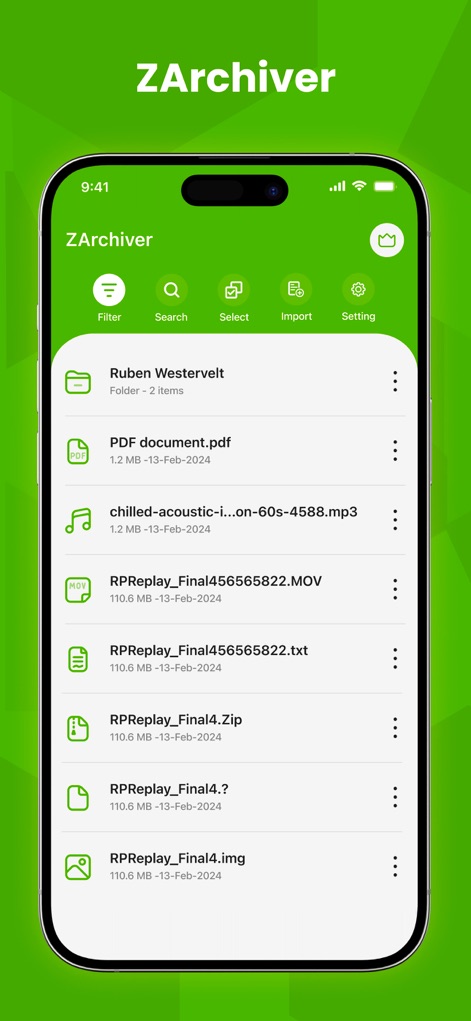
Die App präsentiert eine übersichtliche Dateiliste mit verschiedenen Dateityp-Icons, die eine schnelle Orientierung und Verwaltung ermöglichen.
Dateimanagement Übersicht
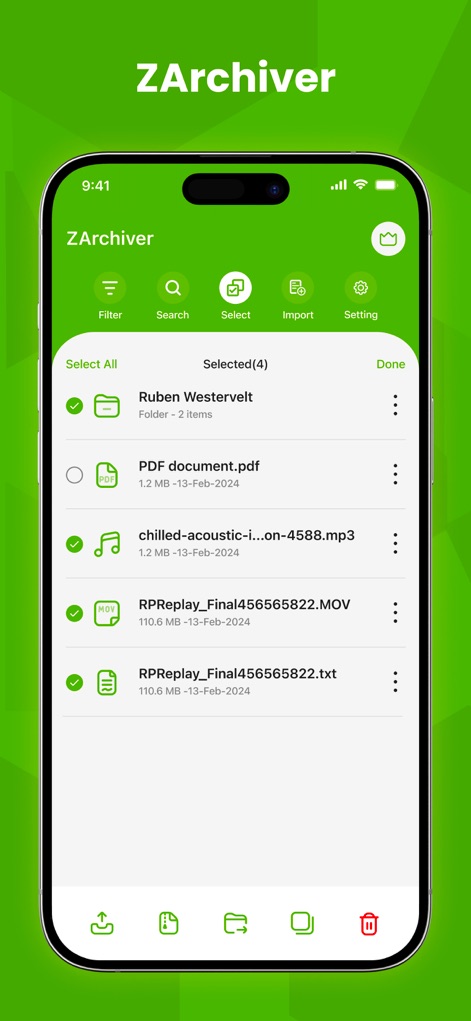
Nutzer können mühelos mehrere Dateien über die intuitive Auswahlfunktion markieren, unterstützt durch eine kontextbezogene Aktionsleiste für schnelle Operationen.
Effiziente Dateiauswahl
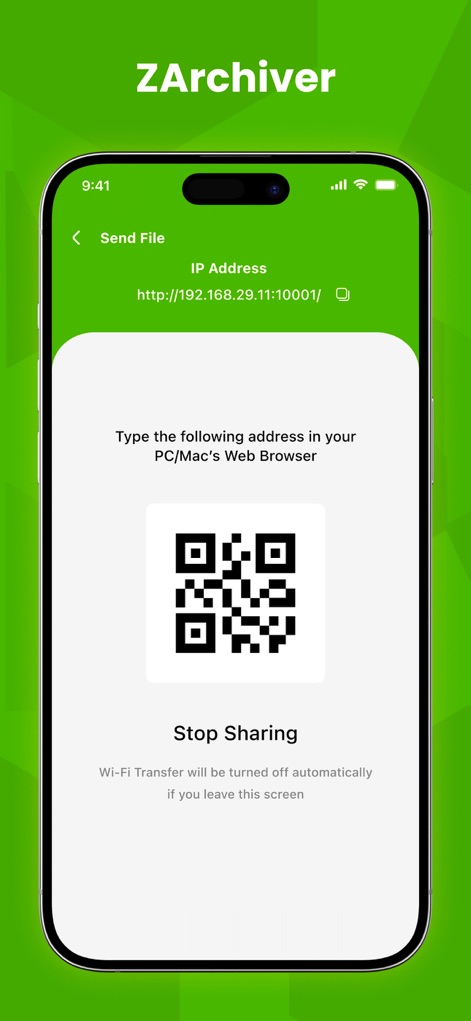
Dieses Tool ermöglicht das einfache Senden von Dateien über einen generierten QR-Code, was eine drahtlose und sichere Übertragung auf andere Geräte vereinfacht.
Einfaches Teilen & Senden
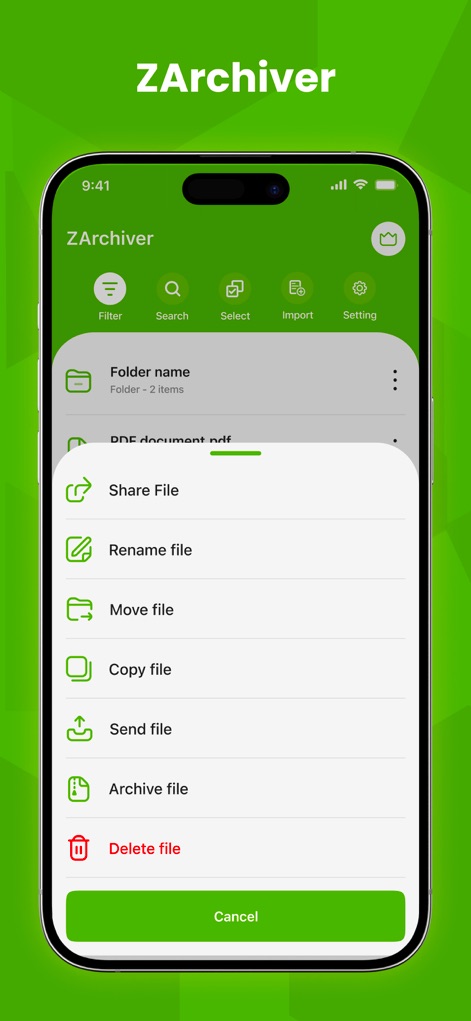
Ein umfassendes Kontextmenü bietet direkten Zugriff auf wichtige Dateiaktionen wie Teilen, Umbenennen oder Archivieren, direkt aus der Dateiansicht.
Schnelle Dateiaktionen
Beschreibung
Download
Ähnliche Apps
Apps mit ähnlichen Funktionen und Nutzererfahrung

Unzip – ZIP RAR 7Z Extractor
Little Sweet Technology Co., Ltd.

Unzip - zip,rar,7z file opener
书勇 贾

Zip & RAR File Extractor
PENGHUI ZHAO

iZip – Zip Unzip Unrar
ComcSoft Corporation

Zip, RAR, 7z File Extractor
FANGZHOU INTERACTIVE TECHNOLOGY CO., LIMITED

ZArchiver: UnZip, UnRar, 7Z
TIMON SOFTWARE SOLUTIONS COMPANY LIMITED

iRAR - zip,rar,7z file opener
书敏 贾

Zip & RAR & 7z File Extractor
琳 胡

MT管理器
瑞 胡
Diese Seite ist keine offizielle Seite der App oder ihres Entwicklers, sondern eine unabhängige redaktionelle Veröffentlichung, die zu Informations- und Kommentarzwecken erstellt wurde. Sofern nicht ausdrücklich anders angegeben, sind weder die App noch ihr Entwickler mit MWM, Apple, Google Play, dem App-Herausgeber oder dem Entwickler der App verbunden, von ihnen unterstützt, gesponsert, autorisiert oder anderweitig offiziell verbunden, und nichts auf dieser Seite impliziert, dass die App unter Verwendung der Dienste von MWM entwickelt wurde. Alle Marken, Logos, Screenshots und andere Inhalte bleiben Eigentum ihrer jeweiligen Inhaber.