
Diese Seite ist keine offizielle Seite der App oder ihres Entwicklers, sondern eine unabhängige redaktionelle Veröffentlichung, die zu Informations- und Kommentarzwecken erstellt wurde. Sofern nicht ausdrücklich anders angegeben, sind weder die App noch ihr Entwickler mit MWM, Apple, Google Play, dem App-Herausgeber oder dem Entwickler der App verbunden, von ihnen unterstützt, gesponsert, autorisiert oder anderweitig offiziell verbunden, und nichts auf dieser Seite impliziert, dass die App unter Verwendung der Dienste von MWM entwickelt wurde. Alle Marken, Logos, Screenshots und andere Inhalte bleiben Eigentum ihrer jeweiligen Inhaber.


Zoho Meeting - Online Meetings
Die wahre Superkraft dieser App: Sie verwandelt chaotische Remote-Interaktionen in kontrollierte, produktive Sessions. Wer braucht schon Präsenz, wenn man so diszipliniert virtuell agieren kann?
Downloads
1M+Bewertung
Bewertungen gesamt
5.6KHerausgeber
Kategorie
BusinessSprachen
39Neueste Version
1.8.1Größe
138.1 MBErstveröffentlichung
2. Okt. 2017Eine Bewertung für Professionals, Unternehmen und Bildungsanbieter
Analyse der Kernfunktionen von Zoho Meeting – Online Meetings
Robuste Meeting-Sicherheit
Dieses Tool ermöglicht es Nutzern, ihre Online-Meetings durch Passwortschutz abzusichern, um unbefugten Zugriff und Störungen zu verhindern und die Vertraulichkeit von Diskussionen zu gewährleisten.
Erweiterte Online-Kollaboration
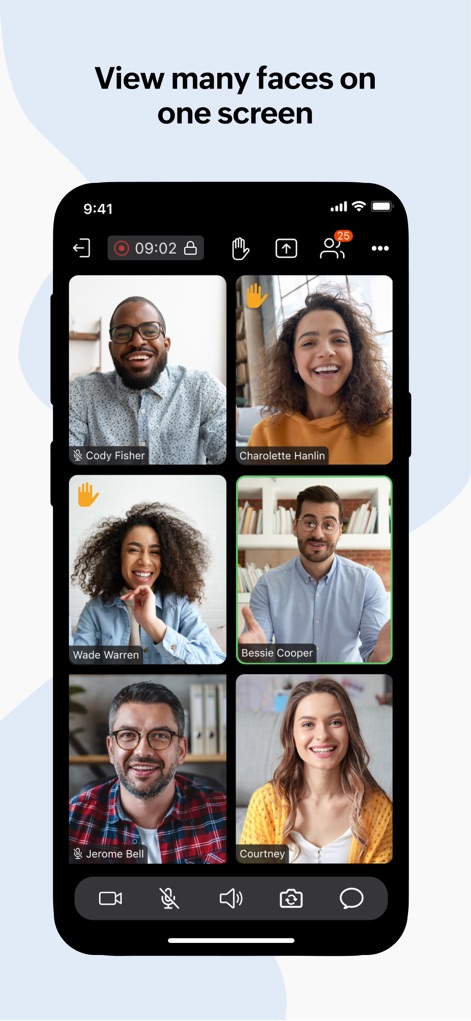
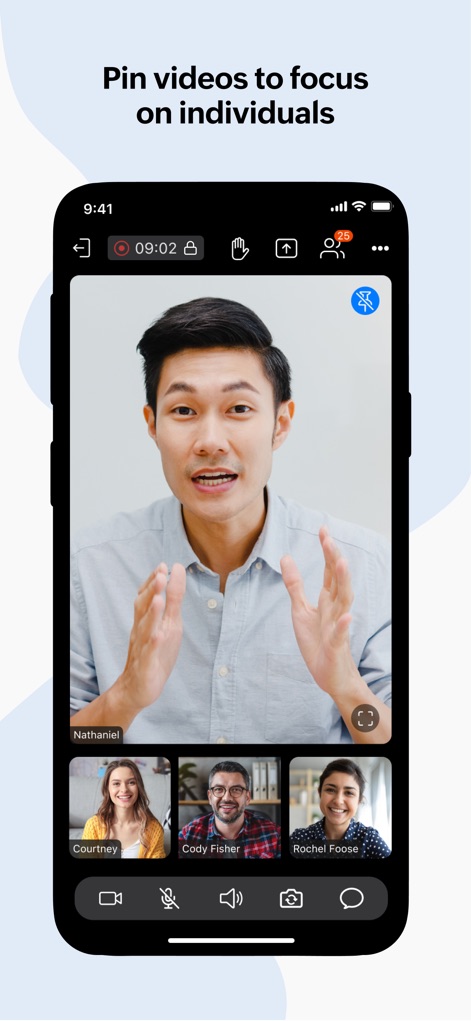
Die App bietet nahtlose Audio-, Video- und Bildschirmfreigabe für bis zu 250 Teilnehmer, um effektive Teamzusammenarbeit, persönliche Interaktionen und umfassende Präsentationen zu ermöglichen.
Aufzeichnung und Freigabe von Meetings
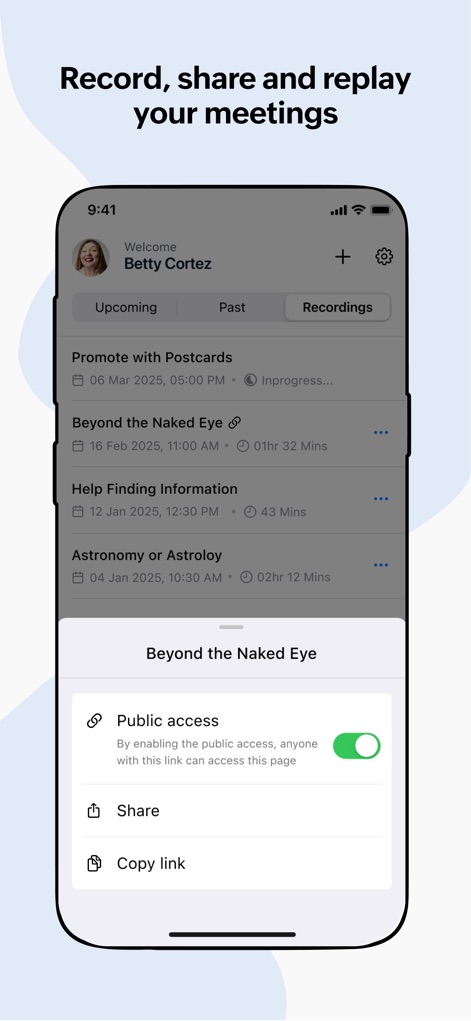
Es ermöglicht Hosts, Meetings aufzuzeichnen, sowohl von Computern als auch von mobilen Geräten, und die aufgezeichneten Inhalte zur späteren Wiedergabe und zum einfachen Teilen bereitzustellen.
Dynamische Webinar-Interaktion
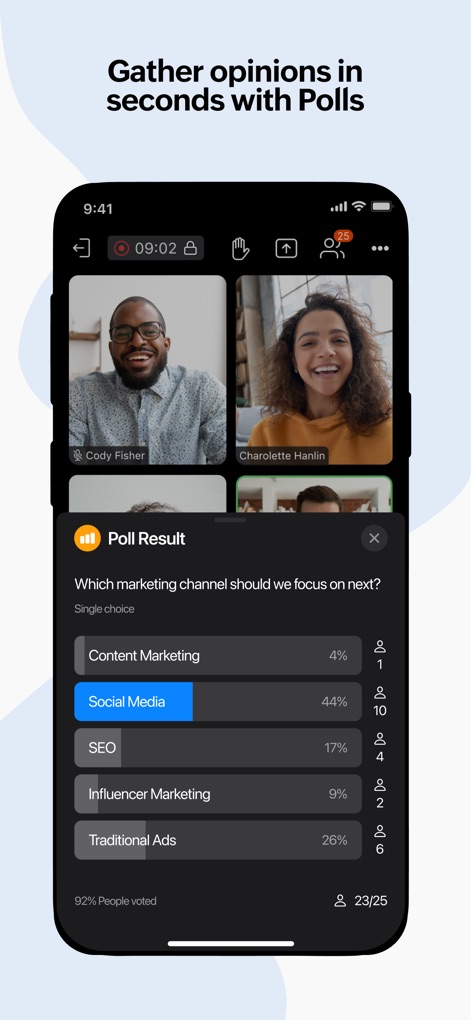
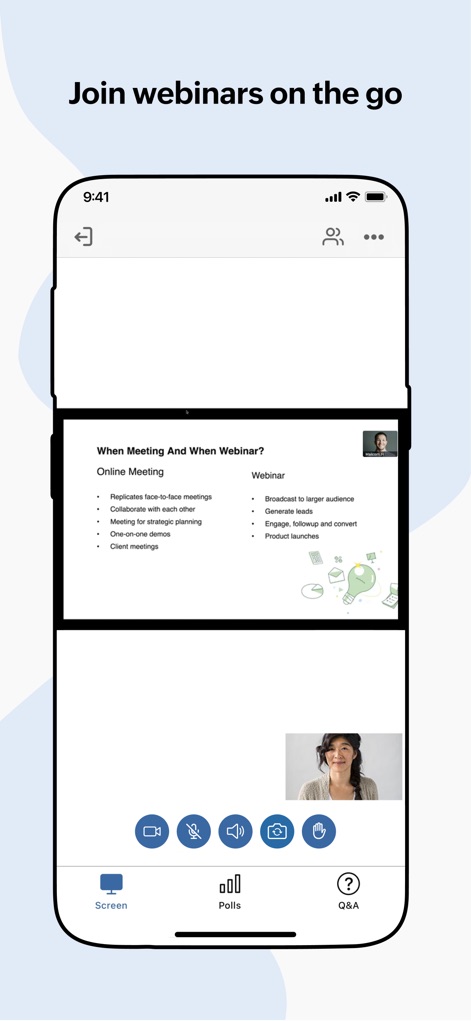
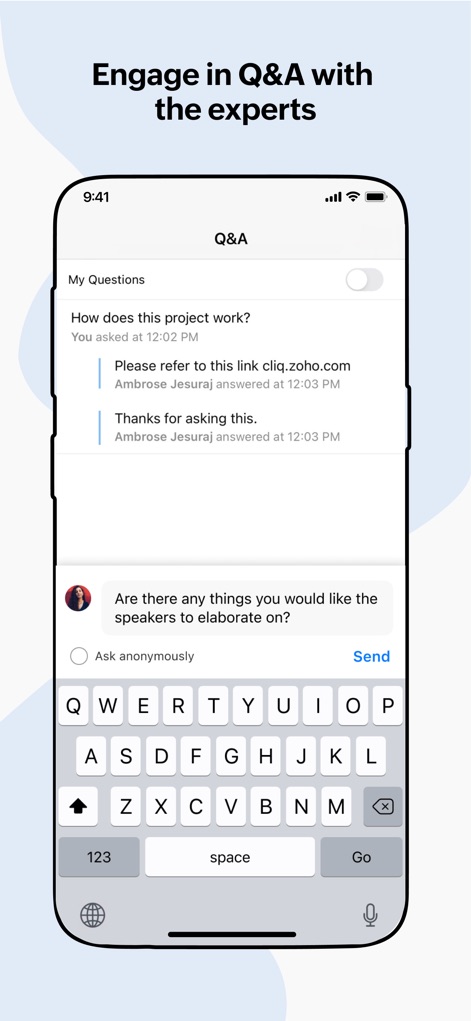
Nutzer können an Live-Webinaren teilnehmen und aktiv mit Organisatoren über Umfragen, Fragen-und-Antwort-Runden sowie die 'Hand heben'-Funktion interagieren, was eine dynamische Beteiligung fördert.
Flexible Meeting-Moderation
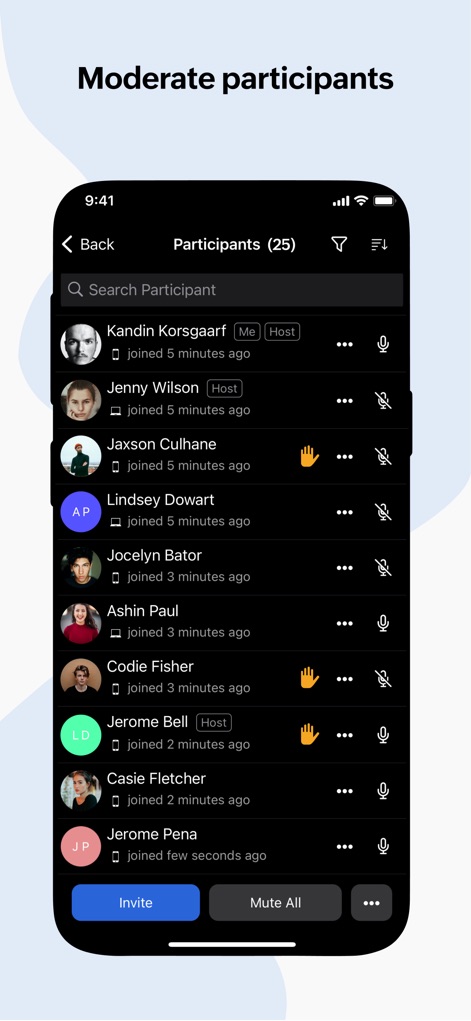
Dieses Tool verfügt über Funktionen zur effektiven Moderation, einschließlich der Möglichkeit, einzelne oder alle Teilnehmer stummzuschalten und unerwünschte Personen zu entfernen, um fokussierte Diskussionen zu gewährleisten.
Barrierefreier Teilnehmerzugang
Es erleichtert den Teilnehmern den Beitritt zu Meetings über einen Einladungslink oder eine Meeting-ID, ohne dass ein Zoho-Konto erforderlich ist, was die Zugänglichkeit erheblich verbessert.
Integriertes Kommunikationssystem
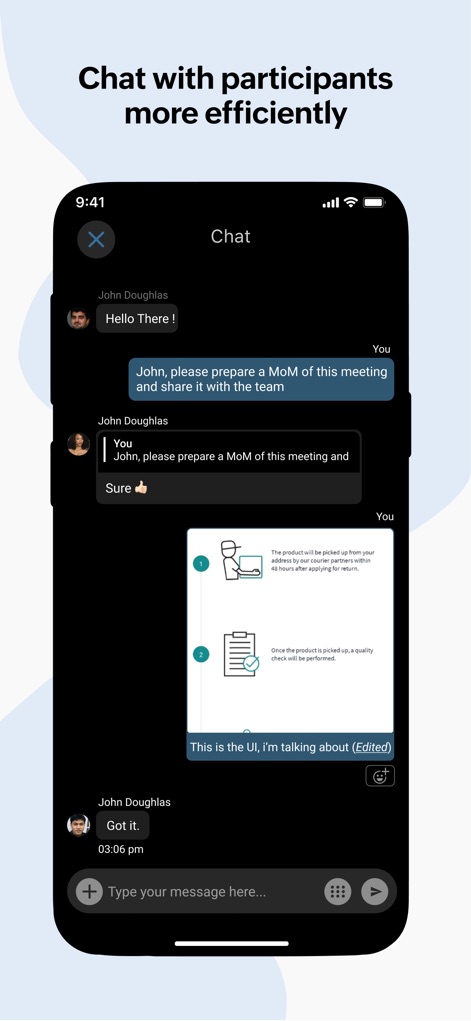
Die App unterstützt kontextuelle Kommunikation während des Meetings durch Chat-Nachrichten, Emojis, Bild- und Dateifreigabe, um die Zusammenarbeit und den Informationsaustausch zu verbessern.
Effiziente Meeting-Organisation
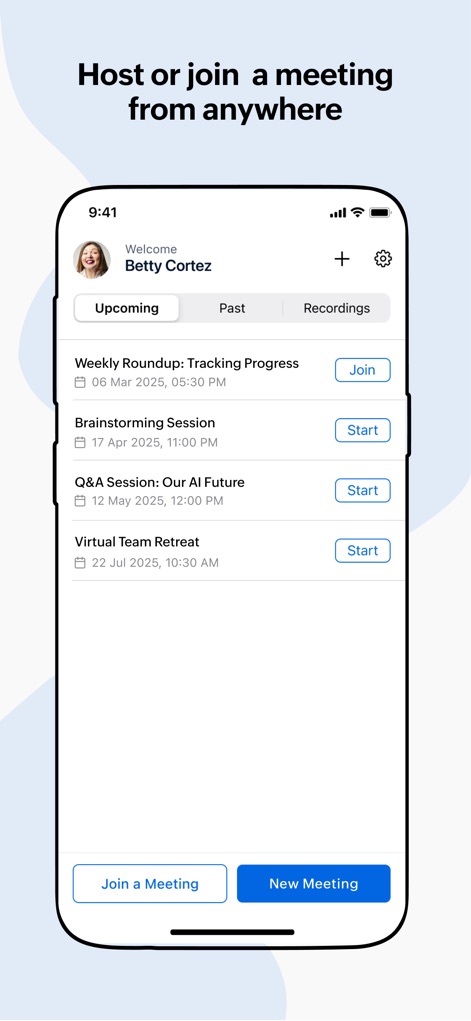
Es ermöglicht das flexible Planen von Online-Meetings mit E-Mail-Einladungen sowie das schnelle Initiieren von Ad-hoc-Meetings für spontane Entscheidungen und eine agile Zusammenarbeit.
Häufig gestellte Fragen
Alles, was Sie über wissen müssen Zoho Meeting - Online Meetings
How many participants can join a Zoho Meeting?
Zoho Meeting allows up to 250 participants to join a secure online meeting or webinar. This feature ensures large-scale collaboration and communication for all users.
Can I share my mobile screen during a Zoho Meeting?
Yes, Zoho Meeting allows you to share your mobile screen during a meeting. This enables contextual collaboration with other participants.
Is an account required for participants to join a Zoho Meeting?
No, participants do not require an account to join Zoho Meeting. They can easily join a meeting using the invitation link or the meeting ID.
Does Zoho Meeting support recording of meetings?
Yes, the meeting host can record the screen, audio, and video from a computer or mobile device. Recorded videos are playable online and sharable.
Can Zoho Meeting participants engage in polls during webinars?
Yes, participants can interact by participating in polls during live webinars within Zoho Meeting. This allows for gathering opinions and feedback.
How does Zoho Meeting ensure secure online meetings?
Zoho Meeting secures online meetings using password protection. It also allows hosts to mute individuals or all participants and remove unwanted attendees to maintain privacy.
Can I host unlimited meetings with Zoho Meeting?
Yes, Zoho Meeting allows users to host unlimited meetings. This enables flexible and frequent online collaboration without restrictions.
Does Zoho Meeting offer a Q&A feature for webinars?
Yes, Zoho Meeting provides a Q&A feature for webinars. Attendees can interact with organizers by asking questions and receiving responses.
Can I chat with other participants during a Zoho Meeting?
Yes, Zoho Meeting includes a chat feature. You can send messages, emojis, images, and files to other participants during the meeting for contextual conversations.
Can co-organizers manage webinars from a mobile device using Zoho Meeting?
Yes, co-organizers can join webinars on the go with Zoho Meeting. They can engage attendees through audio and video directly from their mobile device.
Die folgenden Screenshots und die Beschreibung stammen direkt aus dem offiziellen Store-Eintrag der App und sind Eigentum des Entwicklers.
App Store
Screenshots
Beschreibung
Download
Ähnliche Apps
Apps mit ähnlichen Funktionen und Nutzererfahrung

GoTo
GoTo Group, Inc.

Lark - Team Collaboration
LARK TECHNOLOGIES PTE. LTD.

RingCentral
RingCentral, Inc

MTS Link
VEBINAR TEKHNOLOGII, OOO

Pronto Team Communication
Hit Labs, Inc.

Zoho Cliq - Team Communication
Zoho Corporation

Microsoft Teams
Microsoft Corporation

Zoom Workplace
Zoom Communications, Inc.

Google Meet
Google LLC
Diese Seite ist keine offizielle Seite der App oder ihres Entwicklers, sondern eine unabhängige redaktionelle Veröffentlichung, die zu Informations- und Kommentarzwecken erstellt wurde. Sofern nicht ausdrücklich anders angegeben, sind weder die App noch ihr Entwickler mit MWM, Apple, Google Play, dem App-Herausgeber oder dem Entwickler der App verbunden, von ihnen unterstützt, gesponsert, autorisiert oder anderweitig offiziell verbunden, und nichts auf dieser Seite impliziert, dass die App unter Verwendung der Dienste von MWM entwickelt wurde. Alle Marken, Logos, Screenshots und andere Inhalte bleiben Eigentum ihrer jeweiligen Inhaber.