Zoho Sign - Fill & eSign Docs
Herunterladen auf App Store

Diese Seite ist keine offizielle Seite der App oder ihres Entwicklers, sondern eine unabhängige redaktionelle Veröffentlichung, die zu Informations- und Kommentarzwecken erstellt wurde. Sofern nicht ausdrücklich anders angegeben, sind weder die App noch ihr Entwickler mit MWM, Apple, Google Play, dem App-Herausgeber oder dem Entwickler der App verbunden, von ihnen unterstützt, gesponsert, autorisiert oder anderweitig offiziell verbunden, und nichts auf dieser Seite impliziert, dass die App unter Verwendung der Dienste von MWM entwickelt wurde. Alle Marken, Logos, Screenshots und andere Inhalte bleiben Eigentum ihrer jeweiligen Inhaber.

Logo von Zoho Sign - Fill & eSign Docs
Herunterladen auf App Store

Zoho Sign - Fill & eSign Docs

Optimieren Sie Ihren Workflow mit rechtlich bindenden E-Signaturen. Zoho Sign wurde für agile Fachleute entwickelt und ermöglicht Ihnen die Verwaltung von Verträgen und die Verfolgung von Dokumenten in Echtzeit, direkt von Ihrem iPhone, iPad oder Mac.

Kennzahlen

Downloads

42K+

Bewertung

4.9/5

Bewertungen gesamt

2K+

Herausgeber

Zoho Corporation

Kategorie

Business

Sprachen

20

Neueste Version

6.6

Größe

153.4 MB

Erstveröffentlichung

12. Juli 2017
Funktionen

Geschäfte ohne Papierkram abschließen

Optimieren Sie Ihren Workflow mit einer sicheren, rechtlich bindenden E-Signatur-Plattform, die für den modernen mobilen Fachmann entwickelt wurde.

Sicherheit auf Unternehmensniveau

Bleiben Sie konform mit ESIGN Act, HIPAA und DSGVO. Jedes Dokument enthält einen vollständigen Audit-Trail mit Zeitstempeln und IP-Tracking für absolute Sicherheit.

Wiederkehrende Verträge automatisieren

Sparen Sie Stunden mit wiederverwendbaren Vorlagen und automatisierten Nachfassaktionen. Richten Sie eine sequentielle Unterzeichnung ein, damit Ihre Dokumente automatisch die Genehmigungsprozesse durchlaufen.

Die folgenden Screenshots und die Beschreibung stammen direkt aus dem offiziellen Store-Eintrag der App und sind Eigentum des Entwicklers.

App Store

Screenshots
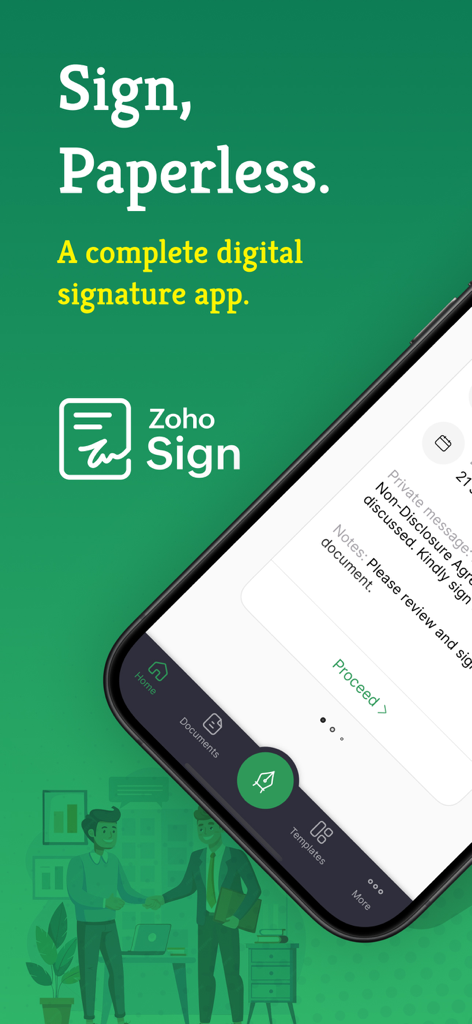
Zoho Sign - Fill & eSign Docs - Benutzeroberfläche der Zoho Sign Mobil-App für papierlose digitale Signaturen
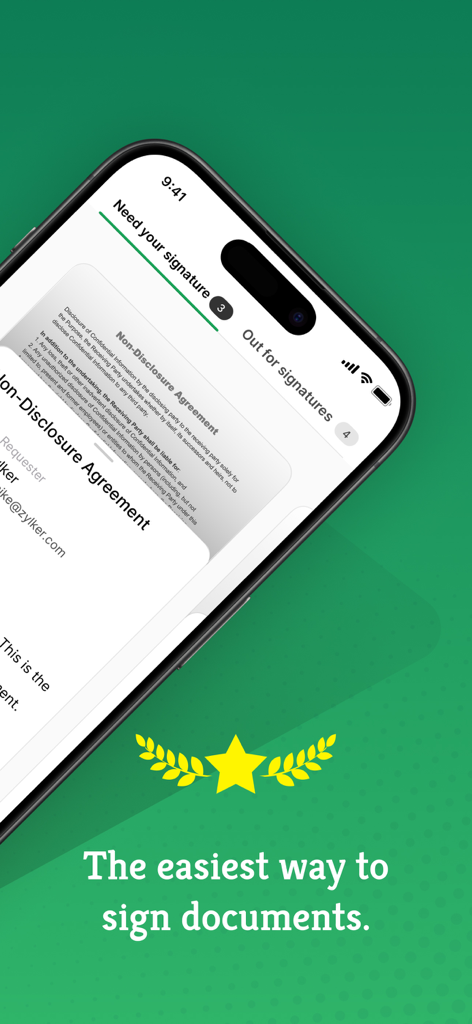
Benutzeroberfläche der Zoho Sign Mobil-App für papierlose digitale Signaturen

Zoho Sign - Fill & eSign Docs - Benutzeroberfläche der Zoho Sign App auf dem iPhone, die eine elektronische Geheimhaltungsvereinbarung zur Unterzeichnung anzeigt.
Benutzeroberfläche der Zoho Sign App auf dem iPhone, die eine elektronische Geheimhaltungsvereinbarung zur Unterzeichnung anzeigt.

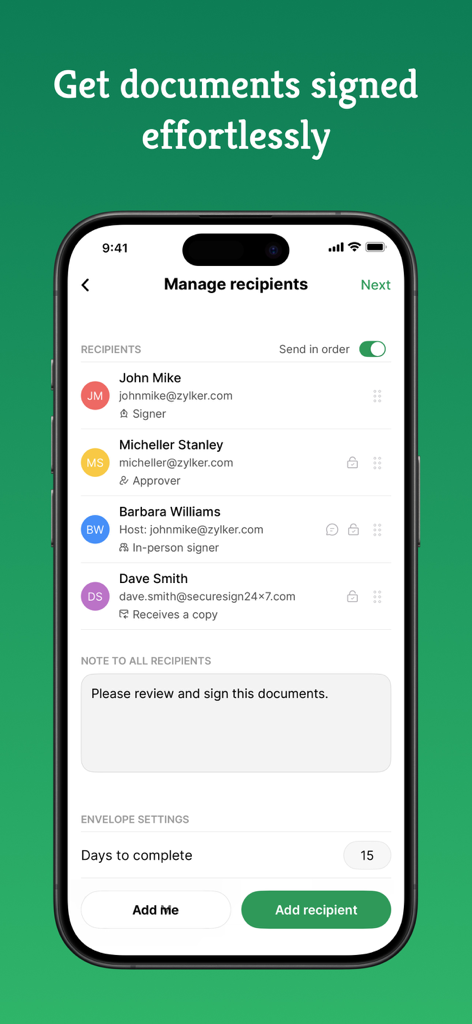
Zoho Sign - Fill & eSign Docs - iPhone-Benutzeroberfläche der Zoho Sign App, die den Bildschirm zur Empfängerverwaltung mit spezifischen Unterzeichnerrollen anzeigt
iPhone-Benutzeroberfläche der Zoho Sign App, die den Bildschirm zur Empfängerverwaltung mit spezifischen Unterzeichnerrollen anzeigt

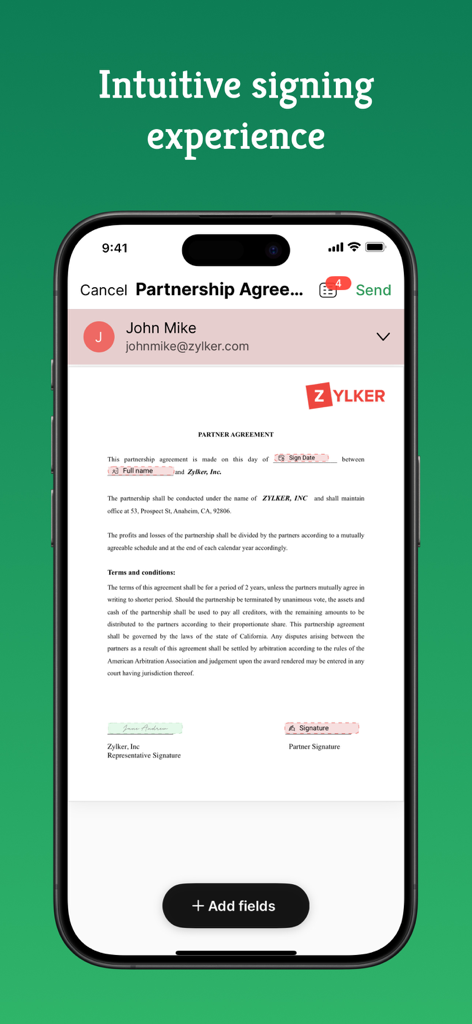
Zoho Sign - Fill & eSign Docs - iPhone-Bildschirm, der ein Partnerschaftsvereinbarungsdokument in der Zoho Sign App anzeigt

iPhone-Bildschirm, der ein Partnerschaftsvereinbarungsdokument in der Zoho Sign App anzeigt
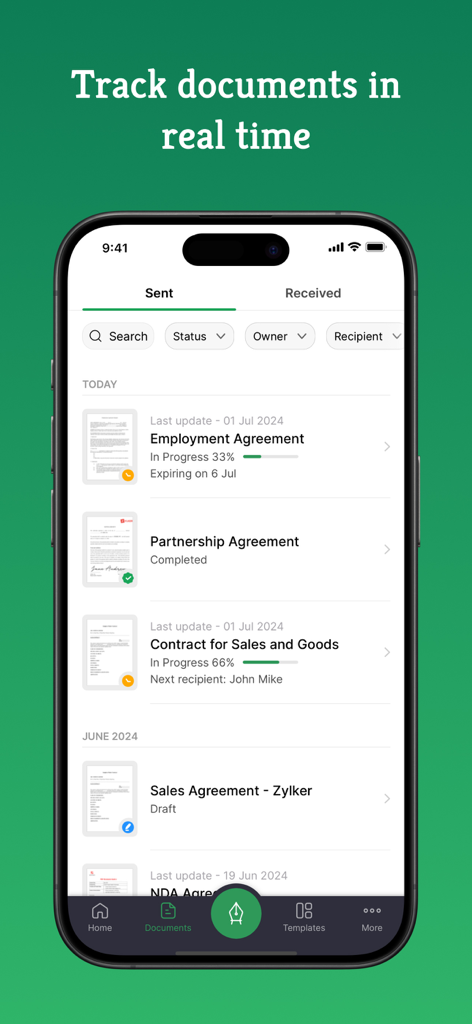
Zoho Sign - Fill & eSign Docs - Benutzeroberfläche der Zoho Sign Mobil-App, die eine Liste gesendeter Dokumente mit Echtzeit-Signaturfortschritt und Statusverfolgung anzeigt.
Benutzeroberfläche der Zoho Sign Mobil-App, die eine Liste gesendeter Dokumente mit Echtzeit-Signaturfortschritt und Statusverfolgung anzeigt.

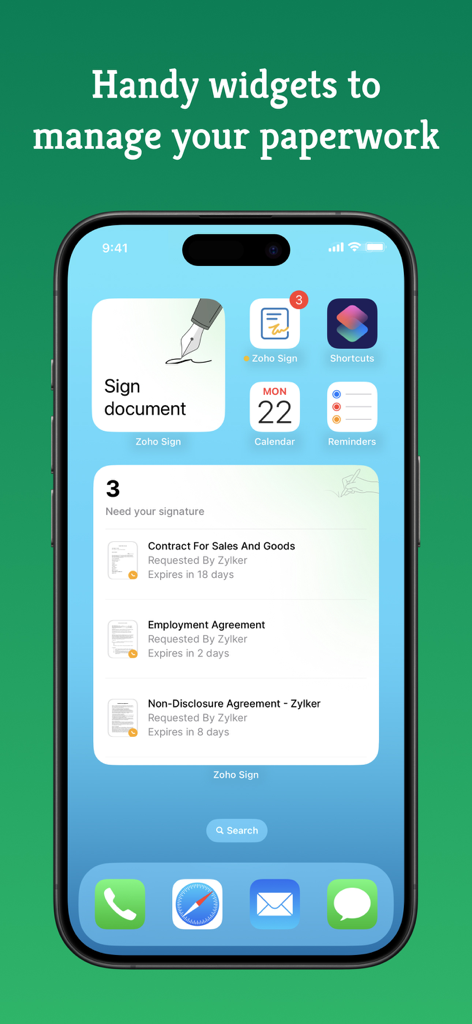
Zoho Sign - Fill & eSign Docs - Zoho Sign Widgets auf einem iPhone-Startbildschirm, die auf die Unterzeichnung wartende Dokumente und schnellen Zugriff zum Unterzeichnen von Dokumenten anzeigen.
Zoho Sign Widgets auf einem iPhone-Startbildschirm, die auf die Unterzeichnung wartende Dokumente und schnellen Zugriff zum Unterzeichnen von Dokumenten anzeigen.

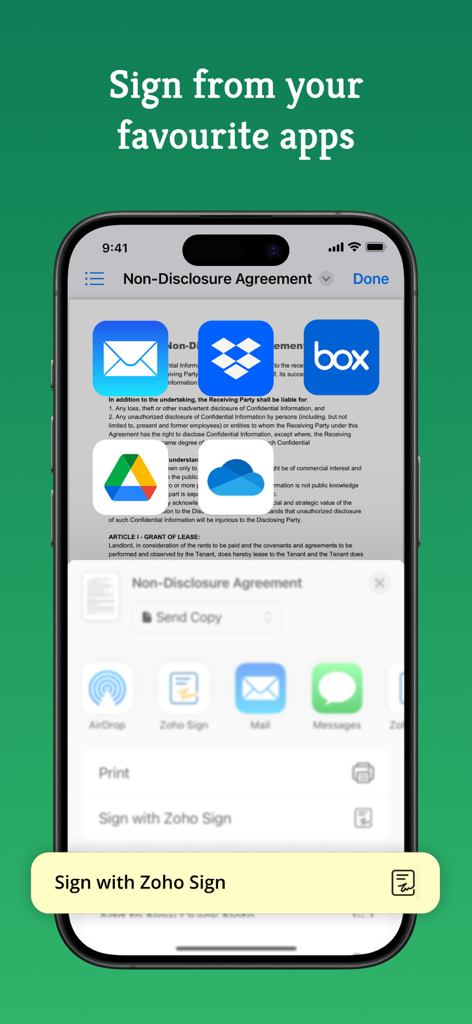
Zoho Sign - Fill & eSign Docs - Zoho Sign App auf dem iPhone, die Dokumentenunterzeichnungsoptionen von Cloud-Speicher-Apps anzeigt
Zoho Sign App auf dem iPhone, die Dokumentenunterzeichnungsoptionen von Cloud-Speicher-Apps anzeigt

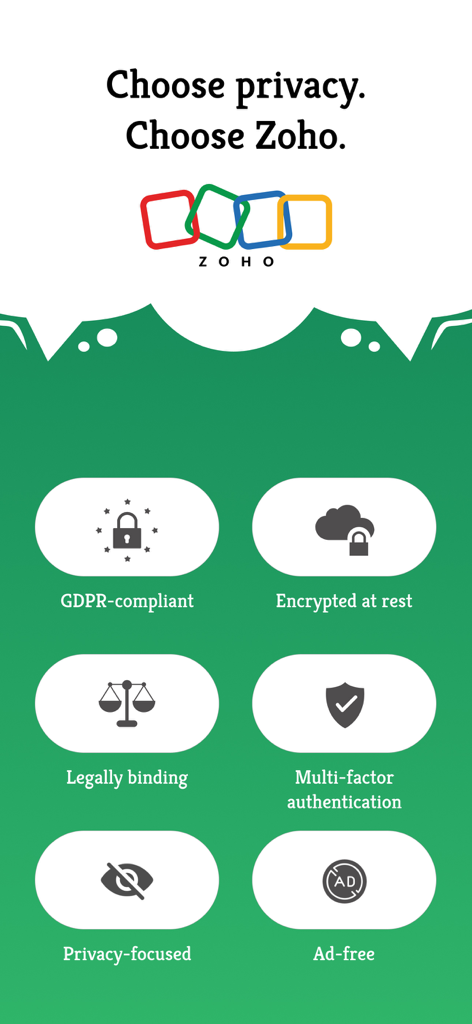
Zoho Sign - Fill & eSign Docs - Eine Infografik, die Zoho Sign Sicherheitsfunktionen wie DSGVO-Konformität, Verschlüsselung und Multi-Faktor-Authentifizierung hervorhebt.

Eine Infografik, die Zoho Sign Sicherheitsfunktionen wie DSGVO-Konformität, Verschlüsselung und Multi-Faktor-Authentifizierung hervorhebt.

Beschreibung

Zoho Sign is a robust digital signature solution that lets you securely sign documents from anywhere, at any time, directly on your iPhone, iPad, or MacBook. Built entirely on the cloud, our e-signature app seamlessly integrates with your everyday applications, providing a smooth and efficient online signing experience on the go. Trusted by users worldwide, Zoho Sign combines simplicity with top-notch security, making it one of the most reliable electronic signature apps on the market. "Zoho Sign is a comprehensive tool that serves all signing purposes. From sequential signing to automated follow-ups and document tracking, Zoho Sign does it all."  - Devendra Kandalkar, ACG World Key features: - Sign and send legally binding agreements, contracts, and forms across devices (iPhone, iPad, Mac) in various formats (PDF, DOCX, PNG, and more). - Export signed documents to cloud storage apps like Google Drive, Dropbox, and OneDrive. - Create reusable, custom templates for enhanced productivity. - Customize and manage SignForms with QR codes for easy signing without the app. - Add customizable fields (signatures, dates, text, and more). - Incorporate logic and advanced fields for dynamic data collection. - Collect signatures in person on your iPhone or iPad to speed up contract execution. - Collect payments during signing with the Zoho Checkout integration. - Verify signer identity using dynamic KBA (knowledge-based authentication). - Get real-time push notifications for every action taken on your document. - Switch between multiple Zoho Sign accounts or view everything in one place through the unified inbox. Additional features: - Send reminders for prompt document signing. - Initiate signing directly from your inbox. - Reassign signing tasks when needed. - Share completed documents via iMessage. - Use split-screen on iPad for multitasking. - Set up Siri shortcuts for signing using face ID, tracking, and scanning documents. - Add Zoho Sign's widget to your Control Center to quickly scan, sign, and browse. - Find signed documents instantly with Spotlight Search. - Get key details summarized with Zia's text summarization. Common documents to eSign with Zoho Sign: - Invoices - Sales contracts - Business proposals - Purchase orders - Lease agreements - Partnership agreements - Employment offers and more. Security and compliance: - Data is securely transmitted via an SSL/TLS connection and encrypted with AES 256-bit encryption while at rest. - Zoho Sign complies with the ESIGN Act, UETA, GDPR, HIPAA, and other industry-standard regulations, ensuring legal digital signatures and data protection compliance. - All documents are legally binding with a comprehensive audit trail including timestamps, the signer's email address, device IP, and completion details. - Biometric authentication like Touch ID and passcodes prevent unauthorized access. - Security codes ensure only authorized individuals can access and sign the documents. Legal & Security: - Certification of Completion: Get automatic audit trails for completed documents with time stamps and IP addresses. - Increase security using Touch ID and Passcode to block unauthorized access. - Set security codes and share it directly with the recipients to prevent unauthorized access. - Compliant with ESIGN act and industry standard laws. Plans and pricing: Free plan: Sign up for our free eSign app and get five documents per month at no cost. Standard plan: - Monthly: 12 USD/month - Yearly: 120 USD/year - Includes 25 documents per month for signing Professional plan: - Monthly: 18 USD/month - Yearly: 180 USD/year - Unlimited document signing Subscription details: Subscriptions are charged to your iTunes account upon purchase. Subscriptions renew automatically unless cancelled at least 24 hours before the end of the current period. Auto-renewal can be disabled in Account Settings after purchase. Privacy Policy: https://zoho.com/privacy Terms of use: https://zoho.com/terms

Download

Herunterladen auf App Store

Diese Seite ist keine offizielle Seite der App oder ihres Entwicklers, sondern eine unabhängige redaktionelle Veröffentlichung, die zu Informations- und Kommentarzwecken erstellt wurde. Sofern nicht ausdrücklich anders angegeben, sind weder die App noch ihr Entwickler mit MWM, Apple, Google Play, dem App-Herausgeber oder dem Entwickler der App verbunden, von ihnen unterstützt, gesponsert, autorisiert oder anderweitig offiziell verbunden, und nichts auf dieser Seite impliziert, dass die App unter Verwendung der Dienste von MWM entwickelt wurde. Alle Marken, Logos, Screenshots und andere Inhalte bleiben Eigentum ihrer jeweiligen Inhaber.








