
Esta página no es una página oficial de la aplicación ni de su desarrollador, sino una publicación editorial independiente creada con fines informativos y de comentario. Salvo que se indique expresamente lo contrario, ni la aplicación ni su desarrollador están afiliados, respaldados, patrocinados, autorizados ni conectados oficialmente con MWM, Apple, Google Play, el editor de la aplicación ni su desarrollador, y nada en esta página implica que la aplicación haya sido desarrollada utilizando los servicios de MWM. Todas las marcas comerciales, logotipos, capturas de pantalla y demás contenidos son propiedad de sus respectivos propietarios.


BTS OFFICIAL LIGHT STICK
Transforma tu ARMY BOMB en una extensión de la coreografía. Esta aplicación no solo enciende luces; sincroniza tu euforia con el ritmo del concierto, haciendo de cada fan una parte vital del espectáculo global de BTS. La creación de MWM redefine la experiencia del fan, elevando la ARMY BOMB de un simple objeto a un componente interactivo de la presentación.
Descargas
1M+Valoración
Total valoraciones
4.1KEditor
Categoría
EntertainmentIdiomas
9Última versión
3.1.1Tamaño
112.4 MBFecha de lanzamiento
1 sept 2018Análisis de Funcionalidades Clave para el Fandom ARMY
Evaluación de la Aplicación BTS OFFICIAL LIGHT STICK
Modo Concierto Sincronizado
La aplicación permite a los usuarios sincronizar su light stick oficial con la producción del escenario durante los conciertos, creando una experiencia visual unificada y participativa para toda la audiencia.
Conectividad Bluetooth Inteligente
Esta herramienta cuenta con una función de conexión Bluetooth que vincula el light stick al smartphone del usuario, habilitando todas las características interactivas de la aplicación.
Registro de Asientos para Conciertos
Permite a los usuarios registrar la información de sus asientos para conciertos, lo cual es crucial para la activación y sincronización precisa del light stick con los efectos de luz del espectáculo.
Modo Personalización de Color (Self Mode)
La aplicación ofrece un modo de auto-personalización donde los usuarios pueden seleccionar y cambiar directamente el color de su light stick a través de la pantalla de su smartphone, ideal para uso personal fuera de los conciertos.
Las siguientes capturas de pantalla y la descripción provienen directamente del listado oficial de la tienda de la aplicación y son propiedad del desarrollador.
App Store
Capturas
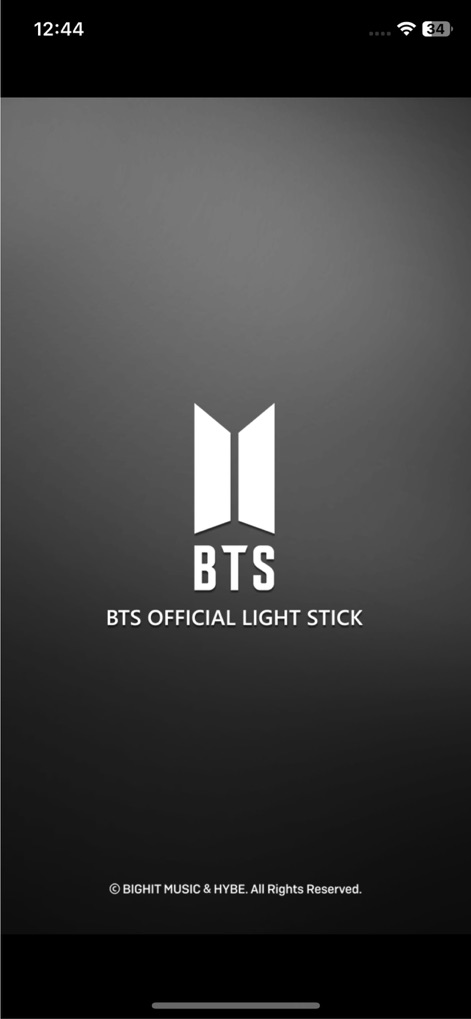
La aplicación da la bienvenida a los usuarios con su distintivo logo de BTS y la marca completa 'OFFICIAL LIGHT STICK' visible en la pantalla de inicio.
Bienvenida Oficial
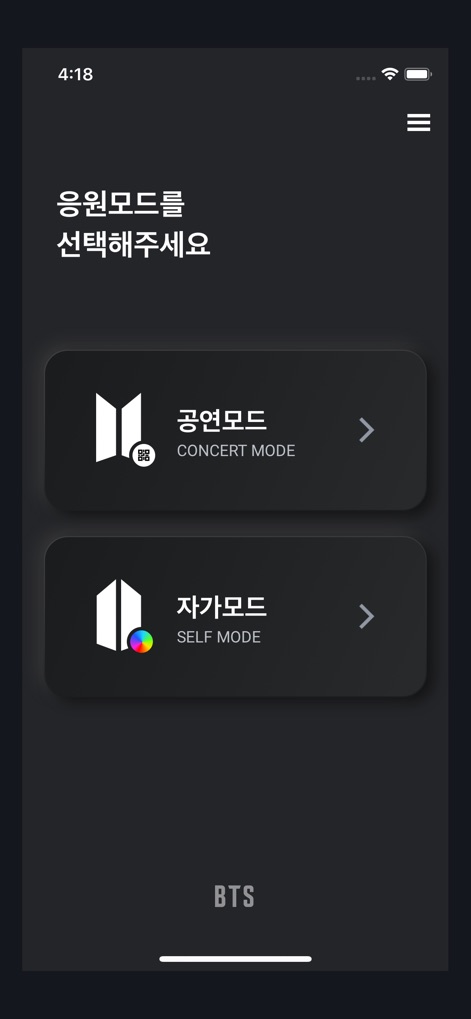
Los usuarios pueden elegir fácilmente entre el 'MODO CONCIERTO' para una experiencia sincronizada o el 'MODO SELF' para una personalización individual del light stick.
Selección de Modos

Esta pantalla permite a los fans seleccionar su versión específica del light stick, mostrando las opciones 'SE' y 'VER.3' con ilustraciones claras del diseño de cada uno.
Versiones Disponibles

La interfaz guía a los usuarios para activar el modo Bluetooth, mostrando una animación explícita del interruptor del light stick y un botón de 'CONTINUAR' para avanzar.
Habilitar Conexión

La pantalla instruye a los usuarios a acercar el light stick al dispositivo, ilustrando claramente el ícono de Bluetooth y un indicador de carga que muestra el progreso del emparejamiento.
Emparejamiento Rápido
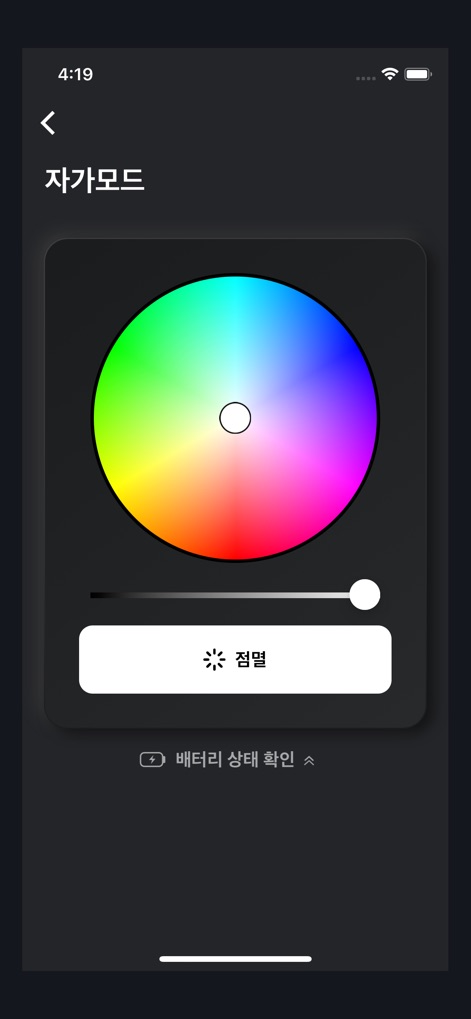
En el 'MODO SELF', los usuarios disponen de una rueda de colores interactiva y un deslizador para ajustar el brillo, permitiendo una personalización detallada de la iluminación.
Personaliza tu Luz
Descripción
Download
Apps Similares
Apps con características y experiencia similares

Arntreal
ANDREA ALBRIZIO

Brickit App
Brickit inc

LEGO® Super Mario™
LEGO System A/S

Jurassic World Play
Mattel
LEGO® TECHNIC® CONTROL+
LEGO System A/S
SmartRace for Carrera Digital
Marc Bonsels

BABYMONSTER LIGHT STICK
FANLIGHT Co., Ltd
Fukuoka / Collecting Forest
teamLab Inc.

LEGO® DUPLO® Trains
LEGO System A/S
Esta página no es una página oficial de la aplicación ni de su desarrollador, sino una publicación editorial independiente creada con fines informativos y de comentario. Salvo que se indique expresamente lo contrario, ni la aplicación ni su desarrollador están afiliados, respaldados, patrocinados, autorizados ni conectados oficialmente con MWM, Apple, Google Play, el editor de la aplicación ni su desarrollador, y nada en esta página implica que la aplicación haya sido desarrollada utilizando los servicios de MWM. Todas las marcas comerciales, logotipos, capturas de pantalla y demás contenidos son propiedad de sus respectivos propietarios.