Duet Air - Remote Desktop

Duet Air - Remote Desktop

Descargar en App Store
Logo de Duet Air - Remote Desktop

Duet Air: Transforma tu iPad en una pantalla secundaria profesional sin retardo

Diseñado por expertos ex-Apple para un rendimiento sin retardo. Duplica tu productividad con una configuración portátil de doble monitor o convierte tu iPad en una tableta gráfica profesional con soporte completo para Apple Pencil.

Editor

Duet, Inc.

Categoría

Productivity

Descargas

479K+

Valoración

4.2/5

Total valoraciones

5K+

Idiomas

15

Productividad, visualizada

Descubre la interfaz utilizada por 479K+ usuarios.

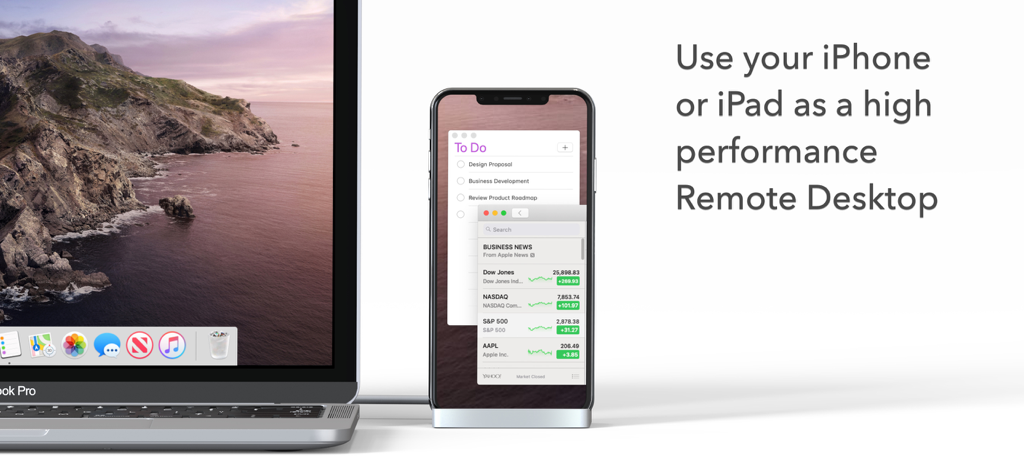
Un MacBook Pro conectado a un iPhone utilizado como pantalla remota de alto rendimiento que muestra una lista de tareas pendientes y noticias.
Un MacBook Pro conectado a un iPhone utilizado como pantalla remota de alto rendimiento que muestra una lista de tareas pendientes y noticias.

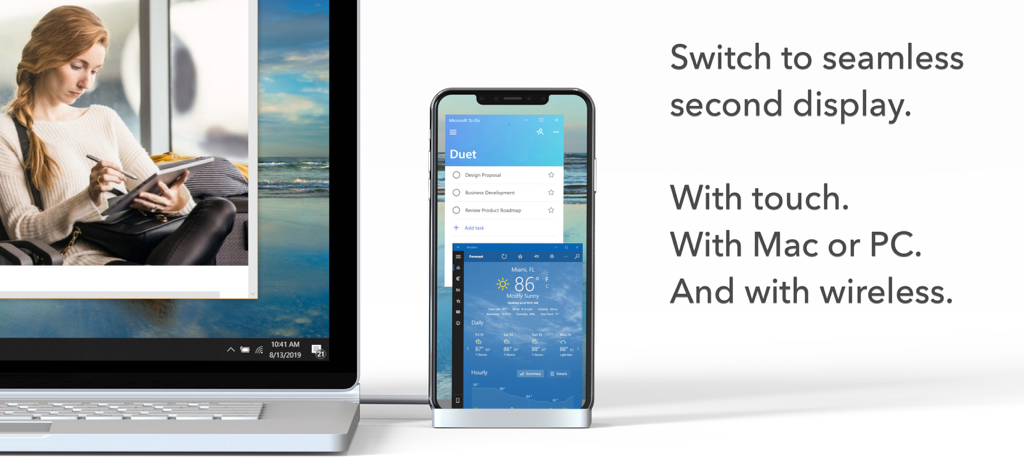
Un portátil conectado a un smartphone que actúa como pantalla secundaria inalámbrica para aplicaciones de productividad
Un portátil conectado a un smartphone que actúa como pantalla secundaria inalámbrica para aplicaciones de productividad

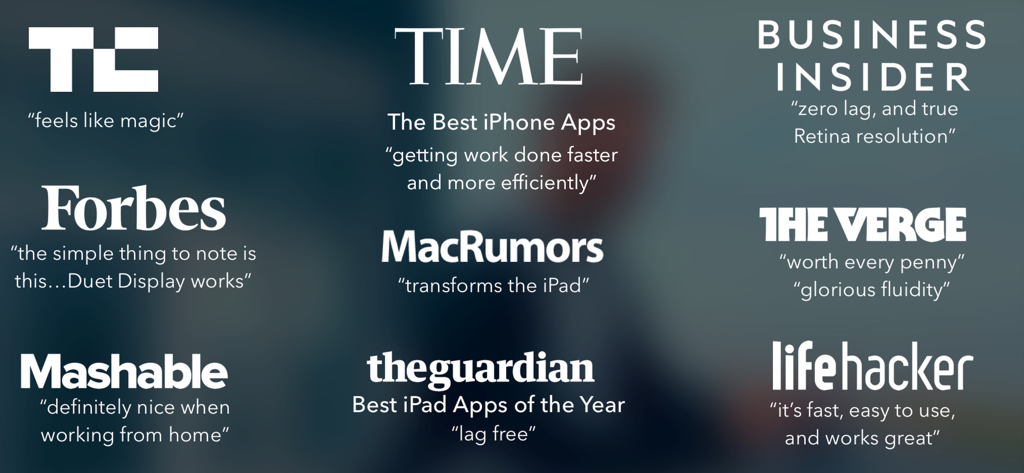
Una colección de citas y logotipos de prensa positivos de publicaciones importantes como TechCrunch, Time y The Verge sobre Duet Air

Una colección de citas y logotipos de prensa positivos de publicaciones importantes como TechCrunch, Time y The Verge sobre Duet Air

Maximiza tu flujo de trabajo desde cualquier lugar

Las herramientas que hacen destacar esta app, elegida por 479K+ usuarios.

🖥️

Duplica tu espacio de trabajo

Mejora tu multitarea convirtiendo tu iPad en un monitor secundario portátil de alta resolución para tu Mac o PC, perfecto para configuraciones remotas.

✏️

Tableta gráfica de nivel profesional

Desbloquea la sensibilidad completa de presión e inclinación para tu Apple Pencil y diseña directamente en herramientas profesionales como Photoshop e Illustrator.

Rendimiento sin retardo

Experimenta 60 FPS reales y resolución retina sin latencia, asegurando que tu estado de flujo no se interrumpa, ya sea por cable o inalámbrico.

Análisis de reseñas

Información de las reseñas de usuarios.

Puntuación de sentimiento

34%
Negativo

Resumen

User reviews for the app present a highly mixed but generally negative sentiment. While many users appreciate its core functionality to transform iPads into external monitors, serving as a superior alternative to Apple's Sidecar and offering a cost-effective solution, significant frustration stems from various issues. A major point of contention is the app's pricing model, with complaints about misleading free trials, unexpected charges, high costs, and difficulty unsubscribing. Users frequently report technical problems including unreliable wireless and wired connectivity, performance lags, and specific bugs such as keyboard/mouse input issues on certain iPad models (e.g., 10.9 inch), crashes on iPhone 15 Pro with iOS 17.4, and incompatibility with iPadOS 17.

Temas comunes

Second Display Functionality(9)
Performance & Stability(6)
Ease of Setup(3)
Wired Connection Reliability(2)
Remote Desktop Capabilities(1)
Customer Support(1)

Sobre la app

Todo lo que necesitas saber sobre Duet Air - Remote Desktop.

Descripción

#1 best-selling iPad app in US, Japan, UK, Germany, and 17 other countries! Duet turns your iPad or iPhone into the most advanced Remote Desktop or extra display for your Mac & PC. Developed by a team of ex-Apple engineers, Duet offers unparalleled performance and display quality - all with zero lag. — DO MORE — Be twice as productive by multitasking with two screens. And for those that travel, have a portable way to stay productive. — INCREDIBLY SIMPLE — To get started, plug your iPad into your desktop using your charging cable or choose the desktop to wirelessly connect to. The Duet desktop app will automatically detect your device, and transform it into a high performance touchscreen display. — TOUCHSCREEN — Interact with Mac & PC like never before, with touch & gestures, including two-finger scrolling, pan and zoom. And with our latest release, you can even add a touch bar to any iPad with any Mac. — PERFECT FOR APPLE PENCIL — With Duet Pro, you can turn your iPad and Apple Pencil into a professional graphics tablet. We’ve re-engineered our rendering algorithms for ultra-responsive drawing, optimized specifically for designers, illustrators and artists. Duet Pro also unlocks pressure & tilt sensitivity, hover, palm rejection, and more to seamlessly draw in the most powerful programs for professionals. Get precise control in Photoshop, Corel Painter, Lightroom, ToonBoom, Illustrator, Manga Studio and more. — PRESS — TechCrunch - "Feels Like Magic" TIME - "Getting Work Done Faster and More Efficiently" The Guardian - "Lag-free" Forbes - "The simple thing to note is this...Duet Display works." The Verge - "Glorious Fluidity" Lifehacker - "It's fast, easy to use, and works great" Business Insider - "Zero lag and true retina resolution” Wall Street Journal - “It’s as easy as just plugging it in" — REVIEWS — “Awesome! My iPad Pro can be an extra monitor! Cool app” ~CEO of T-Mobile, John Legere “Very smooth and responsive indeed, plus you could use the touch screen to “click” on screen interfaces!” ~Photographer, Lok Cheung “Love the ability to use my iPad as a monitor with Duet.” ~Former Chief Evangelist of Apple, Guy Kawasaki “Just started using this app called Duet… Kinda love it so far.” ~Comedian and Youtube, Phillip DeFranco “All my mac folks look at the Duet app… GREAT!” ~Actor and Comedian, Sinbad "I really like the app, I suppose the biggest compliment I can give is that it's so easy to setup it almost seems like an Apple product.” ~Early Adopter, M. Nightingale "Amazing solution for me by the way. Works as I was hoping for and actually my main reason for getting an iPad : )” ~Early Adopter, M. Gemzoe Duet Works With: All iPhones and iPads with iOS 11.0 and later All Macs with 10.11 (Mavericks) and later All PCs with Windows 10 64-bit and later Duet Air is a $24.99 per year service built for professionals and remote workers. Price may vary by location. Duet Air subscriptions will be charged to your credit card through your iTunes account. Your subscription will automatically renew unless canceled at least 24 hours before the end of the current period. You will not be able to cancel the subscription once activated. Manage Duet Air in Account Settings after the optional upgrade. Learn more at http://www.duetdisplay.com Terms: https://help.duetdisplay.com/duet-terms-services Privacy Policy: https://help.duetdisplay.com/duet-privacy-policy

Última versión

3.0.3

Tamaño

67.0 MB

Fecha de lanzamiento

3 nov 2020

Transforma tu iPad en un espacio de trabajo de alto rendimiento

Únete a más de 479.000 profesionales y creativos. Experimenta el rendimiento de clase de escritorio sin retardo, diseñado por expertos ex-Apple para duplicar tu productividad hoy mismo.

Descargar en App Store

App information, icons, screenshots, and descriptions displayed on this page are sourced from the Apple App Store and are the property of their respective developers. Download estimates and rankings are based on MWM's proprietary models and may not reflect actual figures. This page is provided for informational and analytical purposes only.

Believe this page infringes your intellectual property? File a dispute