Blink Shell, Build & Code

Blink Shell, Build & Code

Télécharger sur App Store
Logo de Blink Shell, Build & Code

Blink Shell, Créez et Codez : Le Terminal Professionnel de Niveau Bureau pour iOS

Transformez votre iPad en station de travail professionnelle. Profitez d'un SSH ultra-rapide, de connexions Mosh persistantes et d'une intégration VS Code transparente pour votre flux de travail de développement à distance.

Éditeur

Blink Shell, Inc

Catégorie

Developer Tools

Téléchargements

125K+

Note

3.0/5

Nombre d'avis

1K+

Langues

1

Un espace de travail de niveau professionnel

Découvrez l'interface utilisée par 125K+ utilisateurs.

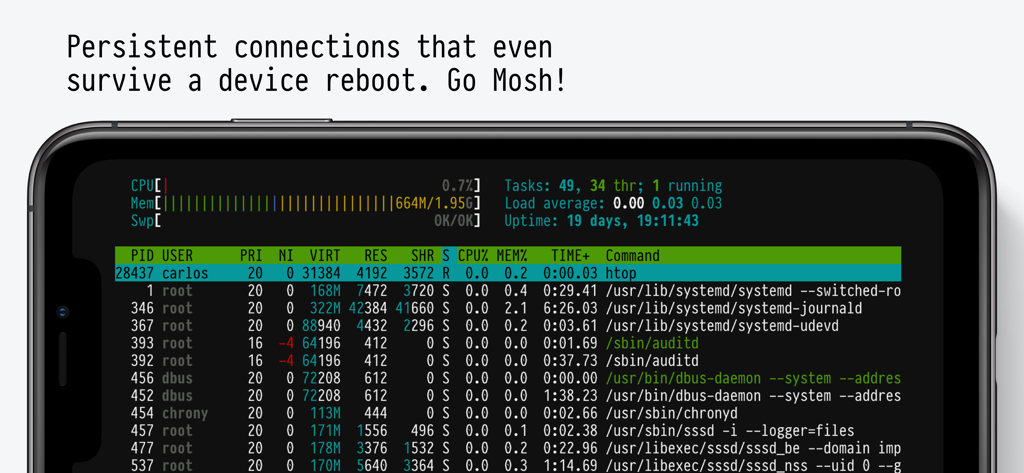
Interface de l'application Blink Shell montrant un terminal mobile exécutant un moniteur système avec une connexion Mosh persistante
Interface de l'application Blink Shell montrant un terminal mobile exécutant un moniteur système avec une connexion Mosh persistante

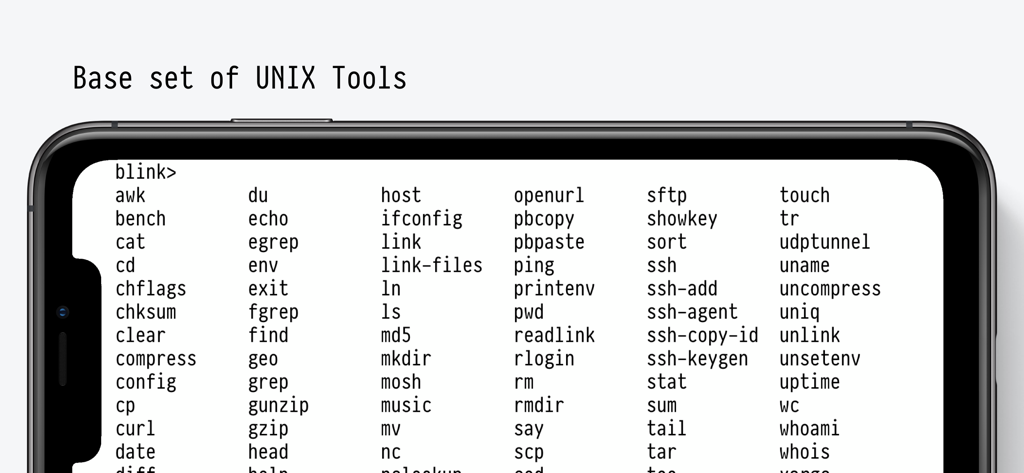
Interface de l'application Blink Shell affichant une liste complète des outils UNIX de base pris en charge et des commandes de terminal sur un smartphone.
Interface de l'application Blink Shell affichant une liste complète des outils UNIX de base pris en charge et des commandes de terminal sur un smartphone.

Texte USE EVERY CORNER OF YOUR DEVICE écrit dans une police de terminal pixelisée rétro sur fond sombre
Texte USE EVERY CORNER OF YOUR DEVICE écrit dans une police de terminal pixelisée rétro sur fond sombre

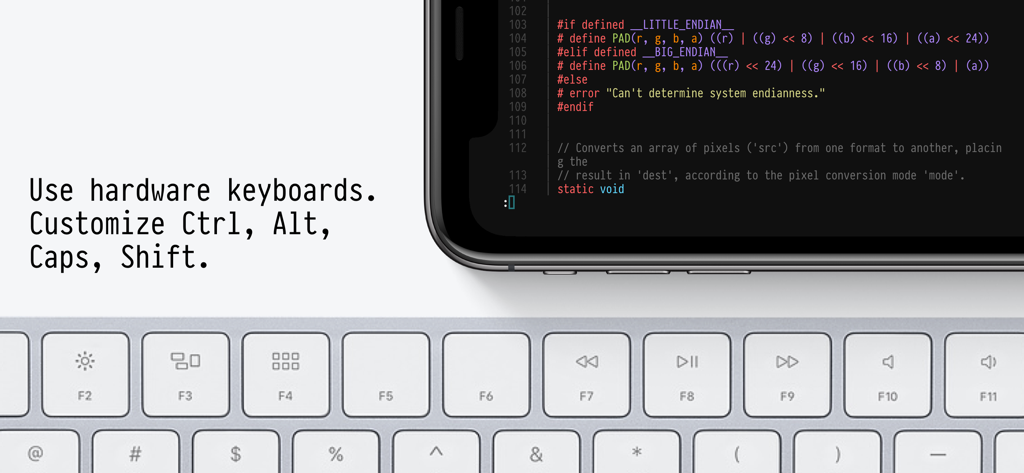
Application Blink Shell affichant du code sur un appareil mobile couplé à un clavier matériel physique
Application Blink Shell affichant du code sur un appareil mobile couplé à un clavier matériel physique

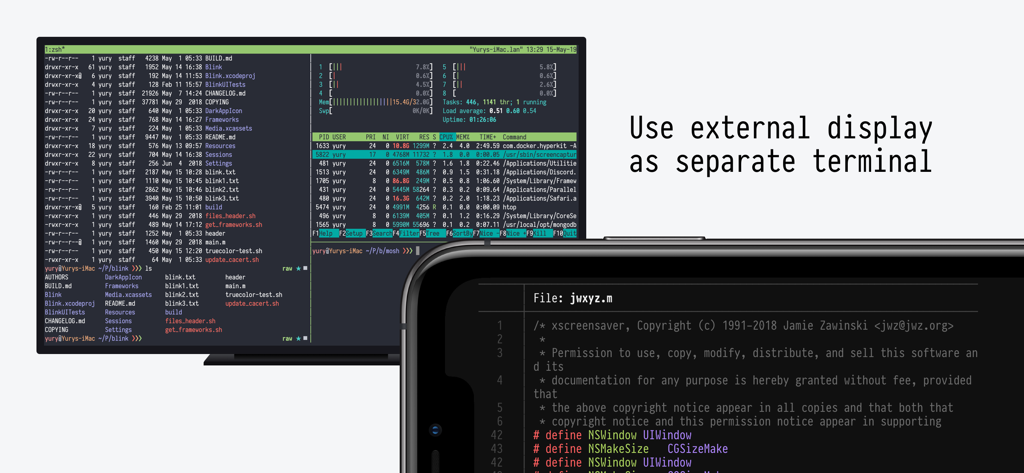
Terminal Blink Shell affiché sur un écran externe et un iPhone

Terminal Blink Shell affiché sur un écran externe et un iPhone

Conçu pour les flux de travail professionnels

Les outils qui font la différence, choisis par 125K+ utilisateurs.

Connexions incassables

Ne perdez plus vos sessions pendant vos déplacements. Notre implémentation Mosh et SSH maintient votre terminal actif même lors du changement de réseau ou du redémarrage.

💻

Éditeur VS Code de niveau professionnel

Modifiez du code localement ou connectez-vous à GitHub Codespaces et GitPod. Profitez d'une expérience de codage transparente et à faible latence, adaptée au matériel mobile.

🏗️

Runtimes de construction à distance

Déléguez les tâches de développement lourdes à de puissants environnements cloud. Exécutez des outils DevOps et des constructions complexes sans épuiser la batterie de votre iPad.

Analyse des avis

Insights à partir des avis utilisateurs.

Score de sentiment

34%
Négatif

Résumé

A large number of users are highly critical of the app's recent transition to a subscription model, particularly former users who paid for a perpetual license and now feel betrayed or unable to access their purchased version. This change has led to widespread dissatisfaction, with many encountering aggressive paywalls, issues restoring previous purchases, and concerns about developer business practices. Many also report critical bugs, including broken landscape mode on iPhones, connection instability in recent versions, and issues with external keyboard input like non-functional spacebars.

Thèmes récurrents

Comprehensive Terminal Features(9)
Optimized for iPad & External Keyboards(3)
Slick User Interface(3)
Reliable Connection Stability(2)
Ease of Use(2)
Lifetime License Policy Reversal(1)

À propos de l'app

Tout ce que vous devez savoir sur Blink Shell, Build & Code.

Description

Do Blink! Transform your iOS device into a pro-grade terminal. Blink is the first professional, desktop-grade terminal for iOS that leverages the support of Mosh and SSH. Thus, we can guarantee stable connections, crazy-fast speeds, and full configurations. It can and should be your all-day-long tool.  **Start your 14-day free trial now!** But, Blink is much more. Now with Blink Code and Blink Build**, your entire development workflow fits in your pocket. What the Blink community is saying: “In some ways, I prefer my iPad / Blink / Digital Ocean setup to coding on my Mac“ - TheVerge "I have tried a number of terminals on iOS and this is really The One." - Twit.tv “Connections still come up when I get back to a client project after a weekend off.“ - The Sweet Setup “The way to use VS Code on the iPad” - programminglife.io What our users love the most from Blink Shell: - Mosh connections that even survive a device reboot. - Most complete SSH implementation on iOS. - Code command for VS Code integration. - Blazingly fast terminal and SFTP transfers. - Includes Pragmata Pro with ligatures. Blink Shell has a fully loaded SSH toolset: - SSH with PKI support: DSA, RSA, ECDSA & ED25519 keys. - Support for Secure Enclave Keys and Certificates. - Port forwarding with local, remote & dynamic tunnel support. - SOCKS5 proxy for a private VPN. - Agent Forwarding. - Complete SSH Config file support. - ControlMaster and pooled connections. - Files.app integration for SFTP remote hosts. - SFTP with copy-on-change. Blink has been the leading developer tool in the AppStore for +5 years, so there is a lot more: - External Display support. - Legendary Hardware Keyboard support, even remap shortcuts and keyboard codes. - Local & iCloud Blink Shell folders for Files.app access across devices. - Host sync over iCloud. - Link-files from other applications and work with them in Blink. - Cool themes and fonts, and install your own! - Smart Keys on SW Keyboard to navigate with touch. - FaceCam command to create tutorials and streams. - Bell notifications. - Supports multiple windows and multiple tabs. - Network & UNIX CLI tools, check our docs for more information. Blink Code integrates with VS Code: - Code on local projects, or seamlessly on remote machines. - Fully-loaded code editor. - A coding experience fitted to your device, that connects to VS Code for web, GitHub Codespaces, GitPod or your own VS Code server. Blink Build (Requires a $7.99/month subscription) Creates remote runtimes that can be accessed on all your devices. You can use Build in your day-to-day workflows whether you need to do development, DevOps or just play around with new tooling. Participate in our community, and don’t forget to leave us your feedback and your feature(s) requests. Enjoy! http://blink.sh http://twitter.com/blinkshell http://GitHub.com/blinksh Terms of Use: https://blink.sh/blink-gpl Privacy Policy: https://blink.sh/pp * Blink Code is not affiliated nor endorsed by Microsoft. ** Blink Build requires a separate subscription to make use of our Virtual Machines.

Dernière version

18.4.2

Taille

228.2 MB

Date de sortie

9 févr. 2022

Votre environnement de développement professionnel, partout.

Ne faites plus de compromis sur votre configuration mobile. Découvrez la vitesse de Mosh, la puissance de VS Code et la stabilité d'un terminal de niveau bureau. Commencez votre essai gratuit de 14 jours dès aujourd'hui.

Télécharger sur App Store

App information, icons, screenshots, and descriptions displayed on this page are sourced from the Apple App Store and are the property of their respective developers. Download estimates and rankings are based on MWM's proprietary models and may not reflect actual figures. This page is provided for informational and analytical purposes only.

Believe this page infringes your intellectual property? File a dispute