Duet Air - Remote Desktop
Scarica su App Store

Questa pagina non è una pagina ufficiale dell'app o del suo sviluppatore, ma una pubblicazione editoriale indipendente creata a scopo informativo e di commento. Salvo espressa indicazione contraria, né l'app né il suo sviluppatore sono affiliati, approvati, sponsorizzati, autorizzati o altrimenti ufficialmente collegati a MWM, Apple, Google Play, all'editore dell'app o allo sviluppatore dell'app, e nulla in questa pagina implica che l'app sia stata sviluppata utilizzando i servizi di MWM. Tutti i marchi, loghi, screenshot e altri contenuti rimangono di proprietà dei rispettivi proprietari.


Logo di Duet Air - Remote Desktop
Scarica su App Store

Duet Air - Remote Desktop

Ingegnerizzato da esperti ex-Apple per prestazioni senza alcun ritardo. Raddoppia la tua produttività con una configurazione portatile a doppio monitor o trasforma il tuo iPad in una tavoletta grafica professionale con supporto completo per Apple Pencil.

Numeri Chiave

Download

479K+

Valutazione

4.2/5

Valutazioni totali

5K+

Editore

Duet, Inc.

Categoria

Productivity

Lingue

15

Ultima versione

3.0.3

Dimensione

67.0 MB

Data di lancio

3 nov 2020
Funzioni

Massimizza il Tuo Flusso di Lavoro da Ovunque

Sviluppato da ex ingegneri Apple, Duet Air trasforma il tuo iPad in un display secondario ad alte prestazioni e una tavoletta grafica professionale senza alcun ritardo.

Raddoppia il Tuo Spazio di Lavoro

Migliora il tuo multitasking trasformando il tuo iPad in un monitor secondario portatile ad alta risoluzione per il tuo Mac o PC, perfetto per configurazioni remote.

Tavoletta Grafica di Livello Professionale

Sblocca la sensibilità completa alla pressione e all'inclinazione per il tuo Apple Pencil per disegnare direttamente in strumenti professionali come Photoshop e Illustrator.

Gli screenshot e la descrizione seguenti provengono direttamente dall'elenco ufficiale dello store dell'app e sono di proprietà dello sviluppatore.

App Store

Screenshot
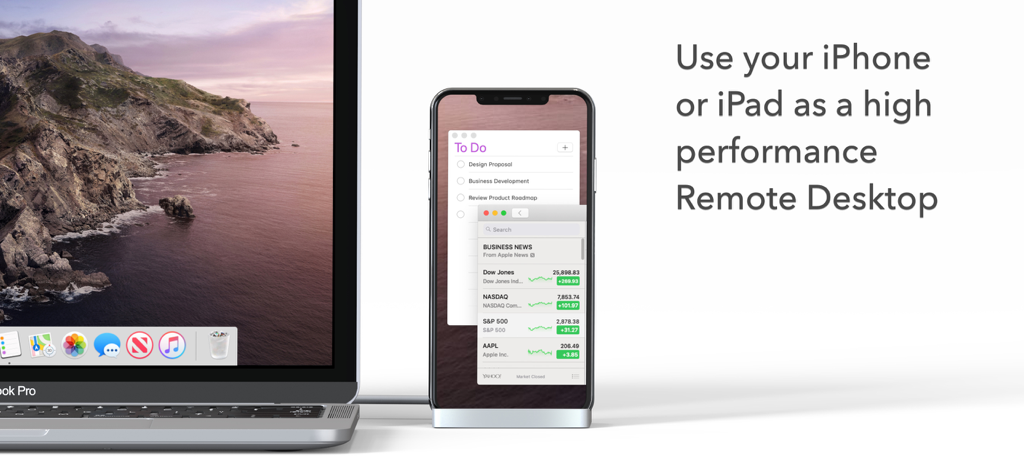
Duet Air - Remote Desktop - Un MacBook Pro collegato a un iPhone utilizzato come display remoto ad alte prestazioni che mostra un elenco di cose da fare e notizie.
Un MacBook Pro collegato a un iPhone utilizzato come display remoto ad alte prestazioni che mostra un elenco di cose da fare e notizie.

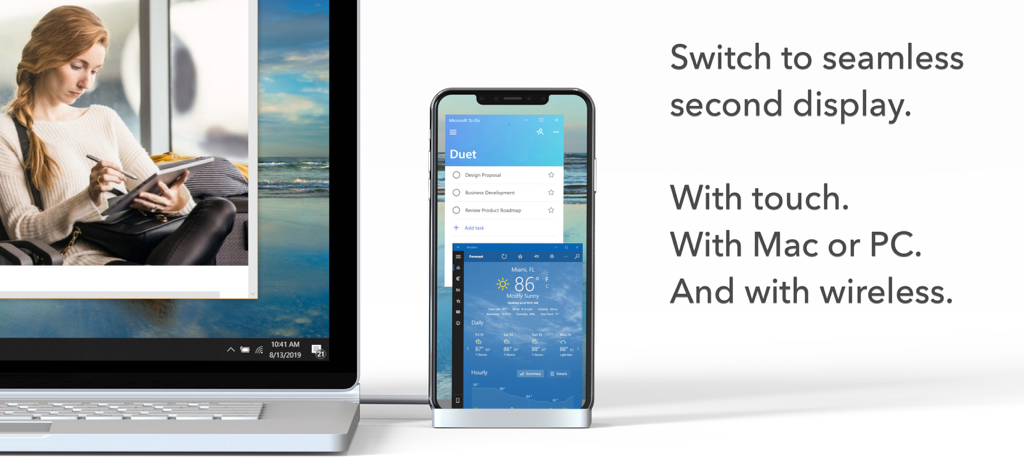
Duet Air - Remote Desktop - Un laptop collegato a uno smartphone che funge da display secondario wireless per le app di produttività
Un laptop collegato a uno smartphone che funge da display secondario wireless per le app di produttività

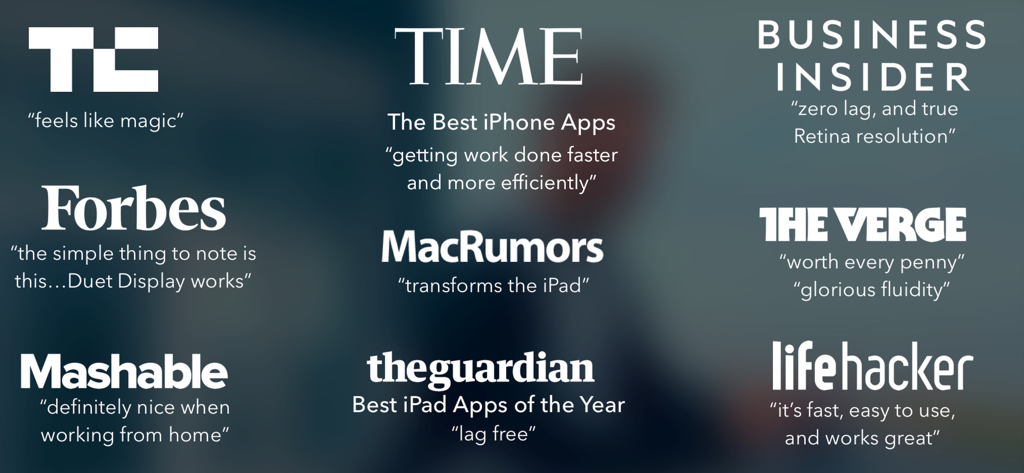
Duet Air - Remote Desktop - Una raccolta di citazioni e loghi di stampa positivi da importanti pubblicazioni come TechCrunch, Time e The Verge su Duet Air

Una raccolta di citazioni e loghi di stampa positivi da importanti pubblicazioni come TechCrunch, Time e The Verge su Duet Air

Descrizione

#1 best-selling iPad app in US, Japan, UK, Germany, and 17 other countries! Duet turns your iPad or iPhone into the most advanced Remote Desktop or extra display for your Mac & PC. Developed by a team of ex-Apple engineers, Duet offers unparalleled performance and display quality - all with zero lag. — DO MORE — Be twice as productive by multitasking with two screens. And for those that travel, have a portable way to stay productive. — INCREDIBLY SIMPLE — To get started, plug your iPad into your desktop using your charging cable or choose the desktop to wirelessly connect to. The Duet desktop app will automatically detect your device, and transform it into a high performance touchscreen display. — TOUCHSCREEN — Interact with Mac & PC like never before, with touch & gestures, including two-finger scrolling, pan and zoom. And with our latest release, you can even add a touch bar to any iPad with any Mac. — PERFECT FOR APPLE PENCIL — With Duet Pro, you can turn your iPad and Apple Pencil into a professional graphics tablet. We’ve re-engineered our rendering algorithms for ultra-responsive drawing, optimized specifically for designers, illustrators and artists. Duet Pro also unlocks pressure & tilt sensitivity, hover, palm rejection, and more to seamlessly draw in the most powerful programs for professionals. Get precise control in Photoshop, Corel Painter, Lightroom, ToonBoom, Illustrator, Manga Studio and more. — PRESS — TechCrunch - "Feels Like Magic" TIME - "Getting Work Done Faster and More Efficiently" The Guardian - "Lag-free" Forbes - "The simple thing to note is this...Duet Display works." The Verge - "Glorious Fluidity" Lifehacker - "It's fast, easy to use, and works great" Business Insider - "Zero lag and true retina resolution” Wall Street Journal - “It’s as easy as just plugging it in" — REVIEWS — “Awesome! My iPad Pro can be an extra monitor! Cool app” ~CEO of T-Mobile, John Legere “Very smooth and responsive indeed, plus you could use the touch screen to “click” on screen interfaces!” ~Photographer, Lok Cheung “Love the ability to use my iPad as a monitor with Duet.” ~Former Chief Evangelist of Apple, Guy Kawasaki “Just started using this app called Duet… Kinda love it so far.” ~Comedian and Youtube, Phillip DeFranco “All my mac folks look at the Duet app… GREAT!” ~Actor and Comedian, Sinbad "I really like the app, I suppose the biggest compliment I can give is that it's so easy to setup it almost seems like an Apple product.” ~Early Adopter, M. Nightingale "Amazing solution for me by the way. Works as I was hoping for and actually my main reason for getting an iPad : )” ~Early Adopter, M. Gemzoe Duet Works With: All iPhones and iPads with iOS 11.0 and later All Macs with 10.11 (Mavericks) and later All PCs with Windows 10 64-bit and later Duet Air is a $24.99 per year service built for professionals and remote workers. Price may vary by location. Duet Air subscriptions will be charged to your credit card through your iTunes account. Your subscription will automatically renew unless canceled at least 24 hours before the end of the current period. You will not be able to cancel the subscription once activated. Manage Duet Air in Account Settings after the optional upgrade. Learn more at http://www.duetdisplay.com Terms: https://help.duetdisplay.com/duet-terms-services Privacy Policy: https://help.duetdisplay.com/duet-privacy-policy

Download

Scarica su App Store

Questa pagina non è una pagina ufficiale dell'app o del suo sviluppatore, ma una pubblicazione editoriale indipendente creata a scopo informativo e di commento. Salvo espressa indicazione contraria, né l'app né il suo sviluppatore sono affiliati, approvati, sponsorizzati, autorizzati o altrimenti ufficialmente collegati a MWM, Apple, Google Play, all'editore dell'app o allo sviluppatore dell'app, e nulla in questa pagina implica che l'app sia stata sviluppata utilizzando i servizi di MWM. Tutti i marchi, loghi, screenshot e altri contenuti rimangono di proprietà dei rispettivi proprietari.








