Screen Mirroring+ for Roku

Screen Mirroring+ for Roku


Scarica su App StoreScarica su Google Play
Logo di Screen Mirroring+ for Roku
Screen Mirroring+ per Roku: Condivisione iPhone su TV di Alta Qualità a Latenza Zero

Il modo più semplice per eseguire il mirroring di foto, video, app e presentazioni sulla tua Roku TV o Streaming Stick. Sperimenta prestazioni fluide sul grande schermo senza costi nascosti.

Editore

Kraus und Karnath GbR 2Kit Consulting

Categoria

Productivity

Download

676K+

Valutazione

3.5/5

Valutazioni totali

24K+

Lingue

1

Scopri il Grande Schermo

Scopri l'interfaccia usata da 676K+ utenti.
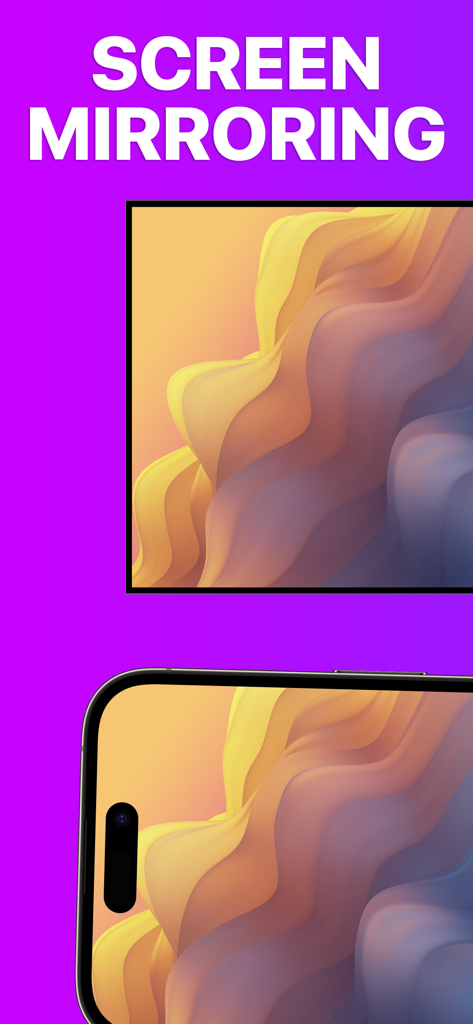
Un iPhone e uno schermo TV mostrano entrambi lo stesso motivo ondulato colorato per dimostrare la funzione di mirroring dello schermo

Un iPhone e uno schermo TV mostrano entrambi lo stesso motivo ondulato colorato per dimostrare la funzione di mirroring dello schermo

Schermo dell'iPhone specchiato su una Roku TV che mostra un'opera d'arte astratta di alta qualità

Schermo dell'iPhone specchiato su una Roku TV che mostra un'opera d'arte astratta di alta qualità

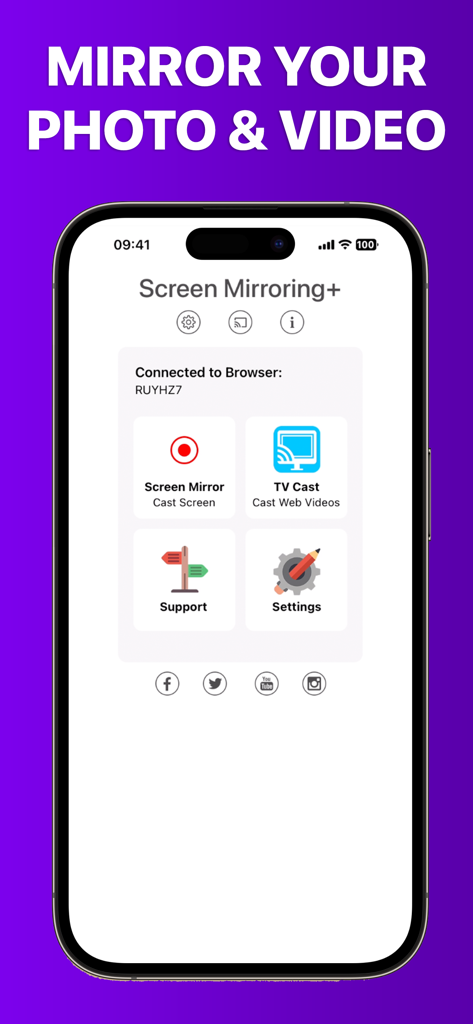
Schermata principale dell'app Screen Mirroring plus per trasmettere contenuti multimediali da iPhone a Roku

Schermata principale dell'app Screen Mirroring plus per trasmettere contenuti multimediali da iPhone a Roku

I Tuoi Contenuti iPhone, Più Grandi della Vita

Gli strumenti che rendono questa app unica, scelti da 676K+ utenti.

Mirroring Senza Ritardi

Sperimenta prestazioni leader del settore con una latenza inferiore a un secondo. Perfetto per scorrere i social media, navigare sul web o giocare ai giochi per dispositivi mobili sul grande schermo.

📺

Casting per Tutta la Famiglia

Condividi istantaneamente le foto delle vacanze, i video di casa e le presentazioni dal tuo iPhone o iPad. Riunisci tutti senza dovervi accalcare intorno a un piccolo schermo.

💎

Nessun Abbonamento Nascosto

Smetti di pagare canoni settimanali o costosi hardware Apple TV. Goditi un'utilità professionale progettata per utenti attenti al valore che desiderano prestazioni trasparenti e di alta qualità.

Analisi recensioni

Approfondimenti dalle recensioni degli utenti.

Punteggio sentimento

9%
Negativo

Riepilogo

This mobile app receives overwhelmingly negative feedback, with most users reporting that the core screen mirroring functionality simply 'doesn't work' or is plagued by significant performance issues such as extreme lag, low resolution, and choppiness. Many reviewers express frustration over having paid for the app only to find it unusable, leading to frequent requests for refunds and complaints about wasted money. Users also highlighted difficulties with initial setup, a lack of intuitive instructions, and non-existent customer support. Specific version-related issues include Netflix content restrictions and incompatibility with iOS 18, overshadowing the few positive experiences with basic screen mirroring or services like Hulu.

Temi comuni

Connectivity & Reliability(28)
Payment & Value(18)
Performance & Quality(11)
Ease of Use & Setup(5)
Customer Support(4)
Positive Screen Mirroring Experiences(3)

Info sull'app

Tutto quello che devi sapere su Screen Mirroring+ for Roku.

Descrizione

Screen Mirroring+ for Roku is the easy mirror app to share your iPhone or iPad screen on your Roku Streaming Player, Roku Stick or Roku TV. It's the most advanced screen mirroring solution with zero delay and the highest screen quality. Mirror photos, videos, games, websites, apps, presentations, documents and spreadsheets on Roku. * SUPPORTED Roku Players: Roku TV, Roku Streaming Stick, Roku Express, Roku Premiere, Roku Ultra, Roku 2, Roku 3, Roku 4, Roku HD (2500), Roku LT (2400+2450) Player. Please make sure that firmware 5.1 or later is installed. * SUPPORTED Roku TVs: Hisense, Sharp, TCL, Insignia, Hitachi, Philips, Element, JVC, Metz, Coocaa, Westinghouse, Onn * NOT SUPPORTED Roku Players: Roku classic models (N1000, N1050, N1100, N1101), Roku 2000, 2050, 2100, Telstra TV, NOW TV Stick & Box, Sky Ticket (WOW TV). * Your iPhone/iPad and your Roku must be connected to the same wifi to enable screen mirroring. Please do not use VPN, Proxy, VLANS and Subnets. * Latency is supreme (below 1 second) when you have good wifi network conditions * No hidden subscriptions or costs * Black screen issues: Some third party apps prevent screen mirroring. When you try to mirror them, you will just see a black screen on your TV, for example with Netflix and Disney+. This is a restriction chosen by Netflix and others, so we cannot fix it at the moment. If you like the app and our constant work on it, please give the app a positive rating on the App Store. Many thanks in advance from the development & support team. Disclaimer: This app is not affiliated with Roku or any other trademark mentioned here. ROKU, the ROKU Logo, STREAMING STICK, ROKU TV, ROKU POWERED, the ROKU POWERED Logo, ROKU READY, the ROKU READY Logo, the purple fabric tag design, the purple d-pad design, "STOP DREAMING. START STREAMING.", "HAPPY STREAMING", "THERE'S A TON OF ENTERTAINMENT IN THIS LITTLE BOX," and "NOW THIS IS TV" are trademarks and/or registered trademarks of Roku, Inc. in the United States and other countries.

Ultima versione

3.6

Dimensione

21.4 MB

Data di lancio

24 feb 2019

Prova il Mirroring a Latenza Zero Oggi

Unisciti a oltre 676.000 utenti che colmano il divario tra iPhone e Roku. Nessun abbonamento nascosto, nessun ritardo, solo i tuoi contenuti preferiti sul grande schermo.

Scarica su App StoreScarica su Google Play

App information, icons, screenshots, and descriptions displayed on this page are sourced from the Apple App Store and are the property of their respective developers. Download estimates and rankings are based on MWM's proprietary models and may not reflect actual figures. This page is provided for informational and analytical purposes only.

Believe this page infringes your intellectual property? File a dispute