3D Model Viewer: STL & USDZ

3D Model Viewer: STL & USDZ


ダウンロード: App Store
ロゴ: 3D Model Viewer: STL & USDZ

3Dモデルビューア:STL & USDZ – デザインを高精細ARで視覚化

クリエイターやプロにとって必須のモバイルツール。STL、USDZ、OBJファイルを簡単に開き、見事なプレビューを録画し、高度な拡張現実で3Dモデルを現実に蘇らせましょう。

ダウンロード: App Store

開発元

Ariel Ortiz

カテゴリ

Productivity

ダウンロード

9K+

ユーザー評価

1.0/5

評価数

0

対応言語

1

ポケットの中の3Dマスター

このインターフェースを利用する 9K+ 人のユーザー.

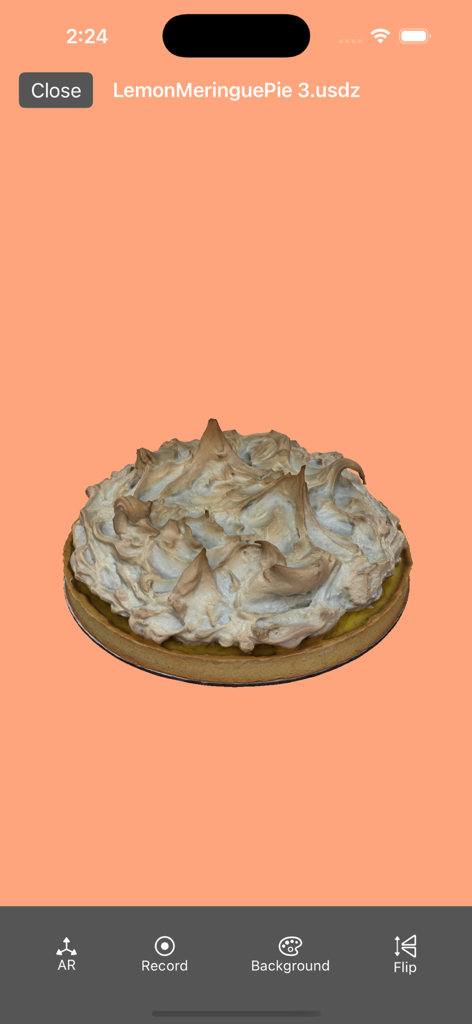
モバイルアプリのインターフェース内に表示されたUSDZ形式のレモンメレンゲパイの3Dモデル。

モバイルアプリのインターフェース内に表示されたUSDZ形式のレモンメレンゲパイの3Dモデル。

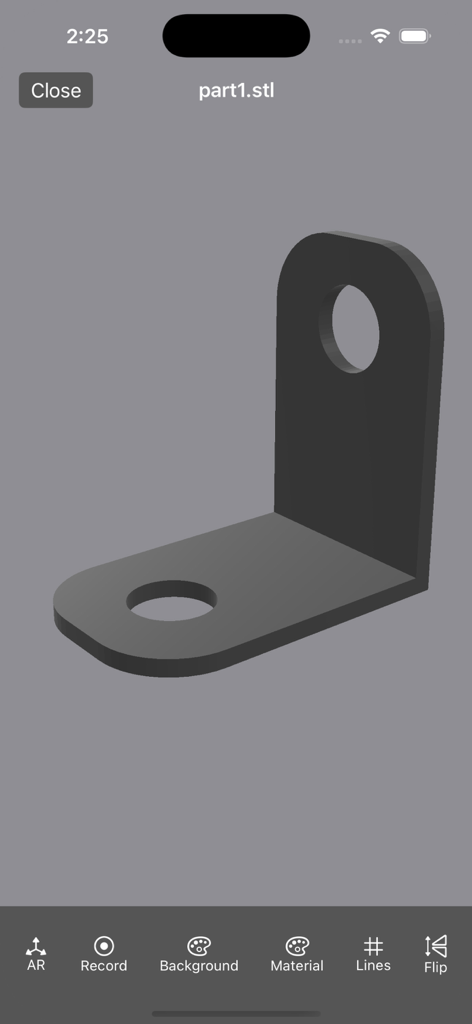
3Dモデルビューアアプリのインターフェース内で、3D L字型ブラケットモデルを表示しているiPhoneのスクリーンショット。

3Dモデルビューアアプリのインターフェース内で、3D L字型ブラケットモデルを表示しているiPhoneのスクリーンショット。

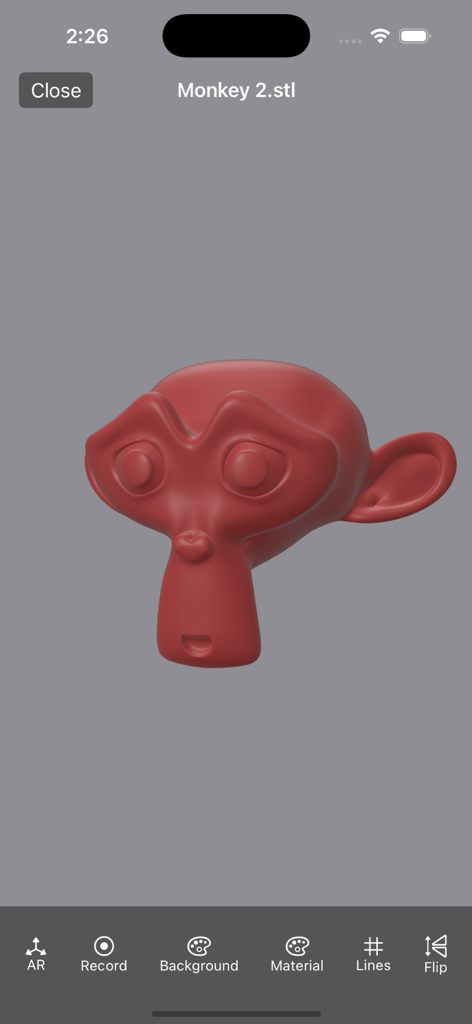
3Dモデルビューアモバイルアプリのインターフェースに表示された赤い3Dモンキーヘッドモデル。

3Dモデルビューアモバイルアプリのインターフェースに表示された赤い3Dモンキーヘッドモデル。

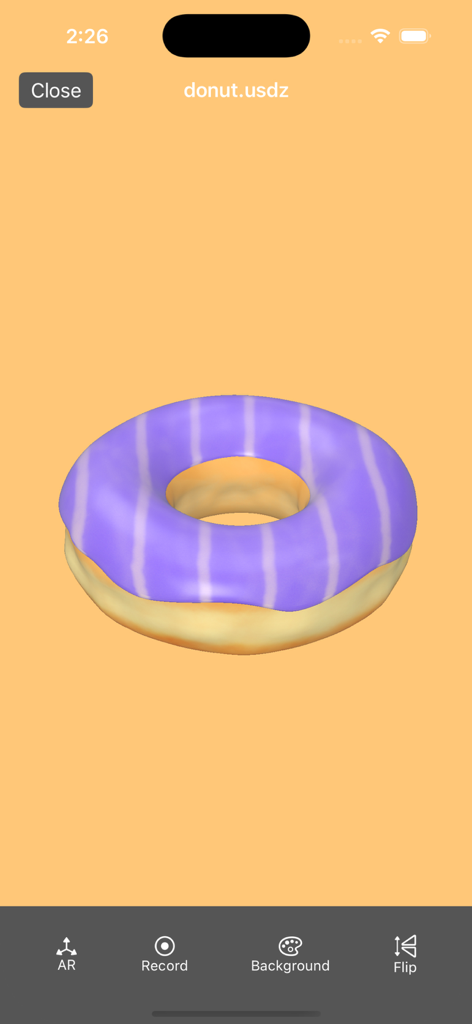
3Dモデルビューアアプリでレンダリングされた紫色のストライプドーナツの3Dモデル。

3Dモデルビューアアプリでレンダリングされた紫色のストライプドーナツの3Dモデル。

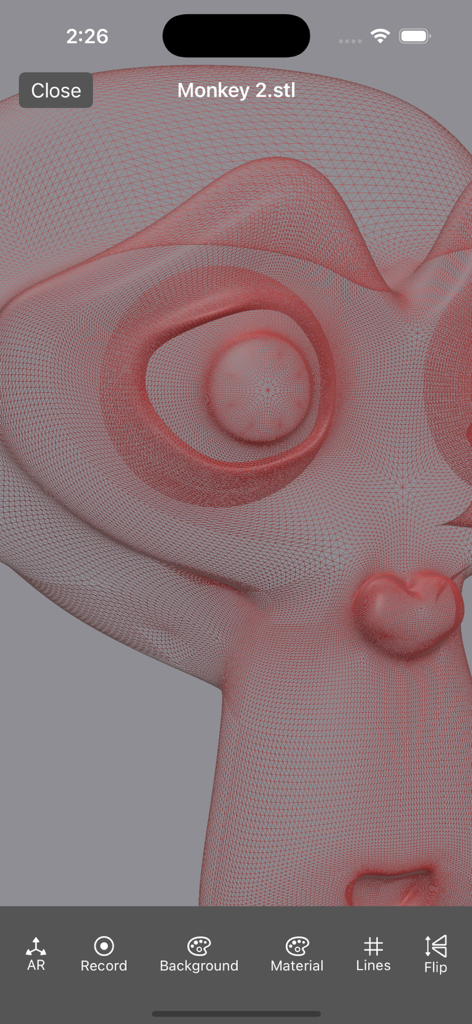
モンキーキャラクターモデルの詳細な赤いワイヤーフレームメッシュを示す3DモデルビューアアプリのiPhoneスクリーンショット。

モンキーキャラクターモデルの詳細な赤いワイヤーフレームメッシュを示す3DモデルビューアアプリのiPhoneスクリーンショット。

プロの精度でデザインを視覚化

このアプリを際立たせるツール、 9K+ 人のユーザーが選択.

📐

拡張現実(AR)統合

印刷や構築の前に、現実世界でモデルを視覚化してスケールとフィットを確認しましょう。

💎

クリスタルクリアなレンダリング

複雑なSTLやUSDZファイルを、スムーズなジェスチャーとフルテクスチャサポートで、まるで現実のような体験を。

🚀

シームレスなプロフェッショナルワークフロー

テクスチャ付きの.objファイルを簡単にインポートし、回転アニメーションを録画して、クライアントとビジョンを共有しましょう。

📸

360°ビュー録画

インタラクティブな360°ビデオを作成し、モデルのあらゆる角度をキャプチャして共有しましょう。

アプリについて

について知っておくべきこと 3D Model Viewer: STL & USDZ.

説明

3D Model Viewer: STL & USDZ - Transform Your Experience with 3D Visualization! Key Features: - Seamless Viewing: Effortlessly open and explore .usdz, .usd, .obj, .stl, .ply files with stunning clarity and detail. Experience 3D models like never before! - User-Friendly Interface: Navigate through your 3D models with simple gestures. Rotate, zoom and pan. - High Performance: Enjoy smooth and fast rendering, ensuring an optimal viewing experience for complex models. - AR Viewer: Visualize your models in AR. - Record: Record the scene with a rotation animation. You can upload .obj with textures, you need to create a zip file with the textures and the .mtl file. Download 3D Model Viewer: STL & USDZ today and step into the future of 3D visualization! Transform the way you see and share your creative ideas. Payment will be charged to your Apple ID account at the confirmation of purchase. The subscription automatically renews unless it is canceled at least 24 hours before the end of the current period. Your account will be charged for renewal within 24 hours prior to the end of the current period. You can manage and cancel your subscriptions by going to your App Store account settings after purchase. - Terms & conditions https://sites.google.com/view/usdz3dviewer/home/termsandconditions

最新バージョン

5.4.4

サイズ

12.7 MB

リリース日

2021年9月27日

今日、あなたの3Dプロジェクトを現実に

外出先でのSTL、USDZ、ARビジュアライゼーションに、3Dモデルビューアを信頼する9,000人以上のクリエイターやプロフェッショナルに加わりましょう。

ダウンロード: App Store
FAQ

よくある質問

について知っておくべきこと 3D Model Viewer: STL & USDZ

「3D Model Viewer: STL & USDZ」はどのような3Dファイル形式をサポートしていますか?

「3D Model Viewer: STL & USDZ」アプリは、.usdz、.usd、.obj、.stl、.plyファイル形式をサポートしており、シームレスな表示が可能です。

「3D Model Viewer: STL & USDZ」は拡張現実(AR)でモデルを表示できますか?

はい、「3D Model Viewer: STL & USDZ」にはARビューア機能が搭載されています。ユーザーは拡張現実で3Dモデルを直接可視化できます。

「3D Model Viewer: STL & USDZ」では、ユーザーは3Dモデルとどのように対話できますか?

「3D Model Viewer: STL & USDZ」では、簡単なジェスチャーで3Dモデルを操作できます。モデルの回転、ズーム、パンが可能です。

「3D Model Viewer: STL & USDZ」で、3Dモデルの回転アニメーションを録画できますか?

はい、「3D Model Viewer: STL & USDZ」では、回転アニメーション付きでシーンを録画できます。この機能はアプリ内で直接利用できます。

「3D Model Viewer: STL & USDZ」はテクスチャ付きの.objファイルをサポートしていますか?

はい、「3D Model Viewer: STL & USDZ」はテクスチャ付きの.objファイルをサポートしています。ユーザーは.objファイル、テクスチャ、.mtlファイルをすべて含むzipファイルを作成する必要があります。

「3D Model Viewer: STL & USDZ」はSTLモデルの高度な表示オプションを提供していますか?

はい、「3D Model Viewer: STL & USDZ」はSTLモデルの高度な表示オプションを提供しています。これには、マテリアルプロパティの変更やワイヤーフレームの表示が含まれます。

「3D Model Viewer: STL & USDZ」でSTLモデルのワイヤーフレームを表示できますか?

はい、「3D Model Viewer: STL & USDZ」ではSTLモデルのワイヤーフレームを表示できます。下部メニューの「Lines」オプションでこの表示を有効にできます。

「3D Model Viewer: STL & USDZ」のサブスクリプション更新はどのように機能しますか?

「3D Model Viewer: STL & USDZ」のサブスクリプションは、期間終了の24時間前までにキャンセルされない限り自動更新されます。更新の24時間前までに料金が請求されます。

「3D Model Viewer: STL & USDZ」のサブスクリプションはどのようにキャンセルできますか?

購入後、App Storeのアカウント設定にアクセスすることで、「3D Model Viewer: STL & USDZ」のサブスクリプションを管理およびキャンセルできます。

「3D Model Viewer: STL & USDZ」の利用規約はどこにありますか?

「3D Model Viewer: STL & USDZ」の利用規約は、https://sites.google.com/view/usdz3dviewer/home/termsandconditions で確認できます。

App information, icons, screenshots, and descriptions displayed on this page are sourced from the Apple App Store and are the property of their respective developers. Download estimates and rankings are based on MWM's proprietary models and may not reflect actual figures. This page is provided for informational and analytical purposes only.

Believe this page infringes your intellectual property? File a dispute